当前位置:网站首页>根据变量名来访问我们想要的网站
根据变量名来访问我们想要的网站
2022-04-21 07:43:00 【长街395】
有时候我们需要动态去访问某个网站,比如在大量静态网站中,我们可能因为数据库调用后,在前端渲染制作html比较困难,这时候我们可能想用大量已经写好的html文件,作为一种另类的"数据库",在一个网页中搜索,我们使用他们输入的值作为我们网站的名字,这样就可以达到一种,我们有数据库的假象,那么我们如何达到这种效果呢
来看俺的代码叭
  <style>

      .flex-container {
    display: -webkit-flex;
    display: flex;
    width: 1200px;
    height: 800px;
}

.flex-item {

    width: 600px;
    height: 800px;
    margin: 10px;
}
    .container{

      width: 500px;

      height: 50px;

      margin: 150px 50px 50px 50px;

      }


      .parent {

      width: 100%;

      height: 42px;

      margin: 50px 50px 50px 50px;

      position: relative;

      }


      .parent>input:first-of-type {

      /*输入框高度设置为40px, border占据2px,总高度为42px*/

      width: 380px;

      height: 40px;

      border: 1px solid #ccc;

      font-size: 16px;

      outline: none;

      }


      .parent>input:first-of-type:focus {

      border: 1px solid #317ef3;

      padding-left: 10px;

      }


      .parent>input:last-of-type {

      /*button按钮border并不占据外围大小,设置高度42px*/

      width: 100px;

      height: 44px;

      position: absolute;

      background: #317ef3;

      border: 1px solid #317ef3;

      color: #fff;

      font-size: 16px;

      outline: none;

      }</style>
<div class="container">
	<br>
  <div class="parent">
    <input id="litter" type="text" placeholder="请输入要搜索的汉字" />
	 <input type="button" value="搜索" id="btn"/>
    <br>

</div>
<script type="text/javascript">
 //   function $(id){ return document.getElementById(id);}//封装的$(id)函数

    btn.onclick = function(){  //按钮点击时,执行函数(事件源 . 事件 = 事件处理程序)
        alert(litter.value);
       // TestAjax1();
      let name=litter.value;
window.location.href='../fz/'+name+'.html'
    }


</script>
效果如下:
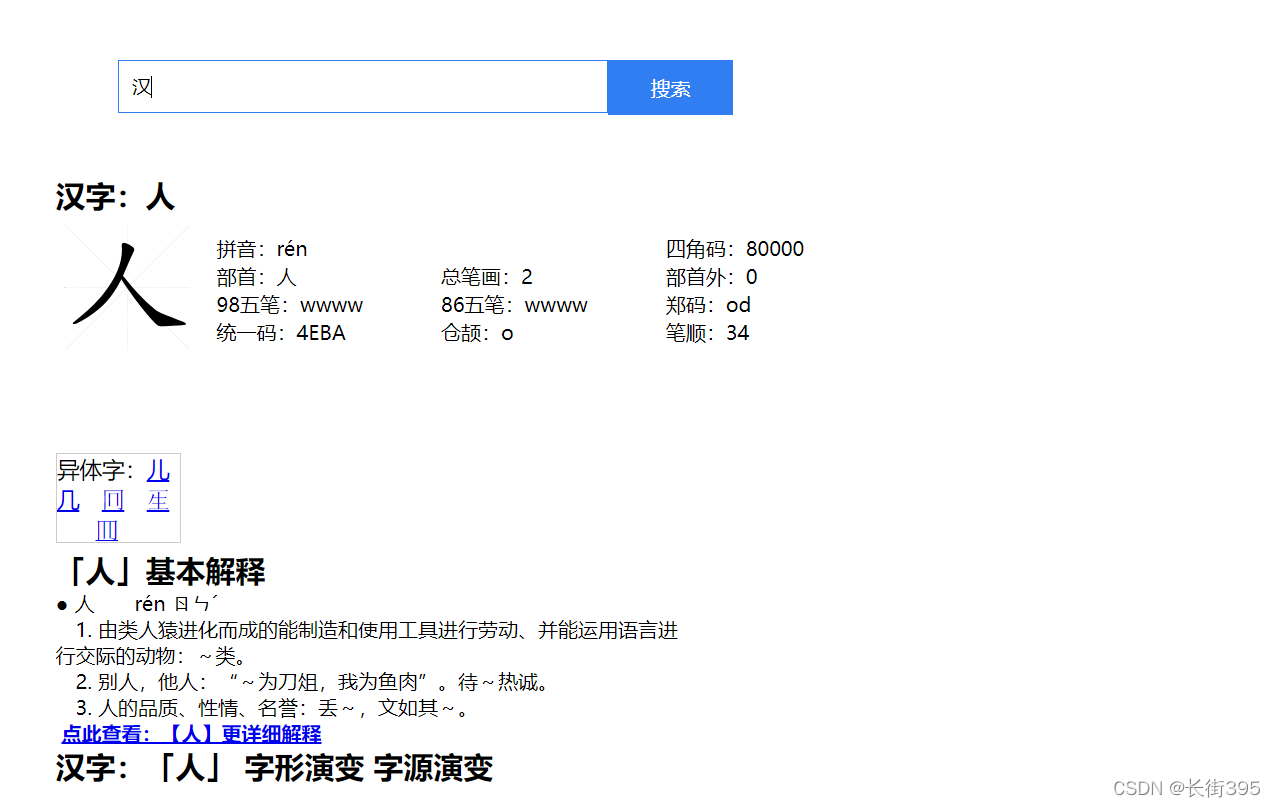
这里我们搜索汉
结果:

所以可以看到是可以给大众一种有数据库的错觉,因为这种风格在前端渲染的难度要远大于表格的渲染,所以作者就直接使用大量静态网站来模仿数据库的形式,通过搜索栏的内容来实现搜索。
因为上面的代码并不全,但核心已经给出,读者可以结合自己情况适当采用
版权声明
本文为[长街395]所创,转载请带上原文链接,感谢
https://blog.csdn.net/weixin_56301399/article/details/124246138
边栏推荐
猜你喜欢

Yolov5 model environment construction and Google lab training

nodeJS里面的Express架构
![[talkative cloud native] load balancing - the passenger flow of small restaurants has increased](/img/55/cc2adf83a86718b634598c4463fcd1.png)
[talkative cloud native] load balancing - the passenger flow of small restaurants has increased

第四章 约束与索引

一本快速入门ARM64体系结构的编程书
牛客白月赛4 【题解】

三层交换机【Vlanif详解】开启OSPF与路由器互通【eNSP实现】

kernel-pwn学习(2)--kernel uaf&&CISCN2017 - babydriver

解决数据库无法启动

Redis(15) -- Redis的主从复制--哨兵模式
随机推荐
[template] optimized drawing of line segment tree
【一、xxx病虫害检测项目】2、网络结构尝试改进:Resnet50、SE、CBAM、Feature Fusion
photoshop ps 测量角度 简介
Restful specification and use
跨域是什么和如何解决跨域问题的三种方法
Antv X6 canvas zoom
【读书笔记->统计学】07-02 离散型概率分布-二项分布概念简介
PDF OCR
模块化的概念
No . egg-info directory found in xxx\pip-pip-egg-info-mq
Use of antv X6 layout
libevent实现UDP通信
set集合
Error: ER_NOT_SUPPORTED_AUTH_MODE: Client does not support authentication protocol requested by serv
js力扣每日一题(2022/4/20)---388.文件的最长绝对路径
HTTP缓存策略与方案
ESP32 VHCI实现BLE广播,就是这么神奇
大家在深圳的一天是怎样度过的呢?
Brief introduction of Photoshop PS measuring angle
HTTP cache policy and scheme