当前位置:网站首页>详解轮播图二-通过left定位来轮播图片
详解轮播图二-通过left定位来轮播图片
2022-08-08 11:53:00 【勇敢*牛牛】
详解轮播图二

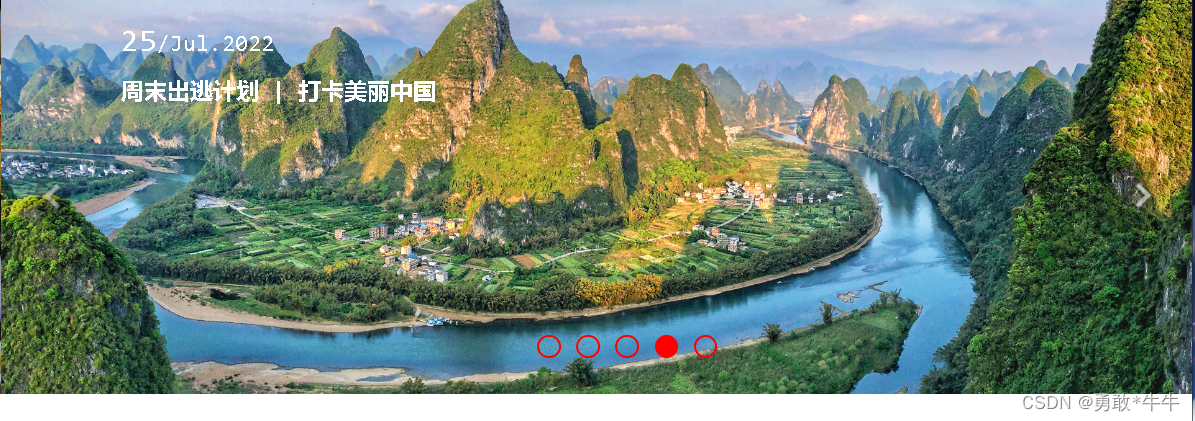
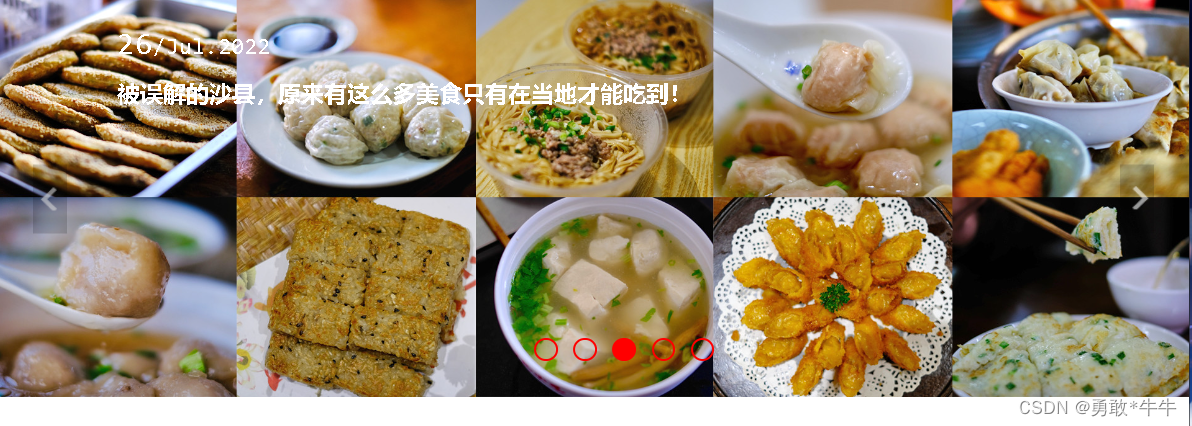
<!DOCTYPE html>
<html lang="en">
<head>
    <meta charset="UTF-8">
    <meta http-equiv="X-UA-Compatible" content="IE=edge">
    <meta name="viewport" content="width=device-width, initial-scale=1.0">
    <title>Document</title>
        <style>
          body{
            margin: 0;
            padding: 0;
        }
        .carousel{
            width: 100%;
            height: 33.3vw;
            position: relative;
            left: 0;
            top: 0;
            font-size: 0;
            min-width: 1000px;
            overflow: hidden;
        }
        .carousel>.img-con{
            width: 500%;
            height: 100%;
            position: absolute;
            transition:  all 0.5s;
            left: 0;
        }
        .carousel .img-block{
            width: 20%;
            height: 100%;
            position: relative;
            float: left;

        }
        .carousel .img-block>img{
            width: 100%;
            height: 100%;
            position: absolute;
            left: 0;
            top: 0;
        }
        .carousel .img-block>div{
            position: absolute;
            left:10vw;
            top: 2vw;
            font-size: 20px;
            color: white;
        }
        .carousel .img-block>div>span>i{
            font-style:normal;
            font-size: 28px;
        }
        .carousel .img-block>div>h1{
            font-size: 20px;
        }
        .clear::after
        {
            content: "";
            display: block;
            visibility: hidden;
            height: 0;
            overflow: hidden;
            clear: both;
        }

        ul{
            list-style: none;
            position: absolute;
            bottom: 3vw;
            left: 50%;
            transform: translate(-50%,0);
        }
        ul li{
            width: 1.6vw;
            height: 1.6vw;
            border:2px solid red;
            margin-left: 1.3vw;
            float: left;
            border-radius: 1.6vw;

        }
        .left,.right{
            position: absolute;
            top: 50%;
            transform: translate(0,-50%);
        }
        .left{
            left: 3vw;
        }

        .right{
            right: 3vw;
        }
    </style>
</head>
<body>
       <div class="carousel">
        <div class="img-con clear">
            <div class="img-block" id="a">
                <img src="./img/a.jpg">
                <div>
                    <span><i>28</i>/Jul.2022</span>
                    <h1>与父母的47天自驾游|向疆而行2万里,我们依旧是过客</h1>
                </div>

            </div>
            <div class="img-block" id="b">
                <img src="./img/b.jpg">
                <div>
                    <span><i>27</i>/Jul.2022</span>
                    <h1>自驾川西小环线,在千碉之国遇见梨花如雪的季节</h1>
                </div>

            </div>
            <div class="img-block" id="c">
                <img src="./img/c.jpg">
                <div>
                    <span><i>26</i>/Jul.2022</span>
                    <h1>被误解的沙县,原来有这么多美食只有在当地才能吃到!</h1>
                </div>

            </div>
            <div class="img-block" id="d">
                <img src="./img/d.jpg">
                <div>
                    <span><i>25</i>/Jul.2022</span>
                    <h1>周末出逃计划 | 打卡美丽中国</h1>
                </div>

            </div>
            <div class="img-block" id="e">
                <img src="./img/e.jpg">
                <div>
                    <span><i>24</i>/Jul.2022</span>
                    <h1>寻迹山川湖海,邂逅云南的冬与夏</h1>
                </div>

            </div>
        </div>
        <ul class="clear">
            <li></li>
            <li></li>
            <li></li>
            <li></li>
            <li></li>
        </ul>
        <img src="./img/left.png" class="left">
        <img src="./img/right.png" class="right">
    </div>
    <script>
        var imgCon,left,right,dot;
        var pos = 0;//定位图片的索引
        var prev;
        init();
        function init(){
            imgCon = document.querySelector('.img-con');
            left = document.querySelector('.left');
            right = document.querySelector('.right');
            dot = document.querySelector('ul');
            /* 给lu,left,right添加点击事件 */
            dot.addEventListener('click',dotClickHandler);
            left.addEventListener('click',bnClickHandler);
            right.addEventListener('click',bnClickHandler);

        }
        /* ul的点击事件 */
        function dotClickHandler(e){
            if(e.target.nodeName !== "LI") return ;
            /* 获取被点击的li位置 */
            pos = Array.from(this.children).indexOf(e.target);
            imgConMove()
            changePrev()
        }
        /* 左右按钮的点击事件 */
        function bnClickHandler(e){
            /* 如果被点击左边执行 */
            if(this ===  left){
                /* 第一次点击之后pos==4 */
                if(--pos<0) pos = 4
            }else{
                if(++pos>4) pos = 0
            }
            imgConMove();
            changePrev()

        }
        /* 如果点击左边移动的是这个imgConleft的倍数 */
        function imgConMove(){
            /* imgCon.firstElementChild.offsetWidth 一个图片的宽度 */
            imgCon.style.left = pos * -imgCon.firstElementChild.offsetWidth + 'px';
            console.log(pos * -imgCon.firstElementChild.offsetWidth);
        }

        function changePrev(){
            if(prev){
                prev.style.backgroundColor = 'transparent'
            }
            prev = dot.children[pos];
            prev.style.backgroundColor = 'red'
        }
    </script>
</body>
</html>
边栏推荐
- 研究:有毒的PFAS化学品使全球各地的雨水无法安全饮用
- Yizhou Financial Analysis | Internet-based small loan platform intensively increased capital; comprehensive evaluation index of bank wealth management subsidiaries released in the first half of the ye
- 上周热点回顾(8.1-8.7)
- EZVIZ and Xiaomi compete against smart cameras
- Replication监控及自动故障切换
- [Horizon Rising Sun X3 Trial Experience] WIFI connection, SSH login, TogetherROS installation (section 2)
- MYSQL 的 MASTER到MASTER的主主循环同步
- day02 -DOM—高级事件(注册事件、事件监听、删除事件、DOM事件流、事件对象、阻止默认行为、阻止事件冒泡、事件委托)—常用鼠标事件—常用的键盘事件
- 手绘地图制作的关键点之“图层覆盖”
- (原创)[C#] GDI+ 之鼠标交互:原理、示例、一步步深入、性能优化
猜你喜欢
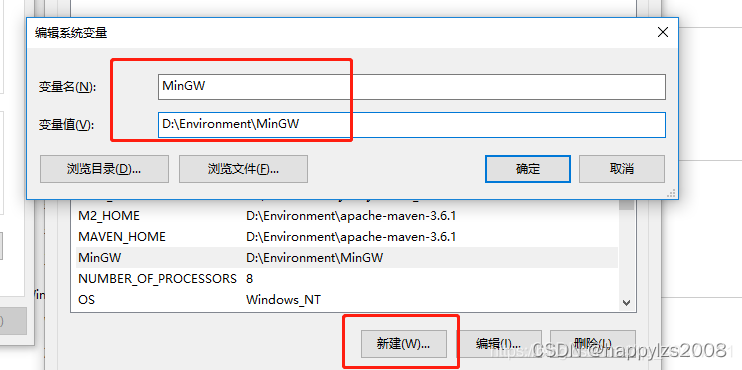
安装MinGW-w64
day02 -DOM - advanced events (register events, event listeners, delete events, DOM event flow, event objects, prevent default behavior, prevent event bubbling, event delegation) - commonly used mouse
#yyds干货盘点#【愚公系列】2022年08月 Go教学课程 005-变量

关于那些我们都听过的营销工具—优惠券
探究!一个数据包在网络中的心路历程
看到这个应用上下线方式,不禁感叹:优雅,太优雅了!

动图图解!既然IP层会分片,为什么TCP层也还要分段?
Replication监控及自动故障切换
论文阅读《Omnidirectional DSO: Direct Sparse Odometry with Fisheye Cameras》
Mysql索引优化实战
随机推荐
安装MinGW-w64
Optional常用方法解析
d切片示例
各位,我想知道,既然数据全部读取过来存放内存,我flink sql窗口关闭之后再次查询这个cdc映射
鲲鹏开发者创享日2022:鲲鹏全栈创新 与开发者共建数字湖南
写个 shell 玩 数字炸弹
dedecms支持Word图文自动粘贴
JSON的Unicode问题;自定义排序问题;保留最大子集问题
day02 -DOM—高级事件(注册事件、事件监听、删除事件、DOM事件流、事件对象、阻止默认行为、阻止事件冒泡、事件委托)—常用鼠标事件—常用的键盘事件
消防安全知识培训讲座
JPA之使用复合主键
如何在go重打印函数调用者信息Caller
一文读懂配置管理(CM)
四、哈希表
Oracle ASM磁盘组使用新存储替换旧存储方案
宏任务和微任务——三目算符与加号优先级——原生的js如何禁用button——0xff ^ 33 的结果是——in的用法——正则匹配网址
【力扣】两数相加
Yizhou Financial Analysis | Internet-based small loan platform intensively increased capital; comprehensive evaluation index of bank wealth management subsidiaries released in the first half of the ye
是不是只有字符串的数字水印能一直保留并且不影响计算,其他类型的字段导入数据库之后水印就会丢失?
PM2 入门(二)