当前位置:网站首页>uni-app 从零开始-页面通讯 (三)
uni-app 从零开始-页面通讯 (三)
2022-08-05 23:31:00 【吟秋知忆】
全局变量/模块
globalData
使用globalData
<script setup lang="ts">
onLaunch(() => {
  console.log('App Launch');
});

onShow(() => {
  console.log('App Show');
});

onHide(() => {
  console.log('App Hide');
});

onError((err) => {
  console.log('App Error:', err);
});
</script>
<script lang="ts">
export default {
  globalData: {
    name: 'globalData',
  },
};
</script>
注意: 1. 全局
globalData不能在SFC单文件中定义; 2. 使用unplugin-auto-import插件自动导入Api
const app = getApp()
console.log(app.globalData)
getApp()
「注意:」
不要在定义于 App() 内的函数中,或调用 App 前调用 getApp() ,可以通过 this.$scope 获取对应的 app 实例 通过 getApp() 获取实例之后,不要私自调用生命周期函数。 当在首页 nvue 中使用 getApp()不一定可以获取真正的 App 对象。对此提供了 const app = getApp({allowDefault: true})用来获取原始的 App 对象,可以用来在首页对 globalData 等初始化 在应用 onLaunch 时,getApp 对象还未获取,暂时可以使用 this.globalData 获取 globalData
自定义全局变量模块
在utils/index.ts中定义:
export const common = {name:'global module'}
在其它页面使用:
import {common} from '@/utils'

console.log(common)
注意:如果对全局变量重新赋值要特别注意其“生命周期”,否则会造成数据丢失问题
路由参数
<navigator :url="'/pages/test/test?item='+ encodeURIComponent(JSON.stringify(item))"></navigator>
// 在页面接受参数
onLoad(option) {
 const item = JSON.parse(decodeURIComponent(option.item));
}
getCurrentPages()
getCurrentPages() 函数用于获取当前页面栈的实例,以数组形式按栈的顺序给出,第一个元素为首页,最后一个元素为当前页面。
️ 注意: getCurrentPages()仅用于展示页面栈的情况,请勿修改页面栈,以免造成页面状态错误。
缓存
storage 将数据存储在本地缓存中指定的 key 中,会覆盖掉原来该 key 对应的内容。(推荐优先使用异步缓存)
// 保存缓存数据
uni.setStorage({
 key: 'storage_key',
 data: 'hello',
 success: function () {
  console.log('success');
 }
});

// 获取缓存数据
uni.getStorage({
 key: 'storage_key',
 success: function (res) {
  console.log(res.data);
 }
});

// 移除指定缓存数据
uni.removeStorage({
 key: 'storage_key',
 success: function (res) {
  console.log('success');
 }
});

// 清除所有缓存数据
uni.clearStorage()
状态管理
pinia vuex
事件通讯
uni.$emit
uni.$emit(eventName,OBJECT)触发全局的自定义事件。附加参数都会传给监听器回调。
uni.$emit('update',{msg:'页面更新'})
uni.$on
uni.emit 触发,回调函数会接收所有传入事件触发函数的额外参数。
uni.$on('update',function(data){
  console.log('监听到事件来自 update ,携带参数 msg 为:' + data.msg);
 })
uni.$once
uni.emit 触发,但是只触发一次,在第一次触发之后移除监听器。
uni.$once('update',function(data){
  console.log('监听到事件来自 update ,携带参数 msg 为:' + data.msg);
 })
uni.$off
uni.$off([eventName, callback])移除全局自定义事件监听器。
Tips:
如果没有提供参数,则移除所有的事件监听器; 如果只提供了事件,则移除该事件所有的监听器; 如果同时提供了事件与回调,则只移除这个回调的监听器; 提供的回调必须跟$on 的回调为同一个才能移除这个回调的监听器;
uni.$off('update', fn)
完整事例
 <script>
  export default {
   data() {
    return {
     val: 0
    }
   },
   onLoad() {
    setInterval(()=>{
     uni.$emit('add', {
      data: 2
     })
    },1000)
    uni.$on('add', this.add)
   },
   methods: {
    comunicationOff() {
     uni.$off('add', this.add)
    },
    add(e) {
     this.val += e.data
    }
   }
  }
 </script>
消息订阅
PubSubJS PubSubJS 是一个用 JavaScript 编写的基于主题的发布/订阅库。
import PubSub from 'pubsub-js'

export const MY_TOPIC = Symbol('MY_TOPIC')

// create a function to subscribe to topics
var mySubscriber = function (msg, data) {
    console.log( msg, data );
};

// add the function to the list of subscribers for a particular topic
// we're keeping the returned token, in order to be able to unsubscribe
// from the topic later on
var token = PubSub.subscribe(MY_TOPIC, mySubscriber);

// publish a topic asynchronously
PubSub.publish(MY_TOPIC, 'hello world!');

// publish a topic synchronously, which is faster in some environments,
// but will get confusing when one topic triggers new topics in the
// same execution chain
// USE WITH CAUTION, HERE BE DRAGONS!!!
PubSub.publishSync(MY_TOPIC, 'hello world!');

// unsubscribe this subscriber from this topic
PubSub.unsubscribe(token);
推荐阅读
关注我
利用空闲时间免费兼职(长期有效),请联系我(PS:关注公众号后,点击“联系我”获取联系方式)~ 
边栏推荐
猜你喜欢

Is it better to design vias as small as possible?
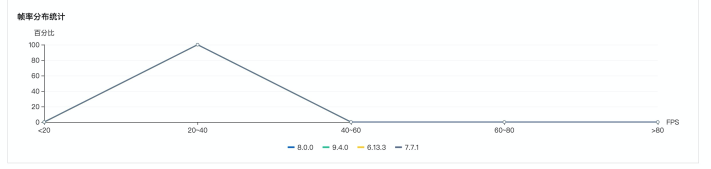
云上的移动性能测试平台
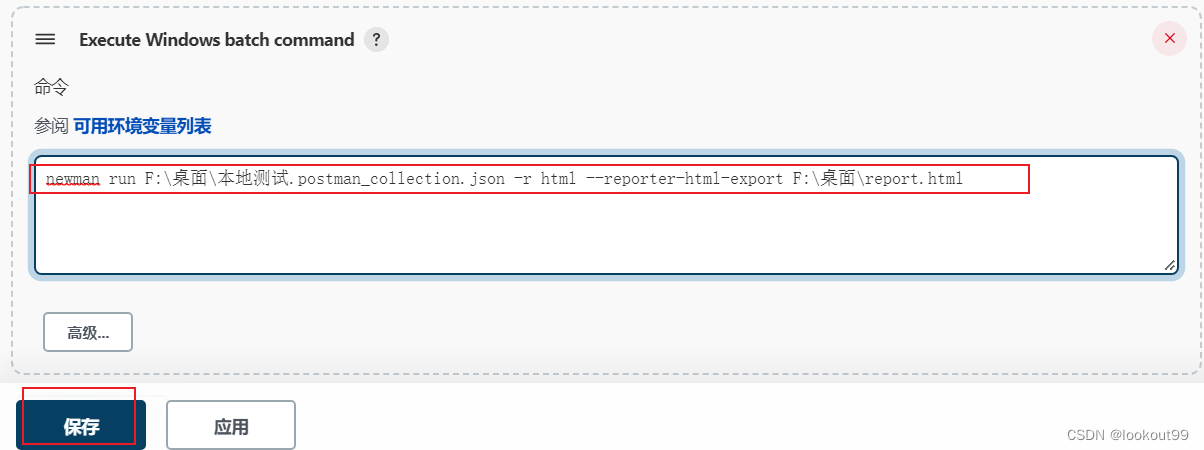
Simple use of Day15 jenkins

ESXI7.0主机安装群晖DS3617xs

文档对象模型 DOM ——让JS有能力和网页进行对话

基于隐语义模型的协同过滤推荐之用户商品推荐列表

Redies (4) Optimization of session sharing

解决ARM64终端PC银河麒麟桌面系统V10SP1 grub-mkrescue生成的iso启动报错Synchronous Exception at 0x000000211BEC323C

亿纬锂能首件搭载 46 系列大圆柱电池的系统产品成功下线

About Invalid prop: type check failed for prop “index“. Expected String, got Undefined
随机推荐
正在安装最新版本的origin太慢了
Kubernetes信息安全
Meet Alluxio, the "middleman" in MRS
SwiftUI中应用Hero动画(Hero Animation)时一些需要填的坑
柔性电流探头选型指南,值得收藏
Why can't the expedited fee of 5,000 yuan guarantee the delivery time?
NVM 快速安装教程,只此一家
unzip中文解压
ASEMI-B7整流桥参数,B7整流桥规格,B7整流桥封装
PMP备考|通关宝典
Kubernetes Troubleshooting eBPF
头脑风暴:零钱兑换
排序 Go入门
Nanoprobes丨Nanogold 标记条带的凝胶染色
ACL(Access Control List)——访问控制列表
SRE运维解密-服务质量目标:SLI,SLO,SLA
ESXI7.0主机安装群晖DS3617xs
三年软件工程真题
Peeking into the Big from the Small: IO Caton Explores Apple's File System
[GKCTF 2021]easycms