当前位置:网站首页>[Pytorch study notes] 10. How to quickly create your own Dataset dataset object (inherit the Dataset class and override the corresponding method)
[Pytorch study notes] 10. How to quickly create your own Dataset dataset object (inherit the Dataset class and override the corresponding method)
2022-08-05 05:42:00 【takedachia】
文章目录
When we are working on actual projects,Often use their own datasets,It needs to be constructed as aDataset对象让pytorchcan read and use.
We used to call often torchvision Dataset objects in the library directly obtain commonly used datasets,如:torchvision.datasets.FashionMNIST(),one thus obtainedDataset对象属于 torch.utils.data.Dataset 类.获得Dataset对象后传入DataLoaderYou can load batch data to participate in training.
How to customize one if we have our own datasetDataset呢?
继承Dataset类,And override the corresponding method to create your ownDataset
Let's look at the official documentation:
The documentation describes building an owndataset,Need to override magic method__getitem__()to specify how the index accesses the data,Also need to rewrite__len__()to get the length of the dataset(数量).
Let's look directly at a simple example,就非常一目了然了:
# 创建数据集对象
class text_dataset(Dataset): #需要继承Dataset类
    def __init__(self, words, labels):
        self.words = words
        self.labels = labels

    def __len__(self):
        return len(self.labels)

    def __getitem__(self, idx):
        label = self.labels[idx]
        word = self.words[idx]
        return word, label
Above we create a dataset object,Assign a sentimental label to a word.
wordseach word is passed in,为一个List.
labelsis the label corresponding to each word,为一个List.
- 在__init__中,We specify the incoming sequence as a property of the class
- 在__len__中,We set the length of the dataset
- 在__getitem__,我们使用参数idx,Specify the method to access the element by index,and specify the return element
We have the following data source:
words = ['Happy', 'Amazing', 'Sad', 'Unhapy', 'Glum']
labels = ['Positive', 'Positive', 'Negative', 'Negative', 'Negative']

dataset_words = text_dataset(words, labels)
dataset_words[0]
# 返回:
# ('Happy', 'Positive')
can be passed in the createddataset,实例化一个新的dataset.Data can be accessed by subscripting.
Then you can pass in aDataLoader:
train_iter = DataLoader(dataset_words, batch_size=2)
X, y = next(iter(train_iter))
X, y
# 返回:
# (('Happy', 'Amazing'), ('Positive', 'Positive'))
这样,一个简单的Dataset就创建好了.
Let's talk about an example of creating an image dataset.
实例:Create with your own image dataset
例子使用的是 动手学深度学习 The leaf classification project,地址:https://www.kaggle.com/competitions/classify-leaves
What does the image dataset look like?
After we unzipped the dataset, we found the following subfolderimagestored in total27153张图片,before the label18353The image is the training set,后8800The picture is the test set(The test set did not givelabel).
The label information of the training set is intrain.csv中,有176类.
We find information about pictures andlabelinformation does not correspond directly,Preferably one image tensor corresponds to onelabel类才行.
So such a dataset needs to be processed before it can be read inDataset中.

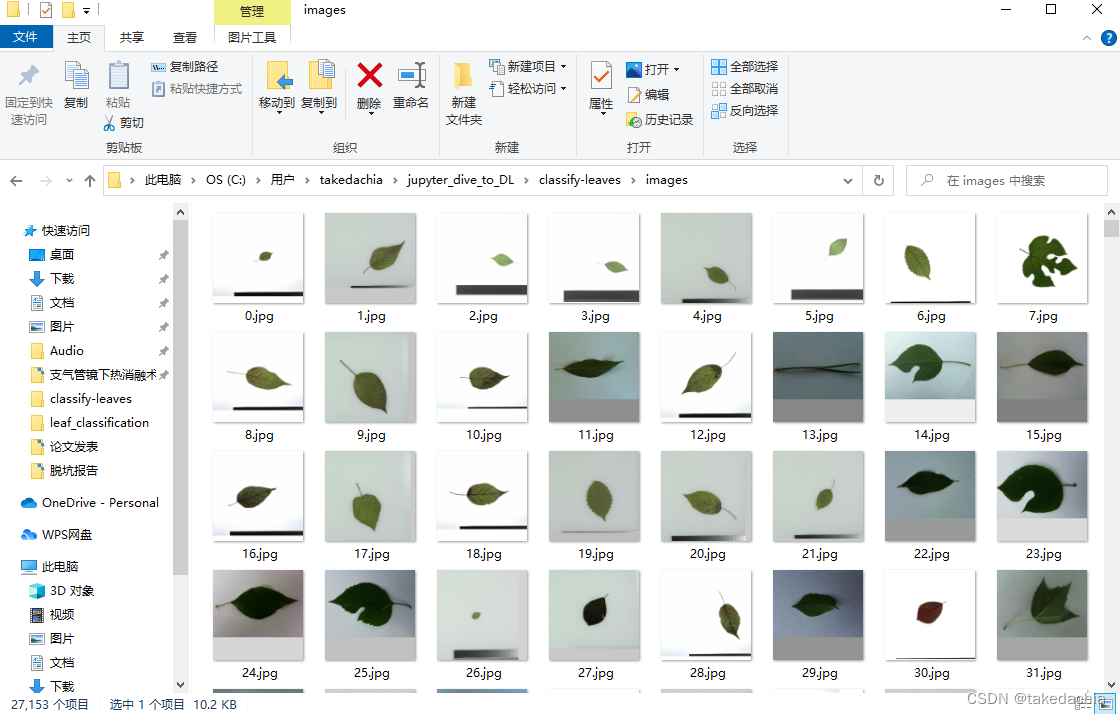
但是!
Here I put these firstjpgrename the file,unsatisfactory file name5Fill in front of digits0,because thentorchvision.datasets.ImageFolderRead files are read in string order(ImageFolderthe famous pit).Change it to the form of the figure: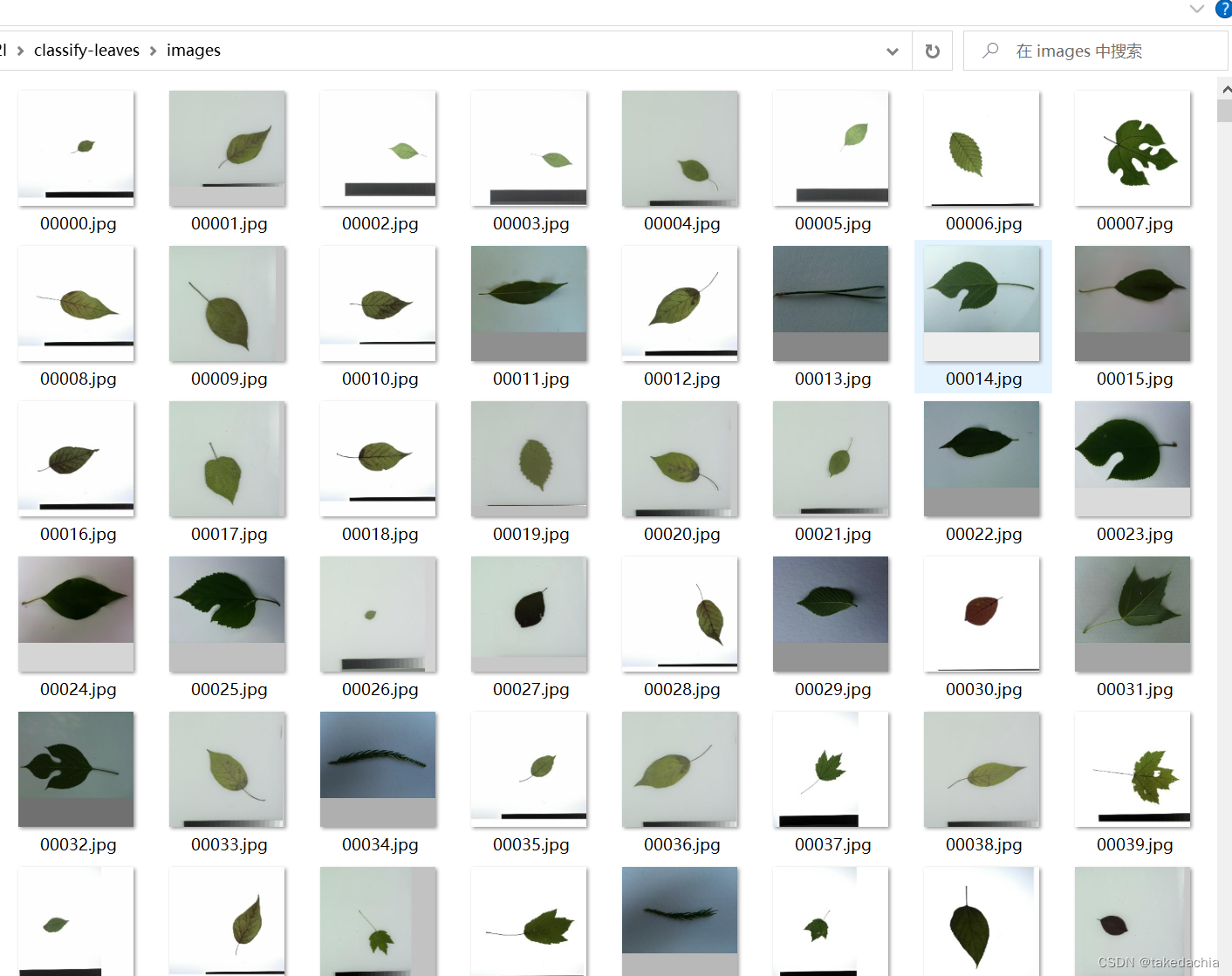
File batch rename code:
# Rename the file first,digital dissatisfaction5Always complete bits0,because thenImageFolderread is read in string order
# 即 3.jpg → 00003.jpg
import os
path = '../classify-leaves/images'
file_list = os.listdir(path)

for file in file_list:
    front, end = file.split('.') # Get filename and suffix
    front = front.zfill(5)  # file name complement0,5表示补0after name5位
    new_name = '.'.join([front, end])
    # print(new_name)
    os.rename(path + '\\' + file, path + '\\' + new_name)
数据预处理
我们先使用torchvision.datasets.ImageFolder把imageThe image below is read into a temporaryDataset,data_images
import torch
from torch.utils.data import Dataset, DataLoader
from torchvision.datasets import ImageFolder
from torchvision import transforms

import pandas as pd
import numpy as np
import matplotlib.pyplot as plt

train_augs = transforms.Compose([
    transforms.Resize(224),
    transforms.ToTensor()
])
data_images = ImageFolder(root='../classify-leaves', transform=train_augs)
Then read the label information of the training set.
train_csv = pd.read_csv('../classify-leaves/train.csv')
print(len(train_csv))
train_csv

We know that the category information needs to be converted into one-hot encoding during training,So you need to first put the category informationlabelConvert to category number.
train_csv.label.unique()All category names are available,it is an orderednumpy数组,The index number can be obtained by querying,The index number can be used as the category number.
# How to get the index of an element:
# 这个class_to_num可以存起来,Can then be used as a class number to class name mapping
class_to_num = train_csv.label.unique()
np.where(class_to_num == 'quercus_montana')[0][0]  # 取两次[0]Get the serial number

Create category number information:
(上面这个class_to_num可以存起来,Can then be used as a class number to class name mapping)
train_csv['class_num'] = train_csv['label'].apply(lambda x: np.where(class_to_num == x)[0][0])
train_csv

创建Dataset
# 创建数据集对象 —— leaf
class leaf_dataset(Dataset): # 需要继承Dataset类
    def __init__(self, imgs, labels):
        self.imgs = imgs
        self.labels = labels

    def __len__(self):
        return len(self.labels)

    def __getitem__(self, idx):
        label = self.labels[idx]
        data = self.imgs[idx][0] # then pass in aImageFolder对象,需要取[0]获取数据,不要标签
        return data, label

imgs = data_images
labels = train_csv.class_num
这里将之前用ImageFolder建立的临时Dataset直接作为参数imgs,因为ImageFolderTo get the image data, you need to get another0(取1则是label,在这个例子中是“image”),所以在写__getitem__When takedataadd after[0].
下面创建Dataset,传入DataLoader,and display the data:
Leaf_dataset = leaf_dataset(imgs=imgs, labels=labels)
train_iter = DataLoader(dataset=Leaf_dataset, batch_size=256, shuffle=True)
X, y = next(iter(train_iter))
X[0].shape, y[0]

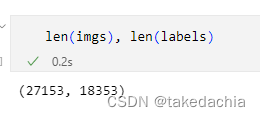
这里,细心的同学可能会问:imgs长度是27153,labels长度是18353:
Is it okay to pass in a dataset of different lengths??
In fact, a pair of sequences of unequal lengths are passed inDatasetwill have its own problems,但传入DataLoaderAfter that, the unequal length part will be automatically filtered out,The length of the last loaded data will still be the training set18353.
还是建议先把Dataset整理一下,可以使用torch.utils.data.Subsetmethod directly before18353个元素(也可以在DatasetModify the class to what you want):
indices = range(len(labels))
Leaf_dataset_tosplit = torch.utils.data.Subset(Leaf_dataset, indices)
Finally show the picture:
# 展示一下
toshow = [torch.transpose(X[i],0,2) for i in range(16)]

def show_images(imgs, num_rows, num_cols, scale=2):
    figsize = (num_cols * scale, num_rows * scale)
    _, axes = plt.subplots(num_rows, num_cols, figsize=figsize)
    for i in range(num_rows):
        for j in range(num_cols):
            axes[i][j].imshow(imgs[i * num_cols + j])
            axes[i][j].axes.get_xaxis().set_visible(False)
            axes[i][j].axes.get_yaxis().set_visible(False)
    return axes

show_images(toshow, 2, 8, scale=2)

总结
We often use inheritance torch.utils.data.Dataset class method to construct an ownDataset,At the same time, the following magic methods need to be rewritten:
- 在__init__中,Specify the incoming data sequence as a property of the class
- 在__len__中,Set the length of the dataset
- 在__getitem__,使用参数idx,Specify the method to access the element by index,and specify the return element
can then be passed inDataLoaderto read using.
(The code used in this article can also see myGithub)
边栏推荐
- [Remember 1] June 29, 2022 Brother and brother double pain
- Kubernetes常备技能
- 【NFT网站】教你制作开发NFT预售网站官网Mint作品
- 【论文精读】Rich Feature Hierarchies for Accurate Object Detection and Semantic Segmentation(R-CNN)
- 【Pytorch学习笔记】10.如何快速创建一个自己的Dataset数据集对象(继承Dataset类并重写对应方法)
- 单变量线性回归
- 【Kaggle项目实战记录】一个图片分类项目的步骤和思路分享——以树叶分类为例(用Pytorch)
- day9-字符串作业
- 记我的第一篇CCF-A会议论文|在经历六次被拒之后,我的论文终于中啦,耶!
- The difference between the operators and logical operators
猜你喜欢

Calling Matlab configuration in pycharm: No module named 'matlab.engine'; 'matlab' is not a package
![[Database and SQL study notes] 9. (T-SQL language) Define variables, advanced queries, process control (conditions, loops, etc.)](/img/7e/566bfa17c5b138d1f909185721c735.png)
[Database and SQL study notes] 9. (T-SQL language) Define variables, advanced queries, process control (conditions, loops, etc.)

Flink Table API 和 SQL之概述

ECCV2022 | RU&谷歌提出用CLIP进行zero-shot目标检测!

The University of Göttingen proposed CLIPSeg, a model that can perform three segmentation tasks at the same time

el-table,el-table-column,selection,获取多选选中的数据

Tensorflow踩坑笔记,记录各种报错和解决方法
【数据库和SQL学习笔记】9.(T-SQL语言)定义变量、高级查询、流程控制(条件、循环等)

华科提出首个用于伪装实例分割的一阶段框架OSFormer
flink部署操作-flink standalone集群安装部署
随机推荐
[Over 17] Pytorch rewrites keras
el-pagination分页分页设置
Kubernetes常备技能
SharedPreferences and SQlite database
如何编写一个优雅的Shell脚本(二)
[Go through 11] Random Forest and Feature Engineering
华科提出首个用于伪装实例分割的一阶段框架OSFormer
学习总结week2_3
拿出接口数组对象中的所有name值,取出同一个值
MySql之索引
spark-DataFrame数据插入mysql性能优化
【Over 15】A week of learning lstm
JSX基础
面向小白的深度学习代码库,一行代码实现30+中attention机制。
【数据库和SQL学习笔记】3.数据操纵语言(DML)、SELECT查询初阶用法
SharedPreferences和SQlite数据库
npm搭建本地服务器,直接运行build后的目录
如何编写一个优雅的Shell脚本(三)
学习总结week2_1
【Kaggle项目实战记录】一个图片分类项目的步骤和思路分享——以树叶分类为例(用Pytorch)