当前位置:网站首页>封装的方法
封装的方法
2022-04-22 11:44:00 【码小龙.】
/**
- 去掉字符串中的前后空格
- @param {string} str 字符串参数
/
const trim = (str) => {
if (str.length == 0) {
return “”;
} else {
return str.replace(/(^\s+)|(\s+$)/g, “”);
}
}
/* - 提示
- @param {string} title 提示内容
- @param {num} time 延迟时间
- @param {fun} successCallback 成功的回调函数
/
const alert = (title, successCallback, time) => {
uni.showToast({
icon: “success”,
title: title || “成功”,
duration: time || 1000,
success: successCallback,
mask:true
})
}
/* - loading 提示
- @param {string} title 提示内容
- @param {num} time 延迟时间
- @param {Boolean} mask 是否显示模版
- @param {fun} successCallback 成功的回调函数
/
const loading = (title, mask, successCallback) => {
uni.showLoading({
icon: “loading”,
mask: mask || !0,
title: title || “加载中…”,
success: successCallback
})
}
/* - hideloading 隐藏提示
- @param {num} time 延迟时间
/
const hideloading = (time) => {
// clearTimeout(e);
time = time || 0;
let e = setTimeout(function () {
uni.hideToast()
}, time)
}
/* - confirm 提示框
- @param {string} title 标题
- @param {string} content 内容
- @param {Boolean} showCancel 是否显示离开按钮
- @param {fun} successCallback 成功的回掉函数
*/
const confirm = (title,content, showCancel,successCallback) => {
uni.showModal({
title: title || “提示”,
content: content,
showCancel: showCancel || !1,
success: successCallback
})
}
/**
- gopage 页面跳转(navigateTo:保留当前页面)
- @param {string} url 地址
- @param {fun} successCallback 成功的回掉函数
/
const gopage = (url, successCallback) => {
uni.navigateTo({
url: url,
success: successCallback
})
}
/* - gotopage 页面跳转(redirectTo,关闭当前页面)
- @param {string} url 地址
- @param {fun} successCallback 成功的回掉函数
/
const gotopage = (url, successCallback) => {
uni.redirectTo({
url: url,
success: successCallback
})
}
/* - gotarpage 页面跳转(switchTab 跳转到tarbar页面)
- @param {string} url 地址
- @param {fun} successCallback 成功的回掉函数
/
const gotarpage = (url, successCallback) => {
uni.switchTab({
url: url,
success: successCallback
})
}
/* - backpage 页面返回
- @param {num} delta 页面层数
- @param {fun} successCallback 成功的回掉函数
/
const backpage = (delta) => {
uni.navigateBack({
delta: delta || 1,
})
}
/* - alertBack 有弹出框并页面返回
- @param {string} title 提示标题
- @param {num} time 时间
- @param {string} url 页面地址
/
const alertBack = (title, url, time) => {
var time = time || 1000;
uni.showToast({
icon: “success”,
title: title || “成功”,
duration: time,
success: () => {
setTimeout(() => {
if (url) {
uni.redirectTo({ url: url})
} else {
uni.navigateBack({ delta: 1 })
}
}, time)
}
})
}
/* - setCache 同步设置缓存
- @param {string} key key值
- @param {string} value 内容
/
const setCache = (key, value) => {
try {
uni.setStorageSync(key, value)
} catch (e) {
console.log(e)
}
}
/* - getCache 同步获取缓存
- @param {string} key key值
/
const getCache = (key) => {
try {
var value = uni.getStorageSync(key)
if (value) {
return value;
}
} catch (e) {
console.log(e)
// Do something when catch error
}
}
/* - removeCache 删除缓存
- @param {string} key key值
- @param {fun} successCallback 成功的回掉函数
/
const removeCache = (key, successCallback) => {
uni.removeStorage({
key: key,
success: successCallback
})
}
/* - showToast 提示信息函数
- @param {string} title 提示信息
- @param {string} mask 遮罩
- @param {num} time 时间
- getCurrentPages() 函数用于获取当前页面栈的实例
*/
const showToast = (title, successCallback, time, mask) => {
uni.showToast({
icon: “none”,
title: title || “成功”,
mask: mask || !0,
duration:time || 1500,
success: successCallback,
})
}
/**
- showerror 错误信息函数
- @param {string} info 提示信息
- @param {string} url 地址
- @param {num} time 时间
- getCurrentPages() 函数用于获取当前页面栈的实例
*/
const showerror = (info, url, time) => {
var index = getCurrentPages().length - 1;
var time = time || 1500;
if (url) {
getCurrentPages()[index].setData({
errorurl: url,
})
}
getCurrentPages()[index].setData({
errorflag: true,
errorinfo: info,
})
setTimeout(function () {
getCurrentPages()[index].setData({
errorflag: false,
errorinfo: ‘提示信息’,
})
}, time)
}
/**
- 验证函数
- @param {string} val 验证值
- @param {string} type 验证的类型
/
const testing = (val, type) => {
var flag;
var rule;
if (val == undefined) {
showToast(“参数缺失”)
return;
}
if (type == “mobile”) {
// 手机号码
rule = /1[0-9]{10}KaTeX parse error: Expected 'EOF', got '}' at position 3: / }̲ else if (type …)[a-zA-Z0-9_\u4e00-\u9fa5]+KaTeX parse error: Expected 'EOF', got '}' at position 4: /; }̲ else if (type …/;
} else if (type == ‘password’) {
// 密码4-20字符
rule = /^.{6,20}KaTeX parse error: Expected 'EOF', got '}' at position 4: /; }̲ else if (type …/;
} else if(type == ‘idCard’) {
rule = /2\d{7}((0\d)|(1[0-2]))(([0|1|2]\d)|3[0-1])\d{3}KaTeX parse error: Undefined control sequence: \d at position 8: |^[1-9]\̲d̲{5}[1-9]\d{3}((…/;
} else if(type == ‘bankCode’){
rule =/^([1-9]{1})(\d{14}|\d{15}|\d{16}|\d{18})KaTeX parse error: Expected 'EOF', got '}' at position 3: / }̲else{ // 非空验证1…/;
}
rule.test(val) ? flag = true : flag = false;
return flag;
}
/* - 获取字符串的长度
- @param {string} text 字符串
*/
const getstringwidth = (text) => {
var jmz = {};
jmz.GetLength = function (text) {
return text.replace(/[\u0391-\uFFE5]/g, “aa”).length; //先把中文替换成两个字节的英文,在计算长度
};
return (jmz.GetLength(text));
};
/**
- 生成0-9,A-Z随机文件名
- @param {num} an 个数
- chars [array]
*/
var chars = [‘0’, ‘1’, ‘2’, ‘3’, ‘4’, ‘5’, ‘6’, ‘7’, ‘8’, ‘9’, ‘a’, ‘b’, ‘c’, ‘d’, ‘e’, ‘f’, ‘g’, ‘h’, ‘i’, ‘j’, ‘k’, ‘l’, ‘m’, ‘n’, ‘o’, ‘p’, ‘q’, ‘r’, ‘s’, ‘t’, ‘u’, ‘v’, ‘w’, ‘x’, ‘y’, ‘z’];
const getrandom = (an) => {
var res = “”;
var index = an || 1;
for (var ia = 0; ia < index; ia++) {
var id = Math.ceil(Math.random() * 35);
res += chars[id];
}
return res;
}
const getrandom2 = (num) => {
// 生成十位字母加数字随机数
var arr = [];
var tt = num || 1;
for (var i = 0; i < tt; i++) {
var n = Math.random().toString(36).substr(2, 10);
arr.push(n);
}
// 去重
var ukeys = [];
for (var i = 0; i < arr.length; i++) {
if (ukeys.indexOf(arr[i]) == -1) {
ukeys.push(arr[i]);
}
}
// 数组处理,便于在Html文档中显示
var keys = ‘’;
for (var i = 0; i < ukeys.length; i++) {
// ukeys[i] += ‘
’
keys += ukeys[i]
}
// 获取当前时间戳
var time = (new Date()).valueOf();
// console.log(time)
return time + keys;
}
/**
-
地图选择
-
@param {fun} successCallback 成功的回掉函数
*/
const choosemaplocation = (successCallback) => {
uni.chooseLocation({
success: (res) => {
typeof successCallback == ‘function’ && successCallback(res)
},
fail: (res) => {
confirm(“请允许小程序访问您的位置”, function () {
if (uni.openSetting) {
uni.openSetting({
success: (res) => {
// choosemaplocation(succfun);
}
})
} else {
confirm(‘当前微信版本过低,请升级微信或手动允许微信获取您的个人信息’, false)
}})
}
})
}
/**
-
选择微信收货地址
-
@param {fun} successCallback 成功的回掉函数
*/
const choosewxaddress = (successCallback) => {
uni.chooseAddress({
success: res => {
typeof successCallback == ‘function’ && successCallback(res)
},
fail: res => {}
})
}
/**
- 数据请求方法方法
- @method get
- @param {string} url 接口地址
- @param {function} successCallback 请求成功回调
- @param {function} failCallback 请求失败回调
*/
const ajaxget = (url, successCallback, failCallback) => {
uni.request({
url: url,
header: {
‘content-type’: ‘application/x-www-form-urlencoded’
},
success: res => {
var data = res.data
successCallback(data)
},
fail: err => {
failCallback(err)
}
})
}
/**
-
数据请求方法方法
-
@method post
-
@param {string} url 接口地址
-
@param {obj} data 参数
-
@param {function} successCallback 请求成功回调
-
@param {function} funerr 错误的回掉
*/
const ajaxpost = (url, data, successCallback, funerr) => {
uni.request({
url: url,
method: ‘POST’,
data: data,
header: {
‘content-type’: ‘application/x-www-form-urlencoded’
},
success: res => {
var data = res.data
// console.log(res.data)
if (data.status != 1){
if (data.info == “登录失效,请点击头像登录”) {
hideloading();
confirm(data.info, (res) => {
if (res.confirm) {
removeCache(“token”)
uni.reLaunch({ url: ‘/pages/user/user’ })
} else if (res.cancel) {} }, false); } // else if (data.status == 3){ // gopage('/pages/bindphone/bindphone') // } else { hideloading(); if (typeof (funerr) == 'function') { confirm(data.info, (res) => { if (res.confirm) { funerr() } }); } else { confirm(data.info); } }} else {
hideloading()
successCallback(data)
}
},
fail: err => {
hideloading();
showerror(‘网络错误’);
}
})
}
/** -
将秒转为时分秒
-
@method post
-
@param {num} value 秒数
/
const formatSeconds = (value) => {
var seconds = parseInt(value);// 秒
var minute = 0;// 分
var hour = 0;// 小时
var day = 0;//天
if (seconds > 60) {
minute = parseInt(seconds / 60);
seconds = parseInt(seconds % 60);
if (minute > 60) {
hour = parseInt(minute / 60);
minute = parseInt(minute % 60);
if (hour > 24) {
day = parseInt(hour / 24);
hour = parseInt(hour % 24);
}
}
}
var result = “” + parseInt(seconds) + “秒”;
if (minute > 0) {
result = “” + parseInt(minute) + “分” + result;
}
if (hour > 0) {
result = “” + parseInt(hour) + “小时” + result;
}
if (day > 0) {
result = “” + parseInt(day) + “天” + result;
}
return result;
}
/* -
时间戳转换
-
@param {num} nS 时间戳
/
const getlocaltime = (nS) => {
return new Date(parseInt(nS) * 1000).toLocaleString().replace(/:\d{1,2}$/, ’ ');
}
/* -
转发
-
@param {title} string 转发的标题
-
@param {path} string 转发的路径
/
const share = (title, path) => {
return {
title: title || ‘闪荐小程序’,
path: path || ‘/pages/index/index’
}
}
/* -
oss直传
-
@param {num} nS 时间戳
/
const uploadOss = (api, param, func) => {
uni.uploadFile({
url: api,
filePath: param.path,
name: ‘file’,
header: {
‘content-type’: ‘multipart/form-data’,
‘X-Requested-With’: ‘XMLHttpRequest’
}, // 设置请求的 header
formData: param, // HTTP 请求中其他额外的 form data
success: function (res) {
console.log(res)
func(res.data)
},
fail: function (res) {
showerror(‘网络错误’);
},
})
}
/* -
选择图片
-
@param {count} number 选择图片数量,默认9张
*/
const chooseImage = (count) => {
let filePath = new Promise((resolve, reject) => {
uni.chooseImage({
count: count,
sizeType: ‘compressed’,
sourceType: [‘album’, ‘camera’],
success: res => {
resolve(res.tempFilePaths)
}
})
})
return filePath;
}
const uploadFile = (url, filePath, name, formData) => {
let upload = new Promise((resolve, reject) => {
uni.uploadFile({
url: url,
filePath: filePath,
name: name,
formData: formData || {},
success(res) {
if (res.statusCode == 200) {
let data = JSON.parse(res.data)
resolve(data)
}
}
})
})
return upload;
}
// 转换时间格式yyyy-MM-dd HH:MM:SS
const getdata = (time = new Date,cFormat)=> {
const format = cFormat || ‘{y}-{m}-{d} {h}:{i}:{s}’
let date
if (typeof time === ‘object’) {
date = time
} else {
if ((typeof time === ‘string’) && (/3+$/.test(time))) {
time = parseInt(time)
}
if ((typeof time === ‘number’) && (time.toString().length === 10)) {
time = time * 1000
}
date = new Date(time)
}
const formatObj = {
y: date.getFullYear(),
m: date.getMonth() + 1,
d: date.getDate(),
h: date.getHours(),
i: date.getMinutes(),
s: date.getSeconds(),
a: date.getDay()
}
const time_str = format.replace(/{([ymdhisa])+}/g, (result, key) => {
const value = formatObj[key]
// Note: getDay() returns 0 on Sunday
if (key === ‘a’) { return [‘日’, ‘一’, ‘二’, ‘三’, ‘四’, ‘五’, ‘六’][value] }
return value.toString().padStart(2, ‘0’)
})
return time_str
}
/**
- 获取输入内容
- @param {name} string 参数名称
- @param {e} obj
*/
module.exports = {
trim: trim, //去掉字符串前后空格
alert: alert, //成功提示
showToast: showToast, //提示信息
showerror: showerror, //错误的提示信息
loading: loading, //等待
hideloading: hideloading, //隐藏等待
confirm: confirm, //带按钮的提示框
gopage: gopage, //页面跳转不关闭当前页面
gotopage: gotopage, //页面跳转关闭当前页面
gotarpage: gotarpage, //页面跳转tarbar页面
backpage: backpage, //页面返回
alertBack: alertBack, //带弹出框的页面返回
setCache: setCache, //添加缓存(同步)
getCache: getCache, //获取缓存(同步)
removeCache: removeCache, //删除缓存
testing: testing, //手机号,价格,密码,数量,非空等验证
getstringwidth: getstringwidth, //获取字符串长度(中文转为2英文)
// getrandom: getrandom, //获取0-9,a-z随机文件名
// getrandom2: getrandom2,
choosemaplocation: choosemaplocation, //地图上选择地址
choosewxaddress: choosewxaddress, //选择微信收获地址
// ajaxget: ajaxget, //get请求
// ajaxpost: ajaxpost, //post请求
formatSeconds: formatSeconds, //将秒转为天时分秒
getlocaltime: getlocaltime, //时间戳转换
// share: share, //分享
// uploadOss: uploadOss, //oss直传
// chooseImage: chooseImage, //选择图片——选择
// uploadFile: uploadFile, //选择图片——上传
getdata: getdata, //获取当前时间
}
版权声明
本文为[码小龙.]所创,转载请带上原文链接,感谢
https://blog.csdn.net/longxiaobao123/article/details/124039764
边栏推荐
- Best practices of Apache APIs IX high availability configuration center based on tidb
- Game + NFT, another feasible scene from virtual to real
- 微信小程序使用VantUI框架(Vant Weapp) yarn安装
- 将博客搬至CSDN
- 一个可以让你斩获大厂Offer的笔记、速来领取
- C语言猜字游戏和整蛊游戏
- .env.dev不生效问题
- 智慧党建综合管理平台开发,数字党建一体化管理系统
- Stack frame understanding of function
- 从怎么阅读AWR报告说起
猜你喜欢
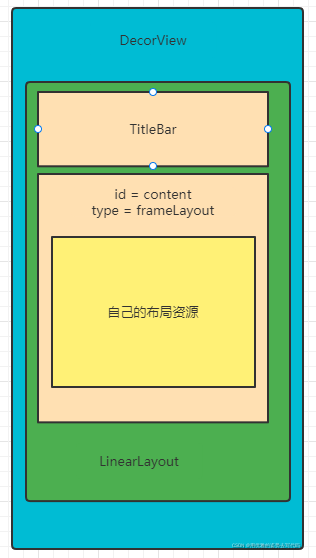
深入解析View的绘制源码流程

游戏+NFT,脱虚向实外的另一可行场景

MySQL startup failure: the MySQL service cannot be started. The service did not report any errors. Solution

MySQL startup failure - reason why MySQL service cannot be started and its solution

MySQL view database and table creation statements

C语言dll动态链接库

Redis resolves key conflicts
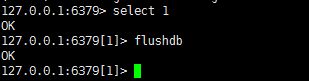
Redis clears the data of all databases and the currently selected database

Go developer survey: 92% of developers are satisfied with go

MySQL使用SELECT 语句不加ORDER BY默认是如何排序的?
随机推荐
MySQL startup failure: the MySQL service cannot be started. The service did not report any errors. Solution
微信小程序使用VantUI框架(Vant Weapp) yarn安装
深度报告:异构时代,芯片需集成多个模板
北汽福田与中国石化、轻程物联网组建中石化销售氢能源(北京)
Originally, this is the correct posture for developers to open world book day!
CrashSight 接入上报常见问题及解决方案
200. 岛屿数量
适用于任何数据库的工具丨上海道宁为开发人员和数据库管理员带来强大的通用的数据库管理工具——DBeaver
Category无法覆写系统方法?
2019-8-8-WPF-非客户区的触摸和鼠标点击响应
MySQL startup failure - reason why MySQL service cannot be started and its solution
How to solve this problem when installing MySQL?
Summary of important knowledge points of discrete structure and its application
C语言dll动态链接库
PTC: major change in ESG product R & D of construction machinery
9、 ES6 (2)
LeetCode454. 四数相加 II
.env.dev不生效问题
分支和循环语句
L'applet Wechat est installé en utilisant le cadre vantui (vantweapp) Yarn