当前位置:网站首页>How to use U deep boot U disk to clear the system login password
How to use U deep boot U disk to clear the system login password
2022-04-22 05:24:00 【A clever lamb】
First step , Make u depth U disc
download ushendu
Prepare one u disc ( Preferably blank , Because it will be formatted in the production process U disc , Will clear U The data on the disk .), Use ushendu Make .

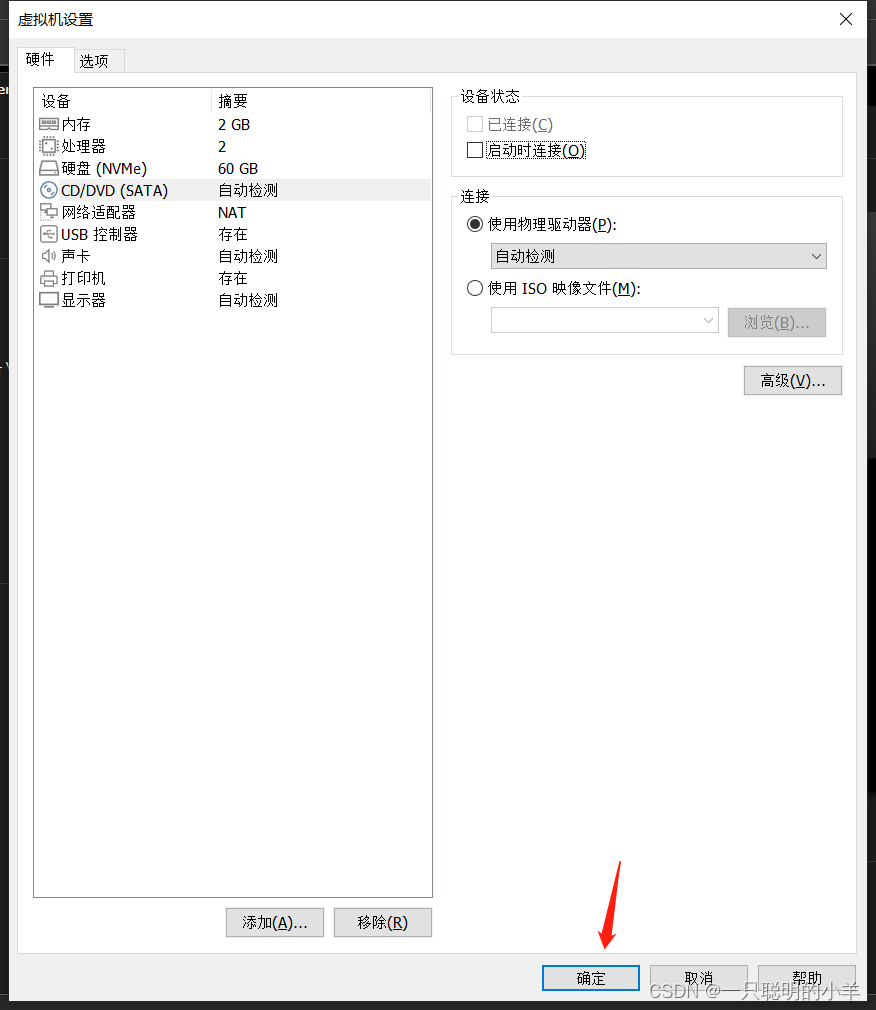
The second step , Add hard disk
What will be done U Add the disk to the computer that needs to clear the password , So here I'm going to use theta Windows server 2016 Virtual machine .

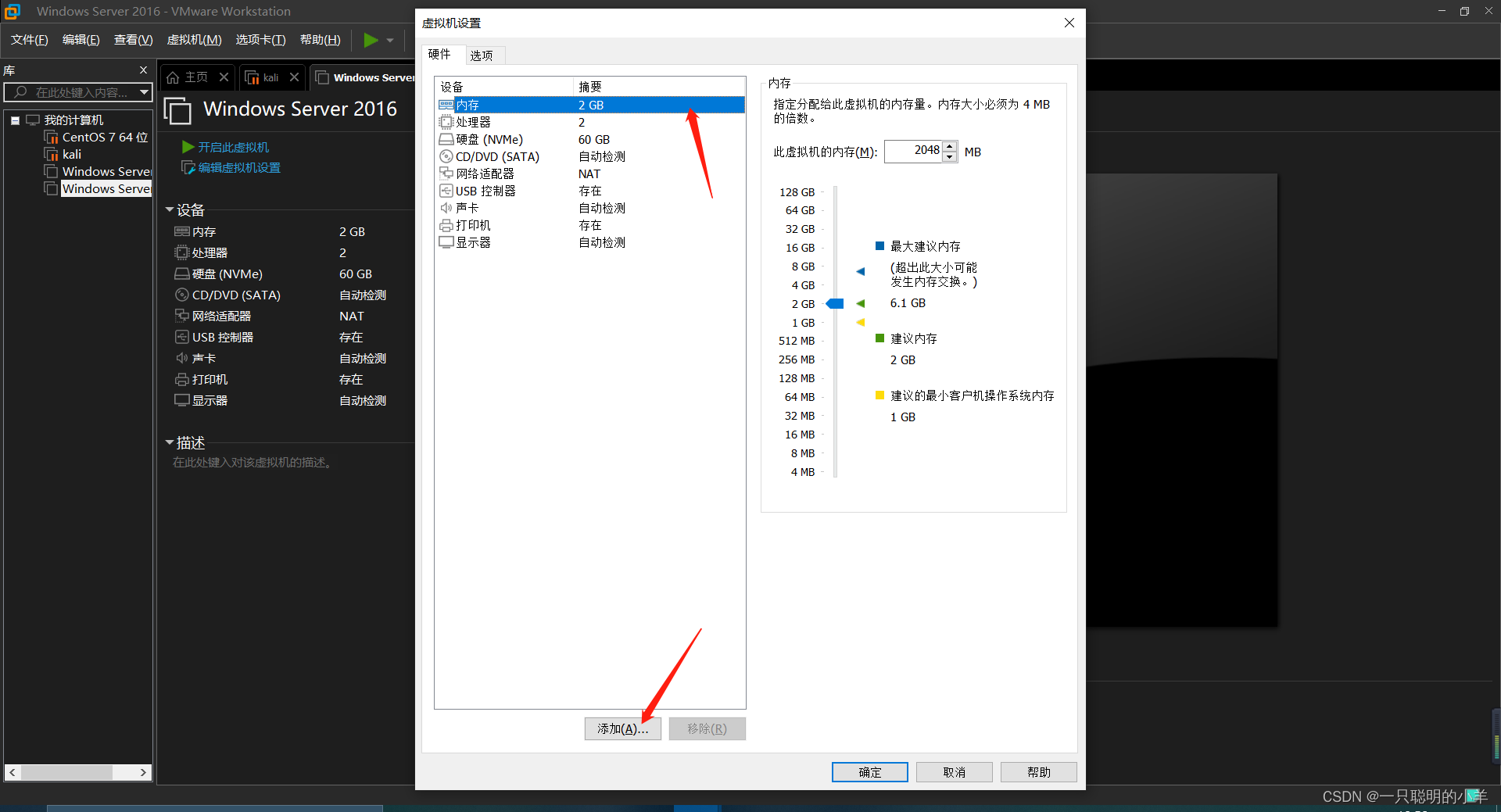


 notes :
If only physicalDrive0 With this option , You can put it first. vm close , Go back to the desktop and refresh , And then turn it on vm, To add U disc .
choice physicalDrive1


The third step , Change the starting sequence

notes :
Use the up, down, left and right keys of the keyboard to move , The Enter key is to confirm .


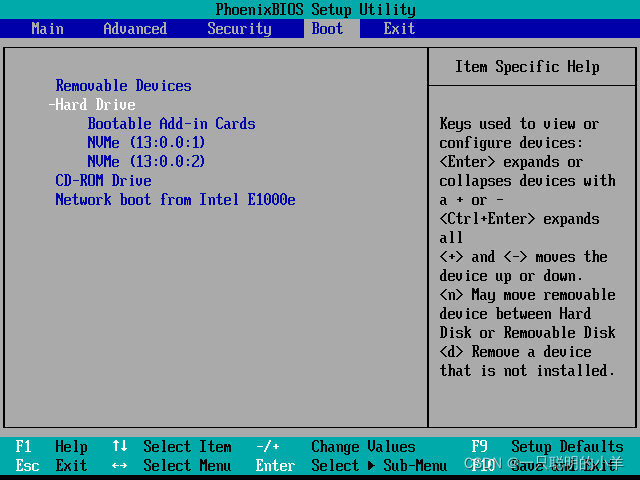
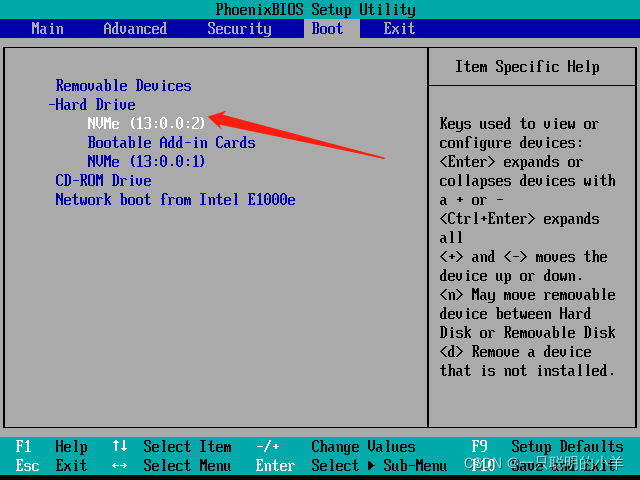
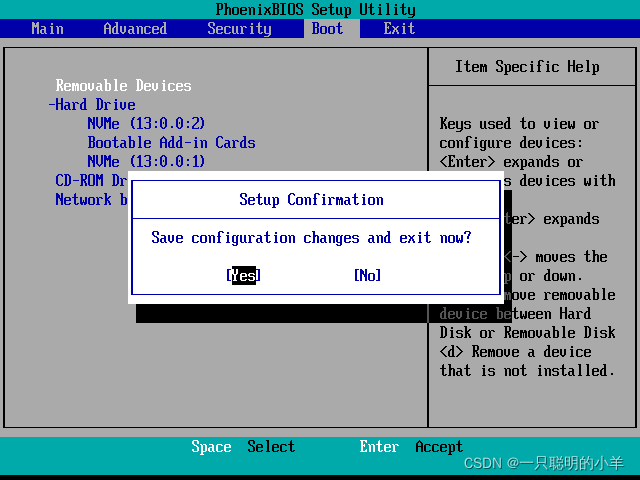
Hold down shift Key plus + key , Put the disk you just added on top , Then press and hold fn add f10 preservation .
Step four , Enter the clear password page
Turn on or restart the computer , When the startup screen appears, press the startup shortcut key to enter the startup item selection window , Select corresponding u Set the startup item of the disk and press the Enter key to enter u depth u Disk start main menu interface , In the selection interface “【09】 function Windows Login password cracking menu ” that will do :


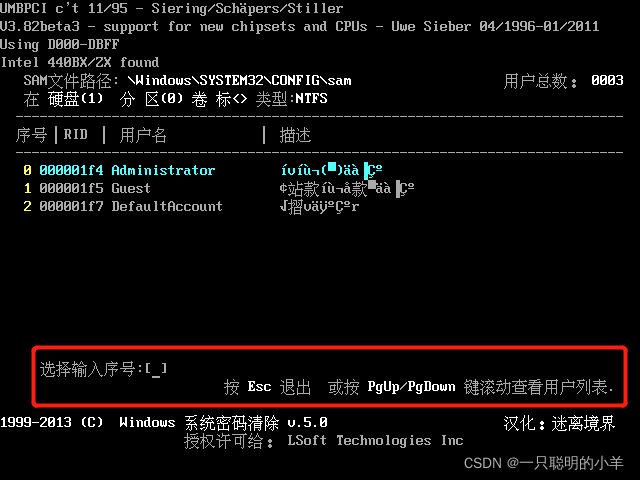

Input r, Restart the computer


Step five , Modify the startup sequence
Just like step three , But we need to change the modified startup sequence back .


Step six , Remove the hard disk
If we don't remove the hard drive we just added , So before we unplug U After the disk, the computer will report an error , So we need to remove the hard disk we just added .


版权声明
本文为[A clever lamb]所创,转载请带上原文链接,感谢
https://yzsam.com/2022/04/202204210619528559.html
边栏推荐
- 【WPF】UpdateSourceTrigger
- mysql表删除重复值,只保留一个
- Topology optimization of heat transfer based on finite volume method
- Auto.js 画布设置防锯齿paint.setAntiAlias(true);
- [C #] implementation scheme of singleton mode
- 水处理控制系统采用信号隔离器解决因某些现场非电量安装条件的限制问题
- Mysql database for the 11th time
- Basic concepts of outh2
- scanf、printf的输入输出(格式控制符)
- 【WPF】VisualStateManager
猜你喜欢

PyTorch搭建双向LSTM实现时间序列预测(负荷预测)
Database 13th job transaction management

abcabc

Online Tetris with automatic hang-up source code

Meetup 02 review: Q & A highlights
![[WPF] converter](/img/e7/c4dff7af0a9db846afd20fafb8313e.png)
[WPF] converter
Database (II) addition, deletion, modification and query of MySQL table (basic)

【WPF】VisualStateManager

MySQL數據庫第十一次作業-視圖的應用
Talk about anti reverse connection circuit in combination with practice (summary of anti reverse connection circuit)
随机推荐
(2022.1.31-2022.2.14) template mode analysis
Auto.js 画布设置防锯齿paint.setAntiAlias(true);
Leetcode 1423. Maximum points you can obtain from cards
用minscript脚本语言实现数学函数曲线编辑器
Use render texture to display 3D model animation on the UI
Neural network -- basic idea
Access denied for user 'root' @ '% MySQL problem (solved)
Apache poi HSSF operation Excel
How to dynamically load parameters, pictures and background pictures for RDLC printing reports of ReportViewer
PyTorch搭建双向LSTM实现时间序列预测(负荷预测)
abcabc
Leetcode 1387. Sort integers by the power value
Parsing of thread safe classes: (2.8-3.6)
IT配电及防火限流式保护器应用及选型
Mengxin sees the recruitment of volunteers in the open source community of wedatasphere
Batch resolves the IP address of the domain name and opens the web page
Query result processing
MySQL数据库第十一次作业-视图的应用
Distributed transaction Seata
Meetup 02期回顾:Q&A 集锦