当前位置:网站首页>Shell: Variables
Shell: Variables
2022-04-21 20:30:00 【Storyteller】
Variable
Naming rules
- Variable names can be made up of letters 、 Numbers or underscores
- And can only start with letters or underscores
- You can use strings of any length as variable names
Variable type
-
Shell It's a kind of Dynamic type language and Weak type language
-
The data type of the variable does not need to be declared , The data type of variable will vary according to different operations
-
Shell Variables in are uniformly stored as strings . Depending on the context of the variable , Allow programs to perform some different operations
Defining variables
- Variable name = A variable's value ( No space around equal sign )
- Scope of action : At present only shell Effective in , At present shell The son of shell None of them
#!/bin/bash

# Defining variables
a=1
b="hello"
c="hello world"

# Define backup path
bak_dir=/data/backup
Variable assignment
Direct assignment
- a=111
Use position parameters
- Positional arguments
Use the command to output
- `` command
- $( command )
user=`wc -w /`
user=$(wc -w /)
read
| read | Options | Parameters | effect |
|---|---|---|---|
| Variable | Change the value of a variable | ||
-p |
Variable | “ Prompt statement ” | |
-n Numbers |
Variable | Set character limits , Automatically exit when the number of characters reaches the limit The input data is assigned to the variable |
|
-t |
Variable | Timing input , You need to enter... Within the specified time , return 0 state When the clock is full , Return to non-zero exit status , Returns NULL to the variable |
|
-s |
Variable | Close back display -s Options enable read The data entered in the command is not displayed on the monitor actually , The data is displayed , It's just read The command sets the text color to the same color as the background |
read v1

read -n1 -s10 -p "please input" v1
Read from file
- Out of the loop, the value of the variable is empty
while read user
do
	echo $user
done < user.lst
Reference variables
$ Variable name
${ Variable name }

# Reference variables
echo $a			#1
echo ${a}		#1
echo $a1		# Undefined
echo ${a}1		#11
echo ${a}$b		#1hello
y=123
y=${
    y/1/aaa}

echo $y
aaa23
Check the variable :
echo $ Variable nameecho ${ Variable name }- View all variables
set------ Custom variables and environment variables
envexample env | gurp backprintenv
Cancel variables :
- Cancel variables :
unset - At present only shell Effective in , At present shell The son of shell None of them
| command | Options | Parameters | |
|---|---|---|---|
unset |
name | Cancel variables , There is no such variable Cancel function |
|
-v |
Variable name | Cancel variables | |
-f |
Function name | Cancel function |
A read-only variable
- Configure the variable to readonly type
- Variables cannot be changed , Also can not unset
| command | Options | Parameters | effect |
|---|---|---|---|
| readonly | Variable name = value | Define read-only variables | |
-r |
Variable name = value | Define read-only variables | |
-f |
Define read-only functions | ||
-a |
Define read-only array variables | ||
-p |
Displays a list of all variables in the system |
Predefined variables
$0 Script name$# Number of parameters$* All parameters: As a whole$@ All parameters: As a collection , Similar list$$ Of the current process PID$! Of the last background process PID$? The return value of the previous command 0 It means success
Common error codes
| Error code | explain |
|---|---|
| 127 | Command not found Wrong variable definition |
| 2 | No files or directories |
Positional arguments
$1 $2 $3 $4 $5 $6 $7$8 $9 ${10}
vim test.sh
echo " The first 1 The first positional parameter is $1"
echo " The first 2 The first positional parameter is $2"
echo " The first 3 The first positional parameter is $3"

sh test.sh 1 2 3
 The first 1 The first positional parameter is 1
 The first 2 The first positional parameter is 2
 The first 3 The first positional parameter is 3

sh test.sh {
    1..3}
 The first 1 The first positional parameter is 1
 The first 2 The first positional parameter is 2
 The first 3 The first positional parameter is 3
shift command
- Position parameters can be used shift Command move left
echo " Number of parameters $#“ echo " All the parameters $*" shift echo " Number of parameters $#“
echo " All the parameters $*"
shift 3
echo " Number of parameters $#“ echo " All the parameters $*"

bash a.sh 1 2 3 4 5 6 7
7
1 2 3 4 5 6 7
6
2 3 4 5 6 7
3
5 6 7
Scope of variable
Global variables
- You can define... In a script
- You can define... In a function
- All variables defined in the script are global variables , Its scope is to start from the defined place , Until Shell The script ends or is explicitly deleted
local variable
-
The parameters of the function
-
Or use inside the function local Definition
-
Local variables are used in a small range , Access is usually limited to a program segment
local v2=200#!/bin/bash func() { echo "$v1" local v1=2 echo "$v1" }v1=1 func echo "$v1"121
environment variable
- Variable action range : At present shell Hezi shell It works
env
- View global variables
export
- Set the environment variable
- export Output , At present shell And the current shell The son of shell It works
| command | [ Options ] | [ Variable name ]=[ Variable settings ] | effect |
|---|---|---|---|
export |
A="$(date +"%F %T")" | Create environment variables | |
-f |
representative [ Variable name ] Function name in | ||
-n |
Delete the specified variable Variables are not actually deleted , It will not be output to the execution environment of subsequent instructions |
||
-p |
List all shell The environment variable given to the program |
vim /etc/profileexport A="$(date +"%F %T")"a=111export asource /etc/profile
Global environment variable
-
All users active
-
/etc/profile The variables set in the file are global variables
- Now the environment variable will not take effect directly , Use after modification
source fileor. fileThe command to update
- Now the environment variable will not take effect directly , Use after modification
-
/etc/profile Will execute first /etc/profile.d/ All under directory *.sh file
- Create a global environment variable , It is suggested that /etc/profile.d/ Next, create a new .sh file
User local variables
- User's home directory
.bashrc、.bash_profilefile , Only useful for the current user- Use after modification
source fileor. fileThe command to update
- Use after modification
.bash_profileOnly read when logging in ,.bashrcWill log in and open a new shell When reading
Variable file reading order
To configure java Environment variables of
- . Represents the current path
- : For segmentation
tar -xzf jdk.8u251-linux.tar.gz -C /usr/javavim /etc/profile.d/java.shexport JAVAHOME=/usr/java/jdk1.8.0_60export CLASSPATH=.:$JAVA_HOME/lib/dt.jar:$JAVA_HOME/lib/tools.jarexport PATH=$JAVAHOME/bin:$PATH
export
- [ Variable name ]=[ Variable settings ] Defining variables , want export Output , Otherwise it won't work
| command | [ Options ] | [ Variable name ]=[ Variable settings ] | effect |
|---|---|---|---|
export |
A="$(date +"%F %T")" | Create environment variables | |
-f |
representative [ Variable name ] Function name in | ||
-n |
Delete the specified variable Variables are not actually deleted , It will not be output to the execution environment of subsequent instructions |
||
-p |
List all shell The environment variable given to the program |
vim /etc/profileexport A="$(date +"%F %T")"source /etc/profile
history
| command | Options | Parameters | effect |
|---|---|---|---|
history |
View history command | ||
| n( Numbers ) | Print the latest n Historical orders | ||
| !n( Numbers ) | Execute the command on this line again | ||
| !$ | The last parameter of the previous command | ||
-c |
Clear current history command | ||
-w |
Writes the current history command buffer command to the history command file Cover |
||
-a |
Writes commands in the history command buffer to the history command file Additional |
||
-r |
Read the commands in the historical command file into the current historical command buffer Additional |
- The files used by each user to store historical commands are generally ~.bash_history
- The system will when the user logs off , Load the commands in the cache into the file
history The command shows the executing user 、 execution time 、 Perform user IP
- Use
HISTTIMEFORMATEnvironmental variables change
[root@system1 day1]# vim /etc/profile# USER_IP take ipUSER_IP=$(who -u -m | cut -d'(' -f2 | cut -d')' -f1) =$(who -u -m | awk '{print $NF}'|sed 's/[()]//g')# Definition history Command display format export HISTTIMEFORMAT="%F %T $(whoami) $USER_IP "export HISTTIMEFORMAT="[$USER] [$user_ip] [%F] [%T] "export HISTTIMEFORMAT="[%F %T] [$(whoami)] [$USER_IP] "[root@system1 day1]# source /etc/profile
System variables
| Variable | explain |
|---|---|
| LANG | The code currently used |
| SHELL | Look at the system variables |
| USER | The current user |
| UID | Current user's UID |
Variable substring
| expression | say bright |
|---|---|
${A} |
Return variable A The content of |
${#A} |
Return variable A Length of content ( By character ), It also applies to special variables |
${A:0} |
In variables A in , From the position 0 Then start to extract the substring to the end |
S{A:0:5} |
In variables A From the middle 0 And then we start to extract the length of 5 The string of |
${A:0-5} |
take A From the beginning to the end of the penultimate |
${A:0-5:2} |
A Middle reciprocal 5 Start with two substrings |
${A#0} |
Dependent variable A Start at the beginning , Delete the shortest match 0 Substring |
${A##o} |
Dependent variable A Start deleting the longest match at the beginning 0 Substring |
${A%o} |
Dependent variable A At the end, delete the shortest match 0 Substring |
${A%%0} |
Dependent variable A At the end, delete the longest matching 0 Substring |
${A/O/S} |
Use S Instead of the first matching ODoes not change the value of the variable |
${A//O/S} |
Use S Instead of all matching ODoes not change the value of the variable |
dirname
- Take the pathname
[root@bogon ~]# dirname /root/text/filefile
basename
- Take file name
[root@bogon ~]# basename /root/text/file/root/text
Shell Description of special extended variables
| expression | say bright |
|---|---|
${A:-Q} |
If A The variable value of is empty or not assigned , Will return Q String and replace the value of the variable |
| purpose : If the variable is undefined , Then the alternate value is returned , Prevent variables from being null or causing exceptions due to undefined values | |
${A:=Q} |
If A The variable value of is empty or not assigned , Set the value of this variable to Q, And return its value . Position variables and special variables are not applicable |
| purpose : Basically the same as the previous one $(parameter:-word), But this variable gives an extra parameter The variable is assigned a value | |
${A:?Q} |
If A The variable value is empty or not assigned , that Q The string will be output as standard error , Otherwise, output the value of the variable . |
| purpose : Used to catch errors caused by undefined variables , And quit the program | |
${A:+Q} |
If A The variable value is empty or not assigned , Then do nothing , otherwise Q String will replace variable ; Does not change the value of the variable |
[root@bogon ~]# echo ${a:-2}2[root@bogon ~]# b=${a:-2}[root@bogon ~]# echo $b2
Built-in variables
| Variable | explain |
|---|---|
| $RANDOM | Take random values |
版权声明
本文为[Storyteller]所创,转载请带上原文链接,感谢
https://yzsam.com/2022/04/202204212024494902.html
边栏推荐
- In the morning, I met Tencent and took out 38K, which let me see the basic ceiling
- Collection of knowledge points
- On multi-core CPU, multithreading and parallel computing
- How to use xUnit framework to maintain test cases?
- Andorid --- 为什么要使用事务,什么叫做事务的提交和回滚?
- Know that Chuangyu issued a heavy strategic plan to build a practical defense system for continuous exchange of fire
- Use of auto keyword
- php7.2 zend opcache缓存include读取出的内容
- Source insight configuration and problem summary
- Jerry's low power sleep [chapter]
猜你喜欢

Debugging MS source code

上午面了个腾讯拿 38K 出来的,让我见识到了基础的天花板

分布式秒杀系统构建
Android Development Internship interview questions, Android development interview basis

Redis的两种基准性能测试方式
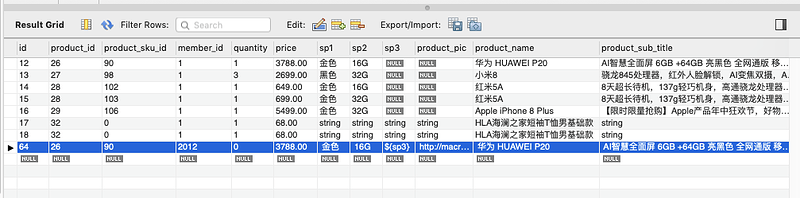
实战 | JMeter 典型电商场景(下单/支付)的性能压测

R language data analysis from entry to advanced: (8) data format conversion of data cleaning skills (including the conversion between wide data and long data)
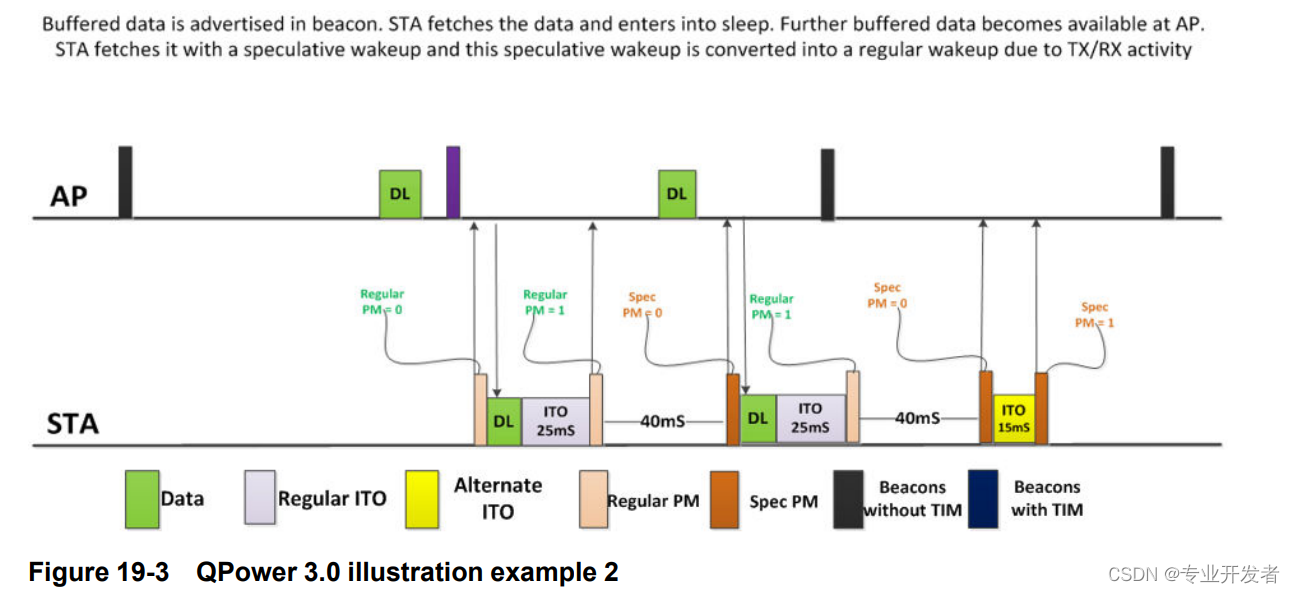
Introduction to WLAN qpower

ROS knowledge: how to realize camera access

C语言求完全平方数
随机推荐
实战 | 电商业务性能测试(二): Jmeter 参数化功能实现注册登录的数据驱动
[turn] Chinese technology of FC (red and white machine) game files
STL容器(一)--vector
【转】SSE2 SSE简介和C代码示例
Interface non idempotent solution
分布式秒杀系统构建
人机验证reCAPTCHA v3使用完备说明
Source insight configuration and problem summary
The whole process of callback registration and callback of openharmony sensor module
After three years of graduation, he achieved nothing and was forced to go back to his hometown. He made a decision to change his life.
在两个TIA博途项目中组态PROFIBUS和PROFINET通信的具体方法
Efficient C language memory copy Test result Rand, loop, operator =% in x86-64 SUSE
<2021SC@SDUSC>山东大学软件工程应用与实践JPress小组课题介绍
StopWatch
Im instant messaging development technology: 1-10 million high concurrency architecture evolution
浅谈多核CPU、多线程与并行计算
自制整人电脑小程序
ROS knowledge: how to realize camera access
php7.2 zend opcache缓存include读取出的内容
Win11高效日历推荐