当前位置:网站首页>轮播图动态渲染
轮播图动态渲染
2022-08-04 22:35:00 【sl105105】
第一步:
安装依赖
在app.vue终端输入
npm i [email protected] --save
在package.json终端输入
npm i [email protected] --save

第二步:
全局安装
在main.js里面操作:
全局安装

import VueAwesomeSwiper from 'vue-awesome-swiper'
/* 在node_modules里面找到swiper文件夹里面的css文件 */
import 'swiper/css/swiper.css'
/* 使用Vue.use来注册一个轮播图插件 */
Vue.use(VueAwesomeSwiper)
在App.vue中的HTML页面上将组件插入,并引入图片
* 复制下面的代码在vscode中会出现word格式黄色空格,
需要自己删掉,建议手敲下面的代码
<template>
  <div id="app">
      <swiper ref="mySwiper" :options="swiperOptions">
        <swiper-slide>
          <img src="./assets/1.jpg" width="100%" height="100%" />
        </swiper-slide>
        <swiper-slide>
          <img src="./assets/2.png" width="100%" height="100%" />
        </swiper-slide>
        <swiper-slide>
          <img src="./assets/3.png" width="100%" height="100%" />
        </swiper-slide>
        <div class="swiper-pagination" slot="pagination"></div>
      </swiper>
  </div>
</template>
第三步:
下载图片放在你srcde assets中,并引入图片,这一步一定要注意你的引入地址是不是正确的,一般我们都会将图片放置在src.assets
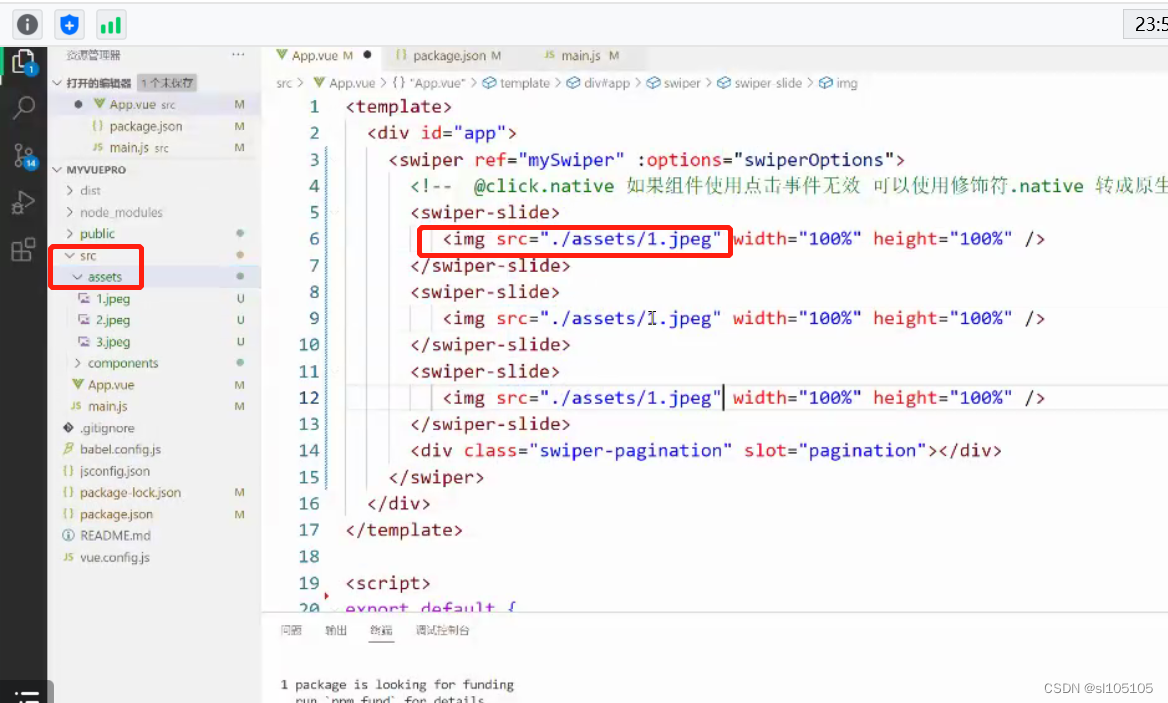
在自己的组件文件夹中新建一个轮播图组件MySwiper.vue:
并复制以下代码到你的组件中:
 <!-- 因为在main.js中全局引入过了,所以组件可以直接拿来用 -->
    <swiper ref="mySwiper" :options="swiperOptions" v-if="imgList.length">
      <!--  @click.native 如果组件使用点击事件无效 可以使用修饰符.native 转成原生事件 -->
      <swiper-slide
        v-for="(v, i) in imgList"
        :key="i"
        @click.native="goto(v.url)"
      >
        <img :src="v.imgurl" width="100%" height="100%" />
      </swiper-slide>
      <div class="swiper-pagination" slot="pagination"></div>
    </swiper>
样式一定要加,不设置宽高就形不成轮播图
把组件引用到app.vue文件中去:

截止到现在都是静态的轮播图,
可以到APNIC上翻找样式添加效果,网址如下:
如何将静态变成动态,我们需要在组件插入们父组件的动态效果
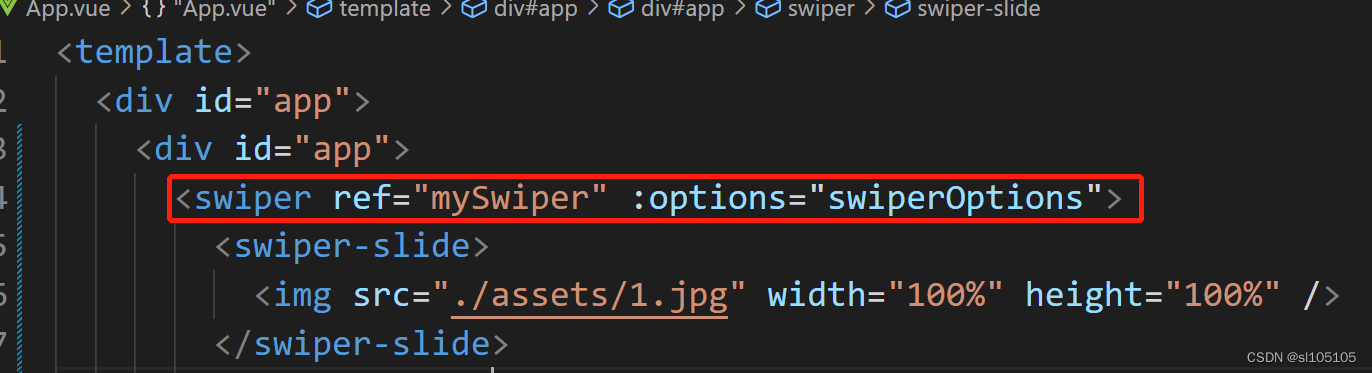
要在data中将我们的样式写好,方便我们使用,其中el的作用点是挂载,具体挂载到元素上
delay:2000延迟
effect:图片轮播效果
pagination: 分页器,clickable为true的时候点击可以切换
loop:true无缝衔接图片轮播
autoplay:控制轮播的时间,delay:1500可以限定时间轮播,而 stopOnLastSlide则可以在轮播到最后一个停止轮播
disableOnInteraction:false,可以更丝滑的轮播
data() {
    return {
      imgList: [],
      swiperOptions: {
        /* 设置Slide的切换效果,默认为"slide"(普通位移切换),还可设置为
        "fade"(淡入)、"cube"(方块)、"coverflow"(3d流)、"flip"(3d翻转)
        、"cards"(卡片式)、"creative"(创意性)。 */
        effect: "flip",
        pagination: {
          el: ".swiper-pagination",
          /*  此参数设置为true时,点击分页器的指示点分页器会控制Swiper切换 */
          clickable: true,
        },
        loop: true,
        autoplay: {
          delay: 2000,
          /* 如果设置为true,当切换到最后一个slide时停止自动切换。(loop模式下无效)。 */
          stopOnLastSlide: false,
          /* disableOnInteraction默认是true 需要改成false  */
          /* 如果设置为false,用户操作swiper之后自动切换不会停止,每次都会重新启动autoplay。 */
          autoplay: {
            delay: 1500,
            stopOnLastSlide: false,
            disableOnInteraction: false,
          },
          disableOnInteraction: false,
        },
      },
    };
  },
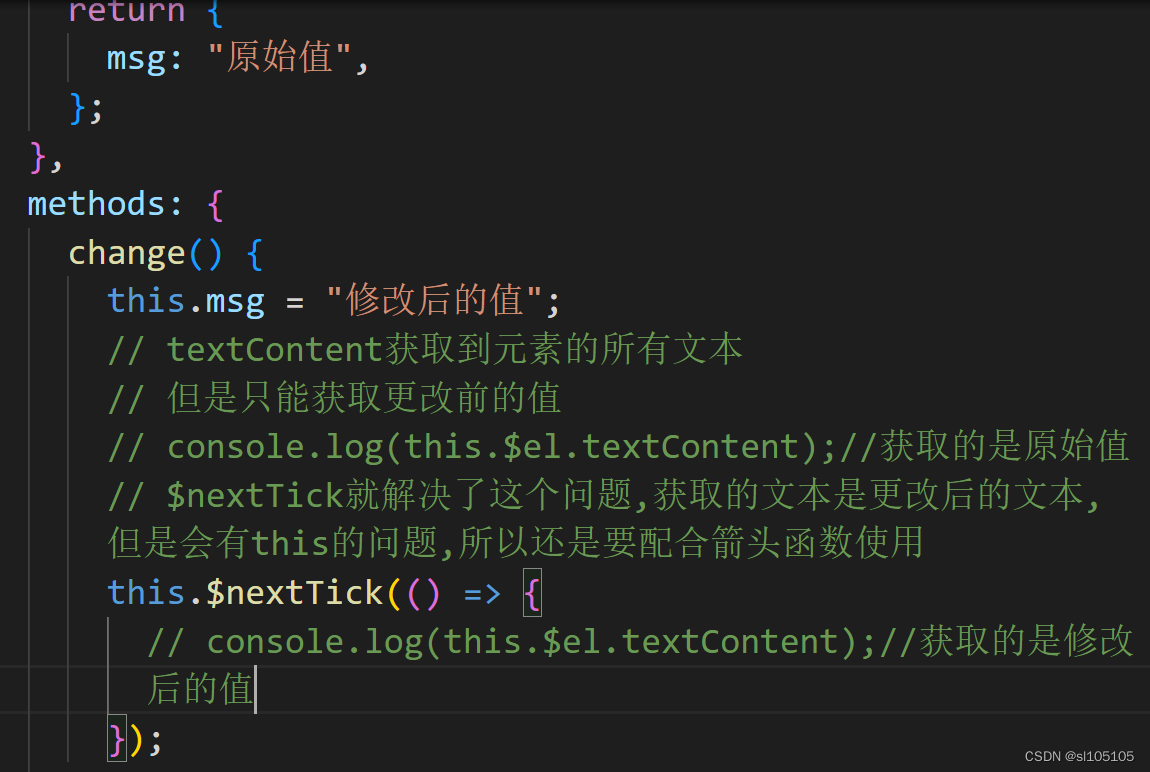
因为Vue在更新DOM是异步的,所以数据发生变化,Vue将开启一个异步更新,视图要等待数据变化完,在统一更新,我们点击事件获取的文本值就是发生变化前的,要解决这个问题就要使用 NextTick
轮播图操作的App.vue完整代码如下:
<template>
  <div id="app">
    <!-- 因为在main.js中全局引入过了,所以组件可以直接拿来用 -->
    <swiper ref="mySwiper" :options="swiperOptions" v-if="imgList.length">
      <!--  @click.native 如果组件使用点击事件无效 可以使用修饰符.native 转成原生事件 -->
      <swiper-slide
        v-for="(v, i) in imgList"
        :key="i"
        @click.native="goto(v.url)"
      >
        <img :src="v.imgurl" width="100%" height="100%" />
      </swiper-slide>
      <div class="swiper-pagination" slot="pagination"></div>
    </swiper>
  </div>
</template>
<script>
import axios from "axios";
export default {
  name: "App",
  created: function () {
    /* 数据是异步的, 数据还没有到情况下,轮播图组件已经开始加载了,
    导致配置无缝轮播的时候效果出不来 怎么办?*/
    /* 解决方法:使用条件判断v-if="imgList.length",当数据还没有获取到的时候不加载轮播图,
    数据到了,再加载 */
    axios.get("/data/imgJson.json").then((res) => {
      this.imgList = res.data.imglist;
      /* 使用refs的方法 必须要配置$nextTick获取到dom之后再执行slideTo方法 */
      /* 在这里使用$nextTick方法 是因为组件是后来有数据的时候加载上去的,
      担当于更新了dom的值,这时候想获取dom就必须借助于$nextTick方法 */
      this.$nextTick(()=>{
        /* 在异步操作里面slideTo第一个参数表示第几张  */
        this.$refs.mySwiper.swiper.slideTo(2,1000,false)
      })
    });
  },
  methods: {
    goto: function (url) {
      /* console.log(url) */
      /* window.open会打开一个新的窗口 */
      window.open(url);
      /* location.href在当前页跳转 */
      /* location.href = url; */
    },
  },
  data() {
    return {
      imgList: [],
      swiperOptions: {
        /* 设置Slide的切换效果,默认为"slide"(普通位移切换),还可设置为
        "fade"(淡入)、"cube"(方块)、"coverflow"(3d流)、"flip"(3d翻转)
        、"cards"(卡片式)、"creative"(创意性)。 */
        effect: 'fade',
        pagination: {
          el: ".swiper-pagination",
          /*  此参数设置为true时,点击分页器的指示点分页器会控制Swiper切换 */
          clickable :true,
        },
        loop:true,
        autoplay: {
          delay: 2000,
          /* 如果设置为true,当切换到最后一个slide时停止自动切换。(loop模式下无效)。 */
          stopOnLastSlide: false,
          /* disableOnInteraction默认是true 需要改成false  */
          /* 如果设置为false,用户操作swiper之后自动切换不会停止,每次都会重新启动autoplay。 */
          disableOnInteraction: false,
        },
      },
    };
  },
  mounted() {
    /* console.log("Current Swiper instance object", this.$refs.mySwiper.swiper); */
    /* this.swiper.slideTo(3, 1000, true); */
    // console.log(this.$refs.mySwiper.swiper.slideTo(1,1000,false) )
  },
};
</script>
<style>
.swiper-container {
  width: 700px;
  height: 500px;
  border: 1px solid red;
}
</style>
截止到目前我们都是使用本地的图片做的轮播图,接下来我们来模拟一下工作中如何从接口动态的渲染并轮播
首先我们要使用接口就要安装axios依赖包

我们需要在父组件引入接口,注意点是一定要将域名与url在拼接引入
引入方法如下,我们一定要在created里获取接口信息,这样才能在页面加载前渲染数据


在子组件添加父组件的props接口,方便我们获取 axios的内容

在子组件获取父组件的 axios的内容后我们必须要在父组件 添加判断,来确保 axios获取到了在渲染组件,通过slides.length等于trun,还是false

现在已经建立好连接,可以调用axios的数据来渲染,在子组件我们就可以使用v-for来动态的渲染

添加导航按钮,并设置点击事件,注意点是给子组件添加添加事件
导航按钮我们可以在如下的网站,找到样式添加


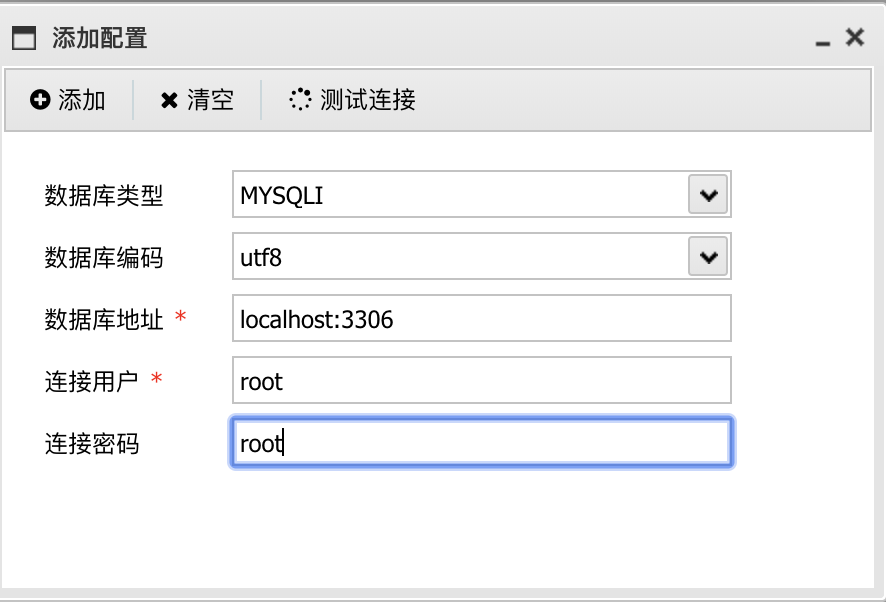
添加配置

添加样式的时候一定要注意权重,因为是全局作用域,我们为了提高层级,可以添加scoped让他的作用域变成局部作用域,或者添加! important提高权重

边栏推荐
猜你喜欢






随机推荐
rk3399-9.0 first-level and second-level dormancy
torch单机多卡和多机多卡训练
BUG | 接口返回异常数据
养殖虚拟仿真软件提供高沉浸式的虚拟场景互动操作体验学习
阿里巴巴2022届秋招面试真题和答案!
论文解读(PPNP)《Predict then Propagate: Graph Neural Networks meet Personalized PageRank》
Using ngrok to optimize web pages on raspberry pi (2)
Reconfigure the ffmpeg plugin in chrome
VC bmp文件总结
2022精选最新金融银行面试真题——附带答案
如何在项目中正确使用WebSocket
shell选择结构(if)
直播带货为农产品开拓销售渠道
ES 数据聚合、数据同步、集群
【C - 基本概念】
【2020】【Paper Notes】Metasurfaces: Multifunctional and Programmable——
Numpy on the superposition of two arrays
炽热如初 向新而生|ISC2022 HackingClub白帽峰会圆满举办!
最温馨的家园
LocalDateTime的详细使用方法