当前位置:网站首页>Zabbix 5.0 监控教程(三)
Zabbix 5.0 监控教程(三)
2022-08-06 04:40:00 【星辰咩】
zabbix 创建自定义key
一、什么是zabbix的key
点击进入监控项
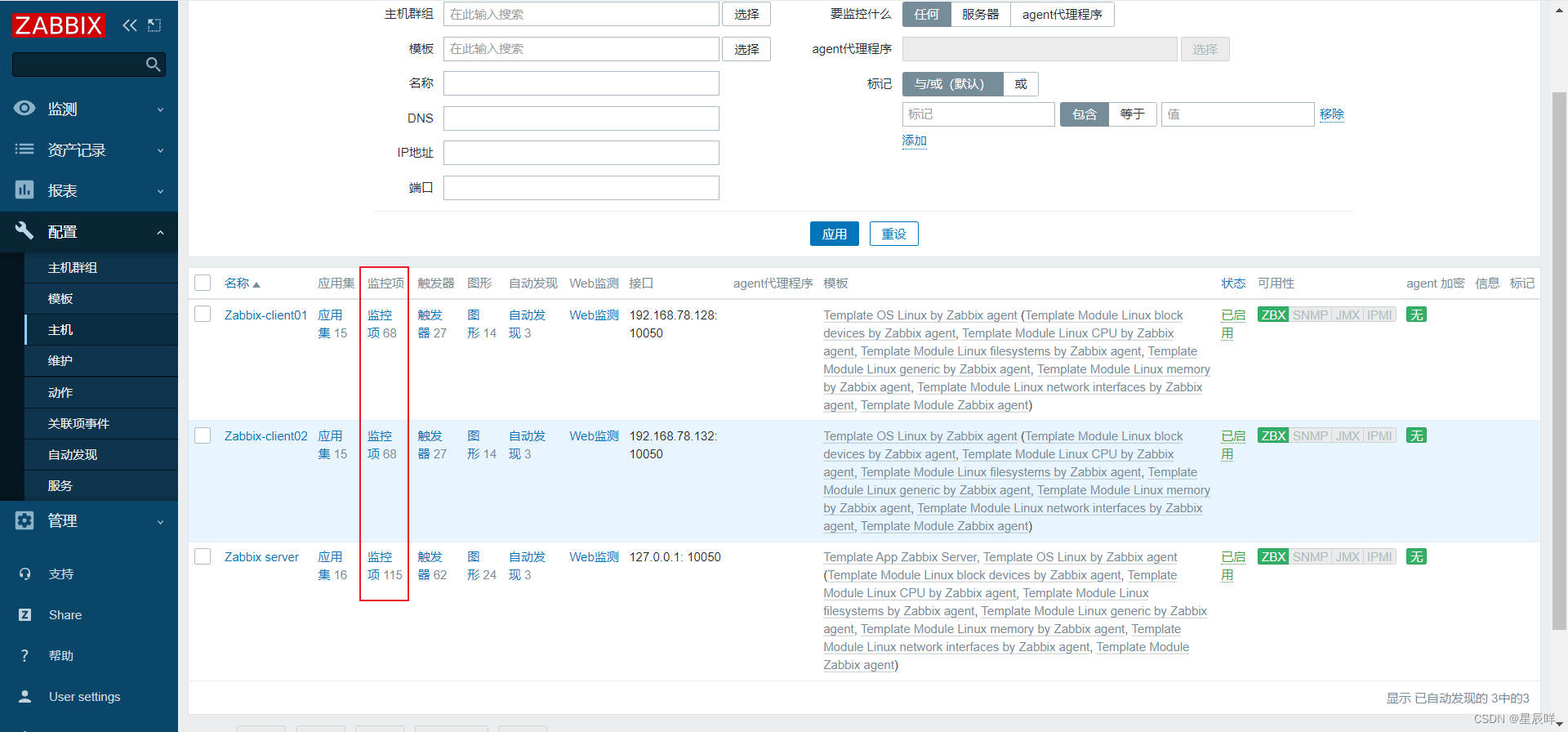
键值就是可以自定义的key:
 二、查看模板自带的监控项(key)
比如在服务端查看客户端client01的监控项,根目录下的使用空间

[[email protected] ~]# zabbix_get -s '192.168.78.128' -p 10050 -k 'vfs.fs.size[/,used]'
7142584320
三、自定义监控内容
1.自定义监控服务器登录的人数
需求:限制登录人数不超过三个,超过三个就发出报警信息
2.先从命令行角度
1.明确需要执行的linux命令
who | wc -l2.手动创建zabbix的配置文件,用于自定义key
[[email protected] ~]# cd /etc/zabbix/zabbix_agent2.d/

# 自定义创建配置文件
[[email protected] zabbix_agent2.d]# vim users_login.conf
UserParameter=users.login,who | wc -l

# users.login:监控项名称

[[email protected] zabbix_agent2.d]# systemctl restart zabbix-agent2.service
3.测试
在服务端查看监控项,只有一个用户登录
[[email protected] ~]# zabbix_get -s '192.168.78.128' -p 10050 -k 'users.login'
1
多开几个端口连接client01,再查看结果
[[email protected] ~]# ssh [email protected]
The authenticity of host '192.168.78.128 (192.168.78.128)' can't be established.
ECDSA key fingerprint is SHA256:9+zZLh/YhknhkjqsCBQJ73qWhcsWgbfohW29iPO/ZaE.
ECDSA key fingerprint is MD5:d6:ee:3e:c2:c3:5c:24:f2:49:9a:6e:2f:1b:b0:da:29.
Are you sure you want to continue connecting (yes/no)? y
如果输入yes的话,屏幕会不断的出现y,要用ctrl+c才能终止,连接不了。
解决办法:
对于测试环境来说,为了方便,选择最低的安全级别。在.ssh/config(或者/etc/ssh/ssh_config)中修改配置文件,配置如下:
# 在最后面添加下面两行信息:
[[email protected] ~]# vim /etc/ssh/ssh_config
StrictHostKeyChecking no
UserKnownHostsFile /dev/null

# 再次尝试连接
[[email protected] ~]# ssh [email protected]
Warning: Permanently added '192.168.78.128' (ECDSA) to the list of known hosts.
[email protected]'s password:
Permission denied, please try again.

解决办法:
1.确保密码输入正确
2.查看被连接的服务端(78.128)/etc/ssh/sshd_config配置文件中是否包含类似如下的配置。

PermitRootLogin no

改为 yes 或者 注释掉该行即可。
我开了3个端口,查看结果:
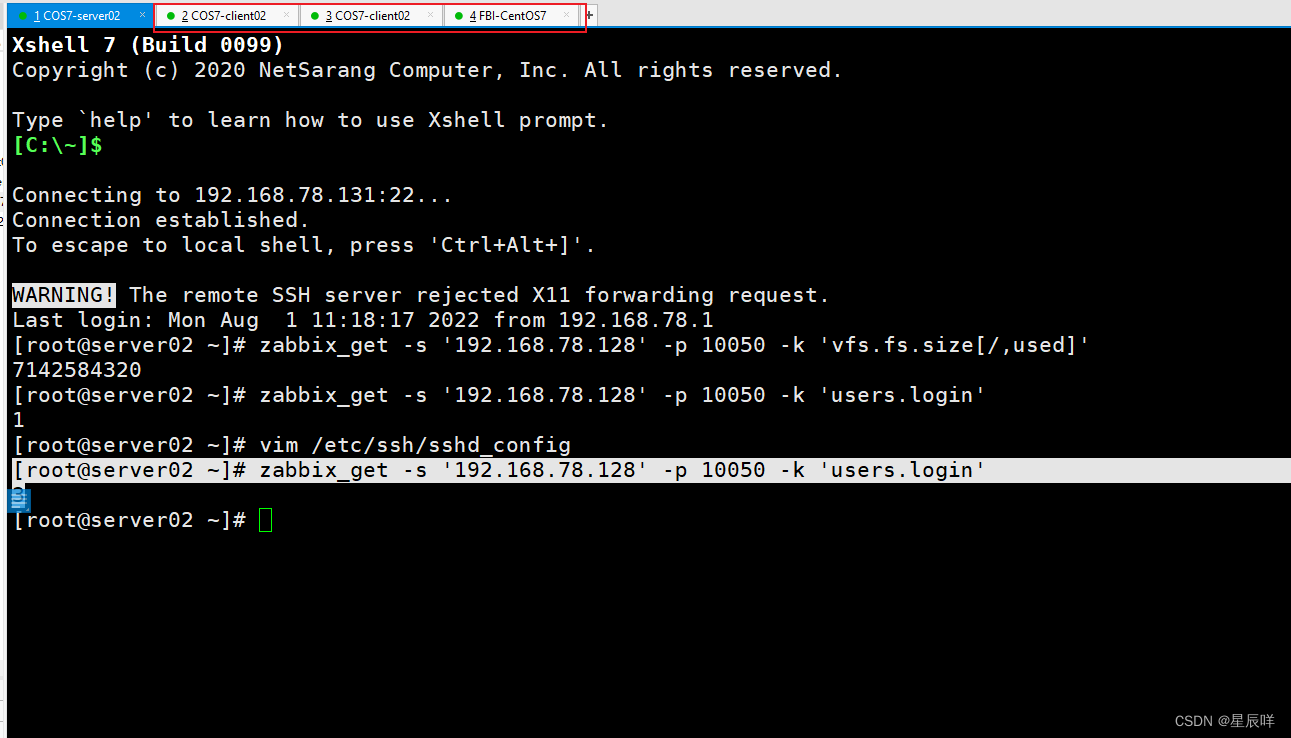
[[email protected] ~]# zabbix_get -s '192.168.78.128' -p 10050 -k 'users.login'
3边栏推荐
- Industrial Robot Review Questions
- To build their own core, let Google pay!Google has open source 180 nm process chip
- Electric power class topic of the question
- 七、构建 RESTful 服务
- 14. go channel
- A first look at the code to start, Go lang1.18 introductory refining tutorial, from Bai Ding to Hongru, the first time to run the golang program EP01
- Summer training week3-DP
- Classic sql example
- Google Cloud Security Summit
- Base64与16进制HEX之间的转换
猜你喜欢




随机推荐
Programmer's first day at work | Daily anecdote
MySQL - Advanced Operations
备份和恢复Kubernetes集群中的Etcd数据
JVM: 设置代码执行模式(解释模式、编译模式、混合模式)
《论文阅读》EmpTransfo: A Multi-head Transformer Architecture for Creating Empathetic Dialog Systems
LoRa技术有哪些应用场景?
【语义分割】2019-DANet CVPR
Classic sql example
瑞吉外卖项目实战Day03
SkyEye在航电系统冗余设计中的应用前景
1×1 问题详解
代码格式规范--clang-format的安装及配置
The difference between defineProperty and proxy
Discrete mathematics the final problem
初窥门径代码起手,Go lang1.18入门精炼教程,由白丁入鸿儒,首次运行golang程序EP01
BGP详解(1)
移除超出规定List最大数量的数据
OSPF —— cost值选路
jvm: synchronized关键字不同用法产生不同的字节码
七、构建 RESTful 服务