当前位置:网站首页>[Raspberry Pi] vim editor
[Raspberry Pi] vim editor
2022-08-08 08:04:00 【The great white embedded】
I. Background
vim is an upgraded version of vi. Everyone says that using vim on Linux is very easy.
Second, installation steps
1. Delete the vi editor
sudo apt-get remove vim-common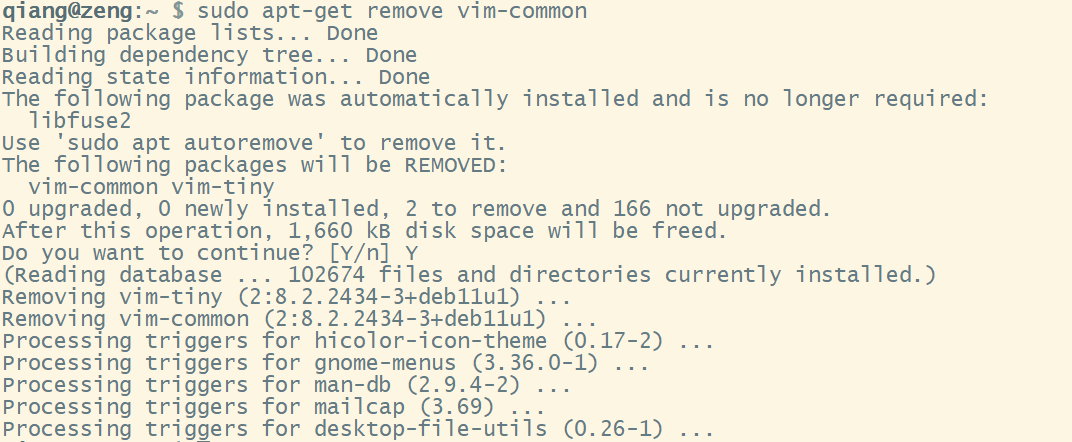
2. Reinstall vim
sudo apt-get install vim
3. Personalization
Configure personalization in the /etc/vim/vimrc file.
Add the following:
sudo vim /etc/vim/vimrcset nu #Display line numbersyntax on # syntax highlightingset tabstop=4 #tab back four spaces
Exit and save, and re-open to see the effect: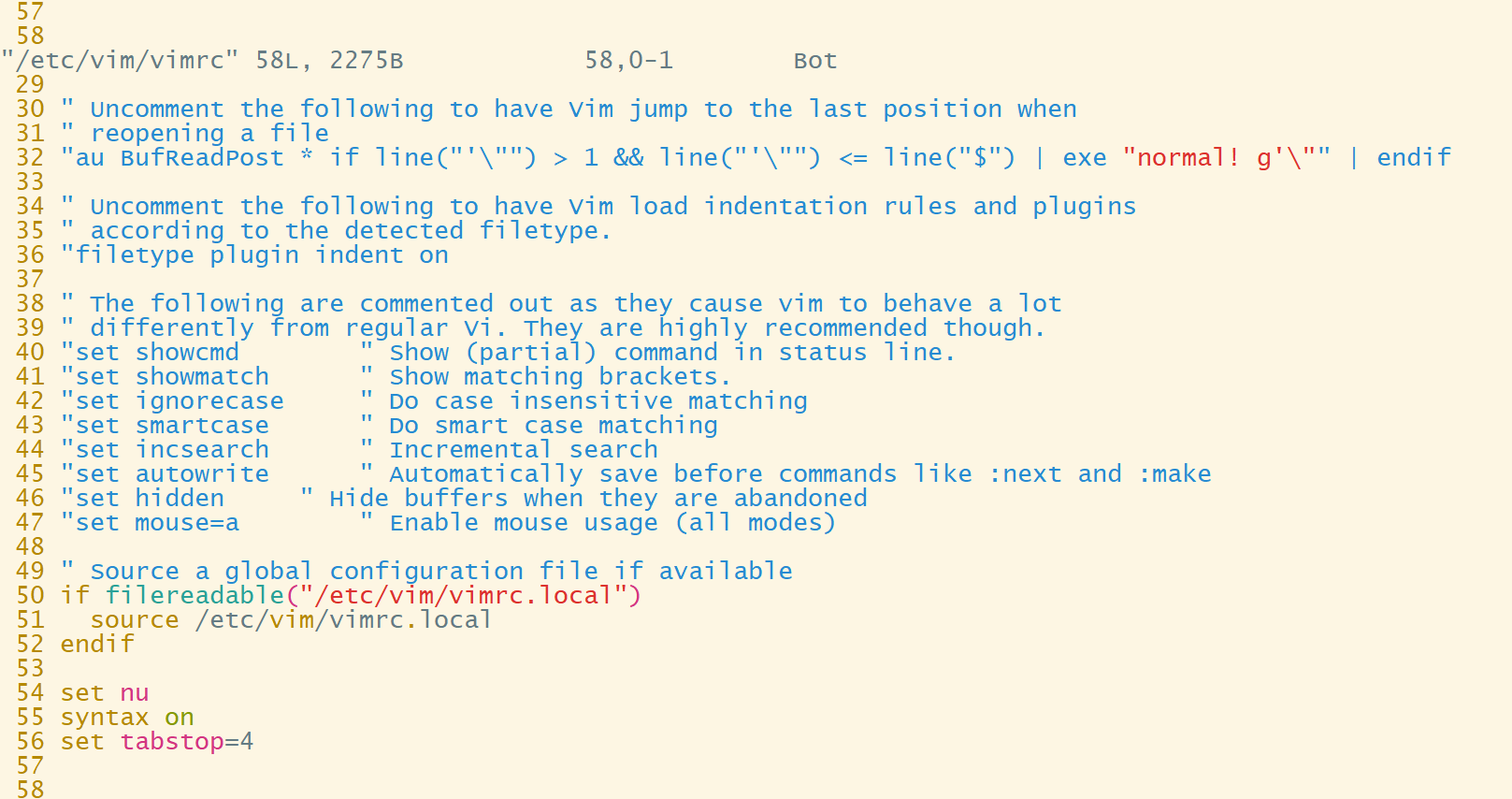
Three and three working modes
- Insert mode: You can edit the file in this mode, press ESC to exit to command mode
- Command mode: you can move the cursor and delete characters
- Bottom line mode: you can save files and other file operations
Fourth, file operation commands
- Open file vi filename
- Save file :w
- Quit editing (if the file is not modified) :q
- Exit without saving :q!
- Exit save :wq
V. Insertion operation
- Add text a to the right of the current cursor position
- Add text i to the left of the current cursor position
- Add text A at the end of the current line
- Add text at the beginning of the current line (a non-blank start of the line) I
- Create a new line above the current line O
- Create a new line below the current line o
- Replace (overwrite) the current cursor position and some text behind it R
- Merge the line where the cursor is and the next line (still in command mode) J
Six, delete, restore
- Delete the current character x
- Delete n characters from cursor nx
- Delete the current line dd
- Delete n lines down including the current line ndd
- Undo the previous action u
- Undo all operations on the current line U
Seven, copy and paste
- Copy current line to buffer yy
- Copy the current line down n lines to the buffer nyy
- Copy the characters from the cursor to the end of the word yw
- Copy n words starting from the cursor nyw
- Copy from cursor to start of line y^
- Copy from cursor to end of line y$
- Paste the contents of the clipboard after the cursor p
- Paste the contents of the clipboard before the cursor P
Eight, set the line number
- Display line number set nu
- Suppress line numbers set nonu
边栏推荐
猜你喜欢


随机推荐
Summary of common functions of standard IO in C language - file
1.4.2seata-serverAT模式,数据库里insert没有回滚是什么原因呀?
EasyExcel-(1)使用篇
Adapt-Kcr:基于学习嵌入特征和注意力架构的新型深度学习框架,用于精确预测赖氨酸(crotonylation)位点
jupyter notebook处理文件导致IOPub data rate exceeded
用于一型糖尿病血糖调节的无模型iPID控制器
动手学高等数学
超强的企业建站系统介绍:功能模块
C语言内存分配相关知识
【Enumeration】Continuous factor
步进电机工作原理
Task 06 其它优秀的小工具
【优化调度】基于粒子群实现并网模型下微电网的经济调度优化附matlab代码
ACWing 198. 反素数 题解
六十分之七——焦虑路上的涅槃
用平衡二叉搜索树解决硬木种类问题
BOSS直聘回应女大学生被性骚扰:高度重视求职者安全 可在App举报
大文件上传时如何做到 秒传?
优雅地处理重复请求(并发请求)
剪切字符串函数