当前位置:网站首页>爬虫之验证码
爬虫之验证码
2022-08-05 07:16:00 【XWenXiang】
1. 超级鹰平台
验证码的破解可以有以下方式:
- 简单的数字字母组合可以使用图像识别(python 现成模块),成功率不高
- 使用第三方打码平台(破解验证码平台),花钱,把验证码图片给它,返回识别完的结果
第三方平台有超级鹰等等。
1.1 基础使用
在其官网注册账号后,绑定微信会提供免费的1000题分,可用于验证码识别
- 创建开发者账号,并且注册一个软件
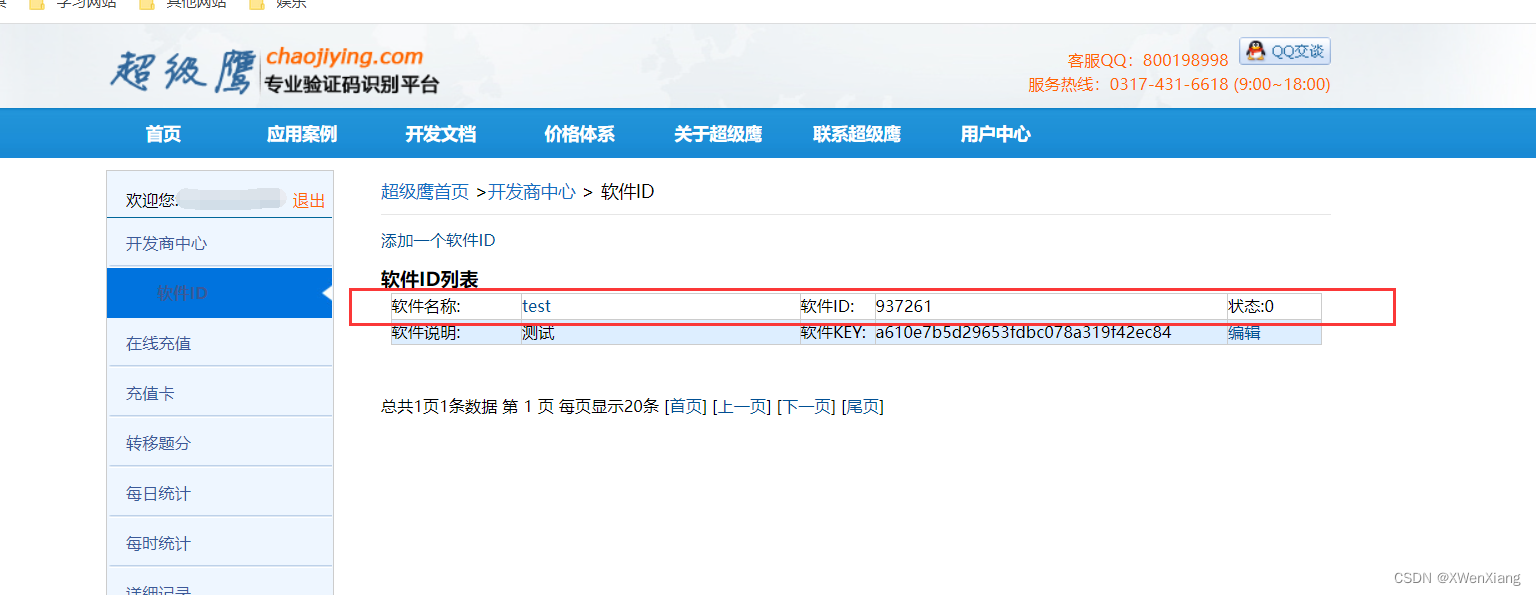
- 下载 python demo
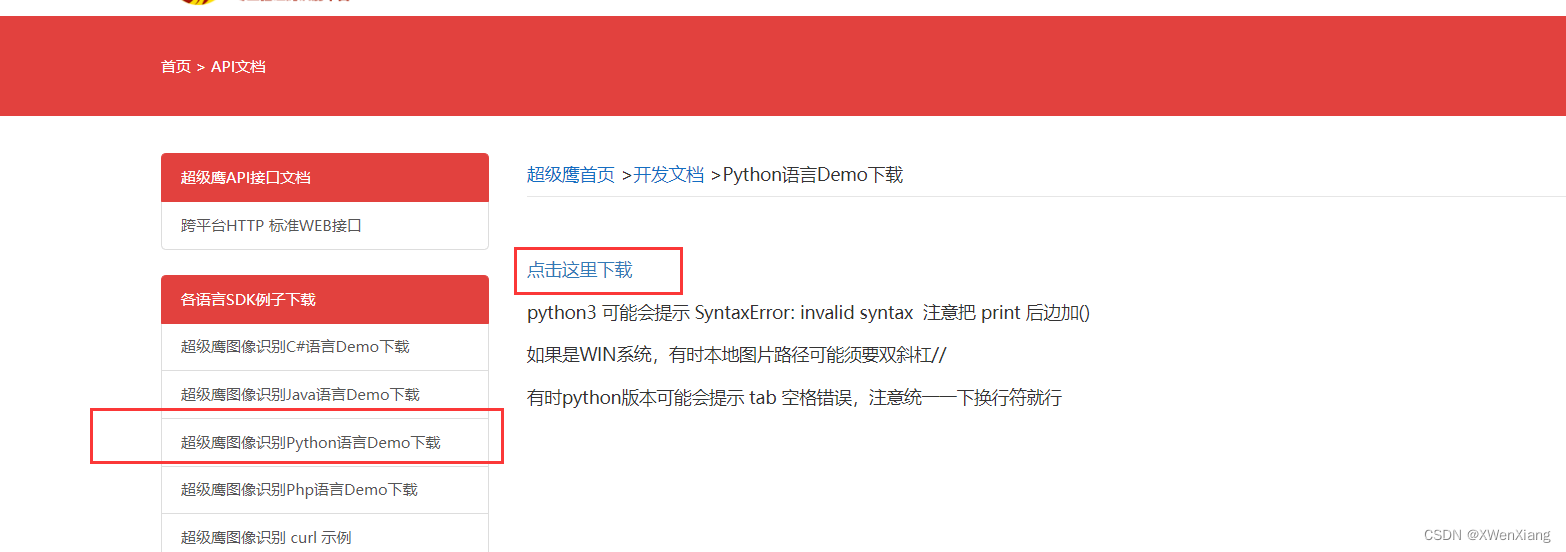
- 基础使用
下载的demo是使用python2编写的,需要简单修改
import requests
from hashlib import md5


class ChaojiyingClient(object):

    def __init__(self, username, password, soft_id):
        self.username = username
        password = password.encode('utf8')
        self.password = md5(password).hexdigest()
        self.soft_id = soft_id
        self.base_params = {

            'user': self.username,
            'pass2': self.password,
            'softid': self.soft_id,
        }
        self.headers = {

            'Connection': 'Keep-Alive',
            'User-Agent': 'Mozilla/4.0 (compatible; MSIE 8.0; Windows NT 5.1; Trident/4.0)',
        }

    def PostPic(self, im, codetype):
        """ im: 图片字节 codetype: 题目类型 参考 http://www.chaojiying.com/price.html """
        params = {

            'codetype': codetype,
        }
        params.update(self.base_params)
        files = {
    'userfile': ('ccc.jpg', im)}
        r = requests.post('http://upload.chaojiying.net/Upload/Processing.php', data=params, files=files,
                          headers=self.headers)
        return r.json()

    def PostPic_base64(self, base64_str, codetype):
        """ im: 图片字节 codetype: 题目类型 参考 http://www.chaojiying.com/price.html """
        params = {

            'codetype': codetype,
            'file_base64': base64_str
        }
        params.update(self.base_params)
        r = requests.post('http://upload.chaojiying.net/Upload/Processing.php', data=params, headers=self.headers)
        return r.json()

    def ReportError(self, im_id):
        """ im_id:报错题目的图片ID """
        params = {

            'id': im_id,
        }
        params.update(self.base_params)
        r = requests.post('http://upload.chaojiying.net/Upload/ReportError.php', data=params, headers=self.headers)
        return r.json()


if __name__ == '__main__':
    chaojiying = ChaojiyingClient('超级鹰用户名', '超级鹰用户名的密码', '96001')  # 用户中心>>软件ID 生成一个替换 96001
    im = open('a.jpg', 'rb').read()  # 本地图片文件路径 来替换 a.jpg 有时WIN系统须要//
    print(chaojiying.PostPic(im, 1902))  # 1902 验证码类型 官方网站>>价格体系 3.4+版 print 后要加()
    # print chaojiying.PostPic(base64_str, 1902) #此处为传入 base64代码

1.2 剪切验证码
实际使用的时候验证码是不固定的,需要剪切下来使用,需要使用 pillow 模块
截图需要注意分辨率
from selenium import webdriver
from selenium.webdriver.common.by import By
from PIL import Image
from selenium.webdriver.chrome.options import Options
from chaojiying import chaojiying_Python

chrome_options = Options()

chrome_options.add_argument('window-size=1920x1080')  # 指定浏览器分辨率
chrome_options.add_argument('--disable-gpu')  # 谷歌文档提到需要加上这个属性来规避bug
chrome_options.add_argument('--hide-scrollbars')  # 隐藏滚动条, 应对一些特殊页面
# chrome_options.add_argument('blink-settings=imagesEnabled=false') # 不加载图片, 提升速度
chrome_options.add_argument('--headless')  # 浏览器不提供可视化页面. linux下如果系统不支持可视化不加这条会启动失败

# chrome = webdriver.Chrome(executable_path='../chromedriver.exe')
chrome = webdriver.Chrome(executable_path='../chromedriver.exe', options=chrome_options)
chrome.implicitly_wait(10)
chrome.maximize_window()

try:
    chrome.get('http://www.aa7a.cn/user.php?')
    username = chrome.find_element(By.ID, 'username')
    password = chrome.find_element(By.ID, 'password')
    captcha = chrome.find_element(By.ID, 'captcha')

    # 保存大图
    chrome.save_screenshot('main.png')
    img = chrome.find_element(By.ID, 'login_img_checkcode')
    img_location = img.location
    img_size = img.size

    # 使用pillow扣除大图中的验证码
    img_tu = (
        int(img_location['x']),
        int(img_location['y']),
        int(img_location['x'] + img_size['width']),
        int(img_location['y'] + img_size['height']),
    )

    # 打开页面大图
    im = Image.open('./main.png')
    # 剪切验证码图片
    fram = im.crop(img_tu)
    # 保存验证码图片
    fram.save('code.png')

    # 打开验证码图片
    code_img = open('code.png', 'rb').read()
    # 调用超级鹰识别
    res = chaojiying_Python.chaojiying.PostPic(code_img, 1902)
    code = res.get('pic_str')

    username.send_keys('username')
    password.send_keys('123')
    captcha.send_keys(code)

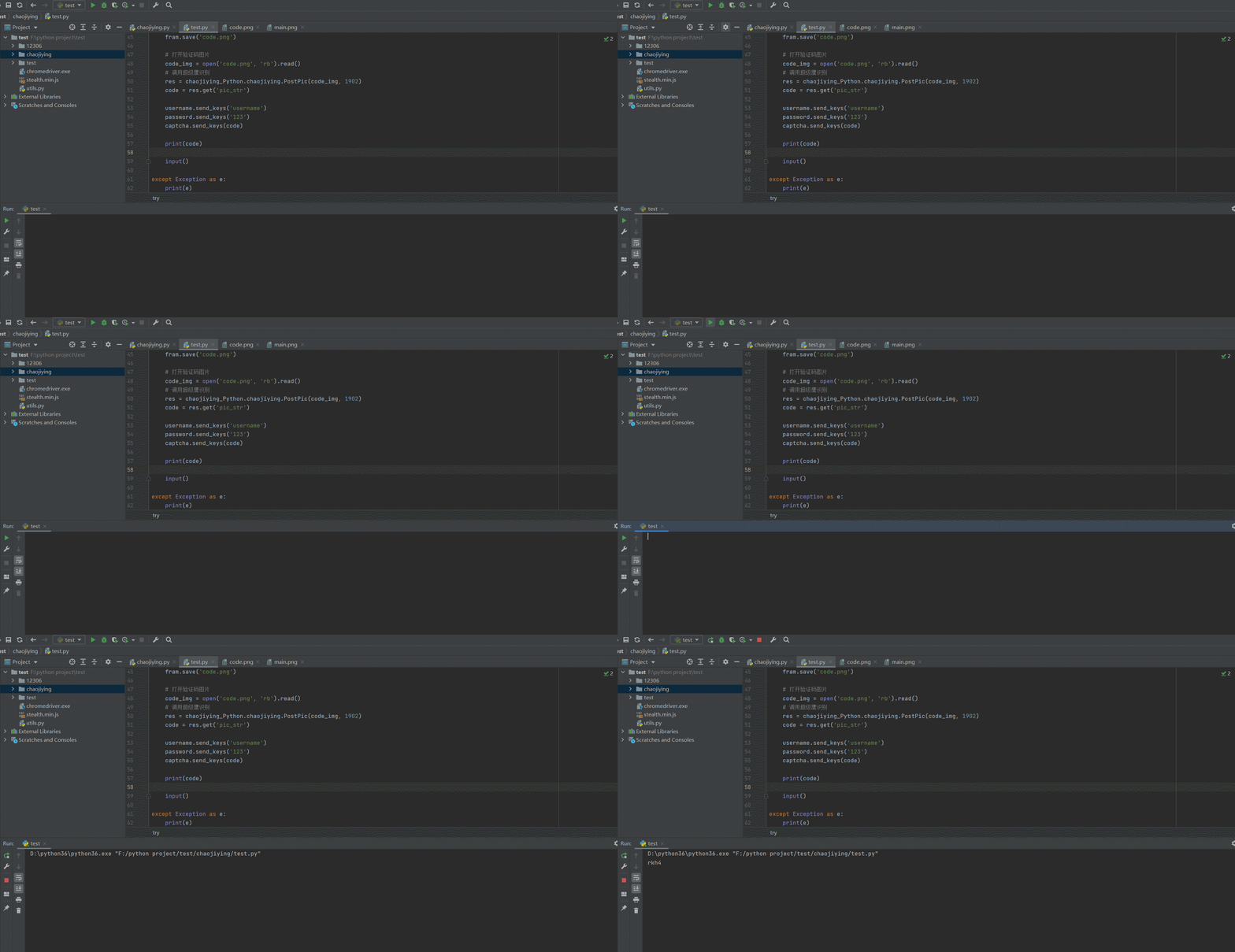
    print(code)


except Exception as e:
    print(e)
finally:
    chrome.quit()
边栏推荐
- Discourse 清理存储空间的方法
- Hash these knowledge you should also know
- Does Libpq support read-write separation configuration?
- MySQL:连接查询 | 内连接,外连接
- Bluetooth gap protocol
- After working for 3 years, I recalled the comparison between the past and the present when I first started, and joked about my testing career
- 线程池的使用(结合Future/Callable使用)
- RK3568环境安装
- moment的使用
- Game Thinking 19: Multi-dimensional calculation related to games: point product, cross product, point-line-surface distance calculation
猜你喜欢



随机推荐
U++ UE4官方文档课后作业
强网杯2022 pwn 赛题解析——house_of_cat
【win7】NtWaitForKeyedEvent
关于MP3文件中找不到TAG标签的问题
奇怪的Access错误
400 times performance improvement 丨 swap valuation optimization case calculation
Hash 这些知识你也应该知道
Tencent Business Security Post IDP Talk Summary
moment的使用
2022 Fusion Welding and Thermal Cutting Operation Certificate Exam Questions and Mock Exams
Game Thinking 19: Multi-dimensional calculation related to games: point product, cross product, point-line-surface distance calculation
Takeda Fiscal 2022 First Quarter Results Strong; On Track to Achieve Full-Year Management Guidance
栈与队列的基本介绍和创建、销毁、出入、计算元素数量、查看元素等功能的c语言实现,以及栈的压入、弹出序列判断,栈结构的链式表示与实现
An IP conflict is reported after installing the software on a dedicated computer terminal
Advanced Redis
re正则表达式
线程池的创建及参数设置详解
Rapid Medical's Ultra-Small and Only Adjustable Thromb Retriever Receives FDA Clearance
【instancetype类型 Objective-C】
RK3568环境安装