



leafmap - A Python package for geospatial analysis and interactive mapping in a Jupyter environment.

Overview

Welcome to leafmap

image image image image image image image image image image

A Python package for geospatial analysis and interactive mapping in a Jupyter environment.

Introduction

leafmap is a Python package for geospatial analysis and interactive mapping in a Jupyter environment. It is a spin-off project of the geemap Python package, which was designed specifically to work with Google Earth Engine (GEE). However, not everyone in the geospatial community has a GEE account. leafmap is designed to fill this gap for non-GEE users. It enables users to perform advanced geospatial analysis and interactive mapping with minimal coding in a Jupyter environment (e.g., Google Colab, JupyterLab, Jupyter notebook). It is built upon a number of open-source packages, such as folium and ipyleaflet (for creating interactive maps), WhiteboxTools and whiteboxgui (for analyzing geospatial data), and ipywidgets (for designing interactive graphical user interface).

The WhiteboxTools library currently contains 447 tools, which are each grouped based on their main function into one of the following categories. For a list of available tools with comprehensive documentation and usage details, please see the WhiteboxTools User Manual.

Launch the interactive notebook tutorial for the leafmap Python package with Google Colab or Binder now:

image image

Key Features

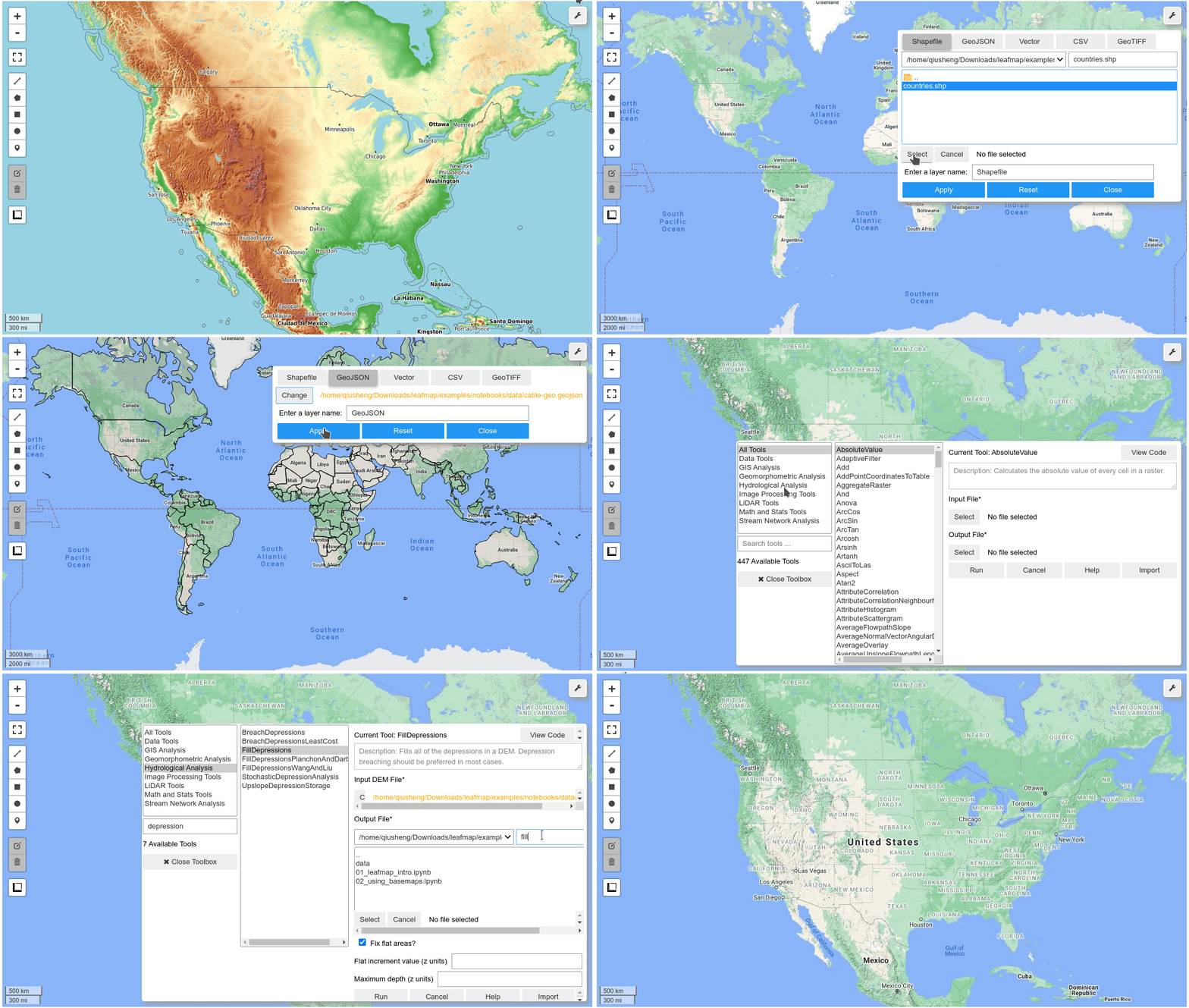
Below is a partial list of features available for the leafmap package. Please check the examples page for notebook examples, GIF animations, and video tutorials.

  • Create an interactive map with only one-line of code.
  • Select from a variety of basemaps interactively without coding.
  • Add XYZ and WMS tile services to the map.
  • Convert CSV to points and display points as a marker cluster.
  • Add local vector data (e.g., shapefile, GeoJSON, KML) to the map without coding.
  • Add local raster data (e.g., GeoTIFF) to the map without coding.
  • Add Cloud Optimized GeoTIFF (COG) and SpatialTemporal Asset Catalog (STAC) to the map.
  • Add custom legends and colorbars to the map.
  • Perform geospatial analysis using WhiteboxTools and whiteboxgui.
  • Publish interactive maps with only one line of code.

Demo
YouTube Channel

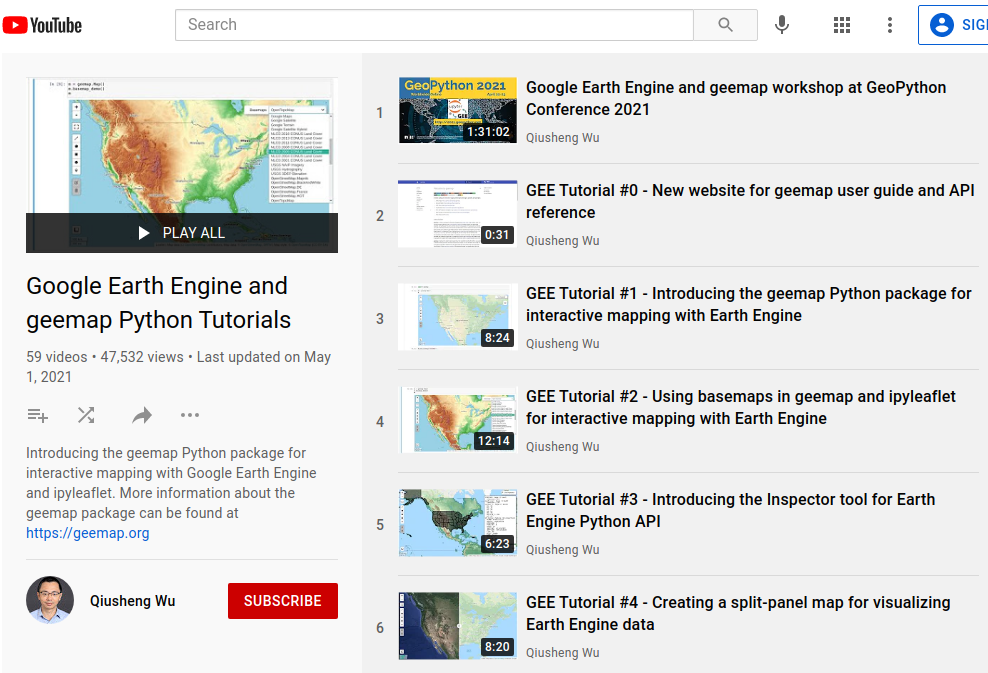
I have created a YouTube Channel for sharing geospatial tutorials. You can subscribe to my channel for regular updates. If there is any specific tutorial you would like to see, please submit a feature request here.
Earth Engine Tutorials on YouTube

Comments
  • Install on Pyodide/JupyterLite

    Install on Pyodide/JupyterLite

    It would be really cool to run leafmap on Pyodide and hence JupyterLite using micropip.

    I gave it a try and found basically two issues with non-existing Python 3 source wheels (needed by micropip) for pycrs and pyshp on PyPI for which I've created these tickets (but there might be wheels for them hosted somewhere else): https://github.com/karimbahgat/PyCRS/issues/56 and https://github.com/GeospatialPython/pyshp/issues/217. And here-map-widget-for-jupyter can be installed, too, but still has some issue with the JupyterLab extension, as described on https://github.com/heremaps/here-map-widget-for-jupyter/issues/25. Folium can be installed in a somewhat complicated manner, see the notebook pyolite folium.ipynb on JupyterLite.

    Not sure if anything else is needed... ;)

    help wanted Feature Request 
    opened by deeplook 20
  • QGIS Layer export TIF on leafmap

    QGIS Layer export TIF on leafmap

    Hi I am able to get the 03 COG STAC tutorial working using your provided tif files, but when I use the QGIS exported file, I am unable to see any bound values and when trying to run the leafmap it gives me this error

    image

    bug 
    opened by Niko-La 14
  • Generalize the titiler_endpoint parameter

    Generalize the titiler_endpoint parameter

    Currently, the default titiler_endpoint is https://api.cogeo.xyz/. It would be useful to generalize the titiler_endpointso that users can provide a custom endpoint. @TomAugspurger

    For example, Microsoft Planetary Computer has its own titiler endpoint at https://planetarycomputer.microsoft.com/api/data/v1/docs#/. Ideally, the add_cog_layer() function should be able to automatically detect if the notebook is running within Planetary Computer (e.g., import planetary-computer is successful) and use the custom endpoint.

    https://leafmap.org/leafmap/#leafmap.leafmap.Map.add_cog_layer https://leafmap.org/leafmap/#leafmap.leafmap.Map.add_cog_mosaic

    https://planetarycomputer.microsoft.com/api/data/v1

    Feature Request 
    opened by giswqs 14
  • Add support for visualizing LiDAR data

    Add support for visualizing LiDAR data

    References:

    • https://github.com/laspy/laspy
    • https://github.com/isl-org/Open3D
    • https://medium.com/spatial-data-science/an-easy-way-to-work-and-visualize-lidar-data-in-python-eed0e028996c
    Feature Request 
    opened by giswqs 11
  • plotly colab import error

    plotly colab import error

    image

    looks like colab is giving issue.

    Environment Information

    • leafmap version:
    • Python version:
    • Operating System:

    Description

    Describe what you were trying to get done. Tell us what happened, what went wrong, and what you expected to happen.

    What I Did

    Paste the command(s) you ran and the output.
    If there was a crash, please include the traceback here.
    
    bug 
    opened by Niko-La 10
  • ImageOverlay from local files

    ImageOverlay from local files

    Add a new ImageOverlay class that extends ipyleaflet.ImageOverlay for supporting local files.

    Reference: https://github.com/banesullivan/localtileserver/issues/25 @deeplook

    Feature Request 
    opened by giswqs 10
  • Added support for bokeh #298

    Added support for bokeh #298

    This PR adds bokeh as a new plotting backend. Currently, it supports adding basemaps, loading COG and local raster datasets. Supporting for loading vector data is in progress.

    import leafmap.bokehmap as leafmap
    m = leafmap.Map()
    m.add_basemap('ROADMAP')
    url = 'https://opendata.digitalglobe.com/events/california-fire-2020/pre-event/2018-02-16/pine-gulch-fire20/1030010076004E00.tif'
    m.add_cog_layer(url)
    m
    

    Peek 2022-11-07 16-06

    Feature Request 
    opened by giswqs 9
  • Added two functions to add and check styles for different type of geo…

    Added two functions to add and check styles for different type of geo…

    …metries

    Please inform me if any further changes are required. e.g:

    • m.add_geojson_layer('local_geojson_url','layer1','red')
    • m.add_geojson_layer('https://raw.githubusercontent.com/plotly/datasets/master/geojson-counties-fips.json','layer2')
    opened by rowheat02 9
  • Can't add a Geotiff raster layer to the map

    Can't add a Geotiff raster layer to the map

    Environment Information

    • leafmap version: 0.1.0
    • Python version: 3.7.10
    • Operating System: Windows

    Description

    After installing xarray-leaflet, I tried to add a Geotiff raster layer to the map.

    Once the file is chosen, I press the apply button and the map zooms to the right coordinates, a layer is created but nothing is displayed.

    I'm attaching the file I'm trying to display so you can try on your own.

    file.zip

    bug 
    opened by mamoev 9
  • style_callback param for add_geojson() not working?

    style_callback param for add_geojson() not working?

    Environment Information

    • leafmap version: 0.5.0
    • Python version: 3.9
    • Operating System: Linux/macOS

    Description

    I want to use the style_callback parameter for map.add_geojson(), but the chosen style which sets only the color seems not to be respected. I think the style dicts are the same for ipyleaflet and leafmap, at least I could not find any contradictory information. See below.

    import requests
    data = requests.get((
        "https://raw.githubusercontent.com/telegeography/www.submarinecablemap.com"
        "/master/web/public/api/v3/cable/cable-geo.json"
    )).json()
    callback = lambda feat: {"color": feat["properties"]["color"]}
    
    import leafmap
    m = leafmap.Map(center=[0, 0], zoom=2)
    m.add_geojson(data, style_callback=callback)
    m.layout.height = "100px"
    m
    
    Screen Shot 2021-10-03 at 11 12 53
    import ipyleaflet
    m = ipyleaflet.Map(center=[0, 0], zoom=2)
    m += ipyleaflet.GeoJSON(data=data, style_callback=callback)
    m.layout.height = "100px"
    m
    
    Screen Shot 2021-10-03 at 11 14 14 bug 
    opened by deeplook 8
  • get the coordinates of a user-drawn polygon

    get the coordinates of a user-drawn polygon

    First of all, congratulations Dr. Qiusheng for your fantastic work !

    I became a 100% geemap user and one of the very useful functions when working with feature exploration (1) is to manually draw a polygon in an area of interest, (2) extract the coordinates with Map.draw_last_feature and then (3) export this polygon as a shapefile or even a featureCollection in the case of ee.

    I looked for something similar in the leafmap but I couldn't find it, although it is possible to easily draw the polygon and see its individual points, but it seems to me that there is a lack of a similar routine to manipulate the coordinates extracted from the map.

    That would be of great value. Best wishes Andre

    Feature Request 
    opened by andrebelem 8
  • Input data from OGCAPI endpoints

    Input data from OGCAPI endpoints

    Description

    Allow simple connection to be vector data served from OGCAPI-Features endpoints. Potentially also OGCAPI-Tiles similar to WMS function.

    Imagined functionality: User provides endpoint and collection or juster endpoint to the collection - https://ogcapi.bgs.ac.uk/collections/bgsgeology625kbedrock

    Source code

    Potentially use OWSLib package to pull data?

    Feature Request 
    opened by KoalaGeo 1
  • Panoply netCDF, HDF and GRIB Data Viewer

    Panoply netCDF, HDF and GRIB Data Viewer

    The Panoply app is quite interesting. It would be great to have some similar functionality in leafmap.

    • https://www.giss.nasa.gov/tools/panoply/
    • http://soliton.vm.bytemark.co.uk/pub/cpt-city/
    • https://www.ventusky.com/

    image

    Feature Request 
    opened by giswqs 0
  • Making interactive hillshade maps

    Making interactive hillshade maps

    • https://github.com/banesullivan/localtileserver-demo/blob/main/hillshade.ipynb
    • https://www.neonscience.org/resources/learning-hub/tutorials/create-hillshade-py
    • https://www.whiteboxgeo.com/manual/wbt_book/available_tools/geomorphometric_analysis.html?highlight=shaded#multidirectionalhillshade
    • https://earthpy.readthedocs.io/en/latest/gallery_vignettes/plot_dem_hillshade.html
    Feature Request 
    opened by giswqs 0
  • Add support for ipybertin

    Add support for ipybertin

    ipybertin is a new mapping library. It would be great to add it as a new plotting backend.

    • https://github.com/davidbrochart/ipybertin
    • https://github.com/neocarto/bertin

    Peek 2022-06-28 11-29

    Feature Request 
    opened by giswqs 0
Releases(v0.15.0)
Owner
Qiusheng Wu
Assistant Professor of Geography at the University of Tennessee, Knoxville
Qiusheng Wu
A service to auto provision devices in Aruba Central based on the Geo-IP location

Location Based Provisioning Service for Aruba Central A service to auto provision devices in Aruba Central based on the Geo-IP location Geo-IP auto pr

Will Smith 3 Mar 22, 2022
Spatial Interpolation Toolbox is a Python-based GUI that is able to interpolate spatial data in vector format.

Spatial Interpolation Toolbox This is the home to Spatial Interpolation Toolbox, a graphical user interface (GUI) for interpolating geographic vector

Michael Ward 2 Nov 01, 2021
This is the antenna performance plotted from tinyGS reception data.

tinyGS-antenna-map This is the antenna performance plotted from tinyGS reception data. See their repository. The code produces a plot that provides Az

Martin J. Levy 14 Aug 21, 2022
When traveling in the backcountry during winter time, updating yourself on current and recent weather data is important to understand likely avalanche danger.

Weather Data When traveling in the backcountry during winter time, updating yourself on current and recent weather data is important to understand lik

Trevor Allen 0 Jan 02, 2022
Rasterio reads and writes geospatial raster datasets

Rasterio Rasterio reads and writes geospatial raster data. Geographic information systems use GeoTIFF and other formats to organize and store gridded,

Mapbox 1.9k Jan 07, 2023
Obtain a GNSS position fix from an 11-millisecond raw GNSS signal snapshot

Obtain a GNSS position fix from an 11-millisecond raw GNSS signal snapshot without any prior knowledge about the position of the receiver and only coarse knowledge about the time.

Jonas Beuchert 2 Nov 17, 2022
geobeam - adds GIS capabilities to your Apache Beam and Dataflow pipelines.

geobeam adds GIS capabilities to your Apache Beam pipelines. What does geobeam do? geobeam enables you to ingest and analyze massive amounts of geospa

Google Cloud Platform 61 Nov 08, 2022
Open GeoJSON data on geojson.io

geojsonio.py Open GeoJSON data on geojson.io from Python. geojsonio.py also contains a command line utility that is a Python port of geojsonio-cli. Us

Jacob Wasserman 114 Dec 21, 2022
A simple reverse geocoder that resolves a location to a country

Reverse Geocoder This repository holds a small web service that performs reverse geocoding to determine whether a user specified location is within th

4 Dec 25, 2021
🌐 Local tile server for viewing geospatial raster files with ipyleaflet or folium

🌐 Local Tile Server for Geospatial Rasters Need to visualize a rather large (gigabytes) raster you have locally? This is for you. A Flask application

Bane Sullivan 192 Jan 04, 2023
Streamlit Component for rendering Folium maps

streamlit-folium This Streamlit Component is a work-in-progress to determine what functionality is desirable for a Folium and Streamlit integration. C

Randy Zwitch 224 Dec 30, 2022
Summary statistics of geospatial raster datasets based on vector geometries.

rasterstats rasterstats is a Python module for summarizing geospatial raster datasets based on vector geometries. It includes functions for zonal stat

Matthew Perry 437 Dec 23, 2022
Script that allows to download data with satellite's orbit height and create CSV with their change in time.

Satellite orbit height ◾ Requirements Python = 3.8 Packages listen in reuirements.txt (run pip install -r requirements.txt) Account on Space Track ◾

Alicja Musiał 2 Jan 17, 2022
Download and process satellite imagery in Python using Sentinel Hub services.

Description The sentinelhub Python package allows users to make OGC (WMS and WCS) web requests to download and process satellite images within your Py

Sentinel Hub 659 Dec 23, 2022
Solving the Traveling Salesman Problem using Self-Organizing Maps

Solving the Traveling Salesman Problem using Self-Organizing Maps This repository contains an implementation of a Self Organizing Map that can be used

Diego Vicente 3.1k Dec 31, 2022
scalable analysis of images and time series

thunder scalable analysis of image and time series analysis in python Thunder is an ecosystem of tools for the analysis of image and time series data

thunder-project 813 Dec 29, 2022
Tile Map Service and OGC Tiles API for QGIS Server

Tiles API Add tiles API to QGIS Server Tiles Map Service API OGC Tiles API Tile Map Service API - TMS The TMS API provides these URLs: /tms/? to get i

3Liz 6 Dec 01, 2021
Get-countries-info - A python code that fetches data of any country

Country-info A python code getting countries information including country's map

CODE 2 Feb 21, 2022
ESMAC diags - Earth System Model Aerosol-Cloud Diagnostics Package

Earth System Model Aerosol-Cloud Diagnostics Package This Earth System Model (ES

Pacific Northwest National Laboratory 1 Jan 04, 2022
OSMnx: Python for street networks. Retrieve, model, analyze, and visualize street networks and other spatial data from OpenStreetMap.

OSMnx OSMnx is a Python package that lets you download geospatial data from OpenStreetMap and model, project, visualize, and analyze real-world street

Geoff Boeing 4k Jan 08, 2023