`python-jamf` is a library for connecting to a Jamf Server that maps directly to the Jamf Pro Classic API.

Overview

python-jamf

Programmatic Automation, Access & Control of Jamf Pro

python_jamf_logo

Introduction

python-jamf is a Python 3 module to access the Jamf Pro Classic API. The Classic API is the primary tool for programmatic access to data on a Jamf Pro server to allow integrations with other utilities or systems. The concept behind it is to have a class or simply a collection of data (variables) and methods (functions) that maps directly to the API (https://example.com:8443/api).

The python-jamf API class doesn't hide anything from you. It handles the URL requests, authentication, and converts between XML/JSON to Python dictionaries/lists.

The python-jamf module also provides undocumented access to Jamf Admin functionality used for uploading items to Jamf Distribution Points.
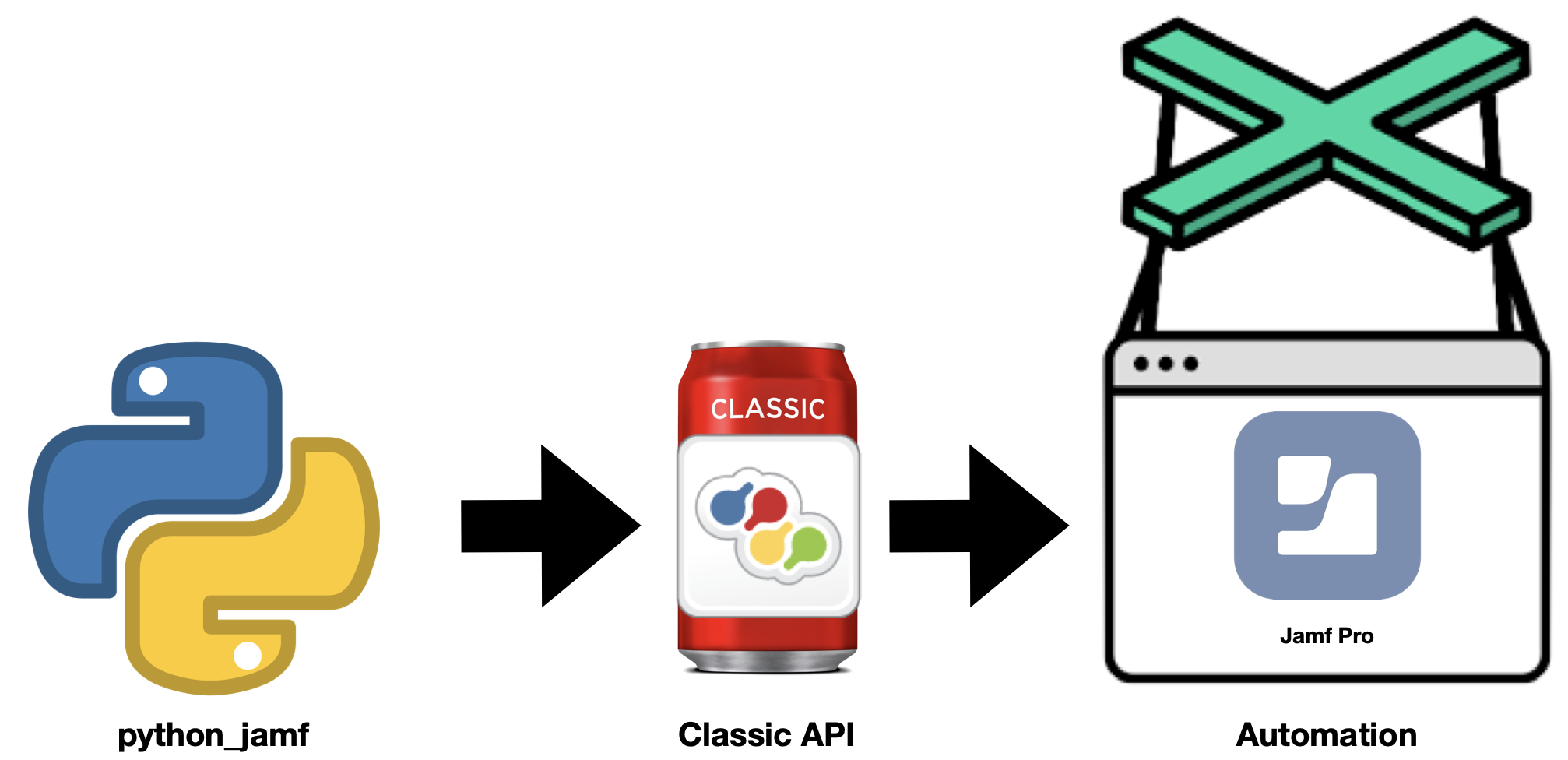
python_jamf workflow

What are python-jamf and jctl?

Originally, it was a "patch" project that was focused on patch management including installer package management, patch management, including assigning package to patch definition, updating versions, version release branching (i.e. development, testing, production), and scripting and automation. Later, it was split into two projects, python-jamf, which is a python library that connects to a Jamf Pro server using Jamf Pro Classic API, including keychain support for Jamf Pro credentials via keyring python project, support for PyPi to support pip installation and currently supports 56 Jamf Pro record types which will expand in number as the project continues.

The second project, jctl,  is a command-line tool that uses the python-jamf library to select objects to create, delete, print and update. It allows performing Jamf Pro repetitive tasks quickly and provides options not available in the web GUI. It is similar to SQL statements, but far less complex. And recently added PyPi to support pip installation.

Please check out the jctl github page for more information.

Supported Jamf Records

Currently, the python-jamf supports about 50 Jamf records like Buildings, Categories, Computers, OSXConfigurationProfiles, and Policies for example.

Each record is a singleton Python object, but they are generic and most functionality comes from the parent Record class. Objects do not have member variables for Jamf data. All Jamf Pro data is stored as a Python dictionary that is accessed with the data() method. All lists of records are singleton subclasses of the Records class.

By being singleton classes, you perform one fetch to the server for each list or record. This prevents multiple fetches for the same object. All changes you make are local until you save or refresh the object.

Quick Start

Installing

For those that want to try python-jamf quickly here are some general steps:

  • Install Module & Requirements: sudo pip3 install python-jamf
  • Create an Jamf Pro API User
  • Enter hostname, username, and password
  • Test: conf-python-jamf -t

Uninstalling

Uninstalling python-jamf is easy if you installed it via pip. pip is the Package Installer for Python.

To uninstall python-jamf run the following command:

sudo pip3 uninstall python-jamf

Getting Help

Wiki

More Documentation

For further in-depth details please check out the wiki.

Searching the wiki

To search this wiki use the "Search" field in the GitHub navigation bar above. Then on the search results page select the "Wiki" option or click here and search.

MacAdmin Slack Channel

If you have additional questions, or need more help getting started, post a question on the MacAdmin's Slack jctl channel.

MacAdmin's Slack Logo

Latest Status

Since we recorded our session over a month ago, some of the information in our presentation is out of date already. We have spent the time between when we recorded the presentation and now (October 14, 2021) getting GitHub actions working so that it will test and publish to pypi.com. It took longer to get this working than we thought. So that's about where we are. But it works now. We also added some Docker containers that you can run locally to try out python-jamf and jctl. There are also some minor differences in pkgctl than what is shown in the presentation.

I should also mention, one of us also had an issue where we assumed that pkgctl was crashing our production Jamf Pro server. But, increasing the amount of RAM and CPU's for that server fixed this issue.


Comments
  • how to format put for specific ID of computer and static group IP

    how to format put for specific ID of computer and static group IP

    so far i get the computers for a user (sometimes singular, sometimes multiple), but im trying to figure out the appropriate api.put command for it.

    i usually work in bash so i know there the command ends with "<computer_group><computer_additions>$serial</computer_additions></computer_group>" https://JSS.jamfcloud.com/JSSResource/computergroups/id/{id} -X PUT >", but now sure how to translate it to python.

    opened by grainofric3 6
  • docker-compose doesn't create network automatically

    docker-compose doesn't create network automatically

    Issue

    Testing the stable docker version of python-jamf and the build process is failing at network creation.

    Steps to reproduce

    Have only tried with python-jamf-github, but suspect it's the same for python-jamf-dev.

    $ cd python-jamf/python-jamf-docker
    $ docker-compose run --rm python-jamf-github
    network jamfpro_jamfnet declared as external, but could not be found
    

    Workaround

    Create the jamfpro_jamfnet docker network manually.

    $ docker network create -d bridge jamfpro_jamfnet
    4576<snip>
    $ docker-compose run --rm python-jamf-github
    [+] Building 106.1s (6/8)
     => [internal] load build definition from Dockerfile                                                                                                                            0.0s
    
    bug 
    opened by pythoninthegrass 5
  • Consider using Python Black for automatic formatting consistency

    Consider using Python Black for automatic formatting consistency

    For your consideration, this pull request applies Python Black formatting.

    Benefits

    In the projects I've worked on, I've found that applying consistent autoformatting (whether Black or something similar like autopep8 or yapf) significantly streamlines contributions. Discussions about code style fade away, allowing contributors to focus on the function.

    Also, Black's tendency to split long lines up slightly reduces the risk of merge conflicts if multiple elements of the same list/tuple/dict are edited by two different PRs.

    Black sometimes also surfaces syntax bugs before commit, since the formatting won't run if the Python doesn't compile.

    Risks

    Because this PR touches almost every Python file in the project, it's likely that it will conflict with changes on contributors' branches downstream. Any contributors will need to rebase their changes on the main branch (and possibly resolve conflicts manually) in order to continue. (At the moment, I don't see any non-merged branches here on GitHub, so it's probably a good time for a change like this.)

    The most streamlined way to use Black is to configure your local development environment with it, so that every time you save, the formatting is applied. In my VSCode prefs, I have settings to facilitate this:

    "python.formatting.provider": "black",
    "python.formatting.blackPath": "/opt/homebrew/bin/black",
    

    This optional streamlining creates a small additional setup burden for people who are regularly contributing, but shouldn't prevent those who wish to contribute more casually.

    Output

    The changes in this PR were produced with black ., resulting in the output below. No changes to actual function were made.

    % black .
    reformatted jamf/convert.py
    reformatted jamf/version.py
    reformatted setup.py
    reformatted jamf/config.py
    reformatted jamf/setconfig.py
    reformatted jamf/api.py
    reformatted tests/api_mock_test.py
    reformatted tests/convert_json_xml_test.py
    reformatted tests/test_package.py
    reformatted tests/test_config.py
    reformatted jamf/admin.py
    reformatted jamf/package.py
    reformatted tests/test_records.py
    reformatted jamf/records.py
    All done! ✨ 🍰 ✨
    14 files reformatted, 2 files left unchanged.
    

    For more context, see this portion of my 2019 PSU MacAdmins talk, which covers Black specifically.

    Thanks for considering!

    opened by homebysix 4
  • Turn README into wiki

    Turn README into wiki

    Not really an issue. Just a point I wanted to raise for discussion. The README is now getting to a length and if I add documentation for my work it will get longer.

    So how do you feel about me taking the existing README and my documentation and turning it onto a shorter README and a wiki? I was thinking of just a top page and only one layer of sub pages corresponding with the current headlines.

    I also have no idea if I can PR the wiki but I'm guessing I can.

    opened by Honestpuck 4
  • FileShare.mount uses macOS binaries and thus does not support linux

    FileShare.mount uses macOS binaries and thus does not support linux

    SMB could be supported using pysmb (without subprocess calls) I'm not sure about AFP though.

    We could also use 'mount' for linux machines (but then im unsure about other bsd distros)

    opened by yairf-s1 3
  • Add pre-commit configuration and corresponding GH Actions job

    Add pre-commit configuration and corresponding GH Actions job

    This pull request creates a pre-commit configuration and GitHub Actions job that runs it upon submitting PRs or pushing to main. The configuration includes two major formatting automations:

    • Python Black: The project already uses Black manually; adding a pre-commit and CI config makes this formatting easier for contributors to adopt and ensures standard style for submitted pull requests
    • iSort: Sorts Python imports in a consistent way, slightly reducing chances of merge conflict

    The above two changes will result in a new commit being made to the codebase automatically once merged. The changes will be to style only, and should not affect function at all. Here is a preview of that commit.

    I've included a few other relatively minor checks. The codebase already complies with all of these, so no changes are needed for these.

    • check-added-large-files: Helps prevent accidentally committing binary or image files to the repo by limiting new files to 100KB.
    • fix-byte-order-marker: Ensures files have consistent byte order markers (e.g. after being edited by a contributor using Windows)
    • check-case-conflict: Ensures no files are committed that would cause a conflict on case-insensitive file systems
    • check-docstring-first: Ensures Python docstrings are in the proper place
    • check-merge-conflict: Ensures no merge conflict markers are present in committed files
    • mixed-line-ending: Forbids CRLF line endings

    Once this is merged, it may be helpful to add a section to the jctl Contribute wiki page, between the "Clone the Forked Repository" and "Create a Feature Branch" sections:

    ### Install and enable pre-commit
    
    Pre-commit is a framework that automatically runs linting and consistency checks before changes
    are committed to the repository locally. For contributors who will be working in Python code, we
    recommend [installing pre-commit](https://pre-commit.com/#install) and running `pre-commit install`
    in the repo to activate these checks.
    

    (Note that even if contributors don't install pre-commit locally, GH Actions will run the checks upon submitting PRs and fix what it can.)

    On the AutoPkg project, we made a similar change recently, and it's worked well.

    opened by homebysix 2
  • Fixed README section on tests and did some more testing in test_records

    Fixed README section on tests and did some more testing in test_records

    The README section on testing was seriously wrong. I also attempted (and failed) to fix a problem where test_records.py won't run the tests if called on its own. It does run the tests if you use discovery. Not sure if it's worth opening an issue on it, but if you do assign it to me.

    opened by Honestpuck 2
  • All tests now running. Currently 9 fail.

    All tests now running. Currently 9 fail.

    I figured out why python3 -m unittest discover -v wasn't working. When we moved tests out of jamf and put them on the same level in python-jamf the imports tried to import from a parent that didn't exist.

    So all the from .. import <package> had to be changed to from jamf import <package>

    Tomorrow I will see about fixing the 9 tests that error.

    opened by Honestpuck 2
  • Add Support for Detecting Jamf Pro Version & Bearer Token Authentication

    Add Support for Detecting Jamf Pro Version & Bearer Token Authentication

    Hi:

    Jamf will deprecate support for Basic Authentication in Jamf Pro v10.35.0 or later. python-jamf will need to add support for Bearer Token authentication by implementing a version check of Jamf Pro, your application can determine whether Bearer Token authentication is supported (v10.35.0 or later) or if use of Basic authentication is required (v10.34.0 and earlier).

    The jamf-pro-version endpoint within the Jamf Pro API returns the version of the Jamf Pro Server, to help your application determine authentication compatibility with a given Jamf Pro Server. Jamf recommends including a preference to allow users to select the authentication schema based on their environment configuration or dynamically determining which authentication mechanism to use based on the Jamf Pro Server version.

    In addition to the recommendations provided above, Jamf has updated the Classic API Postman Collection to now default to the use of Bearer Token authentication. Older versions of the collection will continue to be available for interaction with environments not yet upgraded to 10.35.0 or later, however the new collection will default to using Bearer Token authentication.

    Additional details regarding the changes, including best practices are detailed on the Jamf Developer Portal.

    enhancement 
    opened by uurazzle 1
  • Added subcommands: packages view_included and scripts script_contents

    Added subcommands: packages view_included and scripts script_contents

    Output looks like this.

    ./jctl packages -S view_included

    BBEdit-13.5.5.pkg Policies Install Bare Bones BBEdit PatchSoftwareTitles Bare Bones BBEdit - 13.5.5 PatchPolicies 13.5.5 SS

    BBEdit-13.5.6.pkg

    Xcode-11.3.1.pkg Policies Install Xcode 11.3 (macOS 10.15) ComputerGroups 02 - Needs Xcode-11.3.1.pkg (Staff, Student, Opt-In, 10.15)

    Zoom-5.6.4.765.pkg Policies Install Zoom Client for Meetings

    ./jctl scripts -S script_contents #!/usr/bin/perl -w

    use strict;

    print "Hi mom";

    opened by magnusviri 1
  • Store prefs in Elektra

    Store prefs in Elektra

    "Elektra stores configuration in a global, hierarchical key database."

    https://www.libelektra.org/plugins/python

    Should be this easy.

    import kdb
    kdb.Key("user:/jamf_server")
    kdb.Key("user:/jamf_username")
    
    opened by magnusviri 1
  • test_package - problem with path

    test_package - problem with path

    test_package has six tests failing. All appear to be failing because the path passed to tar in a call to get package information points to the actual package and not the the expanded package so tar barfs on it.

    bug 
    opened by Honestpuck 2
Releases(0.8.2)
Owner
University of Utah, Marriott Library, Apple Support
Apple Support & Integration in a Heterogeneous Environment
University of Utah, Marriott Library, Apple Support
RequestTrackerBot - Request Tracker Bot With Python

Request Tracker Bot This is a Request Tracker Bot repo, It is for those who uplo

Prince Jaiswal 1 Dec 30, 2021
Media Replay Engine (MRE) is a framework to build automated video clipping and replay (highlight) generation pipelines for live and video-on-demand content.

Media Replay Engine (MRE) is a framework for building automated video clipping and replay (highlight) generation pipelines using AWS services for live

Amazon Web Services - Labs 30 Nov 29, 2022
Apprise - Push Notifications that work with just about every platform!

ap·prise / verb To inform or tell (someone). To make one aware of something. Apprise allows you to send a notification to almost all of the most popul

Chris Caron 7.2k Jan 07, 2023
SEBUAH TOOLS CRACK FACEBOOK & INSTAGRAM DENGAN FITUR YANGMENDUKUNG

SEBUAH TOOLS CRACK FACEBOOK & INSTAGRAM DENGAN FITUR YANGMENDUKUNG

Jeeck X Nano 1 Dec 27, 2021
BleachBit system cleaner for Windows and Linux

BleachBit BleachBit cleans files to free disk space and to maintain privacy. Running from source To run BleachBit without installation, unpack the tar

1.9k Jan 06, 2023
Infrastructure template and Jupyter notebooks for running RoseTTAFold on AWS Batch.

AWS RoseTTAFold Infrastructure template and Jupyter notebooks for running RoseTTAFold on AWS Batch. Overview Proteins are large biomolecules that play

AWS Samples 20 May 10, 2022
:lock: Python 2.7/3.X client for HashiCorp Vault

hvac HashiCorp Vault API client for Python 3.x Tested against the latest release, HEAD ref, and 3 previous minor versions (counting back from the late

hvac 1k Dec 29, 2022
ABACUS Aroio API for Webinterfaces and App-Connections

ABACUS Aroio API for Webinterfaces and App-Connections Setup Start virtual python environment if you don't have python3 running setup: $ python3 -m ve

Abacus Aroio Developer Team 1 Apr 01, 2021
Acc-discord-rpc - Assetto Corsa Competizione Discord Rich Presence Client

A simple Assetto Corsa Competizione Rich Presence client. This app only works in

6 Dec 18, 2022
A python discord client interaction emulator for the DC29 badge code channel

dc29-discord-signalbot A python discord client interaction emulator for the DC29 badge code channel Prep Open Developer mode Open the developer mode f

8 Aug 23, 2021
Twitter bot that finds new friends in Twitter.

PythonTwitterBot Twitter Bot Thats Find New Friends pip install textblob pip install tweepy pip install googletrans check requirements.txt file Env

IbukiYoshida 4 Aug 11, 2021
Amazon AWS Web Tool (view only)

Amazon AWS Web Tool (AAWT) discontinued Features Cloudfront (simple) EC2 (With Charts and Prices) EC2 Reserved EBS ELB (With Charts) Obs:. only classi

Carlos Augusto Malucelli 9 Nov 07, 2022
Custom bot I've made to host events on my personal Discord server.

discord_events Custom bot I've made to host events on my personal Discord server. You can try the bot out in my personal server here: https://discord.

AlexFlipnote 5 Mar 16, 2022
This is a telegram bot built using the Oxford Dictionary API

Oxford Dictionaries Telegram Bot This is a telegram bot built using the Oxford Dictionary API Source: Oxford Dictionaries API Documentation Install En

Abhijith N T 2 Mar 18, 2022
Eva Maria Telegram Bot

Eva Maria Bot Features Auto Filter Manuel Filter IMDB Admin Commands Broadcast Index IMDB search Inline Search Random pics ids and User info Stats, Us

Eva Maria TG 477 Dec 31, 2022
A Telegram bot that scrapes websites for available vaccination appointments to notify users. (German)

@dachau_impf_bot 🇬🇧 A Telegram bot to check the contents of https://termin.dachau-med.de for available slots and inform users of the available dates

1 Nov 21, 2021
Notification Reminder Application For Python

Notification-Reminder-Application No matter how well you set up your to-do list and calendar, you aren’t going to get things done unless you have a re

1 Nov 26, 2021
A small module to communicate with Triller's API

A small, UNOFFICIAL module to communicate with Triller's API. I plan to add more features/methods in the future.

A3R0 1 Nov 01, 2022
Replacement for the default Dark Sky Home Assistant integration using Pirate Weather

Pirate Weather Integrations This integration is designed to replace the default Dark Sky integration in Home Assistant with a slightly modified, but f

Alexander Rey 129 Jan 06, 2023
A WhatsApp Crashing Tool for Termux

CrashW A WhatsApp Crashing Tool For Termux Users Installing : apt update && apt upgrade -y pkg install python3 pkg install git git clone git://gith

Gokul Mahato 20 Dec 27, 2022