当前位置:网站首页>laravel8-使用jwt
laravel8-使用jwt
2022-04-22 06:34:00 【阿呆小跟班】
laravel8-使用jwt
jwt-官方网址
https://jwt-auth.readthedocs.io/en/develop/laravel-installation
安装
- 第一步:composer拉取最新版本
composer require tymon/jwt-auth
- 第二步:添加服务提供者(Laravel 5.4 或以下)
将服务提供者添加到配置文件 config/app.php 中的 providers 数组中,如下所示:
'providers' => [

    ...

    Tymon\JWTAuth\Providers\LaravelServiceProvider::class,
]

'aliases' => [
		...

        'JWTAuth' => Tymon\JWTAuth\Facades\JWTAuth::class,
        'JWTFactory' => Tymon\JWTAuth\Facades\JWTFactory::class,
    ],
- 第三步:运行以下命令发布包配置文件
php artisan vendor:publish --provider="Tymon\JWTAuth\Providers\LaravelServiceProvider"
运行完后应该有一个 config/jwt.php 文件,允许配置此包的基础知识
- 第四步:运行以下命令生成一个密钥
php artisan jwt:secret
运行完后.env文件会生成一个 JWT_SECRET
在laravel项目中配置
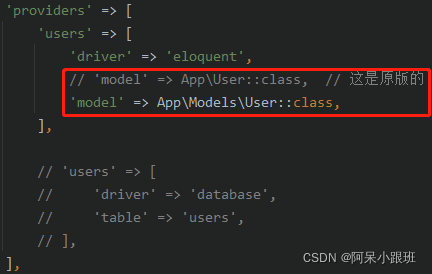
- 第一步:配置 config/auth.php
在 config/auth.php 中,将 api 的 driver 驱动改为 jwt

然后注册自己写的model
- 第二步:定义路由

具体代码
- 控制器-新建 AuthController
<?php

namespace App\Http\Controllers\Auth;

use App\Http\Controllers\Controller;
use Illuminate\Http\Request;
use App\Models\User;
use Illuminate\Support\Facades\Auth;
use Tymon\JWTAuth\Facades\JWTAuth;

class AuthController extends Controller
{

    /** * Create a new AuthController instance. * * @return void */
    public function __construct()
    {

        $this->middleware('auth:api', ['except' => ['login']]);
    }

    /** * Get a JWT via given credentials. * * @return \Illuminate\Http\JsonResponse */
    public function login(Request $request)
    {

        $credentials = $request->only('name', 'password');

        if (count($credentials) < 2) {

            return response()->json(['error' => 'Unauthorized'], 401);
        }

        $user = User::where('name', $credentials['name'])
            ->where('password', ($credentials['password']))
            ->first();

        if (empty($user) || !$token = JWTAuth::fromUser($user)) {

            return response()->json(['error' => 'Unauthorized'], 401);
        }

        return $this->respondWithToken($token);

    }

    /** * Get the authenticated User. * * @return \Illuminate\Http\JsonResponse */
    public function me()
    {

        return response()->json(auth('api')->user());
    }

    /** * Log the user out (Invalidate the token). * * @return \Illuminate\Http\JsonResponse */
    public function logout()
    {

        auth('api')->logout();

        return response()->json(['message' => 'Successfully logged out']);
    }

    /** * Refresh a token. * @return \Illuminate\Http\JsonResponse */
    public function refresh()
    {

        return $this->respondWithToken(auth('api')->refresh());
    }

    /** * Get the token array structure. * * @param string $token * * @return \Illuminate\Http\JsonResponse */
    protected function respondWithToken($token)
    {

        return response()->json([
            'access_token' => $token,
            'token_type' => 'bearer',
            'expires_in' => auth('api')->factory()->getTTL() * 60
        ]);
    }
}
- Model-新建 User
<?php

namespace App\Models;

use Illuminate\Database\Eloquent\Model;
use Tymon\JWTAuth\Contracts\JWTSubject;
use Illuminate\Notifications\Notifiable;
use Illuminate\Foundation\Auth\User as Authenticatable;

class User extends Authenticatable implements JWTSubject
{

    use Notifiable;

    protected $table = 'users';

    // Rest omitted for brevity

    /** * Get the identifier that will be stored in the subject claim of the JWT. * * @return mixed */
    public function getJWTIdentifier()
    {

        return $this->getKey();
    }

    /** * Return a key value array, containing any custom claims to be added to the JWT. * * @return array */
    public function getJWTCustomClaims()
    {

        return [];
    }
}
end-到此结束
版权声明
本文为[阿呆小跟班]所创,转载请带上原文链接,感谢
https://blog.csdn.net/weixin_43295023/article/details/124298603
边栏推荐
- SuperSocket在.Net5中使用——概念篇
- 测试经验数据
- Shiping information has successfully passed CMMI Level 3 certification
- [Shiping information] solutions for confidentiality inspection and compliance control of recorded content
- Quartz.net在.Net Core中使用
- Postman primary-6-console: print and view logs
- 配置表及页面信息 自动生成CURD操作页面
- monkey 实战
- postman接口自动化-4-Tests断言4:自定义接口执行顺序
- Leaders of Hangzhou commercial password Application Association and their delegation visited Shiping for information exchange
猜你喜欢
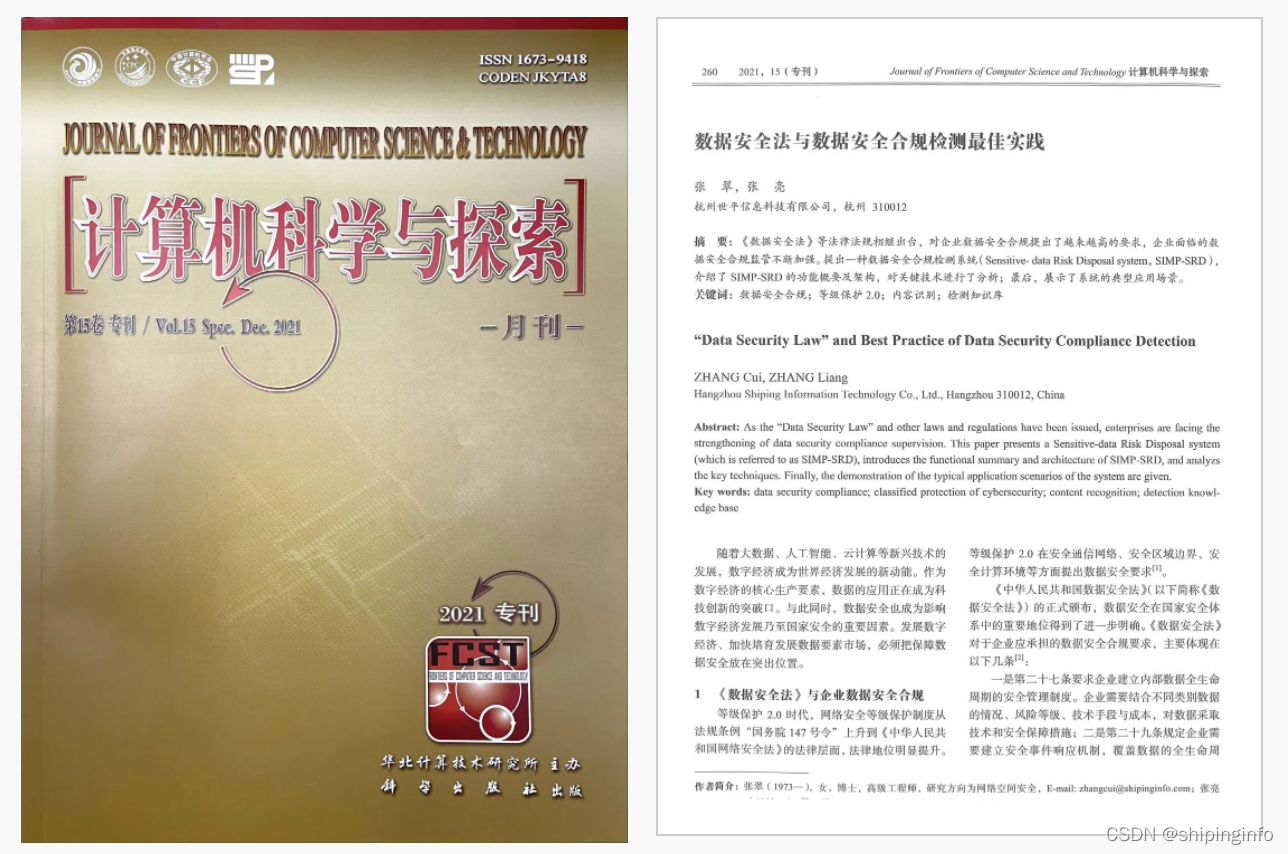
The practical paper of Shiping information and data security compliance testing was selected into the Chinese core journals

Help 2021 Hangzhou network security publicity week | collection of wonderful activities of Shiping information

Shiping information was listed in the panorama of China's network security market in 2021

培训赋能 | 打造专业技术服务团队

Primary test: ordinary vs excellent
世平信息上榜《2021年中国网络安全市场全景图》

postman接口自动化-4-Tests断言4:自定义接口执行顺序

Web automation: 8.1 how to send JS instructions in the browser

Raspberry Pie: access BitLocker to go encrypted disk
web自动化:5.2selenium鼠标操作原理:ActionChains-延时调用

随机推荐
Redis listens for key expiration events
How to connect Kunlun on state │ G series screen with Siemens 300 domestic MPI adapter
Echars realizes customized map of Shanxi Province and map drill down return
web自动化:8.3 selenium中如何实现浏览器的窗口滚动
web问题定位实战:2.提示信息、字段校验
. net5 log4net failed to log to the database after starting for a period of time
Supersocket is Use in net5 - websocket server
monkey
Web automation: 6 Operation of selenium drop-down selection box - Select
Echars dynamically realizes the scatter diagram and customizes the information prompt box
How to protect personal information security@ Everyone must not miss this dry goods sharing
JS dynamically merge cells
.net WebAPI访问授权机制及流程设计(header token+redis)
Help 2021 Hangzhou network security publicity week | collection of wonderful activities of Shiping information
web问题定位:F12,如何找到对应接口
Continue raspberry pie 4B + OLED: automatically display the IP address after startup
Shiping information participated in the enterprise roadshow of Hengyang "Chuanshan forum", talked about data security and helped collaborative innovation
Postman intermediate: processing interface encryption and decryption AES SM3 SM4
web问题定位实战:1.列表数据修改无效
配置自动实现CURD项目