当前位置:网站首页>RT-Thread配置SPI-Flash(W25Q256)
RT-Thread配置SPI-Flash(W25Q256)
2022-04-22 13:00:00 【范子琦】
RT-Thread配置SPI-Flash(W25Q256)
1.开启SPI总线
新建一个空白的RT-Thread项目,本文基于STM32F103芯片。
首先在drivers目录下打开board.h文件,找到SPI对应部分。根据指导,一步一步做下去。

1.1打开SPI及SFUD
打开RT-Thread Settings,点击更多配置来到组件一栏,勾选如下。

1.2打开SPI宏定义
board.h文件中,打开SPI宏定义。

1.3产生初始化函数
使用stm32cubemx产生初始化函数,将其粘贴于board.c文件末尾。

然后选择芯片型号->填写项目名称,双击IOC文件后如图操作。

复制初始化函数到board.c文件。
1.4打开SPI驱动
在drivers目录下的stm32f1xx_hal_conf.h文件中打开SPI驱动。

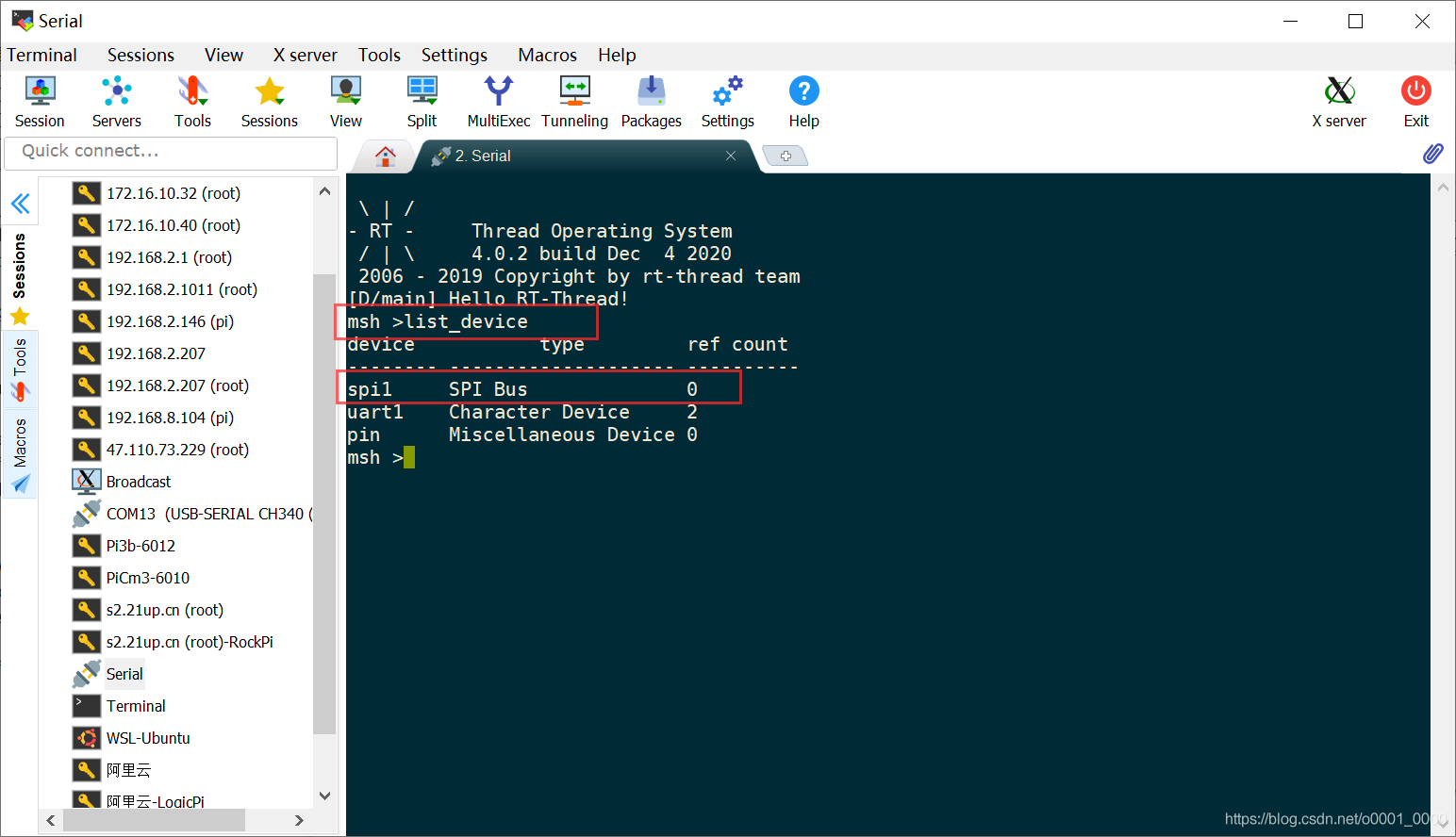
配置完成,编译下载,使用list_device指令查看设备,可以看到SPI总线已经存在了。
2.挂载片外flash
接下来,我们将片外flash(W25Q256)挂到SPI总线上。
在application目录下,新增flash.c文件。
static int rt_hw_spi_flash_init(void)
{

    //此处为片选引脚
    rt_hw_spi_device_attach(W25Q_SPI_BUS_NAME, W25Q_SPI_DEVICE_NAME, GPIOA, GPIO_PIN_4);

    //flash名称要正确
    if (RT_NULL == rt_sfud_flash_probe("W25Q256", W25Q_SPI_DEVICE_NAME))
    {

        return -RT_ERROR;
    };

    return RT_EOK;
}

/* 导出到自动初始化 */
INIT_COMPONENT_EXPORT(rt_hw_spi_flash_init);
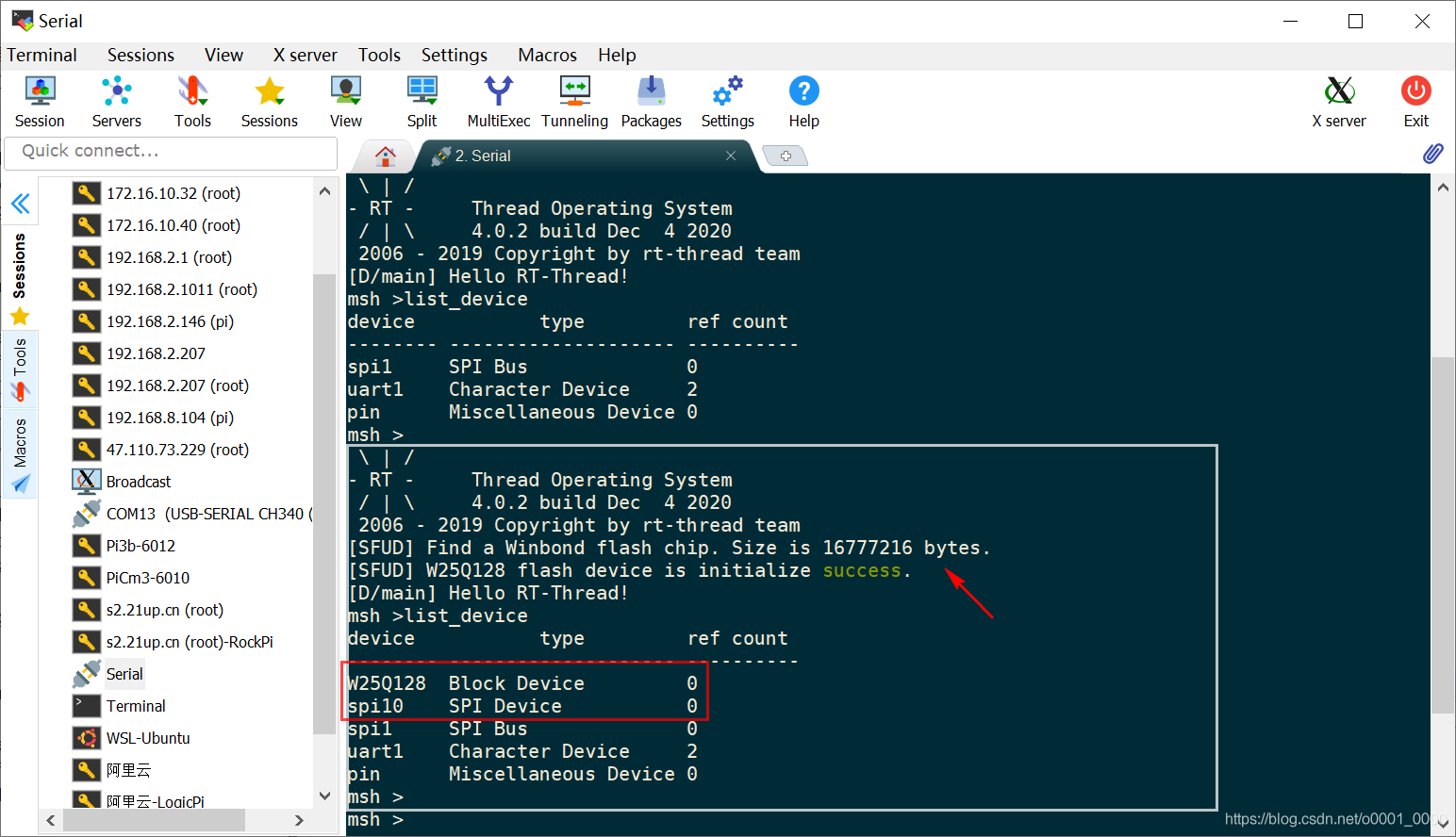
经过验证,flash已经挂载成功.
下面开始搭建FAL。
3.搭建FAL抽象层
FAL是RT-Thread的一个软件包,主要是用于Flash 抽象层的实现,负责管理 Flash 设备和 Flash 分区。关于FAL的详细功能,大家可以参考RT-Thread软件包友情链接。文档非常详细,这里也参考了文档中的内容。
3.1添加FAL
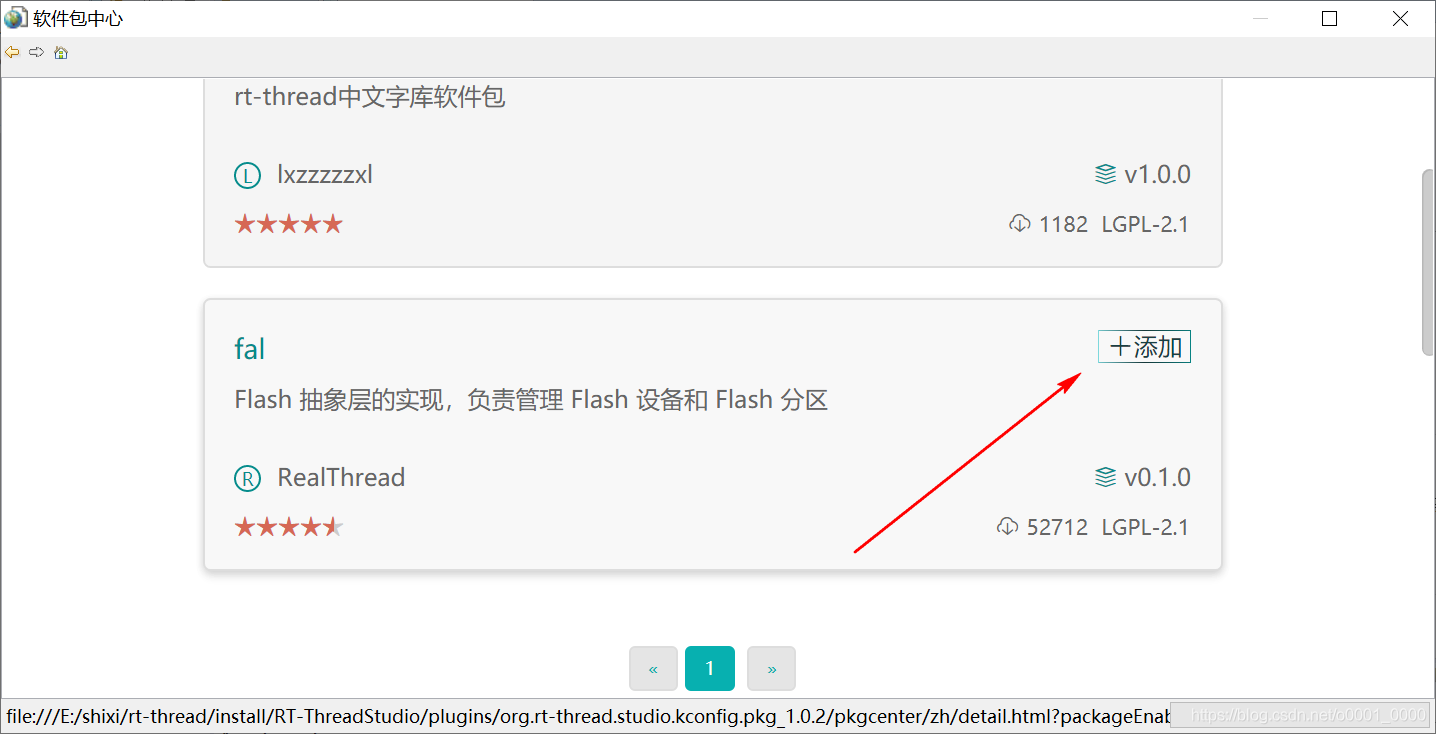
打开RT-Thread Settings点击立即添加,然后搜索FAL。


3.2配置FAL
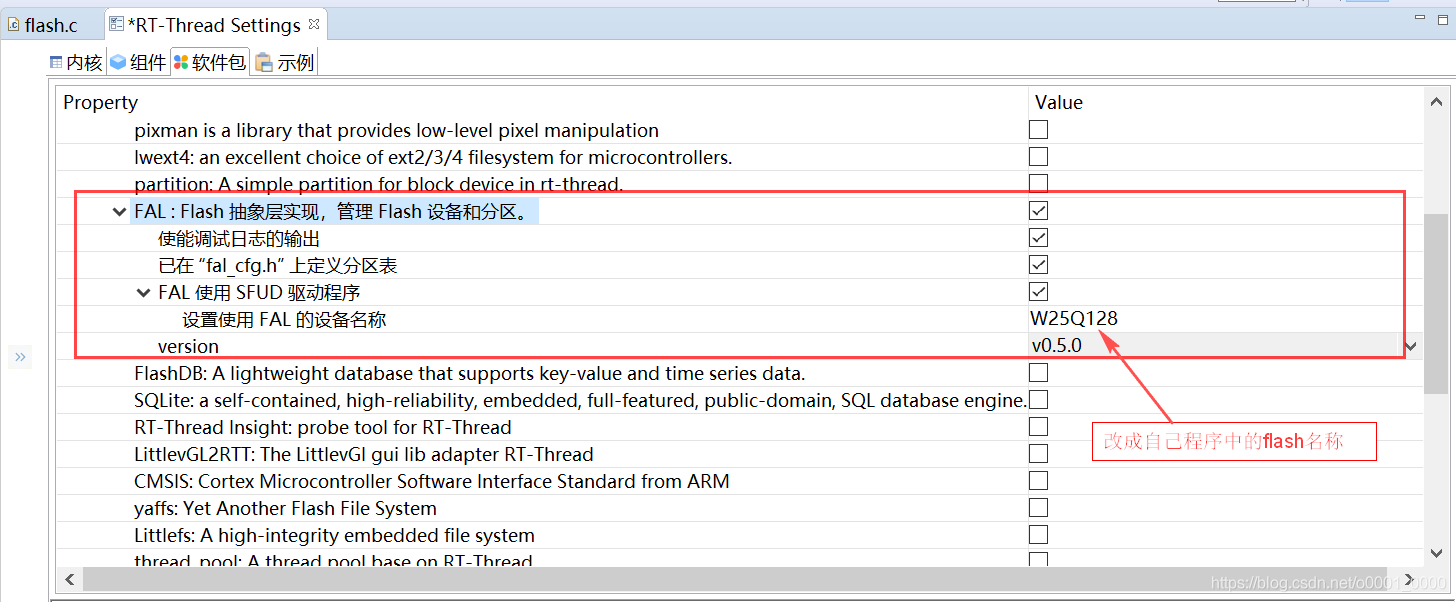
因为我们只用到了片外flash,所以可以将fal_cfg.h中关于片外flash的部分删除,并且定义自己的分区表。
将samples->porting->fal_cfg.h复制到inc中并修改为:
#ifndef _FAL_CFG_H_
#define _FAL_CFG_H_

#include <rtconfig.h>
#include <board.h>

#define NOR_FLASH_DEV_NAME "W25Q256" /*一定要改为自己的flash名称*/

/* ===================== Flash device Configuration ========================= */
extern struct fal_flash_dev nor_flash0;

/* flash device table(定义设备表,删掉了片上flash) */
#define FAL_FLASH_DEV_TABLE \ {
       \ &nor_flash0, \ }
/* ====================== Partition Configuration ========================== */
#ifdef FAL_PART_HAS_TABLE_CFG
/* partition table ps:可根据需要自行分区*/
#define FAL_PART_TABLE \ {
       \ {
      FAL_PART_MAGIC_WORD, "easyflash", NOR_FLASH_DEV_NAME, 0, 1024*1024, 0}, \ {
      FAL_PART_MAGIC_WORD, "download", NOR_FLASH_DEV_NAME, 1024*1024, 1024*1024, 0}, \ }
#endif /* FAL_PART_HAS_TABLE_CFG */

#endif /* _FAL_CFG_H_ */
此处暂时并未做太大改动,可以根据需要自行分区、命名。
3.3初始化FAL
在main.c文件中,包含fal.h并调用fal_init()初始化程序。

3.4验证

版权声明
本文为[范子琦]所创,转载请带上原文链接,感谢
https://blog.csdn.net/oXiaoLingTong/article/details/123161242
边栏推荐
- 科技产品宣传片制作成本的重要性!
- R语言使用merge函数对两个dataframe数据进行左连接(Left join)
- 深度学习笔记(一 误差)
- Digital business cloud: how can enterprises achieve local breakthroughs and run fast in small steps under the wave of digital procurement
- Leetcode 34. Find the first and last positions of elements in the sorted array
- Calloc and realloc
- R language splits dataframe into two or more dataframe actual combat (splitting tables): Using R native method, data Table, dplyr and other schemes
- 做相关性分析时,如何排除奇异值Outliers,以增加相关分析的准确性
- redis 更新升级版本
- NoSQL调查 PART3:开放源码的失败
猜你喜欢

数商云家电商城系统解决方案,优化电器商城采购供应链管理,减低库存提升资金利用率

Book city project registration page and email verification
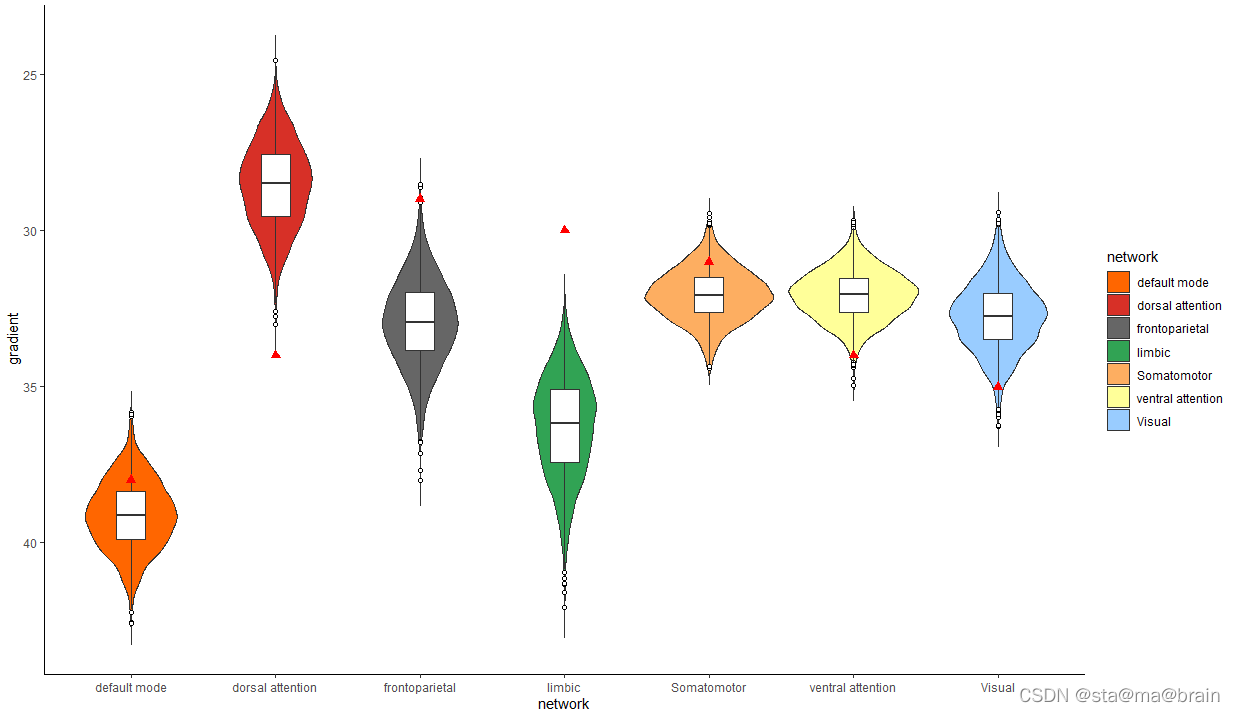
R语言绘制小提琴图geom_violin,如何添加额外的点geom_point?geom_violin + geom_boxplot + geom_point组合使用

Five ways to get database connection: have you really got it?

Verify whether the form is empty

如何使用Colormaps和自定义自己喜欢的colorbar?
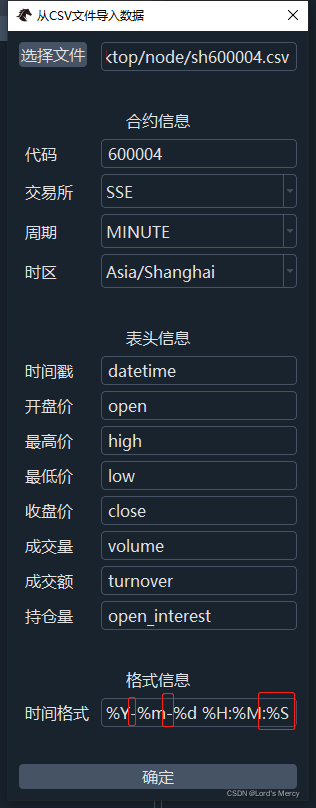
vnpy本地導入csv數據

396. 旋转函数

Opencv project 1-ocr recognition

Sprintf format string
随机推荐
Simple deployment of microservices
Leetcode 389. Find different
摆脱 AI 生产“小作坊”:如何基于 Kubernetes 构建云原生 AI 平台
模型的权值以及loss或者中间变量变成了nan怎么回事
Get rid of the "small workshop" of AI production: how to build a cloud native AI platform based on kubernetes
Corners of enterprise mailbox
R语言多条决策曲线分析DCA(Decision Curve Analysis)曲线可视化在同一图像中、使用png函数将决策曲线分析DCA可视化结果保存为png格式
JS foundation 7
Get rid of the "small workshop" of AI production: how to build a cloud native AI platform based on kubernetes
Opencv project 1-ocr recognition
396. 旋转函数
21. merge two ordered linked lists
Daily question series: common substring calculation
Redis updates the value without updating the time
C#中如何将图片添加为程序的资源
让cpolar获得固定TCP地址
从结构化上下文解读闭包
从构建到治理,业内首本微服务治理技术白皮书正式发布(含免费下载链接)
The R language uses the qnorm function to generate the positive distribution quantile function data, and uses the plot function to visualize the positive distribution quantile function data (normal di
Node 调试指南 —— Inspector 协议