当前位置:网站首页>Superman is coming!Flutter realizes full-screen power animation!
Superman is coming!Flutter realizes full-screen power animation!
2022-08-08 20:02:00 【InfoQ】
前言
TransitionSizeTransitionSizeTransition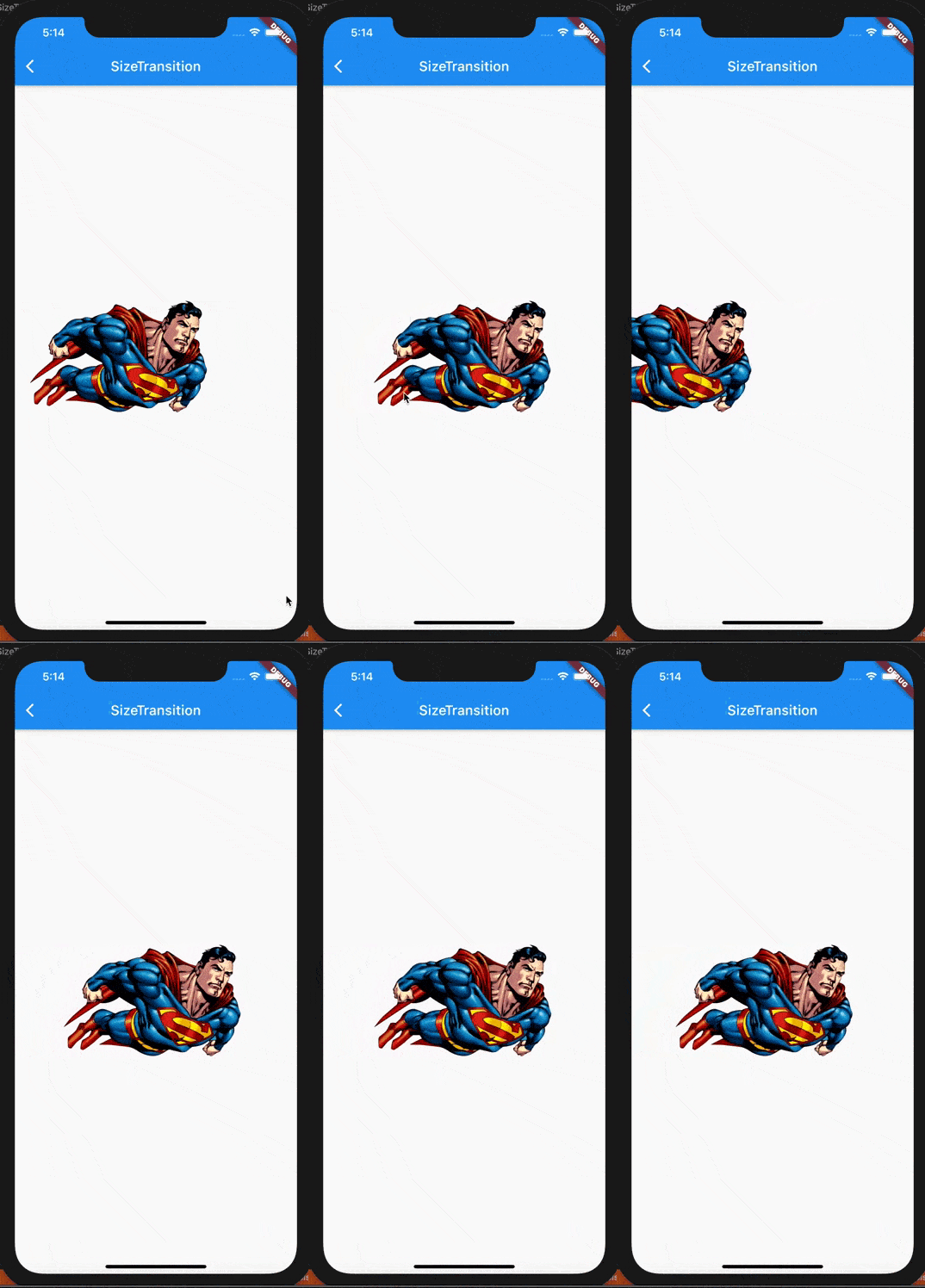
SizeTransition 介绍
SizeTransitionconst SizeTransition({
Key? key,
this.axis = Axis.vertical,
required Animation<double> sizeFactor,
this.axisAlignment = 0.0,
this.child,
})
axis:枚举,vertical标识纵向更改组件尺寸,即更改组件高度;horizontal表示横向更改组件尺寸,即更改组件宽度.
sizeFactor:即控制组件尺寸变化的Animation对象.实际上在动画过程中就是组件尺寸的宽度(horizontal)或高度(vertical)乘以**Animation<double>**的值.
axisAlignment:即动画过程中,子组件的对齐位置,默认为0.0,是从中间开始更改尺寸;当axis为vertical时,-1.0代表顶部对齐开始动画(即尺寸从上到下开始变大);当axis为horizontal时,开始的方向和文本的反向有关(TextDirection.ltr还是TextDirection.rtl),当文本为从左到右时(TextDirection.ltr,默认),-1.0表示从左侧开始动画(即尺寸从左到右开始变大).
应用
axisaxisAligmentclass SizeTransitionDemo extends StatefulWidget {
SizeTransitionDemo({Key? key}) : super(key: key);
@override
_SizeTransitionDemoState createState() => _SizeTransitionDemoState();
}
class _SizeTransitionDemoState extends State<SizeTransitionDemo>
with SingleTickerProviderStateMixin {
late AnimationController _controller =
AnimationController(duration: const Duration(seconds: 3), vsync: this)
..repeat();
//使用自定义曲线动画过渡效果
late Animation<double> _animation = CurvedAnimation(
parent: _controller, curve: Curves.fastLinearToSlowEaseIn);
@override
Widget build(BuildContext context) {
return Scaffold(
appBar: AppBar(
title: Text('SizeTransition'),
brightness: Brightness.dark,
backgroundColor: Colors.blue,
),
body: SizeTransition(
child: Center(
child: Image.asset(
'images/superman.png',
width: 300.0,
height: 300.0,
),
),
sizeFactor: _animation,
axis: Axis.horizontal,
axisAlignment: 1.0,
),
);
}
@override
void dispose() {
_controller.stop();
_controller.dispose();
super.dispose();
}
}
使用
SizeTransition
实现其他动画效果
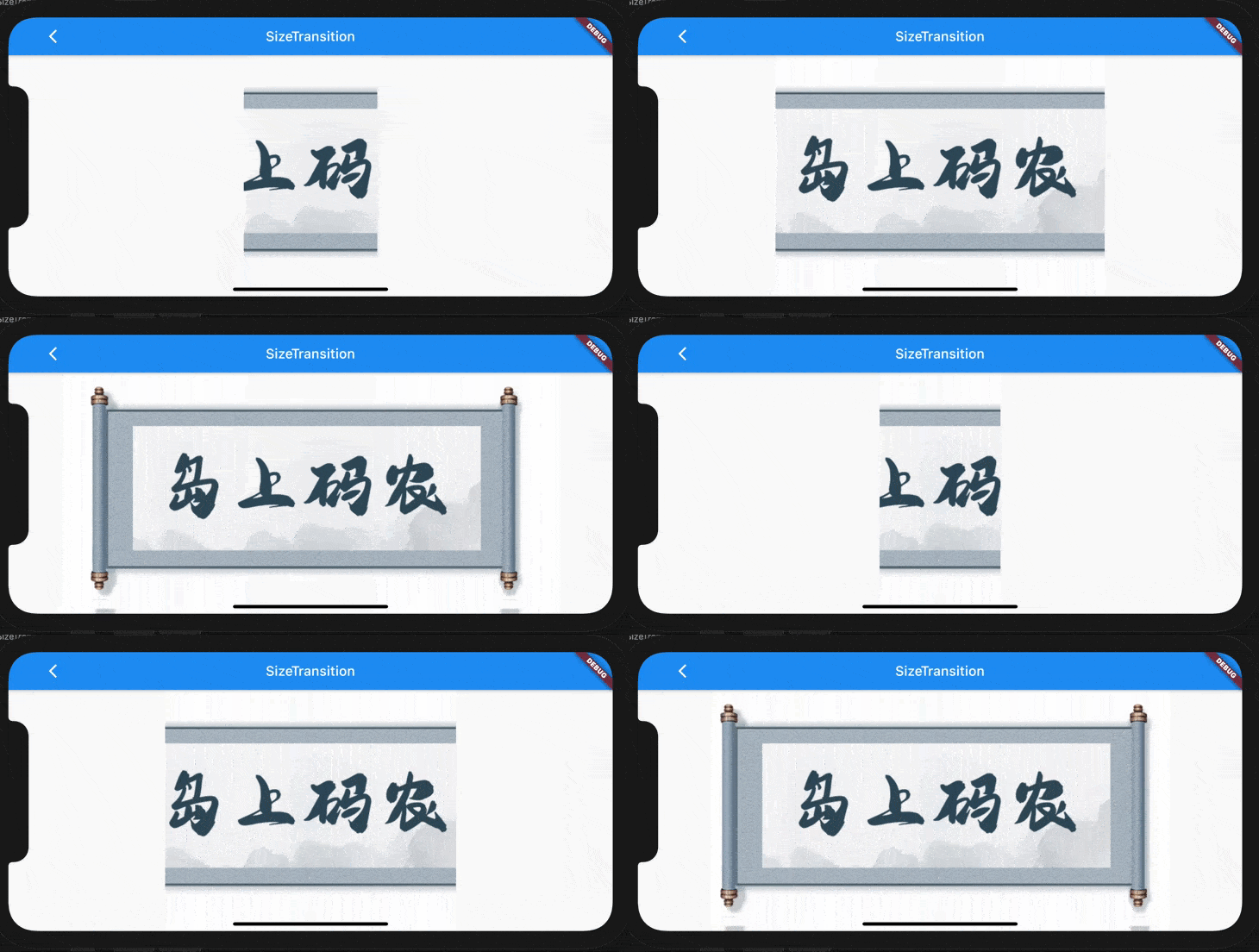
Widget build(BuildContext context) {
 return Scaffold(
 appBar: AppBar(
 title: Text('SizeTransition'),
 brightness: Brightness.dark,
 backgroundColor: Colors.blue,
 ),
 body: Container(
 alignment: Alignment.center,
 child: SizeTransition(
 child: Image.asset(
 'images/juanzhou.png',
 ),
 sizeFactor: _animation,
 axis: Axis.horizontal,
 axisAlignment: 0.0,
 ),
 ),
 );
}
总结
SizeTransitionSizeTransition
边栏推荐
猜你喜欢

大学生图书馆网页设计模板代码 DIV布局书店网页作业成品 学校书籍网页制作模板 学生简单书籍阅读网站设计成品
What are the three main aspects of digital factory construction?

IJCAI 2022 | Can Graph Neural Networks Detect Anomalies?

自然堂品牌焕新升级,携手代言人王一博彰显美妆年轻新态度

riscv-gnu-toolchain下载安装

计算机网络面试常问知识

无标题文章

瑞芯微rk1126 平台部分jpeg图片解码程序挂掉的问题

What are the latest developments in the handling of false information?KDD2022 "Fighting Misinformation and Responding to Media Bias" tutorial, 161 pages ppt
书法家唐效奇
随机推荐
n个数取出r个数排列
用 Antlr 重构脚本解释器
微服务负载均衡器Ribbon
即将开幕!阿里云飞天技术峰会邀您一同探秘云原生最佳实践
odoo login layout adjustment
推荐系统如何可信?罗格斯大学最新《可信推荐系统》综述,43页pdf阐述可信RS组成与技术
通达信炒股软件正规吗?安全吗?
梅科尔工作室OpenHarmony设备开发培训笔记-第六章学习笔记
网络工程师怎么系统性学习?这份网工资料包帮你解决
期货开户安全吗?期货怎么开户安全?
黑猫带你学Makefile第9篇:menuconfig/Kconfig/deconfig/.config及Makefile之间的关系
工程 (六) ——PointNet点云分类
Ansible自动化运维工具(一)安装及模块
PX4-做飞控二次开发需要知道的事情-Cxm
买股票安全吗 资金能取出来吗
Codeforces Round #721 (Div. 2)
技术分享 | 接口自动化测试之JSON Schema模式该如何使用?
golang for循环详解
经验分享|低成本快节奏搭建企业知识管理系统的方法
laravel run scheduler command on weekdays (except holidays)