当前位置:网站首页>Mairadb数据库基本操作之数据管理
Mairadb数据库基本操作之数据管理
2022-04-23 05:14:00 【jks212454】
Mairadb数据库基本操作之数据管理
一、检查环境状态
[root@mster-k8s ~]# systemctl status mariadb
● mariadb.service - MariaDB 10.6.7 database server
   Loaded: loaded (/usr/lib/systemd/system/mariadb.service; enabled; vendor preset: disabled)
  Drop-In: /etc/systemd/system/mariadb.service.d
           └─migrated-from-my.cnf-settings.conf
   Active: active (running) since Wed 2022-04-20 11:50:35 CST; 12min ago
     Docs: man:mariadbd(8)
           https://mariadb.com/kb/en/library/systemd/
  Process: 11187 ExecStartPost=/bin/sh -c systemctl unset-environment _WSREP_START_POSITION (code=exited, status=0/SUCCESS)
  Process: 7810 ExecStartPre=/bin/sh -c [ ! -e /usr/bin/galera_recovery ] && VAR= ||   VAR=`cd /usr/bin/..; /usr/bin/galera_recovery`; [ $? -eq 0 ]   && systemctl set-environment _WSREP_START_POSITION=$VAR || exit 1 (code=exited, status=0/SUCCESS)
  Process: 7778 ExecStartPre=/bin/sh -c systemctl unset-environment _WSREP_START_POSITION (code=exited, status=0/SUCCESS)
 Main PID: 8024 (mariadbd)
   Status: "Taking your SQL requests now..."
    Tasks: 9
   Memory: 90.5M
   CGroup: /system.slice/mariadb.service
           └─8024 /usr/sbin/mariadbd
二、mariadb的数据库增删改查
1.本地进入mariadb
[root@mster-k8s ~]# mysql
Welcome to the MariaDB monitor.  Commands end with ; or \g.
Your MariaDB connection id is 4
Server version: 10.6.7-MariaDB MariaDB Server
Copyright (c) 2000, 2018, Oracle, MariaDB Corporation Ab and others.
Type 'help;' or '\h' for help. Type '\c' to clear the current input statement.
MariaDB [(none)]>
2.增——创建一个数据库
MariaDB [(none)]> create database huawei;
Query OK, 1 row affected (0.000 sec)
3.查——查看数据库
MariaDB [(none)]> show databases;
+--------------------+
| Database           |
+--------------------+
| huawei             |
| information_schema |
| mysql              |
| performance_schema |
| sys                |
| test               |
+--------------------+
6 rows in set (0.000 sec)
4.改——修改数据库名称
①查看数据库列表
MariaDB [(none)]> show databases;
+--------------------+
| Database           |
+--------------------+
| huawei_reduction   |
| information_schema |
| mysql              |
| performance_schema |
| redhat             |
| sys                |
+--------------------+
②新建空数据库
MariaDB [(none)]> create database mall;
Query OK, 1 row affected (0.000 sec)
③备份数据库
mysqldump -uroot -p123 huawei_reduction > /backup/mariadb/huawei.sql
④恢复到空数据库
mysqld -uroot -p123 mall < ./huawei.sql
⑤检查恢复后的数据库
MariaDB [(none)]> use mall
Reading table information for completion of table and column names
You can turn off this feature to get a quicker startup with -A

Database changed
MariaDB [mall]>
MariaDB [mall]> show tables;
+----------------+
| Tables_in_mall |
+----------------+
| student        |
+----------------+
1 row in set (0.000 sec)

MariaDB [mall]> select * from student;
+----+--------+--------+------+-------+--------+-------+
| id | name   | gender | age  | class | course | grade |
+----+--------+--------+------+-------+--------+-------+
|  1 | 张三   |      0 |   18 |     3 | 语文   |    98 |
|  2 | 李四   |      0 |   17 |     3 | 数学   |    95 |
|  3 | 王五   |      1 |   16 |     2 | 物理   |    88 |
|  4 | 高峰   |      0 |   22 |     4 | 英语   |   100 |
|  5 | 陈林   |      1 |   15 |     5 | 化学   |    99 |
+----+--------+--------+------+-------+--------+-------+
5 rows in set (0.000 sec)
三、数据库表的增删改查
1.增——创建一张数据表
①进入某个空数据库
MariaDB [(none)]> create database test;
Query OK, 1 row affected (0.000 sec)

MariaDB [(none)]> use test;
Database changed
MariaDB [test]>
②创建数据表及其字段
CREATE TABLE IF NOT EXISTS `student`(
   `id` INT UNSIGNED AUTO_INCREMENT,
   `name` VARCHAR(100) NOT NULL,
   `gender` TINYINT NOT NULL,
   `age` INT UNSIGNED,
   `class` INT UNSIGNED,
   PRIMARY KEY ( `id` )
)ENGINE=InnoDB DEFAULT CHARSET=utf8;
2查——查看数据表信息
①查看创建的表
MariaDB [test]> show tables;
+----------------+
| Tables_in_test |
+----------------+
| student        |
+----------------+
1 row in set (0.000 sec)
②查看表的字段
MariaDB [test]> show columns from student;
+--------+------------------+------+-----+---------+----------------+
| Field  | Type             | Null | Key | Default | Extra          |
+--------+------------------+------+-----+---------+----------------+
| id     | int(10) unsigned | NO   | PRI | NULL    | auto_increment |
| name   | varchar(100)     | NO   |     | NULL    |                |
| gender | tinyint(4)       | NO   |     | NULL    |                |
| age    | int(10) unsigned | YES  |     | NULL    |                |
| class  | int(10) unsigned | YES  |     | NULL    |                |
+--------+------------------+------+-----+---------+----------------+
5 rows in set (0.001 sec)

MariaDB [test]>
③查询创建student字段的语句
MariaDB [test]> show create table student;
+---------+----------------------------------------------------------------------------------------------------------------------------------------------------------------------------------------------------------------------------------------------------------------------------------------+
| Table   | Create Table                                                                                                                                                                                                                                                                           |
+---------+----------------------------------------------------------------------------------------------------------------------------------------------------------------------------------------------------------------------------------------------------------------------------------------+
| student | CREATE TABLE `student` (
  `id` int(10) unsigned NOT NULL AUTO_INCREMENT,
  `name` varchar(100) NOT NULL,
  `gender` tinyint(4) NOT NULL,
  `age` int(10) unsigned DEFAULT NULL,
  `class` int(10) unsigned DEFAULT NULL,
  PRIMARY KEY (`id`)
) ENGINE=InnoDB DEFAULT CHARSET=utf8mb3 |
+---------+----------------------------------------------------------------------------------------------------------------------------------------------------------------------------------------------------------------------------------------------------------------------------------------+
1 row in set (0.000 sec)

MariaDB [test]>
④查看当前表所在数据库
MariaDB [test]> select database();
+------------+
| database() |
+------------+
| test       |
+------------+
1 row in set (0.000 sec)
⑤查询当前表的字段
MariaDB [test]> describe student;
+--------+------------------+------+-----+---------+----------------+
| Field  | Type             | Null | Key | Default | Extra          |
+--------+------------------+------+-----+---------+----------------+
| id     | int(10) unsigned | NO   | PRI | NULL    | auto_increment |
| name   | varchar(100)     | NO   |     | NULL    |                |
| gender | tinyint(4)       | NO   |     | NULL    |                |
| age    | int(10) unsigned | YES  |     | NULL    |                |
| class  | int(10) unsigned | YES  |     | NULL    |                |
+--------+------------------+------+-----+---------+----------------+
5 rows in set (0.001 sec)

MariaDB [test]>
3.改——改数据表的名称
MariaDB [test]> alter table student rename student01;
Query OK, 0 rows affected (0.008 sec)
4.删——删除表
MariaDB [test]> drop table student;
Query OK, 0 rows affected (0.055 sec)

MariaDB [test]>
四、数据表的字段增删查改
1.查——查询表中字段
①查询字段方法1
MariaDB [test]> show create table student;
+---------+-------------------------------------------------------------------------------------------------------------------------------------------------------------------------------------------------------------------------------------------------------------------------------------+
| Table   | Create Table                                                                                                                                                                                                                                                                        |
+---------+-------------------------------------------------------------------------------------------------------------------------------------------------------------------------------------------------------------------------------------------------------------------------------------+
| student | CREATE TABLE `student` (
  `id` int(10) unsigned NOT NULL AUTO_INCREMENT,
  `name` varchar(100) NOT NULL,
  `gender` tinyint(4) NOT NULL,
  `age` int(10) unsigned DEFAULT NULL,
  `class` int(10) unsigned DEFAULT NULL,
  PRIMARY KEY (`id`)
) ENGINE=InnoDB DEFAULT CHARSET=utf8 |
+---------+-------------------------------------------------------------------------------------------------------------------------------------------------------------------------------------------------------------------------------------------------------------------------------------+
1 row in set (0.000 sec)

MariaDB [test]>
②查询字段方法2
MariaDB [test]> show create table student;
+---------+-------------------------------------------------------------------------------------------------------------------------------------------------------------------------------------------------------------------------------------------------------------------------------------+
| Table   | Create Table                                                                                                                                                                                                                                                                        |
+---------+-------------------------------------------------------------------------------------------------------------------------------------------------------------------------------------------------------------------------------------------------------------------------------------+
| student | CREATE TABLE `student` (
  `id` int(10) unsigned NOT NULL AUTO_INCREMENT,
  `name` varchar(100) NOT NULL,
  `gender` tinyint(4) NOT NULL,
  `age` int(10) unsigned DEFAULT NULL,
  `class` int(10) unsigned DEFAULT NULL,
  PRIMARY KEY (`id`)
) ENGINE=InnoDB DEFAULT CHARSET=utf8 |
+---------+-------------------------------------------------------------------------------------------------------------------------------------------------------------------------------------------------------------------------------------------------------------------------------------+
1 row in set (0.000 sec)
2.增——添加字段
MariaDB [test]>  alter table student add course tinyint;
Query OK, 0 rows affected (0.003 sec)
Records: 0  Duplicates: 0  Warnings: 0
3.改——修改字段
①修改字段类型
MariaDB [test]> alter table student modify   course VARCHAR(100);
Query OK, 0 rows affected (0.037 sec)
Records: 0  Duplicates: 0  Warnings: 0
②修改字段名称
MariaDB [test]> alter table student change course Course VARCHAR(100) after name;
Query OK, 0 rows affected (0.026 sec)
Records: 0  Duplicates: 0  Warnings: 0
4.删——删除字段
MariaDB [test]> alter table student drop Course;
五、数据表内容的增删查改
1.增——插入数据
①单条插入数据
insert into student ( name, gender, age, class, Course, grade ) values ( "张三", "0", "18", "3", "语文", "98" );
insert into student (name, gender, age, class, Course, grade) values ("李四", "0", "17", "3", "数学", "95");
insert into student (name, gender, age, class, Course, grade) values ( "王五", "1", "16", "2", "物理", "88");
②批量插入数据
insert into student ( name, gender, age, class, Course, grade ) values ( "高峰", "0", "22", "4", "英语", "100"), ( "陈林", "1", "15", "5", "化学", "99" );
2.改——修改数据
update student set gender=0 where name="王五" and id=5;
3.查——查询数据
①查询表内全部内容
MariaDB [test]> select * from student;
+----+--------+--------+--------+------+-------+-------+
| id | name   | Course | gender | age  | class | grade |
+----+--------+--------+--------+------+-------+-------+
|  1 | 张三   | 语文   |      0 |   18 |     3 |    98 |
|  2 | 高峰   | 英语   |      0 |   22 |     4 |   100 |
|  3 | 陈林   | 化学   |      1 |   15 |     5 |    99 |
|  4 | 李四   | 数学   |      0 |   17 |     3 |    95 |
|  5 | 王五   | 物理   |      0 |   16 |     2 |    88 |
+----+--------+--------+--------+------+-------+-------+
5 rows in set (0.000 sec)
②查询指定内容
MariaDB [test]> select name,age from student;
+--------+------+
| name   | age  |
+--------+------+
| 张三   |   18 |
| 高峰   |   22 |
| 陈林   |   15 |
| 李四   |   17 |
| 王五   |   16 |
+--------+------+
5 rows in set (0.000 sec)

MariaDB [test]>
4.删——删除数据
delete from student where name="王五";
版权声明
本文为[jks212454]所创,转载请带上原文链接,感谢
https://blog.csdn.net/jks212454/article/details/124294277
边栏推荐
- 7-4 is it too fat (10 points) PTA
- Introduction to load balancing
- Minimum spanning tree -- unblocked project hdu1863
- Servlet3 0 + event driven for high performance long polling
- Leetcode -- heuristic search
- 机器学习---线性回归
- Redis lost key and bigkey
- 深度学习笔记 —— 语义分割和数据集
- Mac enters MySQL terminal command
- Basic knowledge of vegetable chicken database
猜你喜欢

跨境电商 | Facebook 和 Instagram:哪个社交媒体更适合你?

Routing parameters
![[2021] Spatio-Temporal Graph Contrastive Learning](/img/7d/67a0bfa0adecee24bbe291a25ae906.png)
[2021] Spatio-Temporal Graph Contrastive Learning

Deep learning notes - object detection and dataset + anchor box
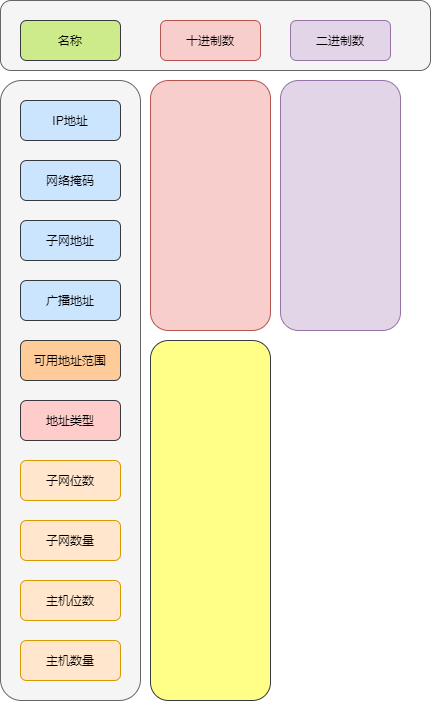
DIY is an excel version of subnet calculator
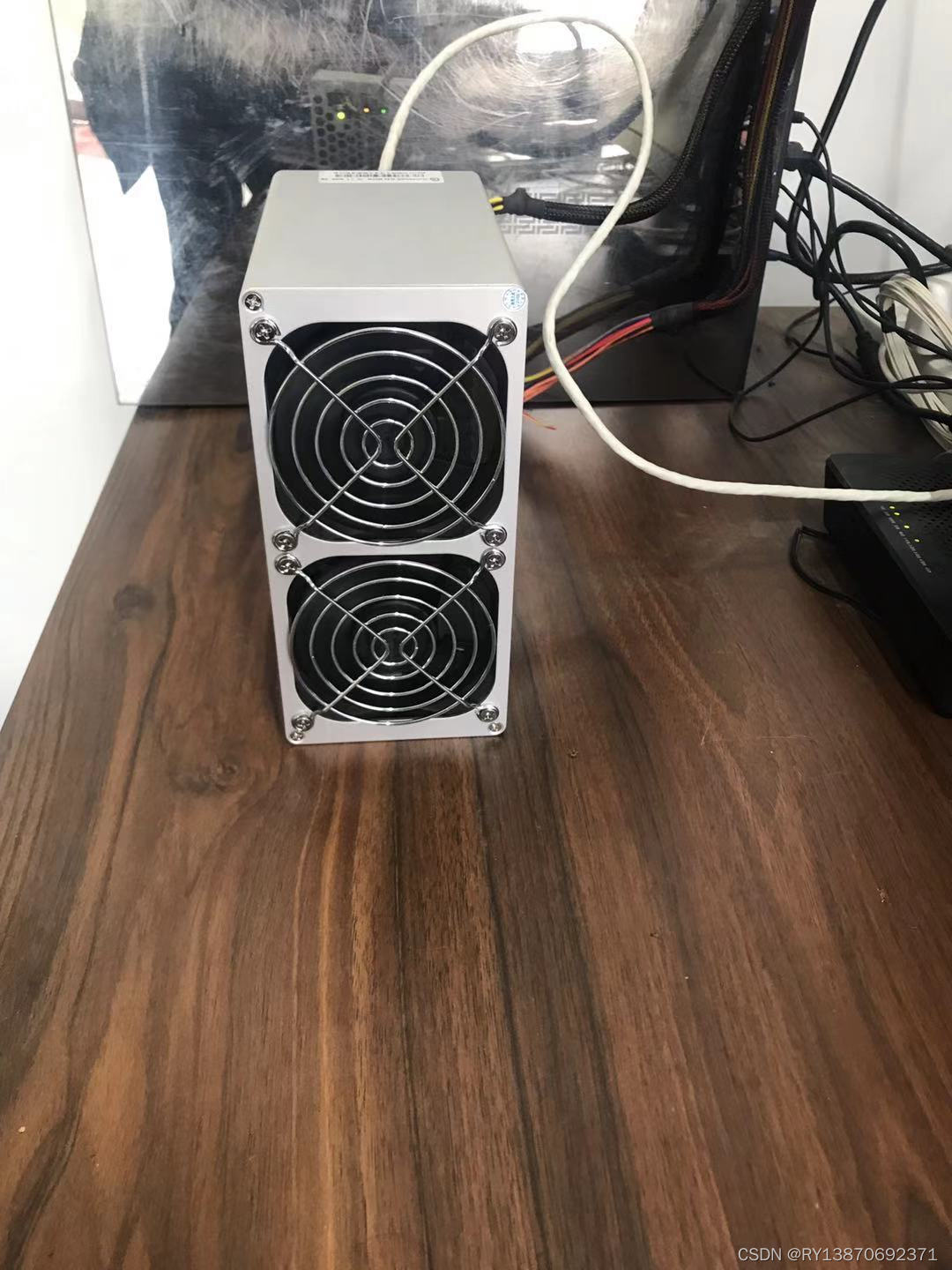
Power consumption parameters of Jinbei household mute box series

Minimum spanning tree -- unblocked project hdu1863

数据安全问题已成隐患,看vivo如何让“用户数据”重新披甲

引入精益管理方式,需要提前做到这九点

工具在数字化转型中扮演了什么样的角色?
随机推荐
Barcode generation and decoding, QR code generation and decoding
Locks and transactions in MySQL
MySQL views the SQL statement details executed by the optimizer
青岛敏捷之旅,来了!
Basic concepts of multithreading (concurrency and parallelism, threads and processes) and entry cases
Chapter II project scope management of information system project manager summary
洛谷P2731骑马修栅栏
The concept of meta universe is popular. Is virtual real estate worth investing
Detailed explanation of hregionserver
Installing kuberneters using kubedm
MySQL external connection, internal connection, self connection, natural connection, cross connection
独立站运营 | FaceBook营销神器——聊天机器人ManyChat
Tensorflow realizes web face login system
The vscode ipynb file does not have code highlighting and code completion solutions
Some experience in using MySQL / tidb database [slowly updating...]
2022/4/22
Unity C# 网络学习(四)
Leetcode -- heuristic search
MySQL circularly adds sequence numbers according to the values of a column
Cross border e-commerce | Facebook and instagram: which social media is more suitable for you?