当前位置:网站首页>Ros2 - teach you to write a topic hand in hand
Ros2 - teach you to write a topic hand in hand
2022-04-22 13:03:00 【Fan Ziqi】
ROS2—— Teach you to write a topic hand in hand
Introduction of topic
ROS2 The complex robot system is disassembled into many module nodes , These nodes complete the data exchange through a vital channel , This passage is “ topic of conversation ”.
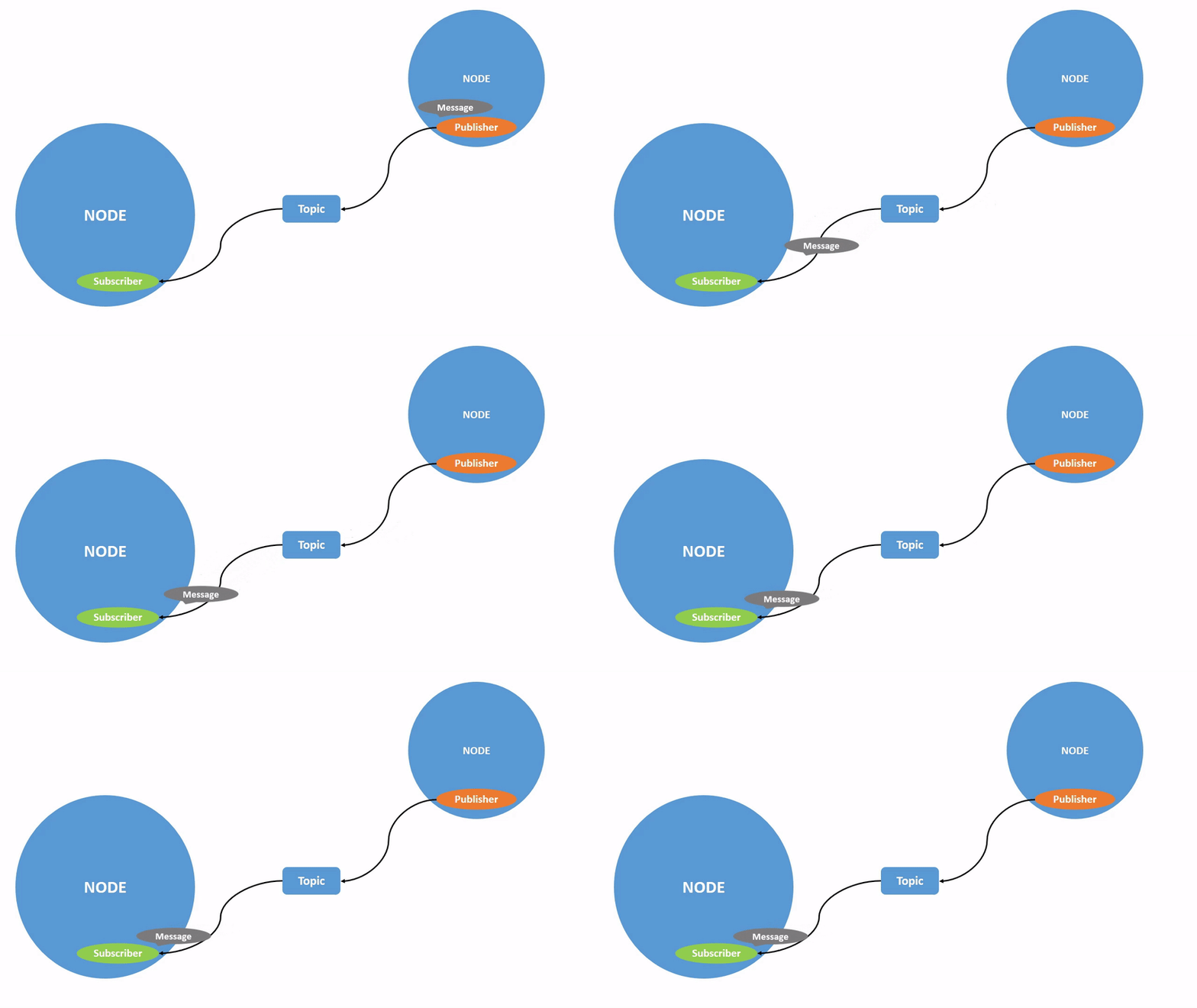
A node can publish data through multiple topics , You can also subscribe to topics published by multiple other nodes at the same time , The topic is a many to many subscription / Publish model .
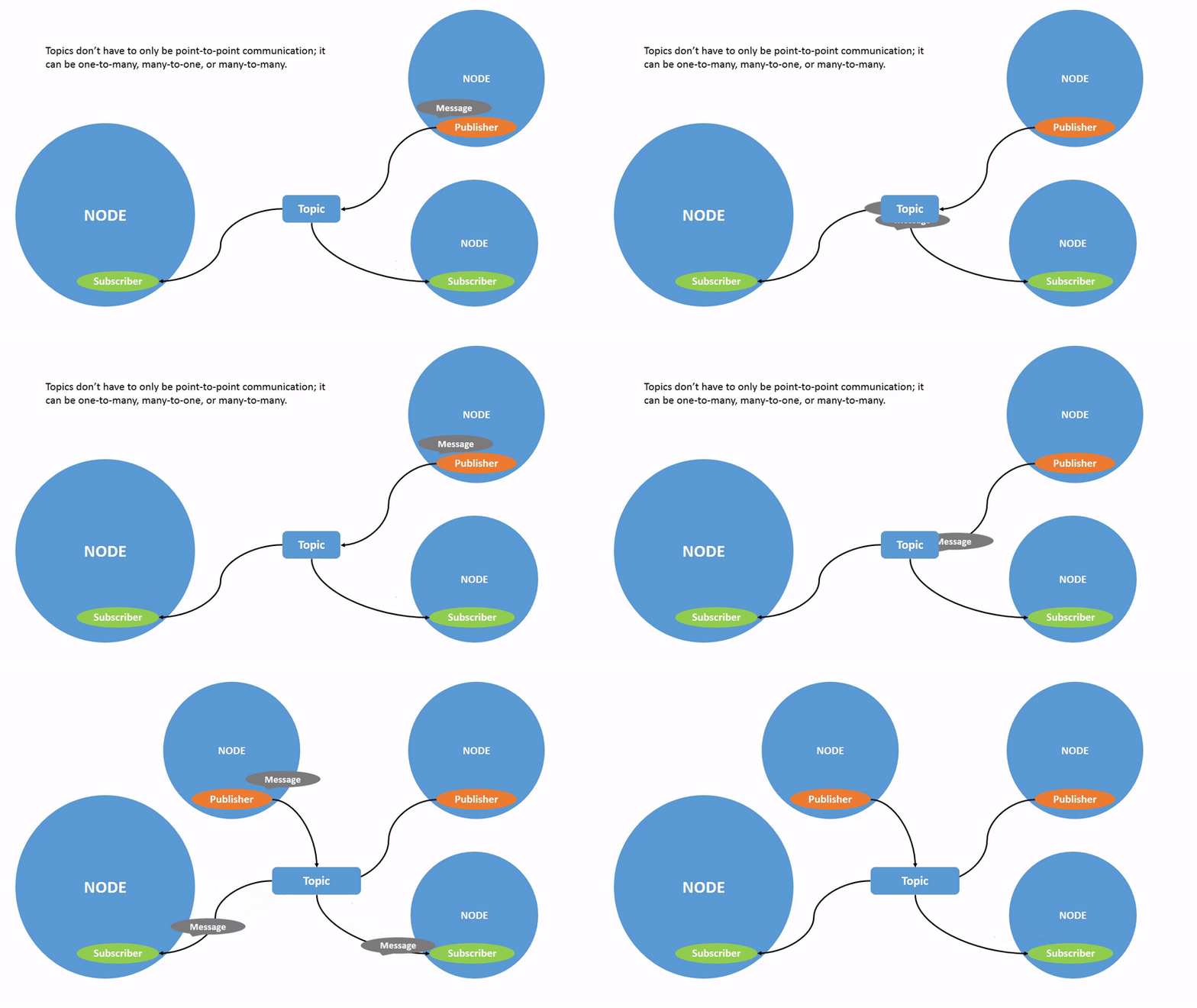
so , Topic is an important way to realize data transmission between nodes , It is also an important way for robot subsystems to exchange data .
below , We will start with an example , Write a topic program hand in hand
Case description
Let's take a case study :
- There is one
KFCAnd a hungryCustomer. CustomertoKFC10 You can buy a hamburger for yuan , ThisCustomerHungry fast , Eat a hamburger every second .KFCreceivedCustomerIt's from 10 Yuan , towardsCustomerSend hamburger , To sell big chicken legs , Every time 5 Post an ad in seconds .
The above case actually realizes a topic , KFC and Customer It's two nodes Node, pay / Send hamburger / Sending an advertisement is the publisher , Collect money / Receive hamburgers / Receiving advertisements is the subscriber .
Program realization
Let's write this program
New workspace
mkdir -p ros2_ws/src
cd ros2_ws/src
mkdir -p: Create directory recursively , Even if the parent directory does not exist , The directory is automatically created at the directory level
New function pack
ros2 pkg create customer_and_kfc --build-type ament_cmake --dependencies rclcpp std_msgs
Use ament_cmake As a compilation type , And use dependencies rclcpp and std_msgs
stay ros2_ws/src/customer_and_kfc/src Create KFC.cpp and Customer.cpp
To write KFC node
Directly contribute the program , Every sentence has a comment , I don't understand. You hit me
// rclcpp library
#include "rclcpp/rclcpp.hpp"
//  Basic message type library
#include "std_msgs/msg/string.hpp"
#include "std_msgs/msg/u_int32.hpp"

//  In this way, you can use 1000ms This way of expression
using namespace std::chrono_literals;

//  Place holder , I'll talk about it in detail
using std::placeholders::_1;

//  Create a class node , Call it KFCNode, Inherited from Node, So you can use Node All the functions
class KFCNode : public rclcpp::Node
{

public:
    //  Constructors , The first parameter is the node name ,  And initialization count by 1
    KFCNode(std::string name) : Node(name), count(1)
    {

        //  Print KFC The introduction of
      	// c_str() The function is string A function of class , The effect is to turn string Type into char type (%s A string is required )
        RCLCPP_INFO(this->get_logger(), " Hello everyone ,  I am a %s My waiter .",name.c_str());

        //  Create publisher ,  Release hamburger,  The type of message published is <std_msgs::msg::String>
      	//  Format :  Publisher name  = this->create_publisher< Type of topic to post >(" The name of the topic to be posted ",  signal communication Qos);
        pub_hamburger = this->create_publisher<std_msgs::msg::String>("hamburger", 10);

        //  Create publisher ,  Release advertisement
        pub_advertisement = this->create_publisher<std_msgs::msg::String>("advertisement", 10);

        //  Create timer , Every time 5000ms Publish an advertisement
      	//  Format :  The name of the timer  = his->create_wall_timer(1000ms, std::bind(& Timer callback function , this));
        advertisement_timer = this->create_wall_timer(5000ms, std::bind(&KFCNode::advertisement_timer_callback, this));

        //  Create subscribers , subscribe money
      	//  Format :  Subscriber name  = this->create_subscription< Type of topic to subscribe to >(" Name of topic to subscribe to ",  signal communication Qos, std::bind(& Subscriber callback function , this, _1));
      	// std::bind() What's it for ?  for instance :
      	// auto f = std::bind(fun, placeholders::_2, placeholders::_1, 80);
      	// f(60,70)  Equivalent to  fun(70, 60, 80)
      	//  Remember the placeholder mentioned earlier ,placeholders::_1  Namely f(60,70)  The parameter in "1"
        sub_money = this->create_subscription<std_msgs::msg::UInt32>("money_of_hamburger", 10, std::bind(&KFCNode::money_callback, this, _1));
    }
private:
    //  Define a hamburger sale counter
  	//  stay 32 Bit system size_t yes 4 Bytes of , stay 64 Bit system ,size_t yes 8 Bytes of , In this way, using this type can increase the portability of the program .
    size_t count;

    //  Declare a timer
    rclcpp::TimerBase::SharedPtr advertisement_timer;

    //  Declare a publisher , Used to publish hamburger
    rclcpp::Publisher<std_msgs::msg::String>::SharedPtr pub_hamburger;

    //  Declare a subscriber , Used to collect money
    rclcpp::Subscription<std_msgs::msg::UInt32>::SharedPtr sub_money;

    //  Declare a publisher , For advertising
    rclcpp::Publisher<std_msgs::msg::String>::SharedPtr pub_advertisement;

    //  Ad timer callback function ( No parameter )
    void advertisement_timer_callback()
    {

      	//  Define a String String of type ,  Where the string exists .data in , %s Don't forget to use .c_str() Convert to char type .
        auto str_advertisement = std_msgs::msg::String();
        str_advertisement.data = " The price of big chicken leg is reduced ";
        RCLCPP_INFO(this->get_logger(), "KFC Published an advertisement :%s", str_advertisement.data.c_str());
        pub_advertisement->publish(str_advertisement);
    }

    //  Payback subscriber callback function ( With parameters ,  The parameter type is the same as the parameter type subscribed by the subscriber above ,  Be careful to add ::SharedPtr,  Because what comes in is a pointer )
    void money_callback(const std_msgs::msg::UInt32::SharedPtr msg)
    {

        //  If you receive ten yuan , Just released hamburger .  The subscription information is in msg->data in
        if(msg->data == 10)
        {

            RCLCPP_INFO(this->get_logger(), " collection  %d  element ", msg->data);

            //  Character stream
            auto str_hamburger_num = std_msgs::msg::String();
            str_hamburger_num.data = " The first " + std::to_string(count++) + " A hamburger ";
            RCLCPP_INFO(this->get_logger(), " This is what I sold %s", str_hamburger_num.data.c_str());

            //  Publish character stream
          	//  That's what the release says  " Publisher ->publish( To publish );",  Easy
            pub_hamburger->publish(str_hamburger_num);
        }

    }
};

int main(int argc, char **argv)
{

    //  initialization rclcpp
    rclcpp::init(argc, argv);
    //  Produce a KFC The node of
    auto node = std::make_shared<KFCNode>("KFC");
  	// spin function :  Once entered spin function , It's like it's looping in its own function . As long as the callback function queue has callback Function in , It will immediately execute callback function . If not , It will block , Will not occupy CPU. Be careful not to spin Put something else in the back ,  They won't do it
    rclcpp::spin(node);
  	//  Detect exit signal (ctrl+c)
    rclcpp::shutdown();
    return 0;
}
To write Customer node
The same statement of this program as above will not be explained , Please make your own analogy
#include "rclcpp/rclcpp.hpp"
#include "std_msgs/msg/string.hpp"
#include "std_msgs/msg/u_int32.hpp"

//  So you can use 1000ms This way of expression
using namespace std::chrono_literals;

// Place holder
using std::placeholders::_1;
using std::placeholders::_2;

//  Create a class node , The name is called CustomerNode, Inherited from Node.
class CustomerNode : public rclcpp::Node
{

public:
    //  Constructors , The first parameter is the node name
    CustomerNode(std::string name) : Node(name)
    {

        //  Print Customer The introduction of
        RCLCPP_INFO(this->get_logger(), " Hello everyone , I am a %s.",name.c_str());

        //  Create subscribers , subscribe hamburger
        //  Remember ?  Review the ,  Here _1  Express const std_msgs::msg::String::SharedPtr msg
        sub_hamburger = this->create_subscription<std_msgs::msg::String>("hamburger", 10, std::bind(&CustomerNode::hamburger_callback, this, _1));

        //  Create subscribers , subscribe advertisement
        sub_advertisement = this->create_subscription<std_msgs::msg::String>("advertisement", 10, std::bind(&CustomerNode::advertisement_callback, this, _1));

        //  Create timer , Every time 1000ms Hungry once
        hungry_timer = this->create_wall_timer(1000ms, std::bind(&CustomerNode::hungry_timer_callback, this));

        //  Create publisher , Release money
        pub_money = this->create_publisher<std_msgs::msg::UInt32>("money_of_hamburger", 10);

        //  to money assignment
        money.data = 10;

        // Give money for the first time
        pub_money->publish(money);
        RCLCPP_INFO(this->get_logger(), " i am hungry ,  I'll have a hamburger !  payment  %d  element ", money.data);

    }
private:
    //  Create a new money
    std_msgs::msg::UInt32 money;

    //  Declare a timer
    rclcpp::TimerBase::SharedPtr hungry_timer;

    //  Declare a subscriber , Used to subscribe to outgoing messages
    rclcpp::Subscription<std_msgs::msg::String>::SharedPtr sub_hamburger;

    //  Declare a publisher , For giving KFC money
    rclcpp::Publisher<std_msgs::msg::UInt32>::SharedPtr pub_money;

    //  Declare a subscriber , For subscribing to advertisements
    rclcpp::Subscription<std_msgs::msg::String>::SharedPtr sub_advertisement;

    //  Hamburg subscriber callback function
    void hamburger_callback(const std_msgs::msg::String::SharedPtr msg)
    {

        RCLCPP_INFO(this->get_logger(), " This is what I eat  %s ", msg->data.c_str());
    }

    //  Hunger timer callback function
    void hungry_timer_callback()
    {

        RCLCPP_INFO(this->get_logger(), " I'm hungry again. ,  I want another one !  payment  %d  element ", money.data);
        pub_money->publish(money);
    }

    //  Ad subscriber callback function
    void advertisement_callback(const std_msgs::msg::String::SharedPtr msg)
    {

        RCLCPP_INFO(this->get_logger(), " I got an ad : %s ", msg->data.c_str());
    }
};

int main(int argc, char **argv)
{

    // initialization rclcpp
    rclcpp::init(argc, argv);
    // Produce a Customer The node of
    auto node = std::make_shared<CustomerNode>("Customer");
    // Operation node , And detect the exit signal
    rclcpp::spin(node);
    rclcpp::shutdown();
    return 0;
}
Cmakelist.txt
If... Is not added when creating a new function package --dependencies rclcpp std_msgs Other function packages , You need to manually add : ( It can be anywhere )
find_package(rclcpp REQUIRED)
find_package(std_msgs REQUIRED)
The following two pairs of code are :
add_executable() Let the compiler compile Customer.cpp and KFC.cpp These two documents . And generate executable Customer_node and KFC_node
ament_target_dependencies Add compiled dependencies
add_executable(Customer_node src/Customer.cpp)
ament_target_dependencies(Customer_node rclcpp std_msgs)

add_executable(KFC_node src/KFC.cpp)
ament_target_dependencies(KFC_node rclcpp std_msgs)
Install the compiled file into install/customer_and_kfc/lib/customer_and_kfc Next
install(TARGETS
  Customer_node
  KFC_node
  DESTINATION lib/${PROJECT_NAME}
)
package.xml
similarly , When you create a new function package, you don't add --dependencies rclcpp std_msgs Other function packages , You need to manually add , Placed in <package> Under the label
<depend>rclcpp</depend>
<depend>std_msgs</depend>
You can also modify the following statements , It has nothing to do with the implementation function , But it's best to write it all
<version>0.0.0</version>
<description>TODO: Package description</description>
<maintainer email="[email protected]">fanziqi</maintainer>
<license>TODO: License declaration</license>
compile
--packages-select Specify compile customer_and_kfc Function pack
colcon build --packages-select customer_and_kfc
Refresh the environment
echo "source /ros2_ws/install/setup.zsh" >> ~/.bashrc
source ~/.bashrc
function
Create a new terminal window , function Customer node
ros2 run customer_and_kfc Customer_node
Create another terminal , function KFC node
ros2 run customer_and_kfc KFC_node
You should be able to see :
Customer End :
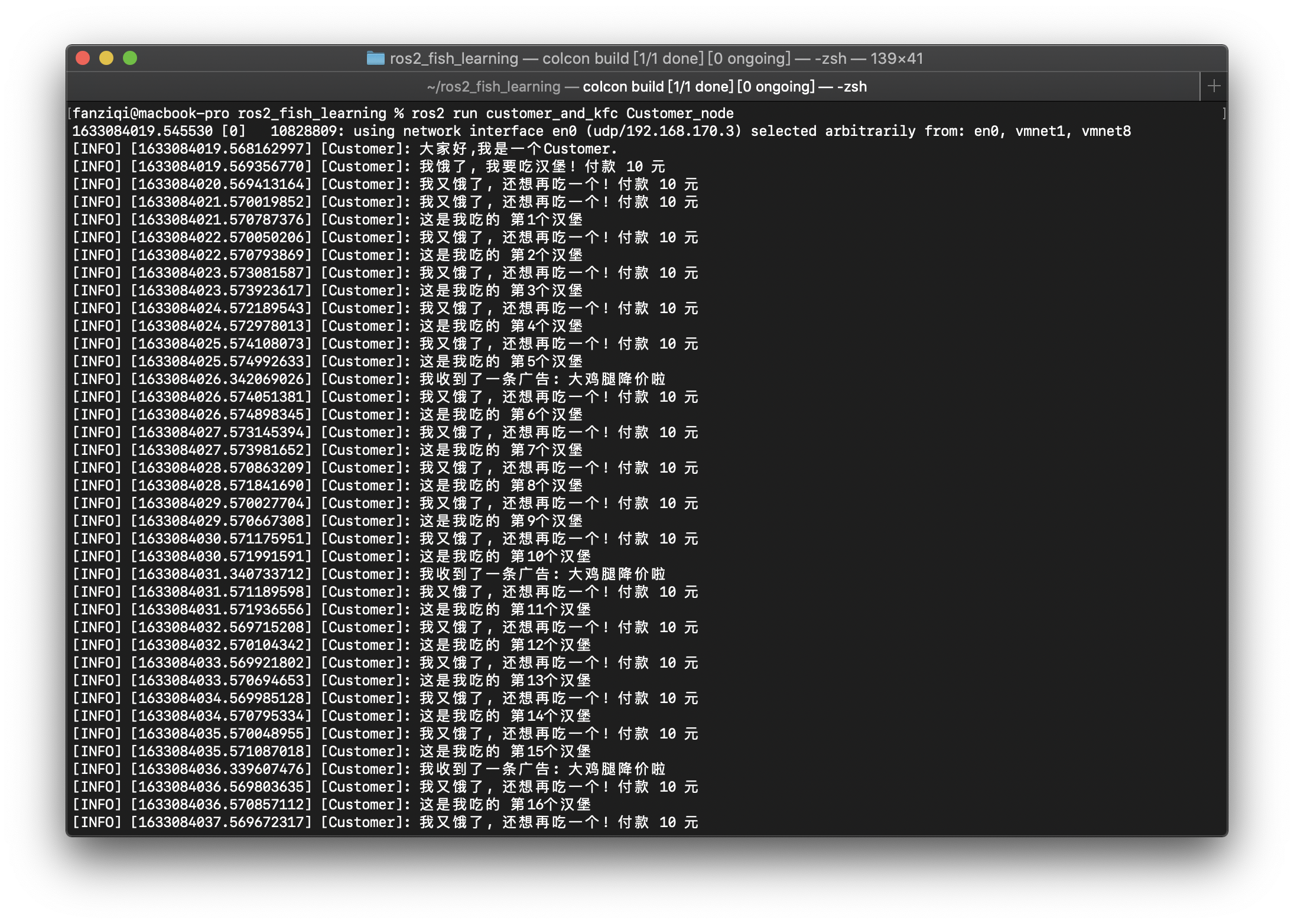
KFC End :

verified , All requirements are realized ~
Related tools
rqt_graph
Use rqt_graph This tool can visually display the connection between nodes and topics
Another terminal , Input
rqt_graph

The picture above clearly shows ROS Calculate the network form of the graph , You can clearly see what the input and output of a node are .
ros2 topic
View all topics in the system
ros2 topic list

I want to check the data type transmitted by each topic , Then add -t
ros2 topic list -t

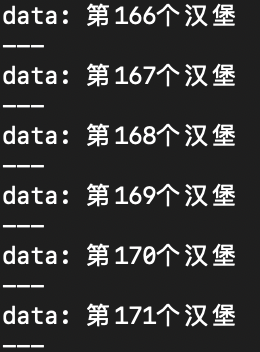
Output real-time topic content
ros2 topic echo /hamburger
View topic information
ros2 topic info /hamburger

View the data type of the topic
To successfully establish data transmission between nodes , You must publish and subscribe to messages of the same data type , The publisher issues speed instructions , Subscribers want to subscribe to location information, but it doesn't work .
Used above ros2 topic list -t Check to see , /advertisement The type of std_msgs/msg/String
View the specific data structure of this data type through the following instructions
ros2 interface show std_msgs/msg/String

You can see , std_msgs/msg/String It contains string data
Post a topic message
ros2 topic pub /test_topic std_msgs/msg/String 'data: "123"'

Check the release frequency of a topic
ros2 topic hz /hamburger

版权声明
本文为[Fan Ziqi]所创,转载请带上原文链接,感谢
https://yzsam.com/2022/04/202204221300407781.html
边栏推荐
- R语言使用scale函数标准化缩放dataframe数据(设置scale参数、scale参数设置除以标准差)
- R language uses qlogis function to generate the quantile function data of logistic distribution, and uses plot function to visualize the quantile function data of logistic distribution
- Get rid of the "small workshop" of AI production: how to build a cloud native AI platform based on kubernetes
- Redis的下载安装
- The data in MATLAB is forcibly converted from double type to uint8, which is rounded, and the basic data type of MATLAB is attached
- 模型的权值以及loss或者中间变量变成了nan怎么回事
- Leetcode 695. Maximum area of the island
- JS foundation 14
- R语言使用rnbinom函数生成符合负二项分布的随机数、使用plot函数可视化符合负二项分布的随机数(Negative binomial distribution)
- Leetcode 206, reverse linked list
猜你喜欢

396. 旋轉函數
Study notes - Digital Factory 4.21

一句代码将OpenCV的Mat对象的数据打印输出
C#中如何将图片添加为程序的资源
vnpy本地导入csv数据

Digital business cloud: how can enterprises achieve local breakthroughs and run fast in small steps under the wave of digital procurement
One sentence of code prints out the data of the mat object of OpenCV

ROS机器人学习——TF坐标变换

动态规划 字符的最短距离
Download and installation of redis
随机推荐
Leetcode 1768, alternate merge string
Five ways to get database connection: have you really got it?
Opencv project 1-ocr recognition
JS foundation 10
396. 旋轉函數
Sprintf format string
R language uses qlogis function to generate the quantile function data of logistic distribution, and uses plot function to visualize the quantile function data of logistic distribution
How to use colormaps and customize your favorite colorbar?
396. Fonction de rotation
R语言使用qlogis函数生成Logistic分布分位数函数数据、使用plot函数可视化Logistic分布分位数函数数据(Logistic Distribution)
The decision curve analysis (DCA) function is written in R language, and multiple decision curves are analyzed. DCA curves are visualized in the same image
R language uses rnbinom function to generate random numbers conforming to negative binomial distribution, and uses plot function to visualize random numbers conforming to negative binomial distributio
R language uses dhyper function to generate hypergeometric distribution density data and plot function to visualize hypergeometric distribution density data
Digital commerce cloud centralized procurement system: centralized procurement and internal and external collaboration to minimize abnormal expenses
Leetcode 1678. Design goal parser
Creation of multithreaded basic thread
let、const、var的区别
Excel表格中如何批量删除工作表
Redis本地连接查看数据
sprintf格式化字符串