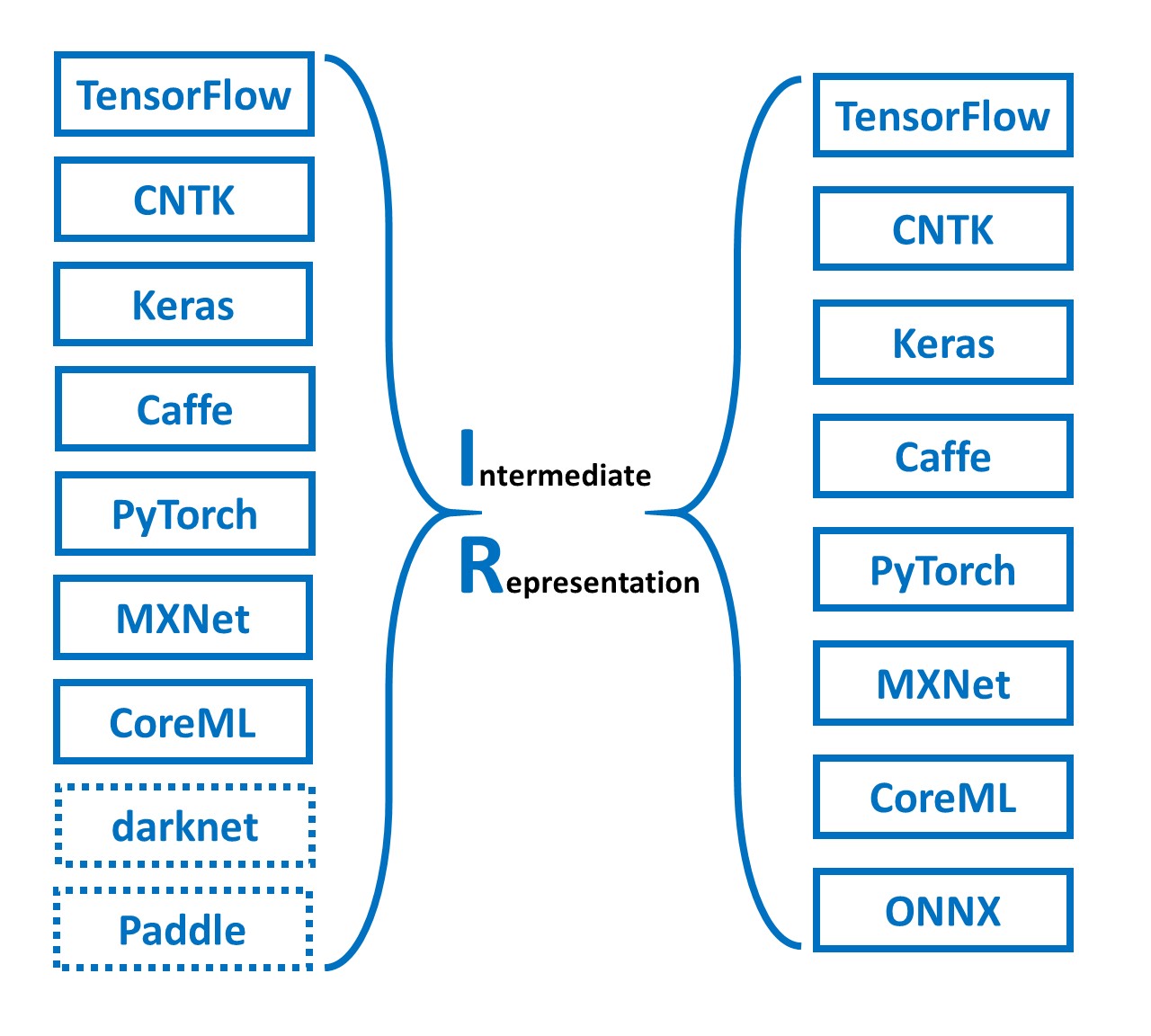
Simple tool to combine(merge) onnx models. Simple Network Combine Tool for ONNX.

Overview

snc4onnx

Simple tool to combine(merge) onnx models. Simple Network Combine Tool for ONNX.

https://github.com/PINTO0309/simple-onnx-processing-tools

Downloads GitHub PyPI CodeQL

1. Setup

1-1. HostPC

### option
$ echo export PATH="~/.local/bin:$PATH" >> ~/.bashrc \
&& source ~/.bashrc

### run
$ pip install -U onnx \
&& pip install -U onnx-simplifier \
&& python3 -m pip install -U onnx_graphsurgeon --index-url https://pypi.ngc.nvidia.com \
&& pip install -U snc4onnx

1-2. Docker

### docker pull
$ docker pull pinto0309/snc4onnx:latest

### docker build
$ docker build -t pinto0309/snc4onnx:latest .

### docker run
$ docker run --rm -it -v `pwd`:/workdir pinto0309/snc4onnx:latest
$ cd /workdir

2. CLI Usage

$ snc4onnx -h

usage:
  snc4onnx [-h]
    --input_onnx_file_paths INPUT_ONNX_FILE_PATHS [INPUT_ONNX_FILE_PATHS ...]
    --srcop_destop SRCOP_DESTOP [SRCOP_DESTOP ...]
    [--op_prefixes_after_merging OP_PREFIXES_AFTER_MERGING [OP_PREFIXES_AFTER_MERGING ...]]
    [--output_onnx_file_path OUTPUT_ONNX_FILE_PATH]
    [--output_of_onnx_file_in_the_process_of_fusion]
    [--non_verbose]

optional arguments:
  -h, --help
    show this help message and exit

  --input_onnx_file_paths INPUT_ONNX_FILE_PATHS [INPUT_ONNX_FILE_PATHS ...]
    Input onnx file paths. At least two onnx files must be specified.

  --srcop_destop SRCOP_DESTOP [SRCOP_DESTOP ...]
    The names of the output OP to join from and the input OP to join to are
    out1 in1 out2 in2 out3 in3 .... format.
    In other words, to combine model1 and model2,
    --srcop_destop model1_out1 model2_in1 model1_out2 model2_in2
    Also, --srcop_destop can be specified multiple times.
    The first --srcop_destop specifies the correspondence between model1 and model2,
    and the second --srcop_destop specifies the correspondence
    between model1 and model2 combined and model3.
    It is necessary to take into account that the prefix specified
    in op_prefixes_after_merging is given at the beginning of each OP name.
    e.g. To combine model1 with model2 and model3.
    --srcop_destop model1_src_op1 model2_dest_op1 model1_src_op2 model2_dest_op2 ...
    --srcop_destop comb_model12_src_op1 model3_dest_op1 comb_model12_src_op2 model3_dest_op2 ...

  --op_prefixes_after_merging OP_PREFIXES_AFTER_MERGING [OP_PREFIXES_AFTER_MERGING ...]
    Since a single ONNX file cannot contain multiple OPs with the same name,
    a prefix is added to all OPs in each input ONNX model to avoid duplication.
    Specify the same number of paths as input_onnx_file_paths.
    e.g. --op_prefixes_after_merging model1_prefix model2_prefix model3_prefix ...

  --output_onnx_file_path OUTPUT_ONNX_FILE_PATH
    Output onnx file path.

  --output_of_onnx_file_in_the_process_of_fusion
    Output of onnx files in the process of fusion.

  --non_verbose
    Do not show all information logs. Only error logs are displayed.

3. In-script Usage

$ python
>>> from snc4onnx import combine
>>> help(combine)

Help on function combine in module snc4onnx.onnx_network_combine:

combine(
  srcop_destop: List[str],
  op_prefixes_after_merging: Union[List[str], NoneType] = [],
  input_onnx_file_paths: Union[List[str], NoneType] = [],
  onnx_graphs: Union[List[onnx.onnx_ml_pb2.ModelProto], NoneType] = [],
  output_onnx_file_path: Union[str, NoneType] = '',
  output_of_onnx_file_in_the_process_of_fusion: Union[bool, NoneType] = False,
  non_verbose: Union[bool, NoneType] = False
) -> onnx.onnx_ml_pb2.ModelProto

    Parameters
    ----------
    srcop_destop: List[str]
        The names of the output OP to join from and the input OP to join to are
        [["out1","in1"], ["out2","in2"], ["out3","in3"]] format.

        In other words, to combine model1 and model2,
        srcop_destop =
            [
                ["model1_out1_opname","model2_in1_opname"],
                ["model1_out2_opname","model2_in2_opname"]
            ]

        The first srcop_destop specifies the correspondence between model1 and model2,
        and the second srcop_destop specifies the correspondence
        between model1 and model2 combined and model3.
        It is necessary to take into account that the prefix specified
        in op_prefixes_after_merging is given at the beginning of each OP name.

        e.g. To combine model1 with model2 and model3.
        srcop_destop =
            [
                [
                    ["model1_src_op1","model2_dest_op1"],
                    ["model1_src_op2","model2_dest_op2"]
                ],
                [
                    ["combined_model1.2_src_op1","model3_dest_op1"],
                    ["combined_model1.2_src_op2","model3_dest_op2"]
                ],
                ...
            ]

    op_prefixes_after_merging: List[str]
        Since a single ONNX file cannot contain multiple OPs with the same name,
        a prefix is added to all OPs in each input ONNX model to avoid duplication.
        Specify the same number of paths as input_onnx_file_paths.
        e.g. op_prefixes_after_merging = ["model1_prefix","model2_prefix","model3_prefix", ...]

    input_onnx_file_paths: Optional[List[str]]
        Input onnx file paths. At least two onnx files must be specified.
        Either input_onnx_file_paths or onnx_graphs must be specified.
        onnx_graphs If specified, ignore input_onnx_file_paths and process onnx_graphs.
        e.g. input_onnx_file_paths = ["model1.onnx", "model2.onnx", "model3.onnx", ...]

    onnx_graphs: Optional[List[onnx.ModelProto]]
        List of onnx.ModelProto. At least two onnx graphs must be specified.
        Either input_onnx_file_paths or onnx_graphs must be specified.
        onnx_graphs If specified, ignore input_onnx_file_paths and process onnx_graphs.
        e.g. onnx_graphs = [graph1, graph2, graph3, ...]

    output_onnx_file_path: Optional[str]
        Output onnx file path.
        If not specified, .onnx is not output.
        Default: ''

    output_of_onnx_file_in_the_process_of_fusion: Optional[bool]
        Output of onnx files in the process of fusion.
        Default: False

    non_verbose: Optional[bool]
        Do not show all information logs. Only error logs are displayed.
        Default: False

    Returns
    -------
    combined_graph: onnx.ModelProto
        Combined onnx ModelProto

4. CLI Execution

$ snc4onnx \
--input_onnx_file_paths crestereo_init_iter2_120x160.onnx crestereo_next_iter2_240x320.onnx \
--srcop_destop output flow_init \
--op_prefixes_after_merging init next

5. In-script Execution

5-1. ONNX files

from snc4onnx import combine

combined_graph = combine(
    srcop_destop = [
        ['output', 'flow_init']
    ],
    op_prefixes_after_merging = [
        'init',
        'next',
    ],
    input_onnx_file_paths = [
        'crestereo_init_iter2_120x160.onnx',
        'crestereo_next_iter2_240x320.onnx',
    ],
    non_verbose = True,
)

5-2. onnx.ModelProtos

from snc4onnx import combine

combined_graph = combine(
    srcop_destop = [
        ['output', 'flow_init']
    ],
    op_prefixes_after_merging = [
        'init',
        'next',
    ],
    onnx_graphs = [
        graph1,
        graph2,
        graph3,
    ],
    non_verbose = True,
)

6. Sample

6-1 INPUT <-> OUTPUT

  • Summary

    image

  • Model.1

    image

  • Model.2

    image

  • Merge

    $ snc4onnx \
    --input_onnx_file_paths crestereo_init_iter2_120x160.onnx crestereo_next_iter2_240x320.onnx \
    --op_prefixes_after_merging init next \
    --srcop_destop output flow_init
  • Result

    image image

6-2 INPUT + INPUT

  • Summary

    image

  • Model.1

    image

  • Model.2

    image

  • Merge

    $ snc4onnx \
    --input_onnx_file_paths objectron_camera_224x224.onnx objectron_chair_224x224.onnx \
    --srcop_destop input_1 input_1 \
    --op_prefixes_after_merging camera chair \
    --output_onnx_file_path objectron_camera_chair_224x224.onnx
  • Result

    image image

7. Reference

  1. https://github.com/onnx/onnx/blob/main/docs/PythonAPIOverview.md
  2. https://github.com/PINTO0309/sne4onnx
  3. https://github.com/PINTO0309/snd4onnx
  4. https://github.com/PINTO0309/scs4onnx
  5. https://github.com/PINTO0309/sog4onnx
  6. https://github.com/PINTO0309/PINTO_model_zoo

8. Issues

https://github.com/PINTO0309/simple-onnx-processing-tools/issues

You might also like...
Python scripts performing class agnostic object localization using the Object Localization Network model in ONNX.

ONNX Object Localization Network Python scripts performing class agnostic object localization using the Object Localization Network model in ONNX. Ori

MMdnn is a set of tools to help users inter-operate among different deep learning frameworks. E.g. model conversion and visualization. Convert models between Caffe, Keras, MXNet, Tensorflow, CNTK, PyTorch Onnx and CoreML.

MMdnn MMdnn is a comprehensive and cross-framework tool to convert, visualize and diagnose deep learning (DL) models. The "MM" stands for model manage

tf2onnx - Convert TensorFlow, Keras and Tflite models to ONNX.

tf2onnx converts TensorFlow (tf-1.x or tf-2.x), tf.keras and tflite models to ONNX via command line or python api.

This package proposes simplified exporting pytorch models to ONNX and TensorRT, and also gives some base interface for model inference.

PyTorch Infer Utils This package proposes simplified exporting pytorch models to ONNX and TensorRT, and also gives some base interface for model infer

Convert onnx models to pytorch.

onnx2torch onnx2torch is an ONNX to PyTorch converter. Our converter: Is easy to use – Convert the ONNX model with the function call convert; Is easy

Simple node deletion tool for onnx.

snd4onnx Simple node deletion tool for onnx. I only test very miscellaneous and limited patterns as a hobby. There are probably a large number of bugs

XtremeDistil framework for distilling/compressing massive multilingual neural network models to tiny and efficient models for AI at scale

XtremeDistilTransformers for Distilling Massive Multilingual Neural Networks ACL 2020 Microsoft Research [Paper] [Video] Releasing [XtremeDistilTransf

Ever felt tired after preprocessing the dataset, and not wanting to write any code further to train your model? Ever encountered a situation where you wanted to record the hyperparameters of the trained model and able to retrieve it afterward? Models Playground is here to help you do that. Models playground allows you to train your models right from the browser. PyTorch ,ONNX and TensorRT implementation of YOLOv4
PyTorch ,ONNX and TensorRT implementation of YOLOv4

PyTorch ,ONNX and TensorRT implementation of YOLOv4

Releases(1.0.11)
  • 1.0.11(Jan 2, 2023)

  • 1.0.10(Jan 2, 2023)

  • 1.0.9(Sep 7, 2022)

    • Add short form parameter

      $ snc4onnx -h
      
      usage:
        snc4onnx [-h]
          -if INPUT_ONNX_FILE_PATHS [INPUT_ONNX_FILE_PATHS ...]
          -sd SRCOP_DESTOP [SRCOP_DESTOP ...]
          [-opam OP_PREFIXES_AFTER_MERGING [OP_PREFIXES_AFTER_MERGING ...]]
          [-of OUTPUT_ONNX_FILE_PATH]
          [-f]
          [-n]
      
      optional arguments:
        -h, --help
          show this help message and exit.
      
        -if INPUT_ONNX_FILE_PATHS [INPUT_ONNX_FILE_PATHS ...], --input_onnx_file_paths INPUT_ONNX_FILE_PATHS [INPUT_ONNX_FILE_PATHS ...]
            Input onnx file paths. At least two onnx files must be specified.
      
        -sd SRCOP_DESTOP [SRCOP_DESTOP ...], --srcop_destop SRCOP_DESTOP [SRCOP_DESTOP ...]
            The names of the output OP to join from and the input OP to join to are
            out1 in1 out2 in2 out3 in3 ....
            format.
            In other words, to combine model1 and model2,
            --srcop_destop model1_out1 model2_in1 model1_out2 model2_in2
            Also, --srcop_destop can be specified multiple times.
            The first --srcop_destop specifies the correspondence between model1 and model2,
            and the second --srcop_destop specifies the correspondence between
            model1 and model2 combined and model3.
            It is necessary to take into account that the prefix specified
            in op_prefixes_after_merging is
            given at the beginning of each OP name.
            e.g. To combine model1 with model2 and model3.
            --srcop_destop model1_src_op1 model2_dest_op1 model1_src_op2 model2_dest_op2 ...
            --srcop_destop combined_model1.2_src_op1 model3_dest_op1 combined_model1.2_src_op2 model3_dest_op2 ...
      
        -opam OP_PREFIXES_AFTER_MERGING [OP_PREFIXES_AFTER_MERGING ...], --op_prefixes_after_merging OP_PREFIXES_AFTER_MERGING [OP_PREFIXES_AFTER_MERGING ...]
            Since a single ONNX file cannot contain multiple OPs with the same name,
            a prefix is added to all OPs in each input ONNX model to avoid duplication.
            Specify the same number of paths as input_onnx_file_paths.
            e.g. --op_prefixes_after_merging model1_prefix model2_prefix model3_prefix ...
      
        -of OUTPUT_ONNX_FILE_PATH, --output_onnx_file_path OUTPUT_ONNX_FILE_PATH
            Output onnx file path.
      
        -f, --output_of_onnx_file_in_the_process_of_fusion
            Output of onnx files in the process of fusion.
      
        -n, --non_verbose
            Do not show all information logs. Only error logs are displayed.
      
    Source code(tar.gz)
    Source code(zip)
  • 1.0.8(Sep 6, 2022)

    1. Fixed a bug that caused INPUT names to be corrupted. There was a problem with the removal of prefixes added during the model merging process.
      • before: main_input -> put (bug)
      • after: main_input -> input
      • Stop using lstrip and change to forward matching logic with re.sub
    2. Added process to clean up OUTPUT prefixes as much as possible image
    Source code(tar.gz)
    Source code(zip)
  • 1.0.7(May 25, 2022)

  • 1.0.6(May 7, 2022)

  • 1.0.5(May 1, 2022)

  • 1.0.4(Apr 27, 2022)

    • Change op_prefixes_after_merging to optional
    • Added duplicate OP name check
      • If there is a duplicate OP name, the model cannot be combined and the process is aborted with the following error message.
        ERROR: 
        There is a duplicate OP name after merging models.
        op_name:input count:2, op_name:output count:2
        Avoid duplicate OP names by specifying a prefix in op_prefixes_after_merging.
        
    Source code(tar.gz)
    Source code(zip)
  • 1.0.3(Apr 24, 2022)

  • 1.0.2(Apr 11, 2022)

  • 1.0.1(Apr 10, 2022)

  • 1.0.0(Apr 10, 2022)

Owner
Katsuya Hyodo
Hobby programmer. Intel Software Innovator Program member.
Katsuya Hyodo
Code for Fold2Seq paper from ICML 2021

[ICML2021] Fold2Seq: A Joint Sequence(1D)-Fold(3D) Embedding-based Generative Model for Protein Design Environment file: environment.yml Data and Feat

International Business Machines 43 Dec 04, 2022
Channel Pruning for Accelerating Very Deep Neural Networks (ICCV'17)

Channel Pruning for Accelerating Very Deep Neural Networks (ICCV'17)

Yihui He 1k Jan 03, 2023
Official public repository of paper "Intention Adaptive Graph Neural Network for Category-Aware Session-Based Recommendation"

Intention Adaptive Graph Neural Network (IAGNN) This is the official repository of paper Intention Adaptive Graph Neural Network for Category-Aware Se

9 Nov 22, 2022
The challenge for Quantum Coalition Hackathon 2021

Qchack 2021 Google Challenge This is a challenge for the brave 2021 qchack.io participants. Instructions Hello, intrepid qchacker, welcome to the G|o

quantumlib 18 May 04, 2022
A collection of pre-trained StyleGAN2 models trained on different datasets at different resolution.

Awesome Pretrained StyleGAN2 A collection of pre-trained StyleGAN2 models trained on different datasets at different resolution. Note the readme is a

Justin 1.1k Dec 24, 2022
This repository contains the code to replicate the analysis from the paper "Moving On - Investigating Inventors' Ethnic Origins Using Supervised Learning"

Replication Code for 'Moving On' - Investigating Inventors' Ethnic Origins Using Supervised Learning This repository contains the code to replicate th

Matthias Niggli 0 Jan 04, 2022
Python interface for SmartRF Sniffer 2 Firmware

#TI SmartRF Packet Sniffer 2 Python Interface TI Makes available a nice packet sniffer firmware, which interfaces to Wireshark. You can see this proje

Colin O'Flynn 3 May 18, 2021
Robbing the FED: Directly Obtaining Private Data in Federated Learning with Modified Models

Robbing the FED: Directly Obtaining Private Data in Federated Learning with Modified Models This repo contains a barebones implementation for the atta

16 Dec 04, 2022
PyTorch Lightning + Hydra. A feature-rich template for rapid, scalable and reproducible ML experimentation with best practices. ⚡🔥⚡

Lightning-Hydra-Template A clean and scalable template to kickstart your deep learning project 🚀 ⚡ 🔥 Click on Use this template to initialize new re

Łukasz Zalewski 2.1k Jan 09, 2023
Neural network graphs and training metrics for PyTorch, Tensorflow, and Keras.

HiddenLayer A lightweight library for neural network graphs and training metrics for PyTorch, Tensorflow, and Keras. HiddenLayer is simple, easy to ex

Waleed 1.7k Dec 31, 2022
Machine Learning automation and tracking

The Open-Source MLOps Orchestration Framework MLRun is an open-source MLOps framework that offers an integrative approach to managing your machine-lea

873 Jan 04, 2023
TensorFlow Implementation of "Show, Attend and Tell"

Show, Attend and Tell Update (December 2, 2016) TensorFlow implementation of Show, Attend and Tell: Neural Image Caption Generation with Visual Attent

Yunjey Choi 902 Nov 29, 2022
"3D Human Texture Estimation from a Single Image with Transformers", ICCV 2021

Texformer: 3D Human Texture Estimation from a Single Image with Transformers This is the official implementation of "3D Human Texture Estimation from

XiangyuXu 193 Dec 05, 2022
Diverse Object-Scene Compositions For Zero-Shot Action Recognition

Diverse Object-Scene Compositions For Zero-Shot Action Recognition This repository contains the source code for the use of object-scene compositions f

7 Sep 21, 2022
Wider or Deeper: Revisiting the ResNet Model for Visual Recognition

ademxapp Visual applications by the University of Adelaide In designing our Model A, we did not over-optimize its structure for efficiency unless it w

Zifeng Wu 338 Dec 12, 2022
Pull sensitive data from users on windows including discord tokens and chrome data.

⭐ For a 🍪 Pegasus Pull sensitive data from users on windows including discord tokens and chrome data. Features 🟩 Discord tokens 🟩 Geolocation data

Addi 44 Dec 31, 2022
The official homepage of the (outdated) COCO-Stuff 10K dataset.

COCO-Stuff 10K dataset v1.1 (outdated) Holger Caesar, Jasper Uijlings, Vittorio Ferrari Overview Welcome to official homepage of the COCO-Stuff [1] da

Holger Caesar 263 Dec 11, 2022
FastReID is a research platform that implements state-of-the-art re-identification algorithms.

FastReID is a research platform that implements state-of-the-art re-identification algorithms.

JDAI-CV 2.8k Jan 07, 2023
Tensorflow implementation and notebooks for Implicit Maximum Likelihood Estimation

tf-imle Tensorflow 2 and PyTorch implementation and Jupyter notebooks for Implicit Maximum Likelihood Estimation (I-MLE) proposed in the NeurIPS 2021

NEC Laboratories Europe 69 Dec 13, 2022