当前位置:网站首页>Case of using stream load to write data to Doris
Case of using stream load to write data to Doris
2022-04-23 04:41:00 【Z-hhhhh】
Use stream load towards doris Cases of writing data
The dependencies involved in the code are as follows
  <dependency>
        <groupId>org.apache.httpcomponents</groupId>
        <artifactId>httpclient</artifactId>
        <version>4.5.2</version>
    </dependency>
    <dependency>
        <groupId>com.alibaba</groupId>
        <artifactId>fastjson</artifactId>
        <version>1.2.47</version>
    </dependency>
Java The code is as follows
public class DorisStreamLoader {

    // FE IP Address
    private final static String HOST = "xxx.xx.xx.xxx";
    // FE port
    private final static int PORT = 8030;
    // db name
    private final static String DATABASE = "test_db";
    // table name
    private final static String TABLE = "...";
    //user name
    private final static String USER = "xxx";
    //user password
    private final static String PASSWD = "xxxx";
    //The path of the local file to be imported
    private final static String LOAD_FILE_NAME = "......csv";

    //http path of stream load task submission
    private final static String loadUrl = String.format("http://%s:%s/api/%s/%s/_stream_load",
            HOST, PORT, DATABASE, TABLE);

    // structure HTTP client
    private final static HttpClientBuilder httpClientBuilder = HttpClients
            .custom()
            .setRedirectStrategy(new DefaultRedirectStrategy() {

                @Override
                protected boolean isRedirectable(String method) {

                    // If the connection target is FE, you need to deal with 307 redirect.
                    return true;
                }
            });

    /** *  File data import  * @param file * @throws Exception */
    public void load(File file) throws Exception {

        try (CloseableHttpClient client = httpClientBuilder.build()) {

            HttpPut put = new HttpPut(loadUrl);
            put.removeHeaders(HttpHeaders.CONTENT_LENGTH);
            put.removeHeaders(HttpHeaders.TRANSFER_ENCODING);
            put.setHeader(HttpHeaders.EXPECT, "100-continue");
            put.setHeader(HttpHeaders.AUTHORIZATION, basicAuthHeader(USER, PASSWD));

            // You can set stream load related properties in the Header, here we set label and column_separator.
            put.setHeader("label", UUID.randomUUID().toString());
            put.setHeader("column_separator", "#");

            // Set up the import file. Here you can also use StringEntity to transfer arbitrary data.
            FileEntity entity = new FileEntity(file);
            put.setEntity(entity);

            try (CloseableHttpResponse response = client.execute(put)) {

                String loadResult = "";
                if (response.getEntity() != null) {

                    loadResult = EntityUtils.toString(response.getEntity());
                }

                final int statusCode = response.getStatusLine().getStatusCode();
                if (statusCode != 200) {

                    throw new IOException(String.format("Stream load failed. status: %s load result: %s", statusCode, loadResult));
                }
                System.out.println("Get load result: " + loadResult);
            }
        }
    }

    /** * JSON Format data import  * @param jsonData * @throws Exception */
    public void loadJson(String jsonData) throws Exception {

        try (CloseableHttpClient client = httpClientBuilder.build()) {

            HttpPut put = new HttpPut(loadUrl);
            put.removeHeaders(HttpHeaders.CONTENT_LENGTH);
            put.removeHeaders(HttpHeaders.TRANSFER_ENCODING);
            put.setHeader(HttpHeaders.EXPECT, "100-continue");
            put.setHeader(HttpHeaders.AUTHORIZATION, basicAuthHeader(USER, PASSWD));

            // You can set stream load related properties in the Header, here we set label and column_separator.
            put.setHeader("label", UUID.randomUUID().toString());
            put.setHeader("column_separator", ",");
            put.setHeader("format", "json");

            // Set up the import file. Here you can also use StringEntity to transfer arbitrary data.
            StringEntity entity = new StringEntity(jsonData,"UTF-8");
            put.setEntity(entity);

            try (CloseableHttpResponse response = client.execute(put)) {

                String loadResult = "";
                if (response.getEntity() != null) {

                    loadResult = EntityUtils.toString(response.getEntity());
                }

                final int statusCode = response.getStatusLine().getStatusCode();
                if (statusCode != 200) {

                    throw new IOException(String.format("Stream load failed. status: %s load result: %s", statusCode, loadResult));
                }
                System.out.println("Get load result: " + loadResult);
            }
        }
    }

    /** *  Encapsulate authentication information  * @param username * @param password * @return */
    private String basicAuthHeader(String username, String password) {

        final String tobeEncode = username + ":" + password;
        byte[] encoded = Base64.encodeBase64(tobeEncode.getBytes(StandardCharsets.UTF_8));
        return "Basic " + new String(encoded);
    }

    public static void main(String[] args) throws Exception {

        DorisStreamLoader loader = new DorisStreamLoader();
        //file load
        /*File file = new File(LOAD_FILE_NAME); loader.load(file);*/
        //json load
        String jsonData = "";
        loader.loadJson(jsonData);

    }
}
It should be noted that :JSON Transcoding required , Otherwise write doris There will be garbled code after
The official website suggests not to use it too often stream load Writing data , Streaming is recommended .stream load Suitable for micro batch processing . How about writing data once every five seconds .
Refer to the article of big brother :https://www.jianshu.com/p/01e47ae333d8
版权声明
本文为[Z-hhhhh]所创,转载请带上原文链接,感谢
https://yzsam.com/2022/04/202204220559122138.html
边栏推荐
- 针对NFT的网络钓鱼
- Jetpack 之 LifeCycle 组件使用详解
- [paper reading] [3D target detection] point transformer
- Understand the gut organ axis, good gut and good health
- Logger and zap log Library in go language
- leetcode006--查找字符串数组中的最长公共前缀
- Improving 3D object detection with channel wise transformer
- Inverse system of RC low pass filter
- Last day of 2017
- Eksctl deploying AWS eks
猜你喜欢
Installation du compilateur croisé de la plateforme zynq

Key points of AWS eks deployment and differences between console and eksctl creation
Programmers complain: I really can't live with a salary of 12000. Netizen: how can I say 3000
Small volume Schottky diode compatible with nsr20f30nxt5g

Understand the gut organ axis, good gut and good health

【论文阅读】【3d目标检测】Voxel Transformer for 3D Object Detection
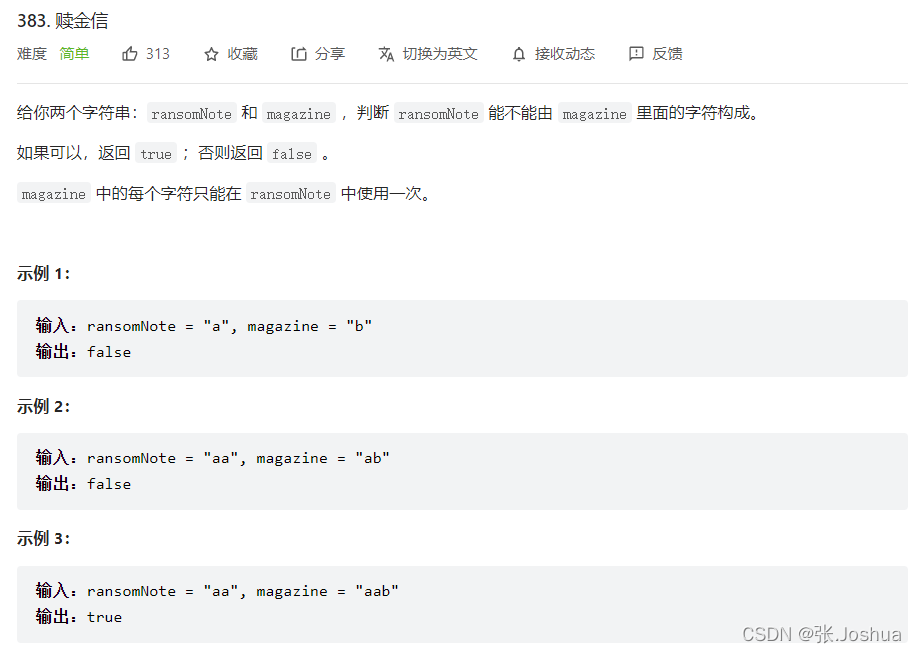
383. Ransom letter
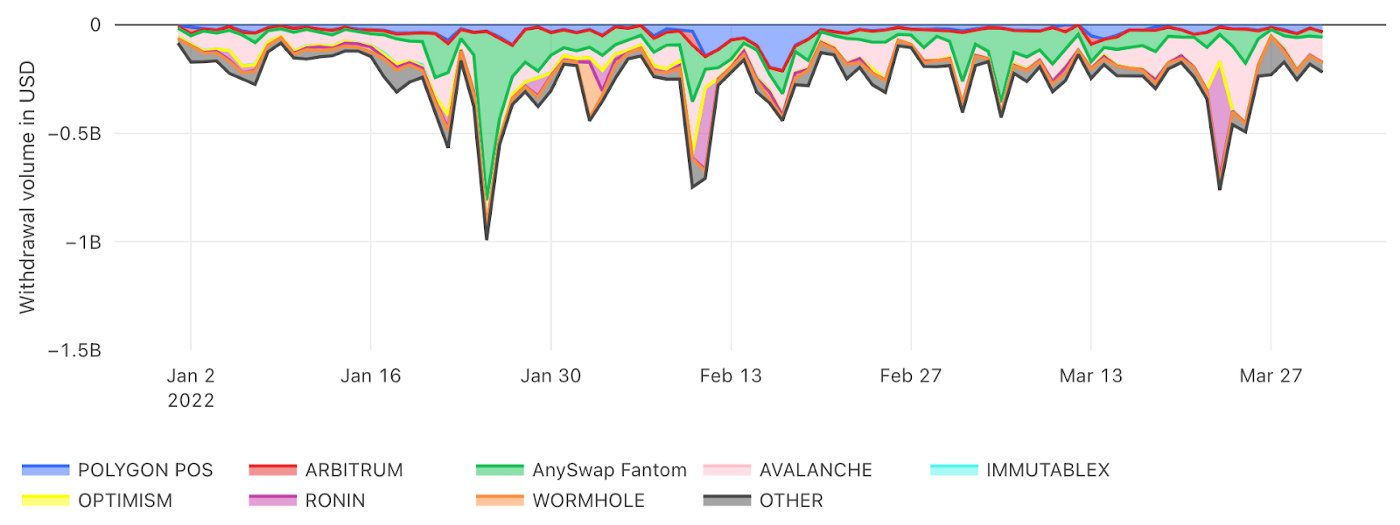
Coinbase:关于跨链桥的基础知识、事实和统计数据
![[paper reading] [3D target detection] point transformer](/img/c5/b1fe5f206b5fe6e4dcd88dce11592d.png)
[paper reading] [3D target detection] point transformer

Bridge between ischemic stroke and intestinal flora: short chain fatty acids
随机推荐
Recursive call -- Enumeration of permutations
Huawei machine test -- high precision integer addition
Eight misunderstandings that should be avoided in data visualization
MYSQL查询至少连续n天登录的用户
IDE idea automatic compilation and configuration of on update action and on frame deactivation
383. Ransom letter
顺序表的基本操作
Recommended scheme for national production of electronic components for wireless charging
第四章 --- 了解标准设备文件、过滤器和管道
mysql table 中增加列的SQL语句
FAQ of foreign lead and alliance Manager
从MySQL数据库迁移到AWS DynamoDB
Improving 3D object detection with channel wise transformer
IEEE Transactions on Systems, Man, and Cybernetics: Systems(TSMC)投稿须知
Iron and intestinal flora
[pytoch foundation] torch Split() usage
leetcode008--实现strStr()函数
Supplément: annotation
C language: Advanced pointer
Leetcode003 -- judge whether an integer is a palindrome number