当前位置:网站首页>Use konvajs three steps to realize a small ball game
Use konvajs three steps to realize a small ball game
2022-04-21 15:18:00 【Corner Kobayashi】
I remember playing a very simple game before , A ball is moving , Then the bottom board comes to pick up , If you don't catch it and hit the bottom, the game is over , Although I forgot its name , But always thinking , I'm in a dream , It happens that the demand is not saturated in the recent new year 、 I wanted to do it just before, but I didn't do it , I happen to be studying these two days konvajs, Just have this little article , It's simple , Just three steps , It takes you three minutes to learn .
konvajs brief introduction
konvajs It's like jquery To DOM、Snap.svg And svg Same to canvas, Easy to implement canvas Graphical interaction effects , Use it , You can quickly draw common graphics , And can easily add style to it 、 Events 、 Animation effects and so on , Mom doesn't have to worry about checking the mouse position by myself anymore . file :https://konvajs.org/.
Use konvajs Basically, there are three steps , The first step is to create a " stage ":
import { Stage } from 'konva'
const stage = new Stage({
    container: 'container',//  Container element id
    width: 500,
    height: 500
})
The second step is to create a “ Layers ”, Add to “ stage ” in :
import { Layer } from 'konva'
const layer = new Layer()
stage.add(layer)
One layer Corresponding to a canvas Elements .
The third step is to create various graphics and add them to “ Layer ”.
First step
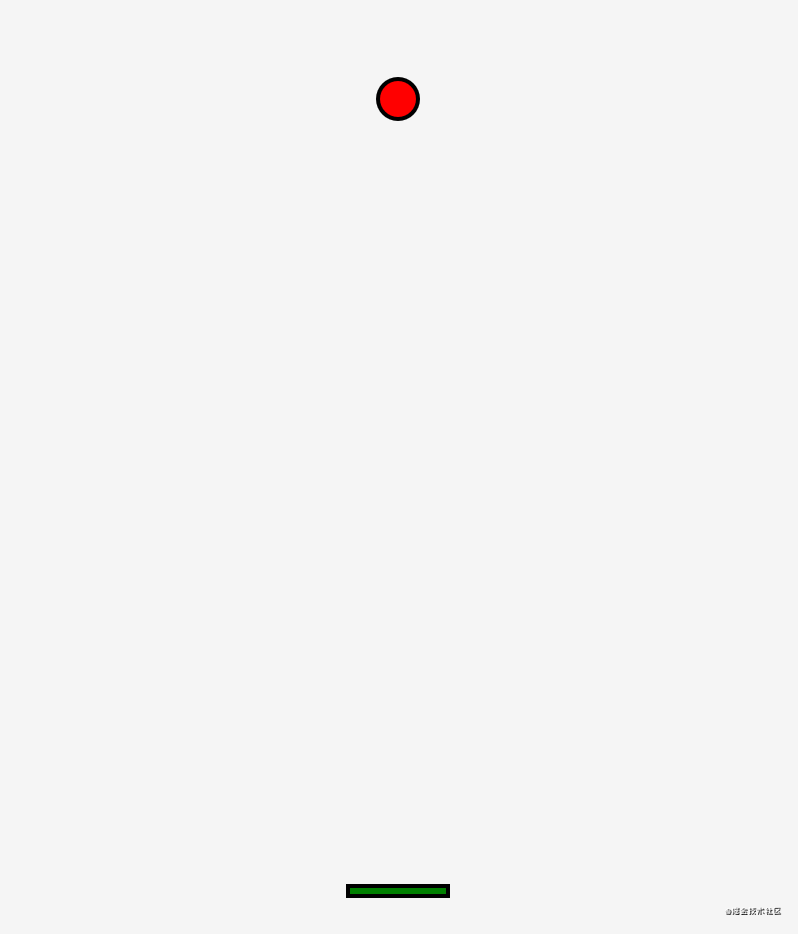
A small ball and a baffle .
Directly copy the sample code of circles and rectangles on the official documents , Pellet :
import { Circle } from 'konva'
createCircle () {
    //  Center coordinates of the ball
    this.centerX = this.stage.width() / 2
    this.centerY = 100
    this.circle = new Circle({
        x: this.centerX,
        y: this.centerY,
        radius: this.radius,
        fill: 'red',
        stroke: 'black',
        strokeWidth: 4
    })
    this.layer.add(this.circle)
    this.layer.draw()//  Redraw , This method needs to be called after each modification
}
Baffles :
import { Rect } from 'konva'
createRect () {
    this.rect = new Rect({
        x: (this.stage.width() - 100) / 2,
        y: this.height - 50,
        width: 100,
        height: 10,
        fill: 'green',
        stroke: 'black',
        strokeWidth: 4,
        draggable: true,//  Allow drag
        dragBoundFunc: function (pos) {//  The control can only be dragged horizontally
            return {
                x: pos.x,
                y: this.absolutePosition().y//  obtain y Absolute position of
            }
        }
    })
    this.layer.add(this.rect)
    this.layer.draw()
}
The second step
Let the ball move , Give the ball an initial velocity , An acceleration , After hitting the wall, the speed is reversed , The speed is increasing , Used to increase the difficulty of the game :
this.speedX = Math.random() * 3
this.speedY = Math.random() * 3
this.speedStep = 0.01

runCircle () {
    //  Modify the position of the ball
    this.centerX += this.speedX
    this.centerY += this.speedY
    this.circle.x(this.centerX)
    this.circle.y(this.centerY)
    //  Wall impact detection
    if (this.centerX - this.radius <= 0 || this.centerX + this.radius >= this.width) {//  The walls on the left and right
        this.speedX = -this.speedX//  Horizontal speed reverse
    }
    if (this.centerY - this.radius <= 0) {//  Judge only the top wall , The bottom wall is used to end the game
        this.speedY = -this.speedY
    }
    //  Collision detection , The third step is
    this.collisionCheck()
    //  End of game detection
    if (this.centerY + this.radius >= this.height) {//  Hit the bottom wall and the game is over
        return this.gameOver()
    }
    //  The acceleration
    //  If the maximum speed is not reached, increase the speed
    if (Math.abs(this.speedX) < this.maxSpeed) {
        this.speedX > 0 ? this.speedX += this.speedStep : this.speedX -= this.speedStep
    }
    if (Math.abs(this.speedY) < this.maxSpeed) {
        this.speedY > 0 ? this.speedY += this.speedStep : this.speedY -= this.speedStep
    }
}
And then use requestAnimationFrame To constantly refresh :
update () {
    window.requestAnimationFrame(() => {
        this.runCircle()
        this.update()
        this.layer.draw()
    })
}
The third step
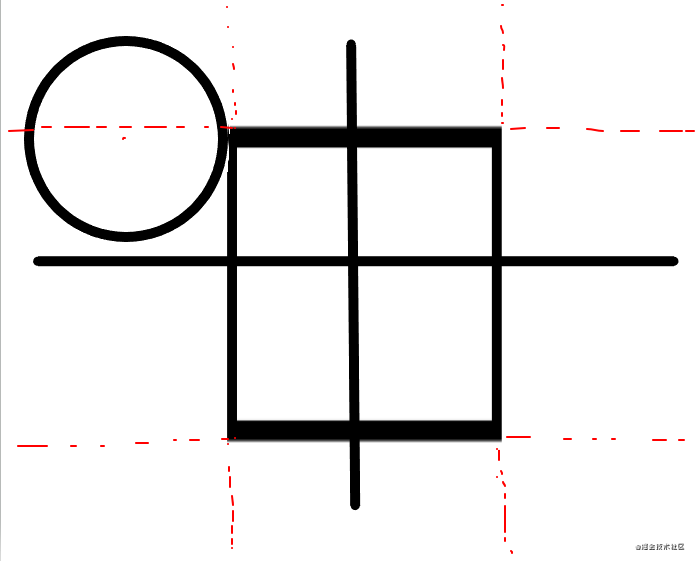
Check whether the ball collides with the baffle , If you hit it, the speed is reversed , The principle is to find the nearest point around the rectangle to the center of the ball , Then judge whether the distance between this point and the center of the small ball is less than the radius of the small ball , How to determine this point is also very simple , If the center of the circle is to the left of the rectangle , Then this point must be on the left side of the rectangle , spot x The value of rect.x, If it's on the right side of the rectangle , spot x The value of must be on the right side of the rectangle , That is to say rect.x + rect.width, If it's between rectangles , Because the line between the nearest point and the center of the circle must be reset to the edge of the rectangle , So point x The value of is the center of the circle x, spot y And x equally .
collisionCheck () {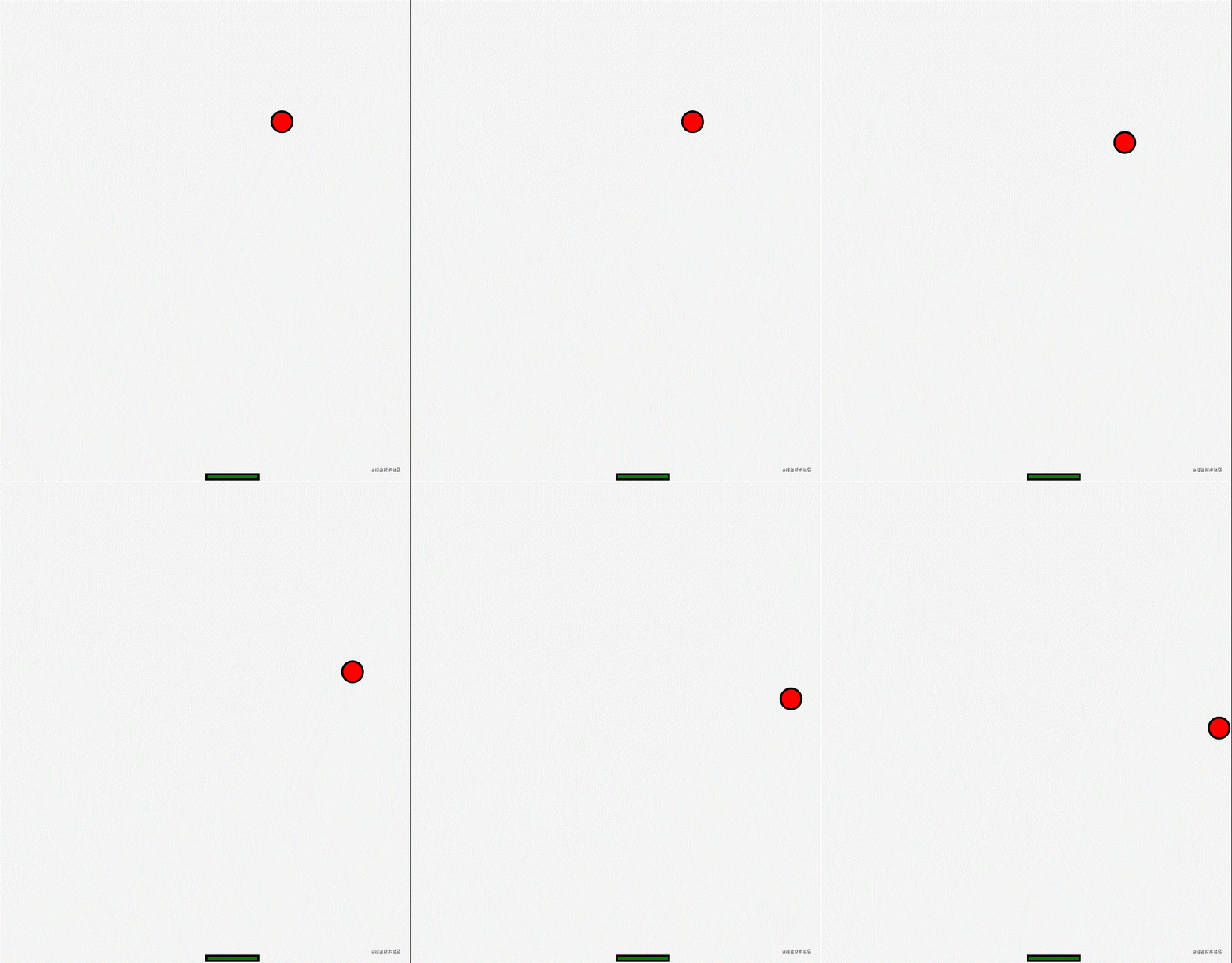
let minx = 0
let miny = 0
let rectX = this.rect.x()
let rectY = this.rect.y()
let rectWidth = this.rect.width()
let rectHeight = this.rect.height()
// Determines the position of the point on the rectangle closest to the ball x coordinate
if (this.centerX < rectX) {// To the left of the rectangle
minx = rectX
} else if (this.centerX > rectX + rectWidth) {// To the right of the rectangle
minx = rectX + rectWidth
} else {// Between the left and right of the rectangle
minx = this.centerX
}
// Determines the position of the point on the rectangle closest to the ball y coordinate
if (this.centerY < rectY) {// Above the rectangle
miny = rectY
} else if (this.centerY > rectY + rectHeight) {// Under the rectangle
miny = rectY + rectHeight
} else {// Between the top and bottom of the rectangle
miny = this.centerY
}
// If the distance is less than the radius, there is a collision
if (this.getTwoPointDistance(minx, miny, this.centerX, this.centerY) <= this.radius) {
// Hit the left or right , So horizontal velocity x reverse
if (minx === rectX || minx === rectX + rectWidth) {
this.speedX = -this.speedX
}
// Hit the top of the rectangle and the vertical speed y reverse
if (miny === rectY) {
this.speedY = -this.speedY
}
}
}It's over here , You can have fun :

Sample code :https://github.com/wanglin2/BallGame.
版权声明
本文为[Corner Kobayashi]所创,转载请带上原文链接,感谢
https://yzsam.com/2022/04/202204211511117036.html
边栏推荐
- Shang Silicon Valley smart campus - 6. Realization of administrator function
- C# 11 对 ref 和 struct 的改进
- BetterScroll源码阅读顺便学习TypeScript
- Dry goods | application packaging or test team?
- SAP ui5 application development tutorial 70 - how to use button controls to trigger page routing jump trial version
- [JS] urlsearchparams object (upload parameters to URL in the form of object)
- 【二分搜索-中等】剑指 Offer II 070. 排序数组中只出现一次的数字
- B站可以称为中国的YouTube吗?
- 浅析浏览器书签的导入和导出
- Service中是如何产生ANR的?
猜你喜欢


随机推荐
Detailed explanation of spark SQL underlying execution process
How do I log in to the enterprise mailbox? Enterprise mailbox login method
智慧公安二维码定位报警系统开发 移动警务app
【二分查找-简单】LCP 18. 早餐组合
Elemetn form control --- automatically locate the position of the field when it is submitted without passing the verification field
Architecture practical graduation summary
使用wx.showActionSheet选择框修改数据库中的信息,为什么会报data未定义的错呢
SAP UI5 应用开发教程之七十 - 如何使用按钮控件触发页面路由跳转
[binary search - simple] LCP 18 Breakfast combination
JDBC和数据库连接池
【历史上的今天】4 月 21 日:微处理器先驱诞生;Winamp 发布;COPPA 正式生效
Dry goods | record your first web automation test case
[binary search - simple] 367 Effective complete square
Unlock openharmony technology day! The annual event is about to open!
解决select2 在modal中搜索框无效的问题
华为电力PON配网解决方案
数据库基础知识详解五:MySQL中的索引和其两种引擎、主从复制以及关系型/非关系型数据库
Lightgbm topic 2: detailed explanation of lightgbm training based on pyspark platform
[binary search - simple] 69 Square root of X
Special test 04 · differential calculus of multivariate functions [Li Yanfang's whole class]