当前位置:网站首页>Use of SVN:
Use of SVN:
2022-04-23 11:01:00 【Cool breeze AAA】
1、SVN
1.1、SVN summary
1.1.1、 Why use svn Version control software
- Collaborative development
- Remote development
- Version rollback

1.1.2、 Solution
SCM: Software configuration management
The so-called software configuration management is actually the control and management of software source code .
CVS: Veteran products
VSS: Entry level products
ClearCase:IBM The company provides technical support
SVN: Mainstream products
1.1.3、 What is? SVN
- SVN The full name is subversion
- SVN It's a new version management tool in recent years , yes CVS The successor of . at present , Most software companies use SVN As code version management software .
characteristic :
- It's easy to operate , It's easy to get started .
- Support cross platform operations (Window,linux,MacOS)
- Support version fallback function ( Time machine )
1.1.4、 obtain SVN Software
Belong to C/S Structural software ( Client and server )
Server software :VislualSVN
website :https://www.visualsvn.com/downloads/

Client software :Tortoisesvn
website :https://tortoisesvn.net/downloads.html

Download the client-side Chinese language pack :

2、SVN Software installation and configuration
2.1、 Project development workflow

2.2、 Server software installation (VislualSVN)
1. Double click to install the server software

2. Check the box to agree , And then click Next

3. Check the default configuration , Click on next

4. Set the installation path of the server , Storage directory and port number of resources ( choice 8443 Port number ,443 Usually occupied ), Click on Next.

5. Choose not to enable repository search indexing

6. Select custom account creation , Click on 【Next】 Go to the next step .
Be careful : When you choose to enable repository search indexing or Windows When authenticating , You need to start 45 Days of evaluation or enter enough license keys , Because these features are not available under a free community license .

7. Click on 【Install】 Installation .

8. After installation , You can check the check box , Then select Finish

9. A window appears , Indicates successful installation .

2.3、SVN Server configuration
2.3.1、 Create a project
1. First, in the SVN The server creates a public directory WebApp As a project directory

2. stay WebApp Create under directory Shop Folder , As Shop( Version warehouse ).
demand : Build a shopping mall system , So create Shop Catalog .
explain :svn There is no concept of project directory in , A project represents a version repository .

3. Create version repository
Be careful : current Shop It's just an ordinary folder , And svn Link , Convert a normal folder into a version repository .
Dos Basic grammar :
svnadmin create Shop Folder path (Shop Warehouse )
Open in administrator mode Dos window :

4. If the configuration is successful , that shop There should be more 6 File
Directory description :
- conf: Configuration files for the entire project
- db: The data is finally stored in this folder
- hooks: Hook file , For example, use synchronous replication in the development process , The hook instruction can be used for synchronous update
- locks: Tracking users
- format: An integer type data , Represents the hierarchy of the version repository
- README.txt: Documentation

2.3.2、 Conduct server-side supervision
What is regulation ???
Such as :
stay PHP in :Apache — >http://localhost or (Ip Address ) Access to the htdocs Related files in the directory ( Server side supervision )
stay SVN in :SVN —> svn://localhost or (Ip Address ) Access to the relevant data warehouse ( Through supervision, you can access the server from the client , Such as shop Warehouse )
Basic grammar :
svnserve -d( Background operation ) -r( Regulatory catalogue ) Version warehouse Path
As shown in the figure below :
explain : The cursor flashes all the time, indicating that the instruction is executed successfully , Don't close the current window , If closed, it represents the mandatory termination of the regulatory order , There is no way to link data .

By the above instructions , We can go through svn://localhost or ip The address can point directly to Shop Version warehouse .
2.3.3、 Access control
explain : By default ,SVN The server does not allow anonymous users to upload files to the server , Therefore, the relevant configuration files of the project must be changed .

The top-down directory is :
- Authorization documents
- Hook template file
- Store login related user names , Password related procedures
- svn Core profile for

write: Can read but write
read: Read only , Don't write .


2.4、 Client software installation (Tortoisesvn)

2.4.1、 Client software installation steps
1. Double click setup , choice Next.

2. choice Next

3. Select installation path
Be careful : Want to integrate into idea Check the first one in the :Will be …

4. Click on 【Install】 Installation .

5. Whether to restart or not , Choose according to your own needs .

6. Choose , Update log , You can view the updated version details , Or not enough , Click on Finish

7. After successful installation, there are no windows , Can be in any blank space , Right click , The following information indicates successful installation .

2.4.2、 Installation steps of client localization package
Double click to run the language pack , The client will automatically find the software installation directory , And automatic installation .


After installation, you can switch between Chinese and English in settings :
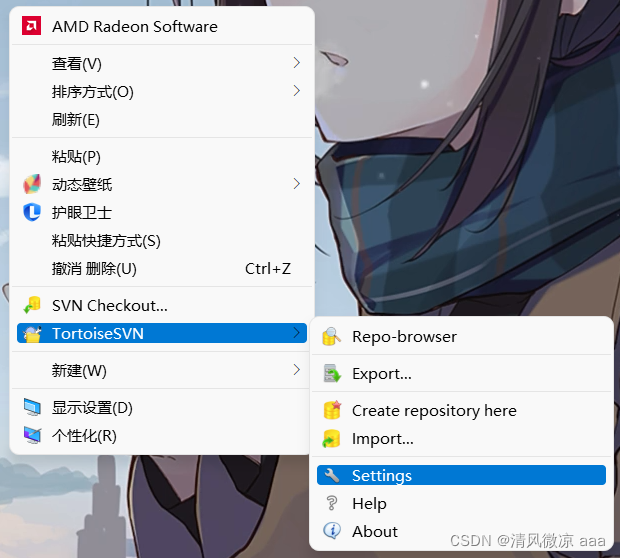

effect :

2.5、 Connect using client software SVN The server
2.5.1、Checkout Check out the
explain : The first time you connect to the server, you need to Checkout Check out operation .
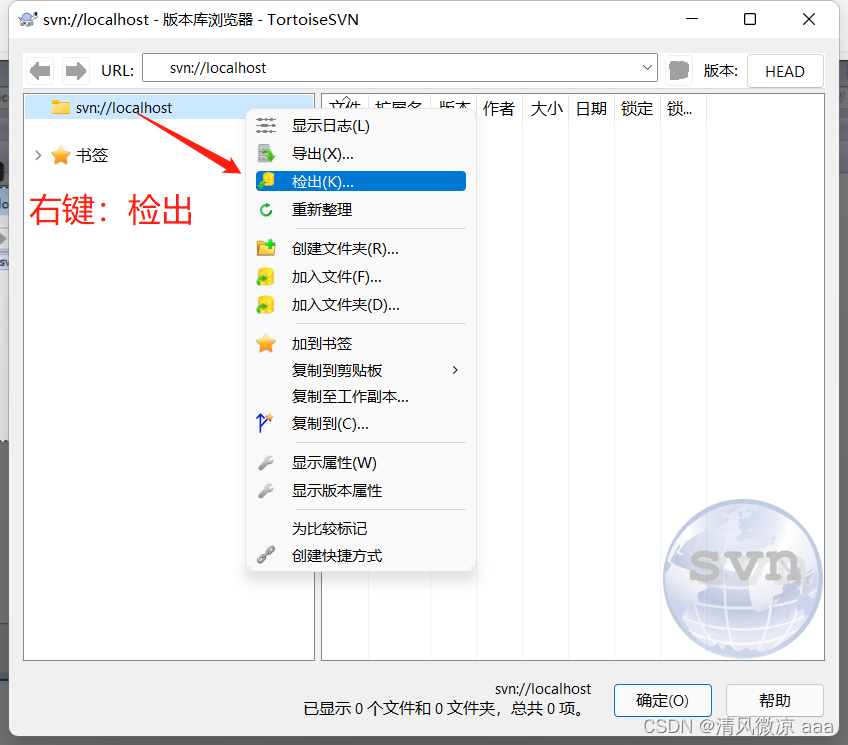
First, right-click your project directory ----》TortoiseSVN—》 Version library browser —》 Input SVN Server address
step : stay D Disk to create a directory jingli, To simulate the process used by the project manager


explain : Input ip Address to connect , If it is local, you can also enter localhost.
svn://SVN Server address ---->Shop project ( Warehouse )

explain : Click Check out function , The system will automatically check out the data to the client .


Show hidden files : Turn on the hide function if you can see .svn This folder indicates that the client and the server are connected , Successful detection ;


3、SVN The use of,
3.1、 Three major instructions
3.1.1、checkout Check out operation :
- link to SVN Server side
- Update server data to local
Be careful :Checkout Only operate once on the first link , For future update operations, please use Update Update instructions .
3.1.2、commit Submission code :
- Submit local data to the server
explain : When we check it out successfully , The directory will have a small green icon .

explain : Once the check-out operation is successful , Right click checkout The checkout operation changes to update 、 Submit operation .


The following interface is displayed, which means the submission is successful :

Most of the above work is completed by the project manager , If a new programmer comes to the company, Li Si , What will he do ?
Create a folder on Li Si's computer lisi, To simulate Li Si's operation :

First : The project manager will tell Li Si's connection svn The address of the server , Link to the server by checking out .

Fill in svn Server connection address :

In the checkout window, you can see , The source code owned by the current server .
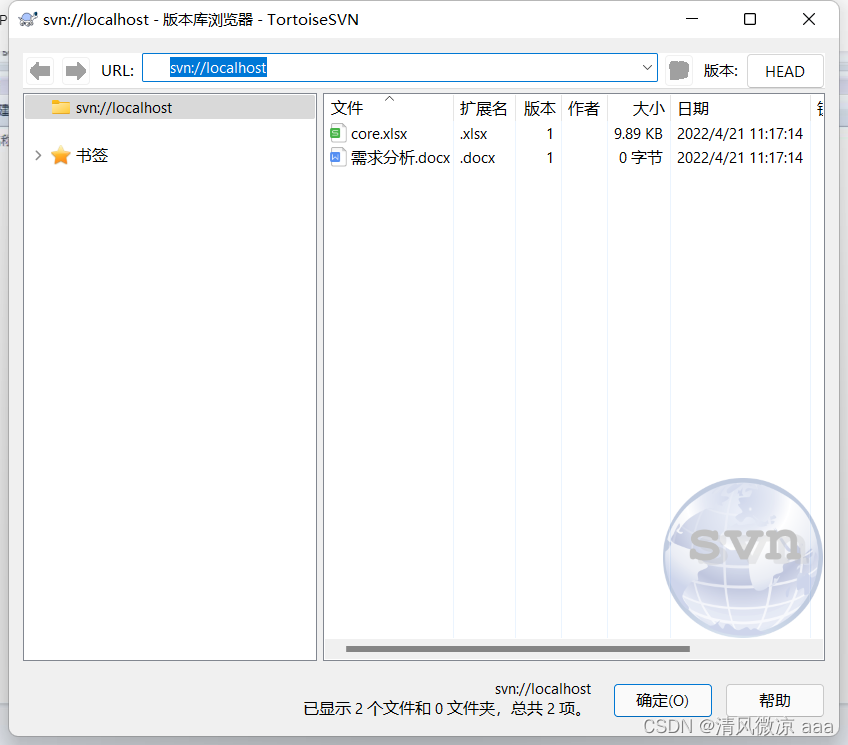
Right click to check out the operation


The detection effect is as follows :
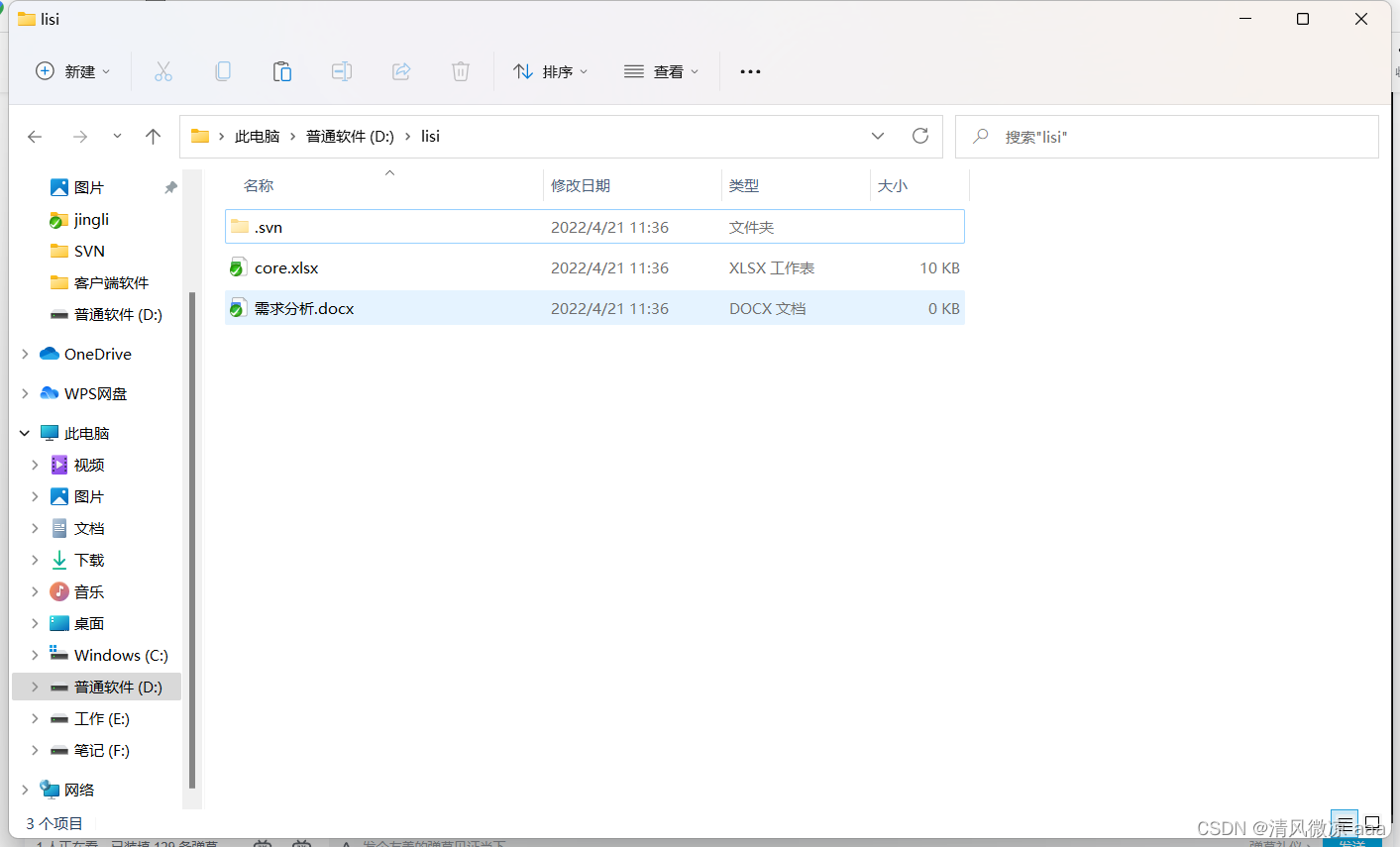
secondly : When the source code of Li Si's project development has been written , Submission is required commit:


The effect is as follows :

summary : The above instructions are usually uploaded after the module is developed .
3.1.3、update update operation :
The project manager wants to see the current progress of the whole project : You need to update svn Data from the server to the local server .


The system will automatically update the latest data to the local :

3.2、 Icon set and ignore function
3.2.1、 Icon set
explain : When the item is checked out , I found that many files have icons , So what do these different icons mean ???
We need to master common icons , The meaning of .
1. View icon set

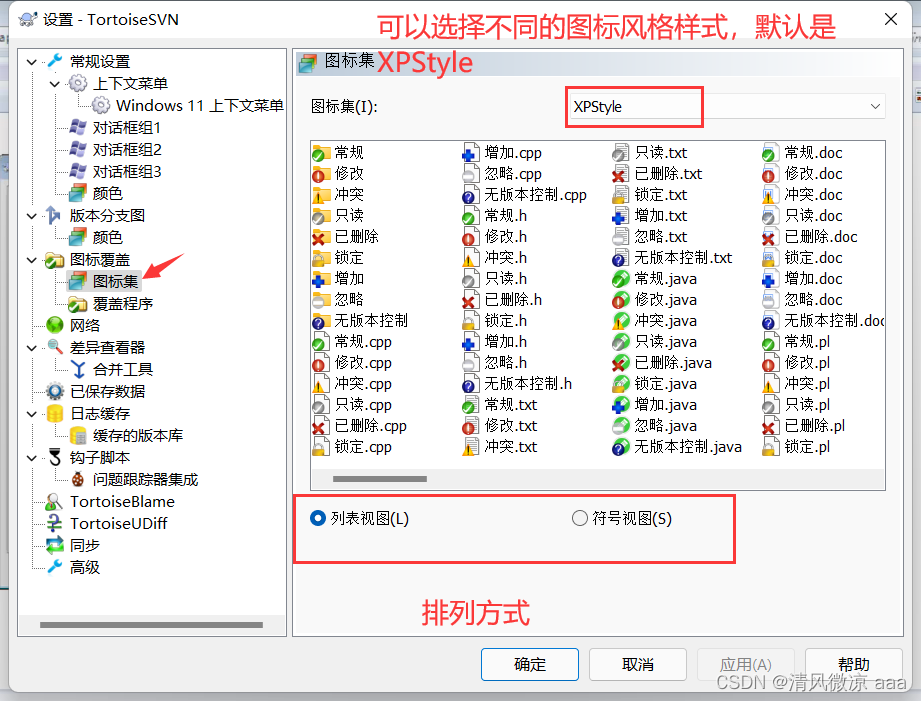
2. General icons :

meaning : When the client file is completely synchronized with the server file , The system displays the above icon .
3. Conflict icon :

meaning : When the data submitted by the client conflicts with the data submitted by the server , The system displays the above icon .
4. Delete icon :

meaning : When the server data has been deleted , Then the client will display the above icon .
5. Add Icon :

meaning : When the file we wrote has been added to the submission queue , Then the system will automatically display the above icon .
6. No version control icon 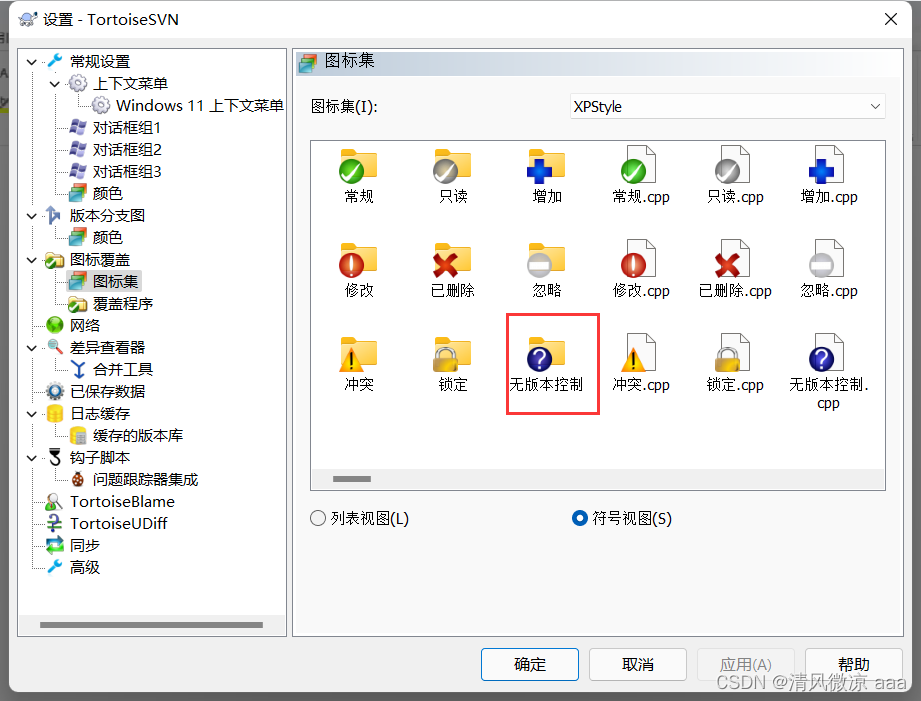
meaning : When the file we write is not added to the upload queue , Then the system will automatically display the above icon .
7. Modify icon

meaning : When the client file is modified but not submitted , The above icon will be automatically displayed .
8. Read only icon
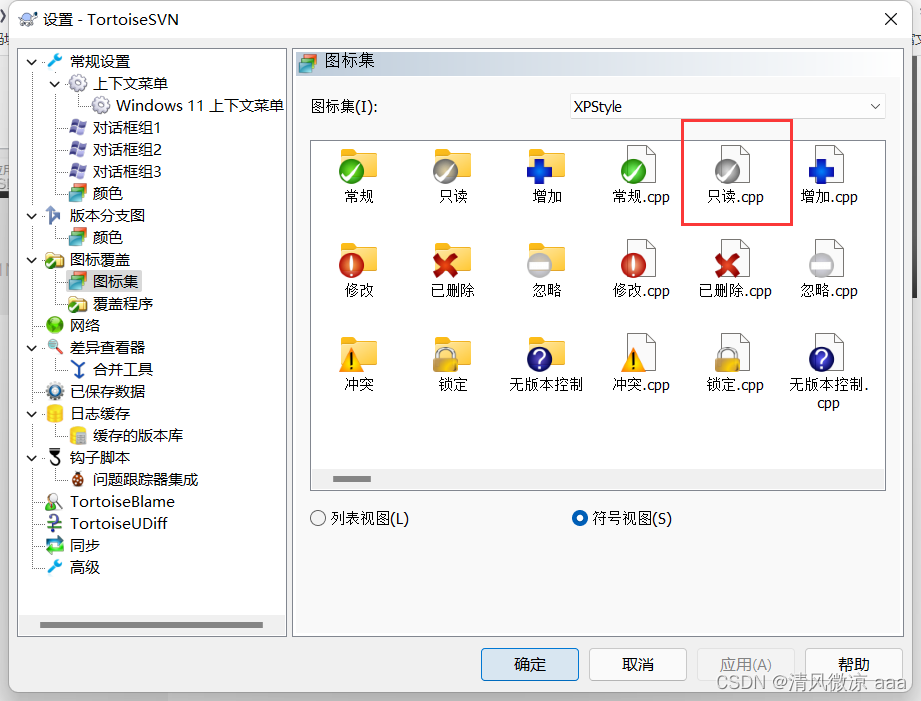
meaning : When the client file exists as read-only , The above icon will be automatically displayed .
9. Lock icon :

meaning : When the server data is locked , Then the client file will automatically display the lock icon .
10. Ignore icons :

meaning : Client file ignored , There is no need to submit and upload , Then the above icon will be automatically displayed .
3.2.2、 Ignore function
- Some files don't want to be uploaded to svn The server , This file or a file of this type should be added to the ignore list .

explain : When raising prices , All files are automatically displayed , Very inconvenient .

1. Ignore a specified file .
solve : Select the file you want to ignore Right click …
- The first way ( No, recursively): Ignore this file , For files .
- The second way ( Yes recursively): Recursively ignore , For folder operations .

2. Ignore a certain type of file .
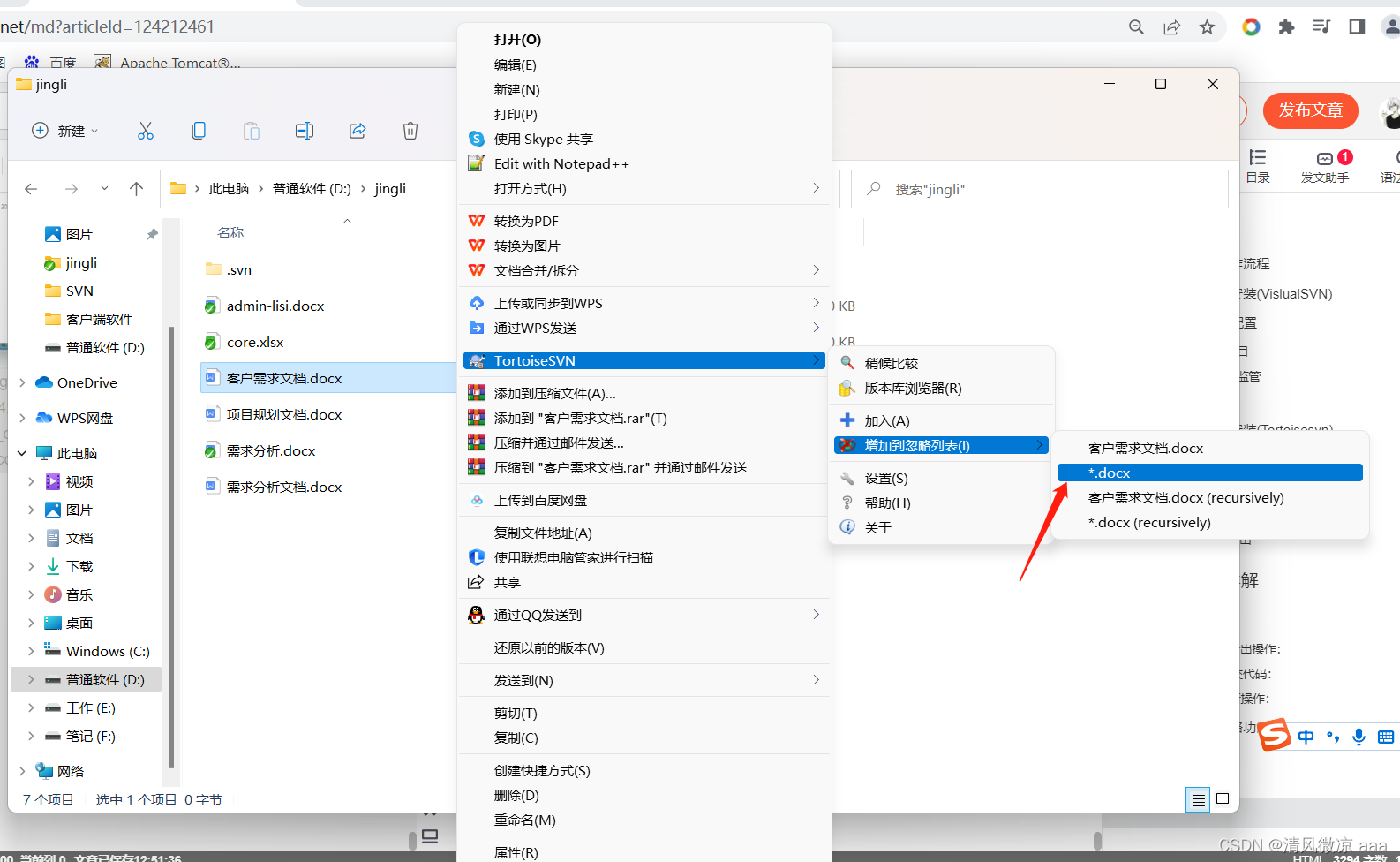
The effect is as follows :
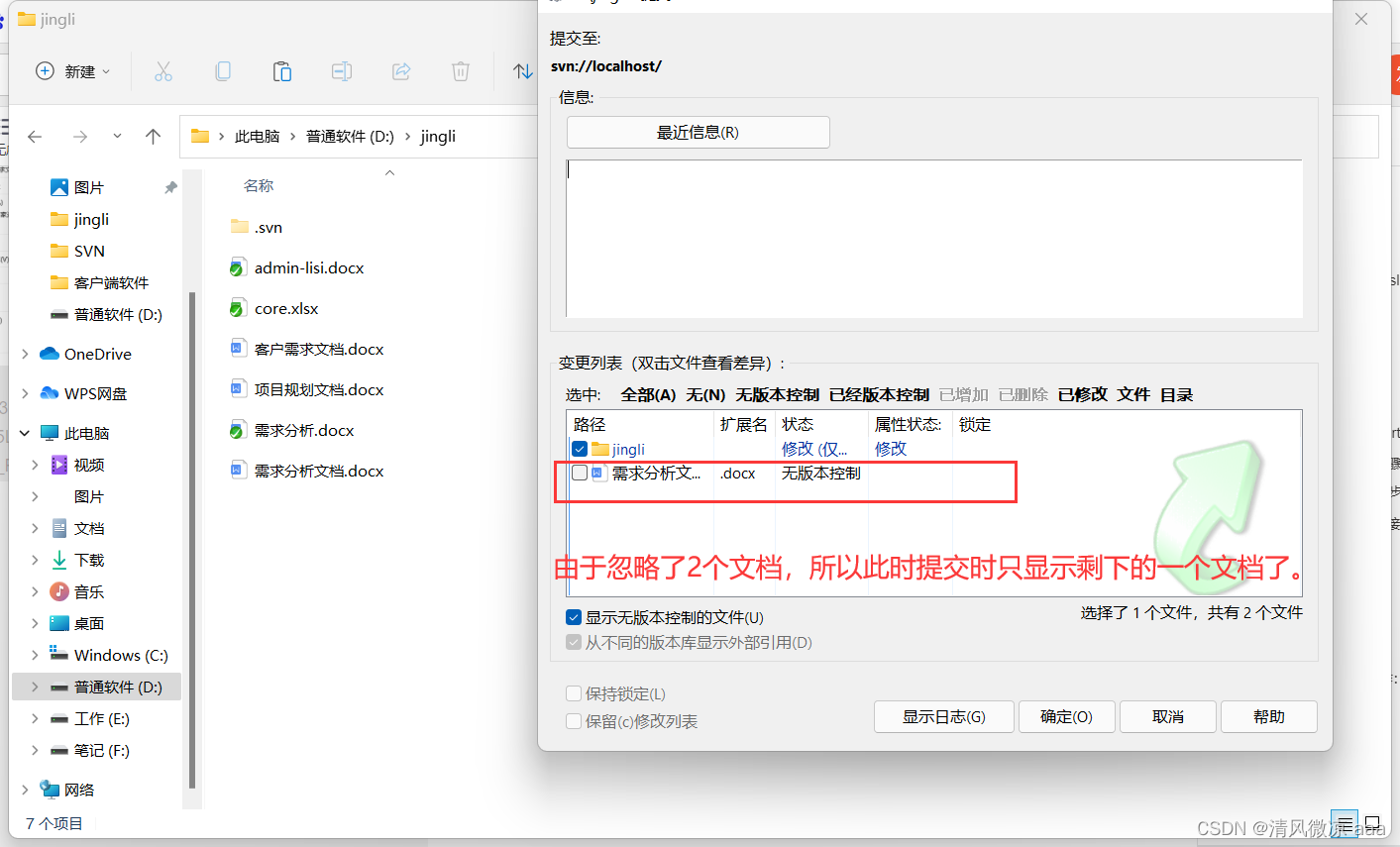
3.3、 Version rollback
3.3.1、 What is version fallback
- Sometimes , The operation of software may dissatisfy developers or users , At this time, we need to return the current version to a previous version .
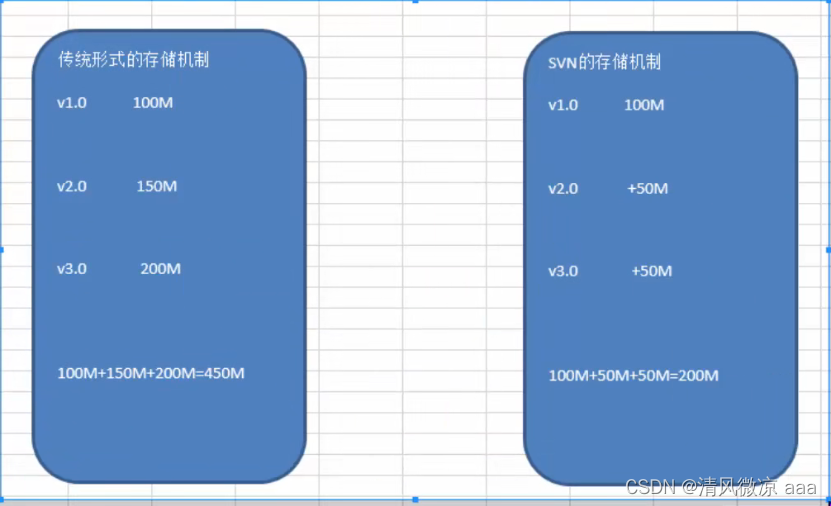
3.3.2、 Graphic analysis
explain : It takes less memory than the traditional way , It's easier to go back to a previous state .
3.3.3、 Operation steps
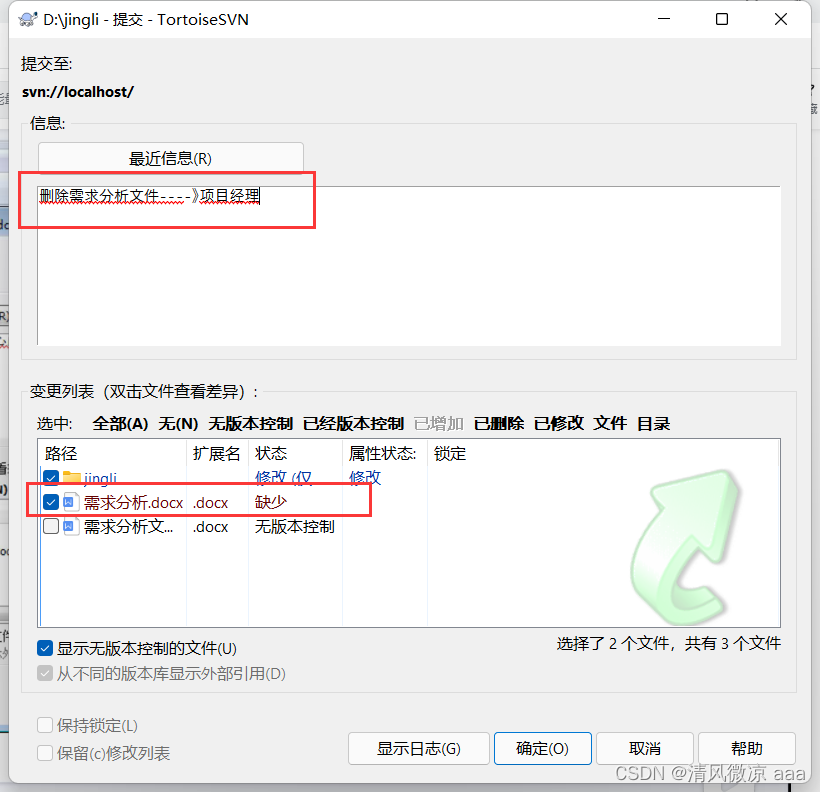
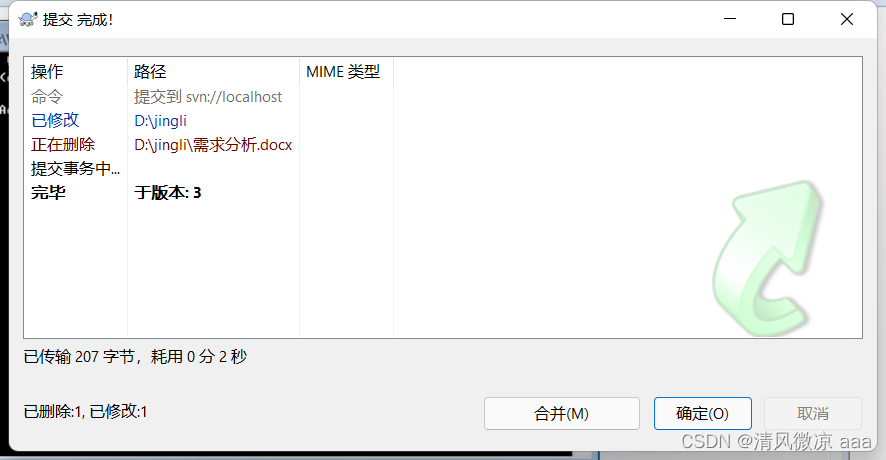
1. Delete the demand analysis file :

Submit

When the data is updated, it needs to be resubmitted :
2. demand : I suddenly found that the file I just deleted was deleted incorrectly , At this time, you can go through svn Go back to a previous state .

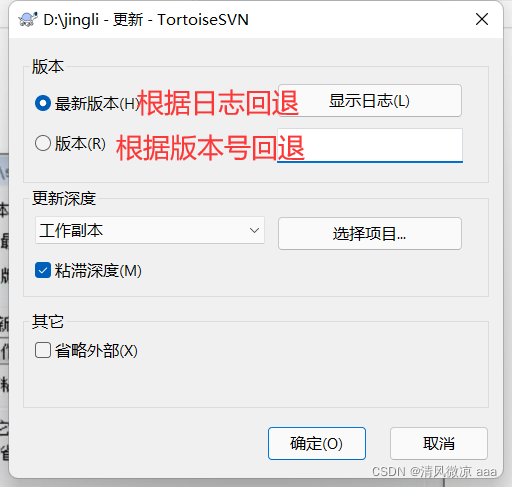
The version number is hard to remember , Therefore, in the development, it is generally carried out according to the log function .

Display the status to be rolled back according to the log information :


The effect is as follows : The files deleted before have .

3.4、 Version conflict
3.4.1、 What is version conflict ?
explain : In actual project development , If 2 If an individual modifies a file at the same time, there will be version conflict .
3.4.2、 Simulation version conflict

newly build 2 A catalog :wangcais、xiaoqaings.

stay wangcais Perform the first check operation on the directory :


The effect is as follows :

Also in xiaoqiangs Check out the directory : The effect is as follows

Wangcai 9.30 When it's done aaa.docx Modification of documents :

Add a sentence to simulate :

Submit :


Xiaoqiang is 10:30 It's done aaa.docx Modification of documents :

Also add a sentence to simulate :

Submit :

The version conflict problem will appear :

3.4.3、 solve : Version conflict
- Reasonable allocation of project development time :
Wangcai : Morning development
cockroach : Afternoon development - Reasonably allocate project development modules
Wangcai : Shopping Cart module
cockroach : Article module - adopt SVN Resolve version conflicts :
(1). Update server data to local


A new 3 File :

aaa.docx: Integrated aaa.docx file .( When there is a conflict , The system will automatically integrate the documents written by Wangcai and Xiaoqiang , Inside is the integrated content .)
aaa.docx.mine: Content submitted after , Xiaoqiang's revised aaa.docx file .
aaa.docx.r9:9:30 Updated aaa.docx file ( Start file )
aaa.docx.r10: Wangcai revised aaa.docx file .
(2). Delete aaa.docx Other than 3 File :
(3). Modify the integrated aaa.docx Conflict file :

(4). Resubmit data to svn The server , To solve the version conflict problem :


4、svn Configure multi warehouse and permission control
4.1、 Configure multiple warehouses
explain : In actual development , We may develop multiple projects at the same time , So how do we conduct multi project supervision ??
adopt svnserve Conduct warehouse supervision , But the regulatory directive can only regulate one folder , Instead of supervising multiple warehouses at the same time .

answer : Can be regulated WebApp General catalogue to achieve the purpose of supervising all warehouses .
svnserve -d( Background operation ) -r( Regulatory catalogue ) WebApp( General catalogue of the project )
1. open Dos window , Enter the following command .

By the above instructions , We can go through svn://localhost or ip Address to access E:\SVN\server\WebApp Catalog .
If you need to visit Shop project ,WeChat project
Shop project :svn://localhost/Shop
WeChat project :svn://localhost/WeChat
4.2、 Authority control function
explain : In development, we can't let everyone have read and write permissions .
The premise of use is : The permission function must be enabled first .
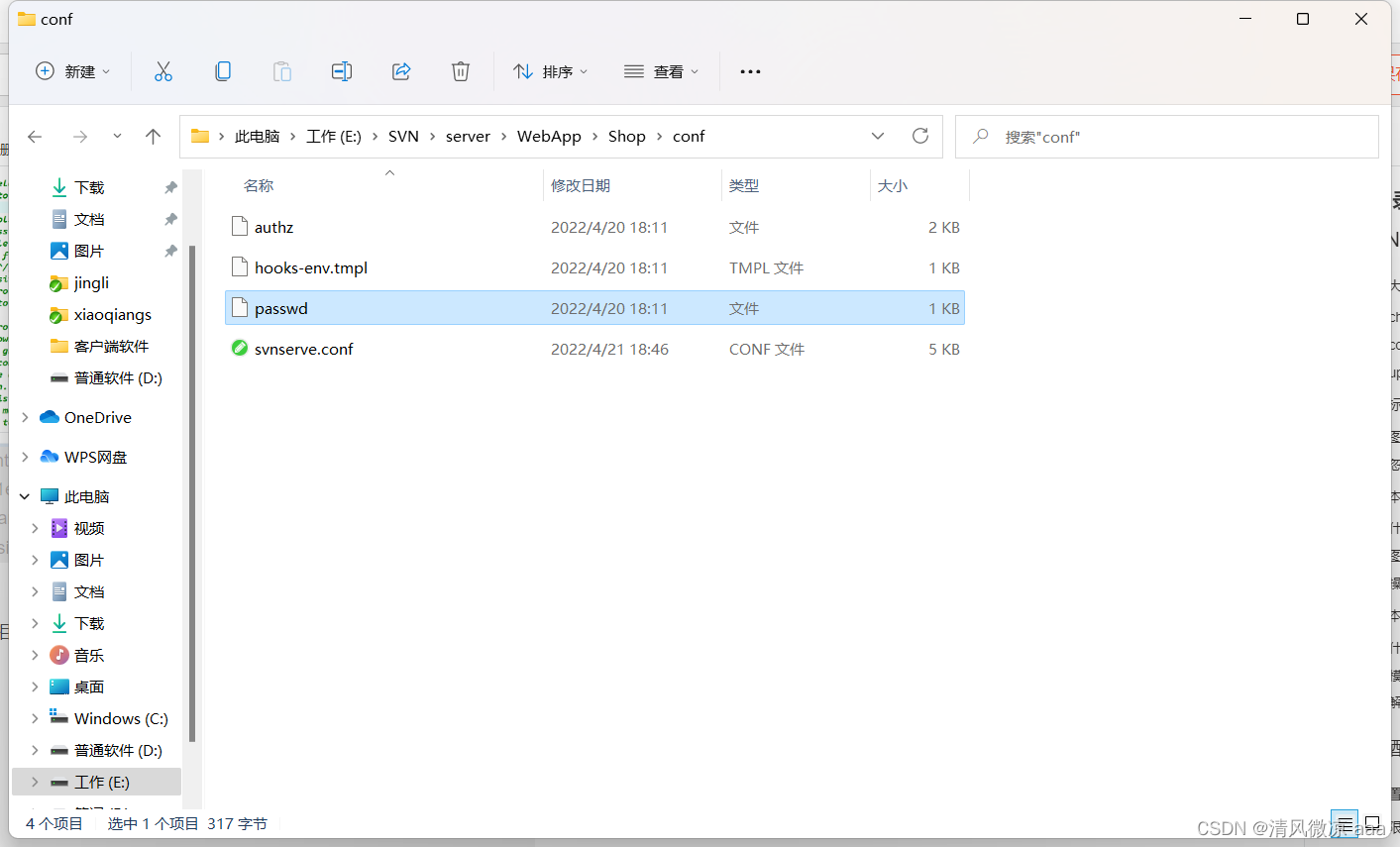
There is one in every warehouse conf Folder , There are 3 File .
-
authz: Authorization documents
Tell which users have those permissions . -
passwd: authenticated document
Identify the current svn A warehouse in the system has those user names and corresponding passwords . -
By default : above 2 All files are disabled , If required , First, you need to turn on the above 2 File .
-
svnserve.conf: Core profile
The opening steps are as follows :
-
find And open svnserve.conf file .

-
Comment out the previously configured read and write permissions of anonymous users .

-
Open authentication and authorization documents

-
Prepare certification documents , Define relevant users and passwords : open passwd file

-
Write authorization documents : open authz file


-
test :
Create a new directory

Perform the first check-out operation
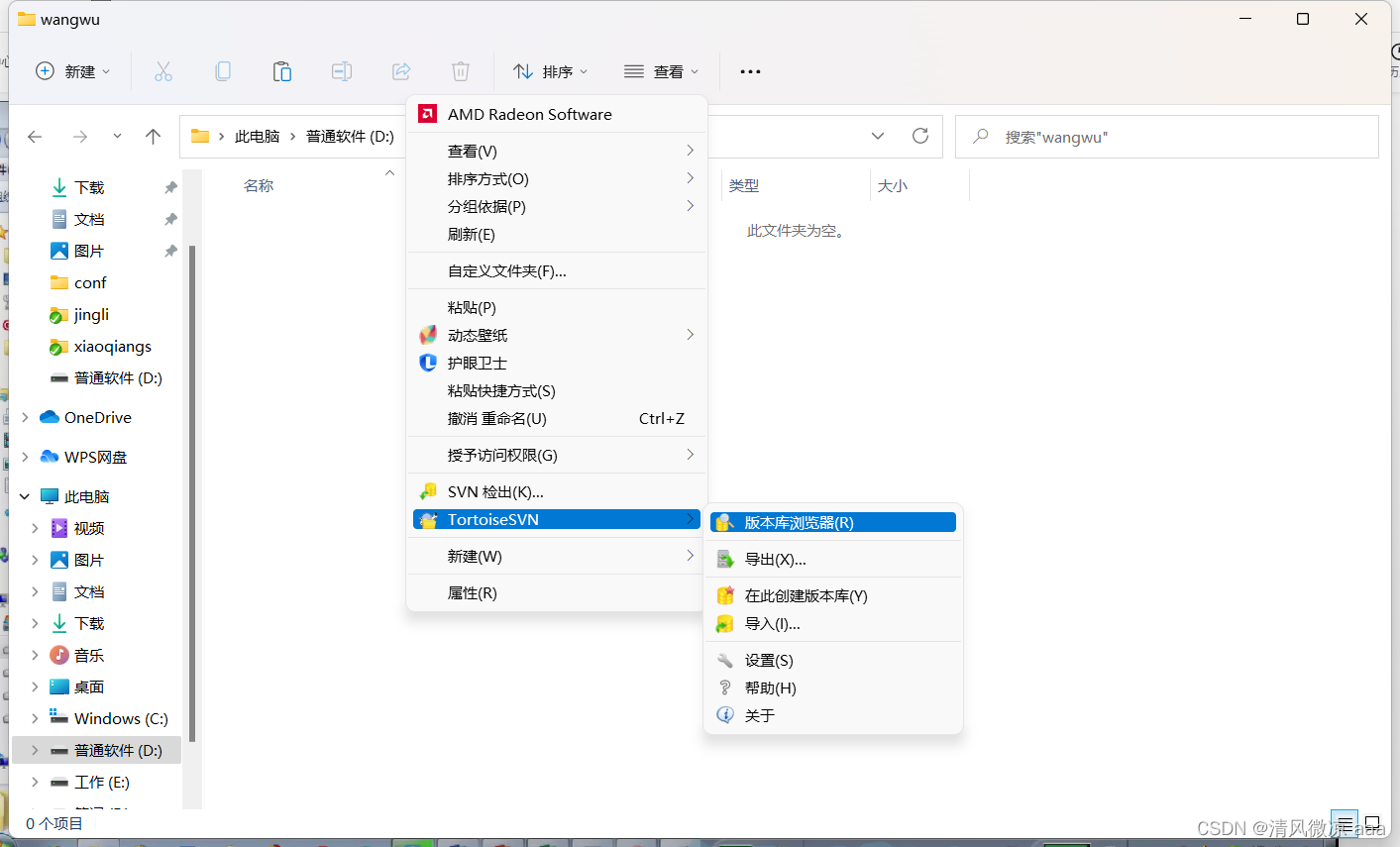


Now explain : Anonymous users have access .

Prepare a new document in the directory of Wang Wu for submission :


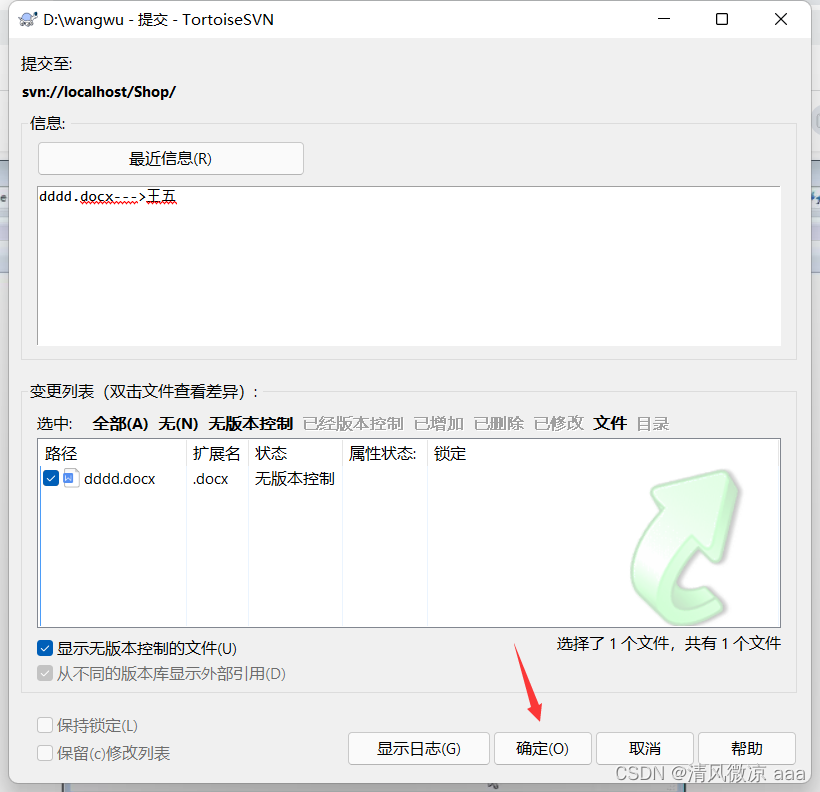
The following content indicates that the authorization is successful .

enter one user name 、 password :admin、admin888

At this time, you can upload successfully .

5、svn Service configuration and management
5.1、 Configure self starting service
explain : All current development work requires this regulatory directive , This regulatory directive is passed DOS Window to monitor and implement . If the current server restarts , So this DOS The window obviously won't run automatically .

solve : Can pass windows Relevant instructions of , Add our regulatory instructions to the services of the system , So the system will follow windows Start while start , With windows Close and close .
sc create SVNService binpath= "E:\SVN\server\bin\svnserve.exe --service -r E:\SVN\server\WebApp" start= auto
sc create  The service name    binpath= Space "bin In the catalog svnserve.exe The path of  --service -r  Regulatory Directory "   start= Space  auto
1. Turn on run , Input cmd Instructions , open DOS Environmental Science ( Please use super administrator to run )
2. Enter the following command

3. View system services
Control panel ----windows Tools ( Management tools )---- service

Double-click on the run , start-up SVNService service :

At this time, close the black window to test :
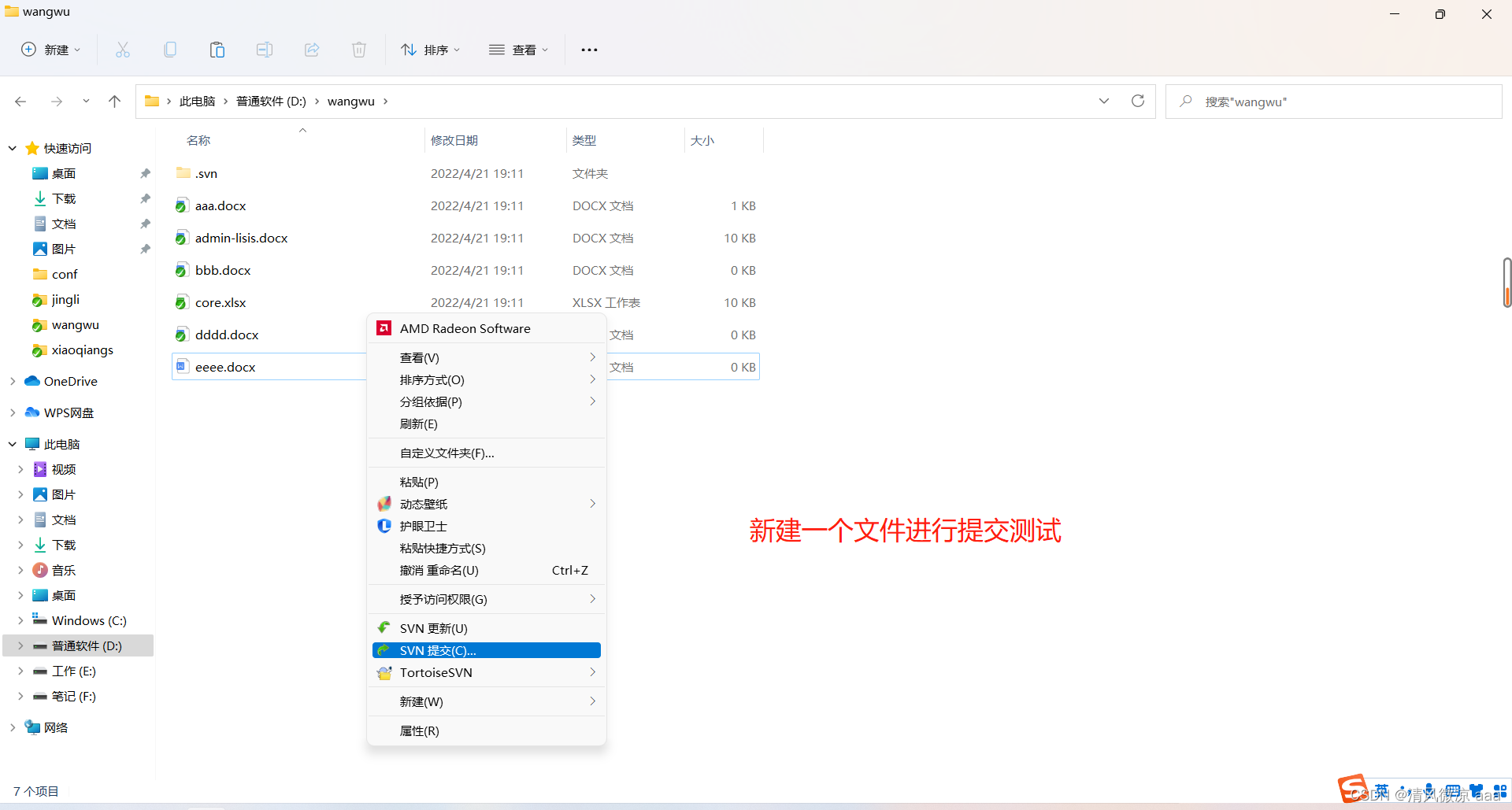
If the submission is successful, it means that svn Regulatory services .

5.2、 Create a batch file
explain : If you want to start the service 、 stop it 、 Delete and other operations . You can make a batch file , Encapsulate these instructions , In the future, you only need to perform relevant service operations through the corresponding batch file .
Batch file : stay windows China and Israel .bat The end file is called a batch file , It can execute relevant processing instructions .
 Start the service : net start  The service name

 Out of Service : net stop   The service name

 Delete service : sc delete  The service name
The above functions are often used in actual project development , So it can be encapsulated as .bat Batch file , The effect is as follows :
First , establish 3 Batch file :

Write instructions in each file in turn :
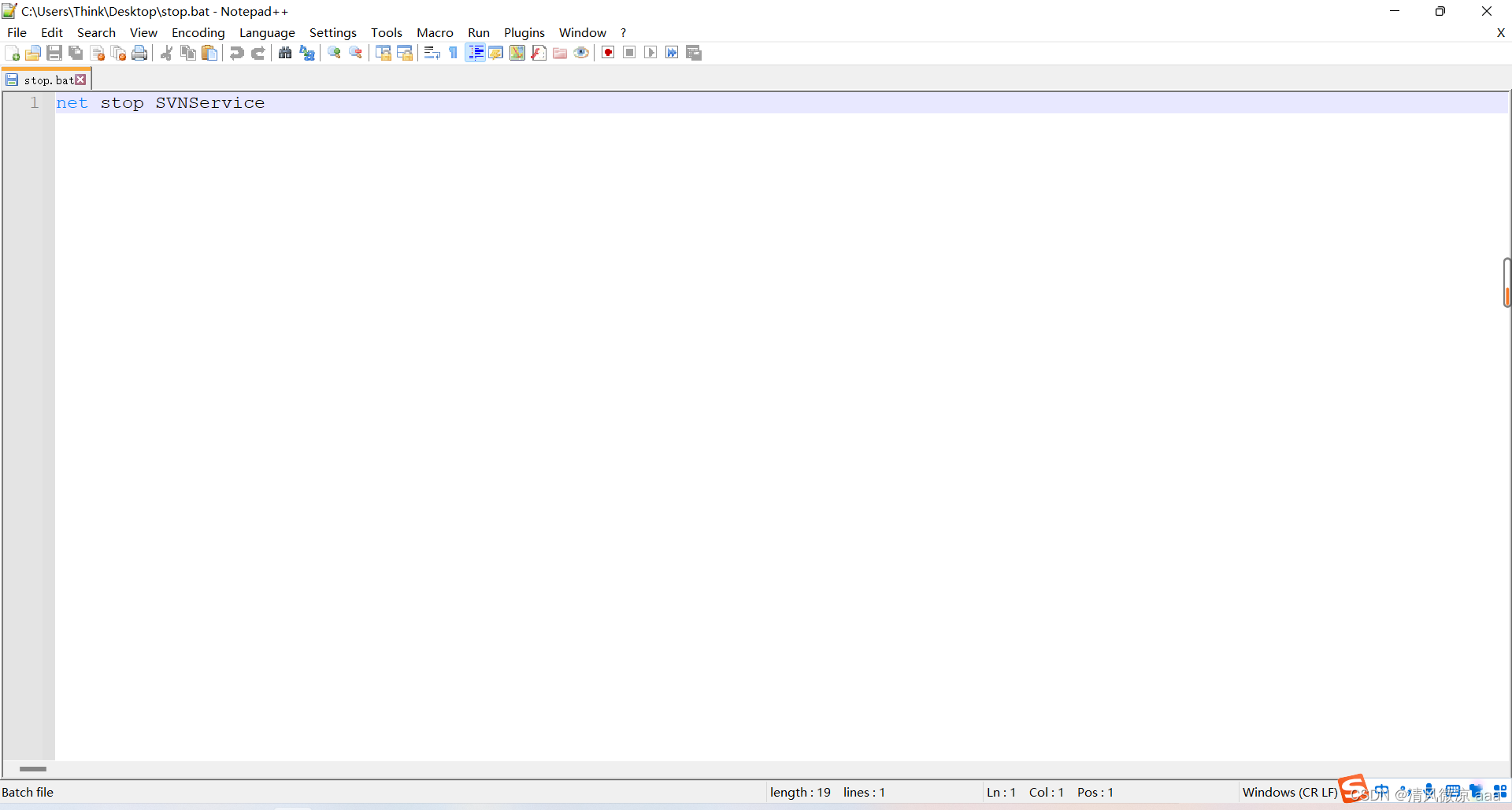


Then right-click on the corresponding batch file to run as an administrator :

After the black window pops up, it will disappear automatically :


6、 Simulate the real development environment
6.1、svn Workflow
explain : In the past, it was from... Through super administrator svn The server updates the data to web The server , But the disadvantage is that : Data is updated too often , The super administrator has to operate the whole server frequently , Very troublesome .
solve : You can update the data to the server in real time through the hook program .
before :

Now? :

6.2、 Hook program
- The so-called hook is the program triggered by some version library Events , For example, the creation of a new revision , Or modification of non versioned attributes
- By default , The subdirectory of the hook ( Version warehouse /hooks) Contains various version library hook templates .
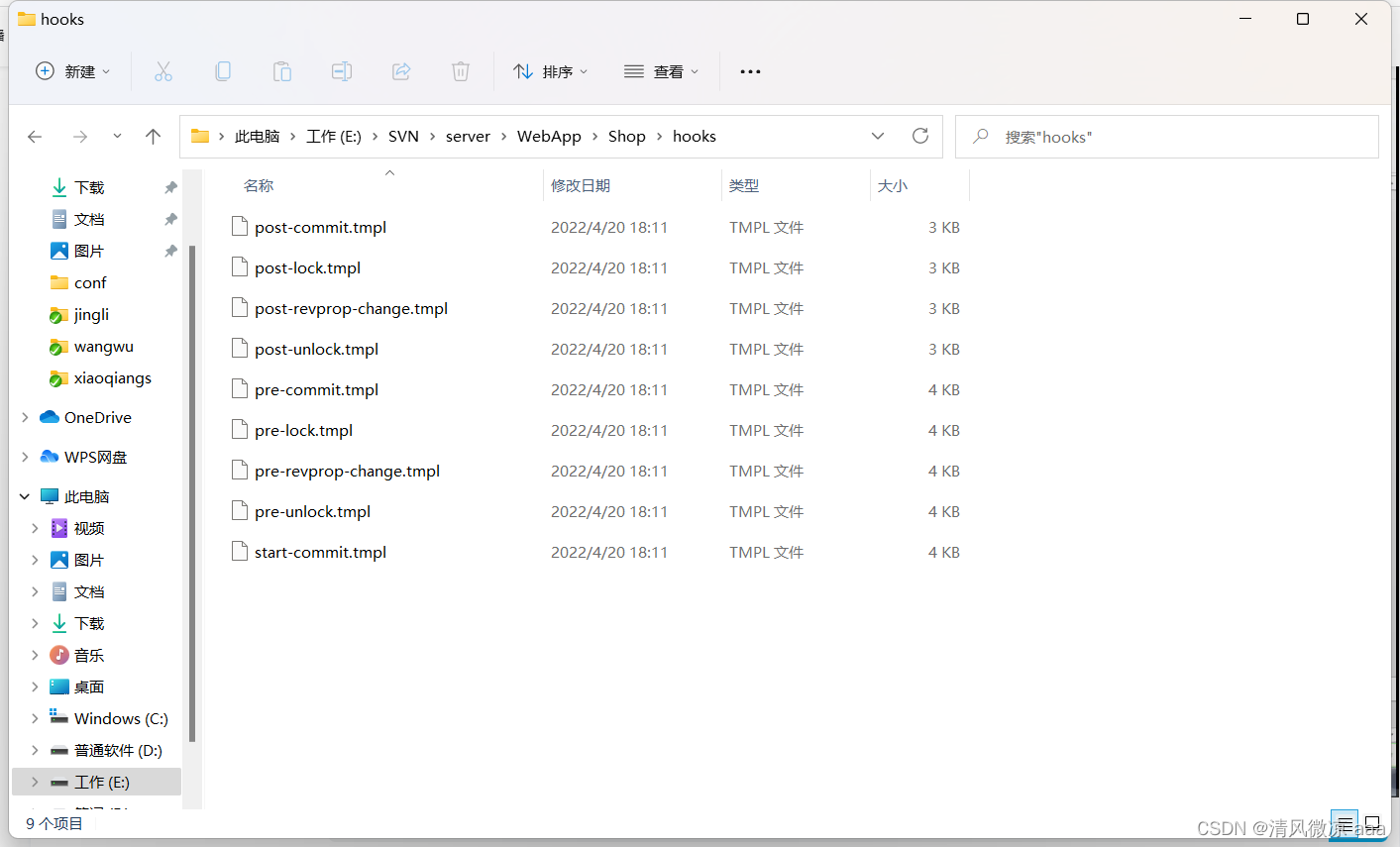
post-commit.tmpl: The hook program triggered after the transaction is completed :
By default, hook programs can use batch instructions or shell Instructions to write .
6.3、 Write hook programs through batch instructions
-
Appoint svn The working directory of the service side :
Set up the server svn route :SET SVN="E:\SVN\server\bin\svn.exe" -
Appoint Web Server working directory :
SET DIR="D:\Web\Shop" -
adopt update Command to update data in real time to DIR Directory :
SVN update %DIR%
6.4、 Specific use steps
1. Copy post-commit.tmpl File for post-commit.bat file

2. Fill in the relevant batch instructions

3. stay D Discoid Web Create under directory Shop project , And update the SVN Server data to local
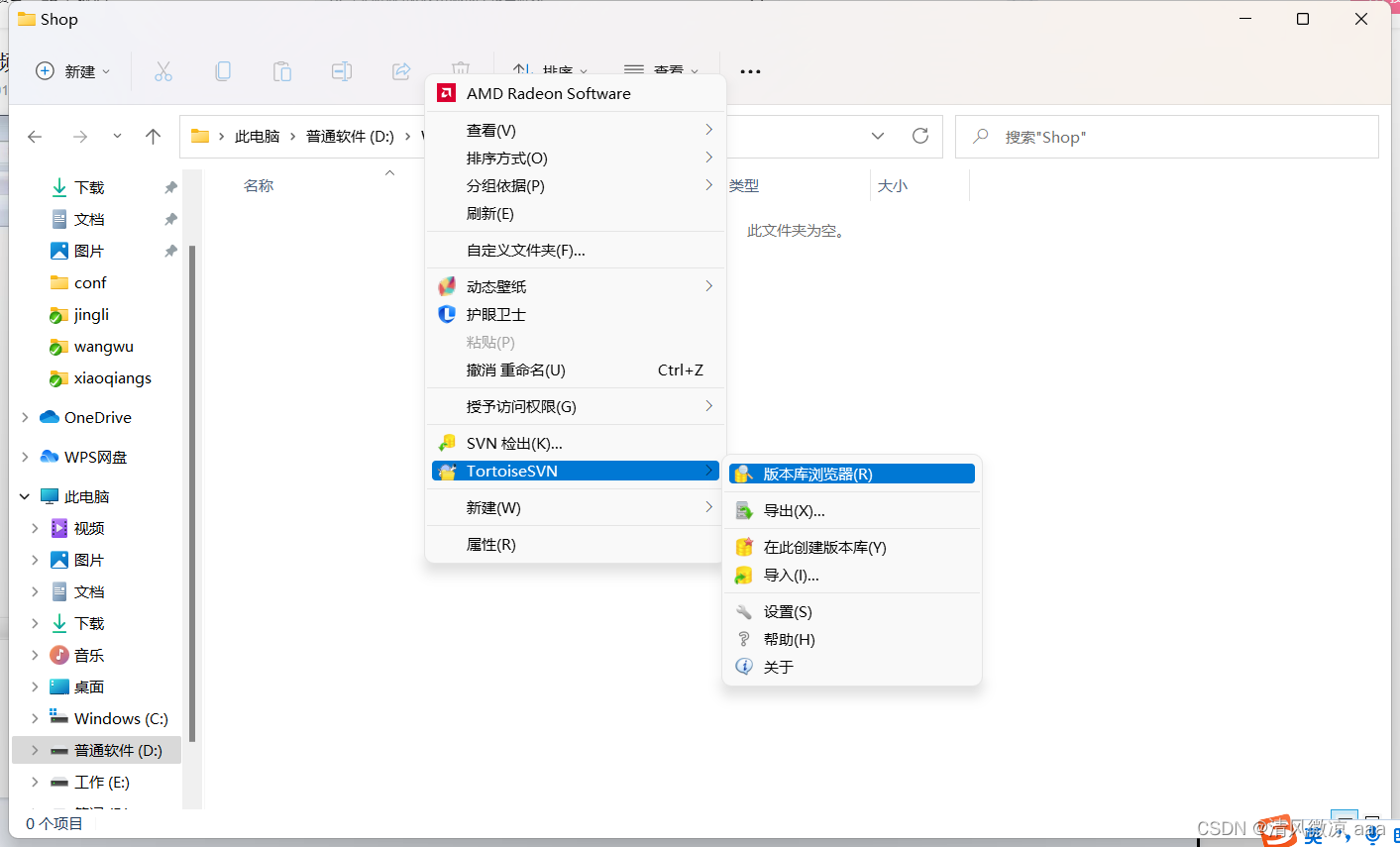


At this time, the data has just been updated to the local :

4. Create a new directory xiaoming, stay xiaoming Check out from the directory :

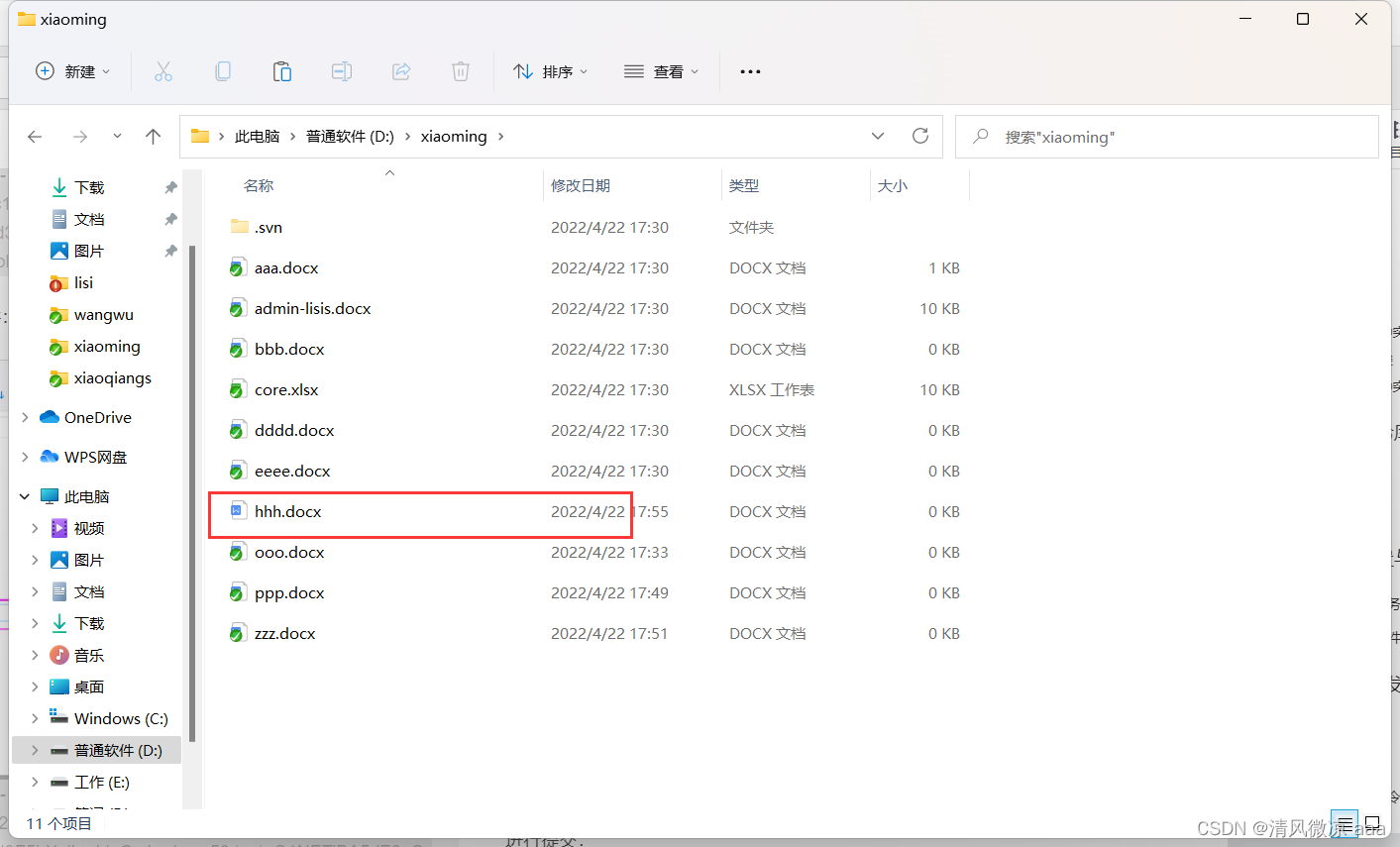
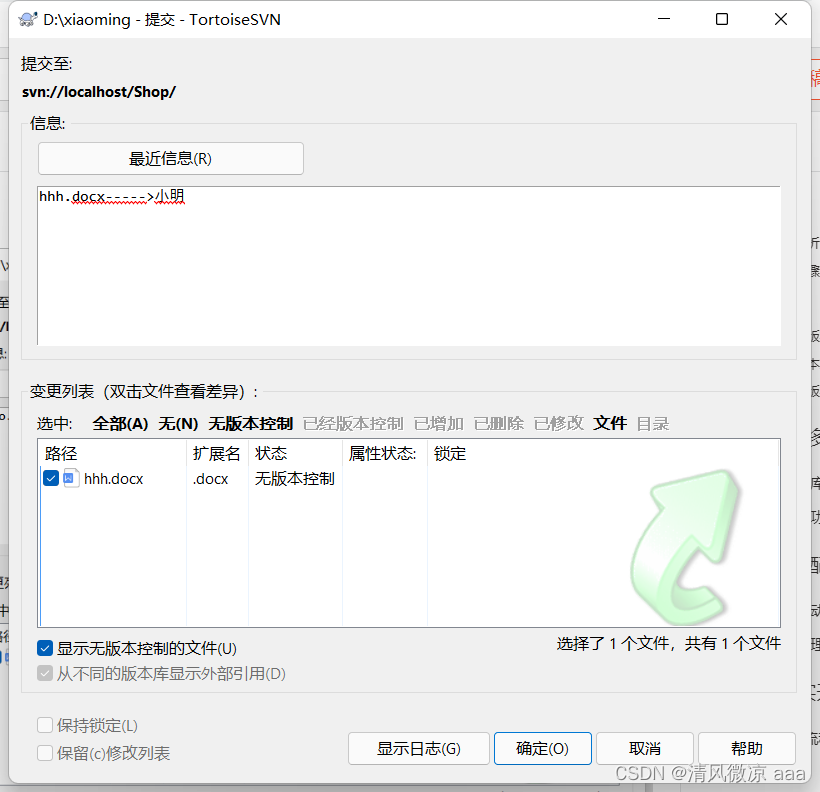
5. stay xiaoming Write test files in the directory :hhh.docx file
Submit :hhh.docx file

6. effect : stay Shop The directory can get the latest data in real time

7. The update file can be accessed directly in the form of virtual host , because Shop It's a simulation , No Web The server , So I can't visit .

7、SVN add-in
explain : In the actual development, all program operations are in SVN Completed in the server , and SVN The server is running in a real server, and its price is relatively expensive , As an individual developer, if you don't have a real server to manage , So how to simulate svn And by updating data to web What about the server ???
7.1、BAE Cloud engine
7.1.1、 Introduce
Baidu application engine (Baidu App Engine, abbreviation BAE) It is a network application development platform developed by Baidu . be based on BAE framework , So that developers do not need to maintain any servers , Simply upload the application , You can provide services for users .
Developers can build on BAE Platform operation PHP/Java/Node.js/Python And other applications , Development 、 compile 、 Release 、 debugging .
7.1.2、 Use
BAE Address :https://cloud.baidu.com/
Operation steps :https://www.bilibili.com/video/BV13s411h7QM?p=12&spm_id_from=pageDriver
版权声明
本文为[Cool breeze AAA]所创,转载请带上原文链接,感谢
https://yzsam.com/2022/04/202204231056472654.html
边栏推荐
猜你喜欢

Typora operation skill description (I) md

使用 PHP PDO ODBC 示例的 Microsoft Access 数据库

CUMCM 2021-B:乙醇偶合制備C4烯烴(2)

MySQL Router重装后重新连接集群进行引导出现的——此主机中之前已配置过的问题

Charles 功能介绍和使用教程

How to quickly download vscode

Source insight 4.0 FAQs

解决方案架构师的小锦囊 - 架构图的 5 种类型

Visualization Road (10) detailed explanation of segmentation canvas function

A diary of dishes | 238 Product of arrays other than itself
随机推荐
Wonderful review | deepnova x iceberg meetup online "building a real-time data Lake based on iceberg"
Swagger2 接口如何导入Postman
Special members and magic methods
C语言之结构体(进阶篇)
Mba-day6 logic - hypothetical reasoning exercises
期货开户哪个公司好?安全靠谱的期货公司谁能推荐几家?
Pycharm
Latex usage
SVN的使用:
面向全球市场,PlatoFarm今日登录HUOBI等全球四大平台
【leetcode】102. Sequence traversal of binary tree
JDBC – PreparedStatement – 如何设置 Null 值?
Image processing - Noise notes
Alarm scene recognition
语雀文档编辑器将开源:始于但不止于Markdown
Esp32 learning - use and configuration of GPIO
App. In wechat applet JS files, components, APIs
Precautions for latex formula
STM32接电机驱动,杜邦线供电,然后反烧问题
Full stack cross compilation x86 completion process experience sharing