当前位置:网站首页>Case display of document management system
Case display of document management system
2022-04-21 21:26:00 【QQ2524837118】
8.1 Foundation setup
8.1.1、 Subject word management
I'm writing a draft 、 Document review 、 In the process of red stamping, click the subject word input box of the document sheet to pop up the party
Click to insert the list of subject words .
You can delete subject words in batch
When sending a document, you can also directly fill in the words that are not in the Thesaurus .

8.1.2、 Document type settings
newly build 、 Delete 、 Empty 、 Edit document type .


The default document number is preceded by the suffix When sending a draft document and creating a new document, it can be numbered automatically according to the suffix before the document number .
A caption It is convenient to record information such as the purpose of the type .
Permission to use Controls which departments can use this type .
Bind red head template To use the red template in the text of official documents, you can use it in system management —— Public affairs settings —— Template Management -- Add... In the red template of the document . Binding to each type is not supported .
Making of red template Note that when making the red template, you should add a bookmark at the end , Otherwise, the original text will be overwritten .
You can choose whether to force seal in the official document 、 Whether to convert to format file .
If there is a certain type of official document, it cannot be deleted , Emptying can forcibly delete all official documents of this type .
8.1.3、 Document sending permission setting
Someone who has permission to set , Before the Department can review the draft , The leader approves and seals with red .

8.1.4、 Incoming permission settings
People with this permission , It can be found in file query and all official documents can be deleted .

8.1.5、 Security level permission setting
Set whether the official document can be read according to the secret level of the official document .

8.2 Dispatch management
8.2.1、 To draft
Select the set document type -> Fill in the title of the post -> New official document .

spot “ edit ” Link to the draft editing interface , Enter the document form and text .
The default document list has The issue number 、 Secret class 、 The title of the article 、 Theme words 、 Sponsor unit 、 Degree of urgency 、 Main delivery 、 CC and other common items .
After entering, click Save to save the document .
|
spot “ The attachment ” You can upload public attachments and set download 、 Print permissions
|
Switch to the body tab , After entering the text, click Save to save the text of the official document , The text editing page provides inserting pictures 、 History version download 、 Page setup 、 Print 、 Operation log viewing and other functions .
|
Click on “ Transferred draft ”, Reviewers can fill in one or more . It can meet the requirements of multi person review and multi person countersignature .
The reviewers here are those with permissions set in the document sending permission management .

After the point is confirmed , The system will automatically send a reminder to the first reviewer . When the reviewer logs in OA You will receive a reminder message .

The status of sent documents can be viewed in the draft history .
Click on “ remind / Urging ” The button can also send business reminders to the people in the draft again .
8.2.2、 Document review
Reviewer click “ Review ”, You can modify and check the document form and text . The text editing page provides inserting pictures 、 History version download 、 Page setup 、 Print 、 Operation log viewing and other functions .

Department reviewers can comment .

After reviewing the draft, click the finish button .
If the drafter selects multiple reviewers, follow “ Draft to review ” The order of choice goes on , After the circulation is completed, the official document enters “ Leading audit ”. If one person doesn't check the manuscript , Then the official document cannot enter “ Leading audit ” link .

8.2.3、 Leading audit
Leaders click “ to examine ” Enter the document issuance review stage . You can write comments .


If more than one person is selected to conduct the leader review when the department reviews and transmits the draft , Then the document will be automatically reviewed in the order of selecting the person , The last reviewer will forward it to the next step “ Put a red seal ”.

8.2.4、 Put a red seal
The system administrator needs to be in the system management —— Role and permission settings add that the specified role has the permission of the menu .
Users with red seal can modify and check the document list and text , In addition to providing inserted pictures in the text editing page 、 History version download 、 Page setup 、 Print 、 In addition to the functions of operation log viewing, it also supports the import of red template in the text , The format file can be generated and stamped on the format file label .


When stamping, click the stamp button and click the position you want to stamp on the generated plate file to pop up the window of selecting local seal . Click save... After stamping , complete . The official document will enter the document list .
8.2.5、 Posting list
This is the sending process , The drafter enters the posting list .

spot “ send out ” You can specify that the next step is : Send it to leaders for approval or directly distribute it for circulation .

The sent official documents can be archived and the received documents can be checked .
|

, It can display the circulation of the document , If you haven't read it, you can send a transaction reminder to the circulation personnel


, The document will be automatically archived into the file of file management .

8.3 Incoming document management
8.3.1、 Leaders review
If it is : Send it to the leader for approval , Review in order of selection , After the review is completed, you can directly select the circulation personnel , But it must be reviewed by the last leader , And hand it over to the circulation personnel , These circulation personnel can see and circulate this posting .


8.3.2、 Read the received text
After the leader's review , Select the person to circulate , You can read the incoming text here .

spot “ read ” You can see the text of the document , You can also see the leader's comments , Give personal feedback , And you can download attachments .

8.3.3、 Incoming inquiry
The drafter can query the document and check the receipt of the document , It can also be deleted .
The circulation personnel can only query and cannot view the incoming documents , You can't delete .
版权声明
本文为[QQ2524837118]所创,转载请带上原文链接,感谢
https://yzsam.com/2022/04/202204212051331138.html
边栏推荐
- flutter插件第三方库,给Android程序员的一些面试建议
- Han Pi's semantic segmentation and remaking 6 -- pytoch builds its own UNET semantic segmentation platform
- 其它——Redis与Mysql双写一致性方案解析
- Fundamentals of reinforcement learning (I): multi armed bandit
- Dynamically connecting data sources and transaction rollback
- 25. < tag array and simulation > - LT - 31 Next permutation + LT - 556 Next larger element III
- Construction of cloud computing platform based on openstack
- AI + great health is the right way to open the super robot?
- 10.2 concentration
- CTF Crypto中涉及的AES题目
猜你喜欢

公文管理系统案例展示

JVM 从入门到放弃之 ZGC 垃圾收集器精讲
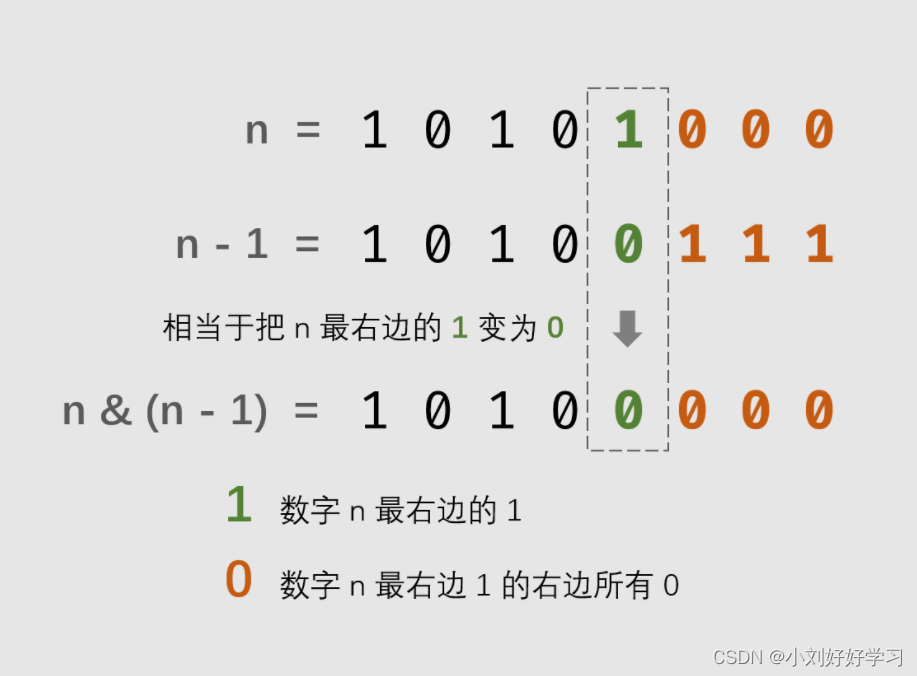
Sword finger offer 15 Number of 1 in binary

10 minute quick start RDS

Reflex WMS study experience shelf principle

其它——Redis與Mysql雙寫一致性方案解析

(亲测有效)Oracle在linux下命令行无法使用退格键退格,无法使用上下键切换历史命令的解决办法,会出现乱码
(valid for personal test) Oracle can't use backspace key to backspace the command line under Linux, and can't use up and down keys to switch the historical command. There will be garbled code
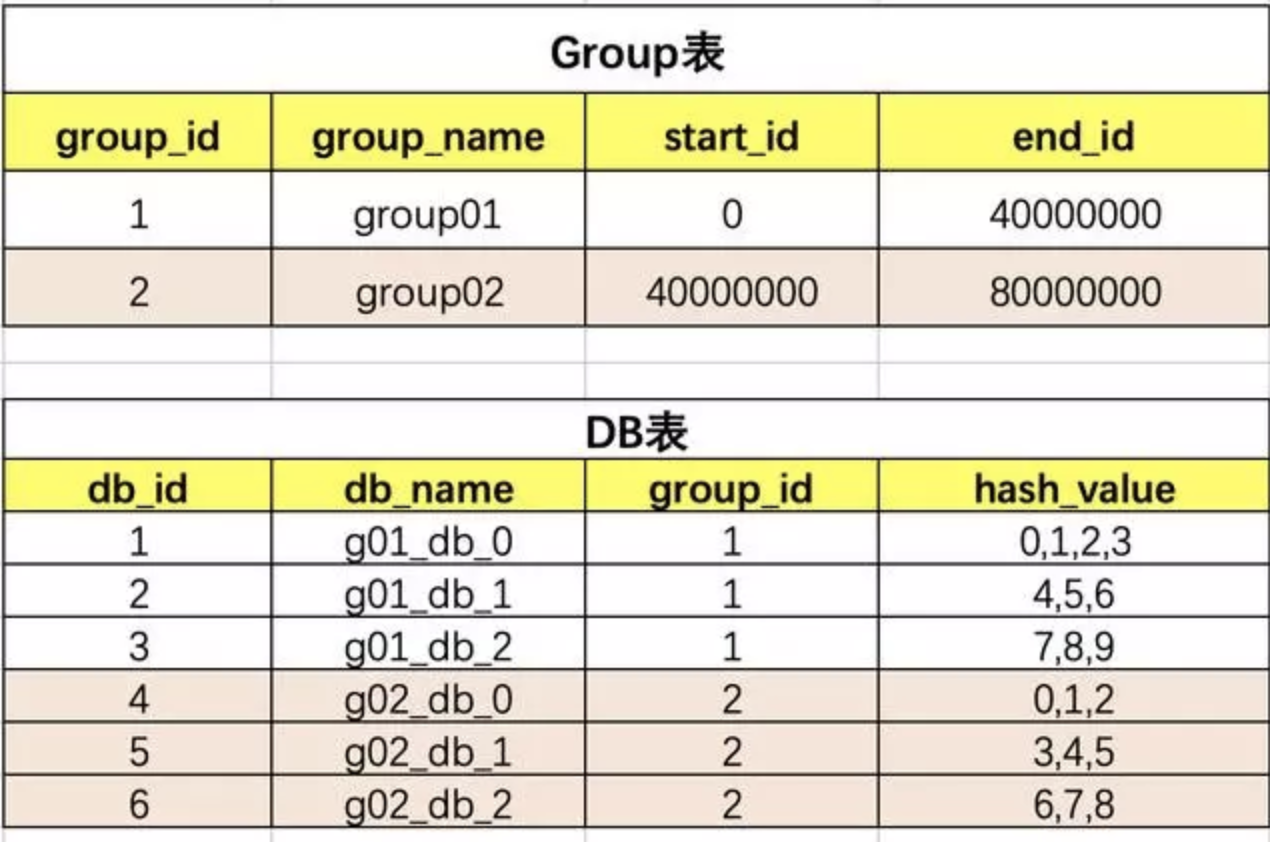
其它——分库分表之终极设计方案
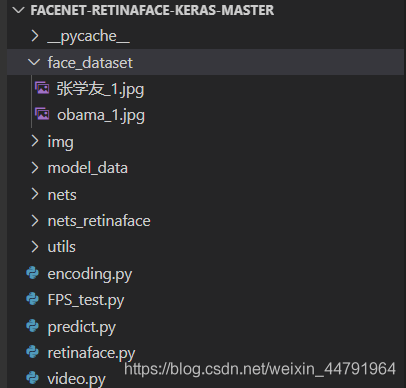
聪明的人脸识别2——Keras 利用Retinaface+Facenet搭建人脸识别平台
随机推荐
安洵杯2021_Crypto_复现
32位电脑和64位电脑
剑指 Offer 15. 二进制中1的个数
(valid for personal test) Oracle can't use backspace key to backspace the command line under Linux, and can't use up and down keys to switch the historical command. There will be garbled code
【sql】SQL22 统计各个部门的工资记录数
Module-3: Outsourcing student management system architecture design document
Other - use of Supervisor
Detailed explanation of kubernetes (V) -- core object of kubernetes
解决国内手机无法注册Google gmail账户问题
Han Pi's semantic segmentation and remaking 6 -- pytoch builds its own UNET semantic segmentation platform
其它——Redis与Mysql双写一致性方案解析
[报错]Content-Length vs downloaded bytes
Bailian3722 factor problem [enumeration]
Shell编程学习(四)read读取、函数、文件归档、定时任务
Flutter plug-in third-party library, some interview suggestions for Android programmers
Bailian4004 数字组合【递归+DP】
JMeter (XVI) - from introduction to mastery - JMeter preprocessor (detailed tutorial)
Module 3 operation architecture design document
[spark] (task5) fundamentals of sparkml (classification | clustering model)
Pretreatment problem