当前位置:网站首页>SQL command distinct
SQL command distinct
2022-04-22 18:54:00 【User 7741497】
Specifies that only different values are returned SELECT Clause .
The outline
SELECT [DISTINCT [BY (item {,item2})] ]  |  [ALL]
  select-item {,select-item2}
Parameters
-
DISTINCT- Optional - Returns the unique row of the combined selection value . -
DISTINCT BY (item {,item2})- Optional - Back to press ( term ) The option value of the row with unique value . -
ALL- Optional - Returns all rows in the result set . default setting .
describe
Optional DISTINCT Clause appears in SELECT After keyword 、 Optional TOP Clause and the first SELECT-ITEM Before .
DISTINCT Clause applies to SELECT The result set of the statement . It will each be different ( only ) The number of rows returned by the value is limited to one arbitrary row . If not specified DISTINCT Clause , By default, all rows that meet the selection criteria will be displayed .ALL Clause and do not specify DEFAULT The clauses are the same ; If specified ALL,SELECT All rows in the table that meet the selection criteria will be returned .
DISTINCT Clauses have two forms :
-
SELECT DISTINCT: Returns a row for each unique combination of option values . You can specify one or more options . for example , The following query returns a row , It includesHome_StateandAgeFor each unique combination of valuesHome_StateandAgevalue :
SELECT DISTINCT Home_State,Age FROM Sample.Person-
SELECT DISTINCT BY(Item): Returns a row for each unique combination of item values . You can specify a single item or a comma separated list of items . The specified item or list of items must be enclosed in parentheses . Can be in by Specify or omit spaces between keywords and parentheses . The selection list can ( But not necessarily ) Include specified items . for example , The following query returns a row , It includesHome_StateandAgeFor each unique combination of valuesNameandAgevalue :
SELECT DISTINCT BY (Home_State,Age) Name,Age FROM Sample.Person The item field must be specified by column name . Valid values include the following : Name (DISTINCT BY(City));%ID( Go back to all lines ); Scalar function that specifies the column name (DISTINCT BY(ROUND(Age,-1); Specifies the sort function for the column name (DISTINCT BY(%Exact(City). You cannot specify fields by column alias ; Trying to do this will generate SQLCODE-29 error . Field cannot be specified by column number ; This will be interpreted as text , And return a line . Specify the text as DISTINCT The item value in the clause will return 1 That's ok ; Which line to return is uncertain . therefore , Appoint 7、‘Chicago’、‘’、0 or NULL All back to 1 That's ok . however , If you specify text as an item value in a comma separated list , The text will be ignored , also DISTINCT A row will be selected for each unique combination of the specified field names .
DISTINCT Clause in TOP Apply before clause . If both are specified , be SELECT Only return rows with unique values , The value is unique in TOP The number of unique value rows specified in the clause .
If DISTINCT The column specified in clause contains NULL( Does not include value ) That's ok , be DISTINCT Return a line as DISTINCT( only ) It's worth it NULL, This is shown in the following example :
SELECT DISTINCT FavoriteColors FROM Sample.PersonSELECT DISTINCT BY (FavoriteColors) Name,FavoriteColors FROM Sample.Person
ORDER BY FavoriteColorsDISTINCT Clause in embedded SQL There is no point in a simple query , Because in this type of embedded SQL in ,SELECT Always return only one row of data . however , The embedded SQL Cursor based queries can return multiple rows of data ; In cursor based queries ,DISTINCT Clause returns only rows with unique values .
DISTINCT and ORDER BY
DISTINCT Clause in ORDER BY Apply before clause . therefore ,DISTINCT and ORDER BY The combination of will first choose to meet DISTINCT Any line of the clause , And then according to ORDER BY Clause to sort these rows .
DISTINCT and GROUP BY
DISTINCT and GROUP BY These two records are displayed in the specified fields ( Or multiple fields ) grouping , And return a record for each unique value of the field . An important difference between them is DISTINCT Calculate aggregate function before grouping .GROUP BY Calculate the aggregate function after grouping . The following example shows this difference :
SELECT DISTINCT BY (ROUND(Age,-1)) Age,AVG(Age) AS AvgAge FROM Sample.Person
 /* Avg(Age) Returns the average of all ages in the table  */
SELECT Age,AVG(Age) AS AvgAge FROM Sample.Person GROUP BY ROUND(Age,-1)
/* Avg(Age) Returns the average age of each age group */DISTINCT Clause can be specified with one or more aggregate function fields , Although this rarely makes sense , Because the aggregate function returns a single value . therefore , The following example returns a single line :
SELECT DISTINCT BY (AVG(Age)) Name,Age,AVG(Age) FROM Sample.Person Be careful : If the aggregate function is used as the only item or the of the selection item DISTINCT Clause and GROUP BY Clauses are used together , be DISTINCT Clause will be ignored . You can use subqueries to implement DISTINCT、 Aggregate functions and GROUP BY Expected combination of .
The case of letters is the same as DISTINCT Optimize
Based on the collation type defined for the field , Group string values differently . By default , The string data type field uses SQLUPPER Collation definition , The collation is not case sensitive .
If the field / The property collation type is SQLUPPER, The grouped field values will all be returned in uppercase letters . To group values according to the case of the original letters , Or display the return value of the grouped field in the original letter case , Please use %Exact Collation function . The following example shows this , These examples assume Home_City The field is a sort rule type SQLUPPER Defined , And contains the value ‘New York’ and ‘New York’:
SELECT DISTINCT BY (Home_City) Name,Home_City FROM Sample.Person
/*  take Home_City Values are grouped by their uppercase values to return the name of each grouped city in uppercase letters . therefore , return ‘new york’.                          */
SELECT DISTINCT BY (Home_City) Name,%EXACT(Home_City) FROM Sample.Person
/* take Home_City Values grouped by their uppercase values will return the name of each grouped city ( Original letter case ). therefore , Can return ‘New York’ or ‘new York’, But you can't return both at the same time . */SELECT DISTINCT BY (%EXACT(Home_City)) Name,Home_City FROM Sample.Person
/* take Home_City Values are combined according to their original letter case to return the name of each grouped city ( Original letter case ).
therefore ,‘New York’ and ‘new York’ Will return to .
Optimization is not used . */ You can use the management portal to optimize the content DISTINCT Query performance of clause query . Select system management 、 To configure 、SQL And object settings 、SQL. View and edit GROUP BY and DISTINCT The query must generate the original value option .( This optimization also applies to GROUP BY Clause .). The default value is “ no ”.
This default setting groups letter values according to the uppercase collation of letter values . This optimization utilizes the index of the selected field . therefore , Only meaningful if one or more selected fields have indexes . It sorts the field values stored in the index ; An alphabetic string returns... In all uppercase letters . You can set this system wide option , And then use %exact The collation function overrides it for a specific query to preserve the case of letters .
You can also use $SYSTEM.SQL.Util.SetOption() Method to quickly distinguish options and set this option on a system wide basis . To determine the current settings , Please call $SYSTEM.SQL.CurrentSettings(), It shows the different optimization settings that are turned on ; The default value is 1.
DISTINCT Other USES
- Stream fields :
DISTINCTOf the convection fieldOIDTo operate , Instead of operating on its actual data . Because all flow fieldsOIDThey're all unique values , thereforeDISTINCTIt has no effect on the duplicate data value of the actual flow field .DISTINCT BY(StreamField)Reduce the number of records with empty flow field to one empty record . - Star Syntax :
DISTINCT*Grammar is legal , But it doesn't make sense , Because by definition , All rows contain some different unique identifiers . differ (*) The syntax of is illegal . - Subquery : Use... In subqueries
DISTINCTThe clause is legal , But it doesn't make sense , Because the subquery returns a single value . - No row data selected :
DISTINCTClause can be associated with a that does not access any table dataSELECTUse it together . IfSELECTcontainFROMClause , Specify... In one lineDISTINCTThe result will contain these non tabular values ; If not specifiedDISTINCT( orTOP), beSELECTWill produce andFROMThe number of rows in the clause table is the same . IfSELECTIt doesn't containFROMClause , beDISTINCTIt's legal. , But it doesn't make sense . - Aggregate functions : You can use... In aggregate functions
DISTINCTClause , To select only the different elements to include in the aggregation ( only ) field value . AndSELECT DISTINCTDifferent clauses , In aggregate functionDISTINCTbarringNULLAsDISTINCT( only ) value . Please note that ,MAXandMINAggregate function analysisDISTINCTThere are no errors in Clause Syntax , But this syntax does nothing .
DISTINCT and %ROWID
Appoint DISTINCT Keywords can lead to cursor based embedded SQL Query does not set %ROWID Variable . Even if DISTINCT There is no limit to the number of rows returned , Also do not set %ROWID. The following example shows this :
ClassMethod Distinct()
{
    s %ROWID = 999
    &sql(
        DECLARE EmpCursor3 CURSOR FOR
            SELECT DISTINCT Name, Home_State
            INTO :name,:state FROM Sample.Person
            WHERE Home_State %STARTSWITH 'M'
    )
    &sql(
        OPEN EmpCursor3
    )
    q:(SQLCODE '= 0)
    for {
        &sql(
            FETCH EmpCursor3
        )
        q:SQLCODE
        w !,"RowID: ",%ROWID," row count: ",%ROWCOUNT
        w " Name=",name," State=",state
    }
    &sql(
        CLOSE EmpCursor3
    )
}
This change in query behavior applies only to cursor based embedded systems SQL SELECT Inquire about . dynamic SQL SELECT Queries and non cursor embedded systems SQL SELECT Query never set %ROWID.
DISTINCT And transaction processing
Appoint DISTINCT Keyword will cause the query to retrieve all current data , Include data that has not yet been committed by the current transaction . Ignore the of the transaction READ COMMITTED Isolation mode parameters ( If you set ); stay READ UNCOMMITTED Retrieve all data in mode .
版权声明
本文为[User 7741497]所创,转载请带上原文链接,感谢
https://yzsam.com/2022/04/202204221848347123.html
边栏推荐
- IM即时通讯开发如何设计能支撑百万并发的数据库
- C#与 Halcon 联合编程
- 【Proteus仿真】51单片机制作简易计算器+ LCD1602显示
- [spark] (task6) spark RDD completes the statistical logic
- Stream demo
- yes. Net future
- Question bank and answers for the retraining of excavator drivers (special types of construction work) in 2022
- Pycharm 配置 Conda,国内使用正确的镜像源地址
- 【TCP】TCP 三次握手与四次挥手
- fastjson的JSONObject数据保证顺序
猜你喜欢

Model Inspector — 软件模型静态规范检查工具
![[self redemption -- top 101 4-day question brushing plan of niuke.com] warm up exercise on the first day](/img/31/8120f310af28e4cf49f67616748b7a.png)
[self redemption -- top 101 4-day question brushing plan of niuke.com] warm up exercise on the first day
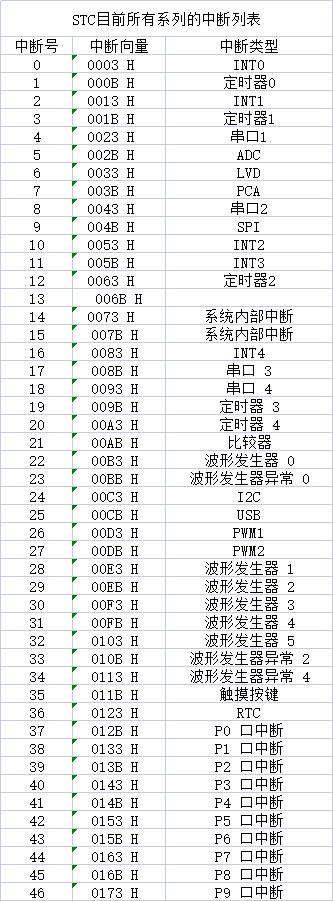
STC目前所有系列的中断列表

MySQL数据库中的索引(含SQL语句)
RHCE-ansible

比SQL还好用,又一门国产数据库语言诞生了

【Proteus仿真】51单片机8路舵机点动±90°点动控制

The Sandbox 与 Slipknot 以及 Knotfest 达成合作关系,共同打造 KNOTVERSE

The Sandbox 与 Apex Athletes 达成合作关系
Model Inspector - software model static specification inspection tool
随机推荐
Question bank and answers for the retraining of excavator drivers (special types of construction work) in 2022
Simulation experiment of Arduino uno steering gear
SQL命令 DISTINCT
JSP learning (VIII. JDBC and file upload processing project)
What does %[^\n] mean in C?
【TCP】TCP 三次握手与四次挥手
2020-12-15 rocksdb研究
【Spark】(task6)Spark RDD完成统计逻辑
数据分析师职业规划——数据分析师的职业焦虑与未来发展
fastjson的JSONObject数据保证顺序
Proteus 8.9SP2仿真软件
图片转base64
Kellerman Software .NET SFTP Library
一份数据满足所有数据场景?腾讯云数据湖解决方案及DLC内核技术介绍
【CIcadplayer】进度条回调
Career planning of data analysts -- career anxiety and future development of data analysts
剪切的文件在哪里?文件剪切丢失如何恢复?仅需3步
MySQL数据库中的索引(含SQL语句)
Storage network request log
JSP learning (IX. filter, wildcard and cookie processing)