当前位置:网站首页>Exchange VLAN experiment
Exchange VLAN experiment
2022-08-09 03:04:00 【turkey sauce】
实验题目:
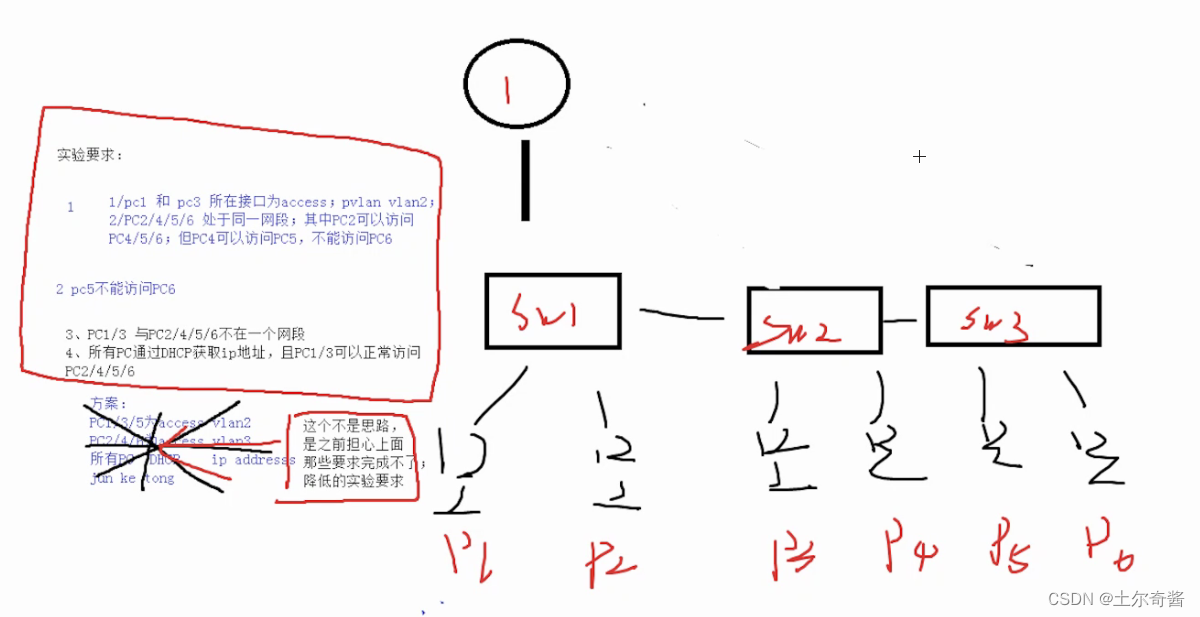
Analyzing experiments requires creating a topology and planningVLAN区域:
实验拓扑图如下:

Configure the switch first,Then configure it on the router,最后完成pc上的IPacquisition and experimental verification
实验过程
sw1:
[Huawei]sysname sw1
[sw1]vlan batch 2 to 5 //创建vlanConfigure switch connectionspc之间的接口
[sw1-Ethernet0/0/1]port link-type access
[sw1-Ethernet0/0/1]port default vlan 2
[sw1-Ethernet0/0/2]port hybrid pvid vlan 3
[sw1-Ethernet0/0/2]port hybrid untagged vlan 3 to 5
[sw1-Ethernet0/0/2]qConfigure the interfaces connected between switches
[sw1]int g0/0/2
[sw1-GigabitEthernet0/0/2]port link-type trunk
[sw1-GigabitEthernet0/0/2]port trunk allow-pass vlan 2 to 5
[sw1-GigabitEthernet0/0/2]int g0/0/1Configure the interface that the switch connects to the router
[sw1-GigabitEthernet0/0/1]port hybrid tagged vlan 2
[sw1-GigabitEthernet0/0/1]port hybrid untagged
[sw1-GigabitEthernet0/0/1]port hybrid untagged vlan 3 to 5 //Stripping tags in promiscuous mode is allowedvlan3到vlan5流量进入
sw2:
[Huawei]sysname sw2
[sw2]vlan batch 2 to 5 //创建vlanConfigure switch connectionspc之间的接口
[sw2]int e0/0/1
[sw2-Ethernet0/0/1]port link-type access
[sw2-Ethernet0/0/1]port default vlan 2
[sw2-Ethernet0/0/1]in e0/0/2
[sw2-Ethernet0/0/2]port hybrid pvid vlan 4
[sw2-Ethernet0/0/2]port hybrid untagged vlan 3 to 4 //Stripping tags in promiscuous mode is allowedvlan3和vlan4流量进入Configure the interfaces connected between switches
[sw2-Ethernet0/0/2]int g0/0/2
[sw2-GigabitEthernet0/0/2]port link-type trunk
[sw2-GigabitEthernet0/0/2]port trunk allow-pass vlan 2 to 5
[sw2-GigabitEthernet0/0/2]int g0/0/1
[sw2-GigabitEthernet0/0/1]port hybrid tagged vlan 2 to 5
sw3:
[Huawei]sysname sw3
[sw3]vlan batch 2 to 5 //创建vlanConfigure switch connectionspc之间的接口
[sw3]int e0/0/1
[sw3-Ethernet0/0/1]port hybrid pvid vlan 4
[sw3-Ethernet0/0/1]port hybrid untagged vlan 3 to 4
[sw3-Ethernet0/0/1]int e0/0/2
[sw3-Ethernet0/0/2]port hybrid pvid vlan 5
[sw3-Ethernet0/0/2]port hybrid untagged vlan 3 5 //Stripping tags in promiscuous mode is allowedvlan3和vlan5流量进入Configure the interfaces connected between switches
[sw3-Ethernet0/0/2]int g0/0/1
[sw3-GigabitEthernet0/0/1]port link-type trunk
[sw3-GigabitEthernet0/0/1]port trunk allow-pass vlan 2 to 5
Finally, configure and turn on the routerdhcp
[huawei]sysname r1
Create and configure sub-interfacesip和管理vlan,以及开启arp
[r1]int g 0/0/0
[r1-GigabitEthernet0/0/0]ip add 192.168.1.1 24
[r1-GigabitEthernet0/0/0]int g0/0/0.1
[r1-GigabitEthernet0/0/0.1]dot1q termination vid 2
[r1-GigabitEthernet0/0/0.1]ip add 192.168.2.1 24
[r1-GigabitEthernet0/0/0.1]arp broadcast enable
[r1-GigabitEthernet0/0/0.1]q配置物理接口ip,并开启接口dhcpand create ponds
[r1]dhcp enable[r1]ip pool v2
[r1-ip-pool-v2]network 192.168.2.0 mask 24
[r1-ip-pool-v2]gateway-list 192.168.2.1
[r1-ip-pool-v2]dns-list 114.114.114.114 8.8.8.8
[r1-ip-pool-v2]q
[r1]ip pool v3
[r1-ip-pool-v3]network 192.168.1.0 mask 24
[r1-ip-pool-v3]gateway-list 192.168.1.1
[r1-ip-pool-v3]dns-list 114.114.114.114 8.8.8.8在接口上开启dhcp!!!
[r1-ip-pool-v3]int g0/0/0
[r1-GigabitEthernet0/0/0]dhcp select global
[r1-GigabitEthernet0/0/0]int g0/0/0.1
[r1-GigabitEthernet0/0/0.1]dhcp select global
View the pond:

实验验证
pceach successfully obtainedip地址
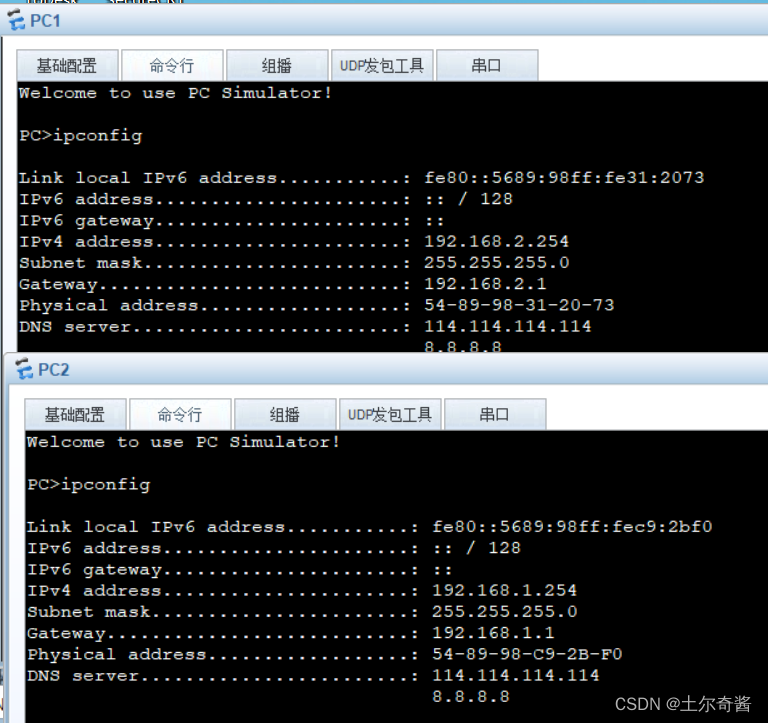

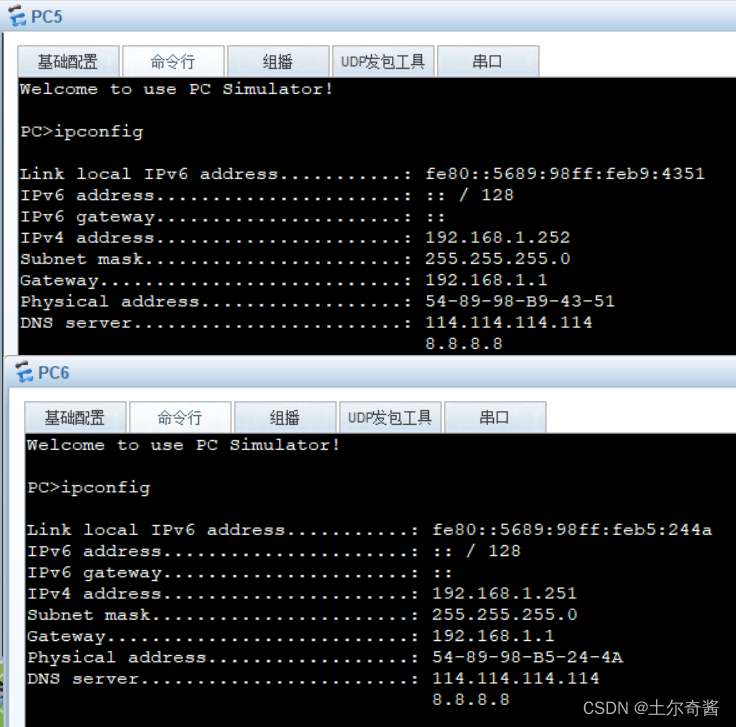
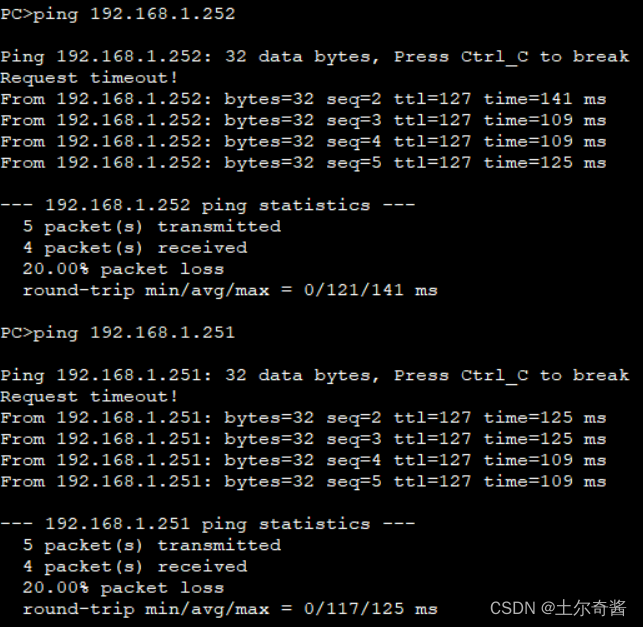
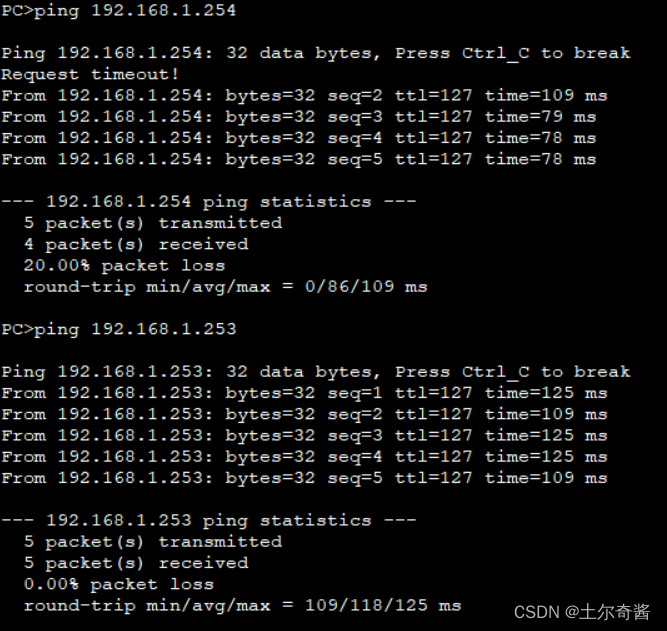
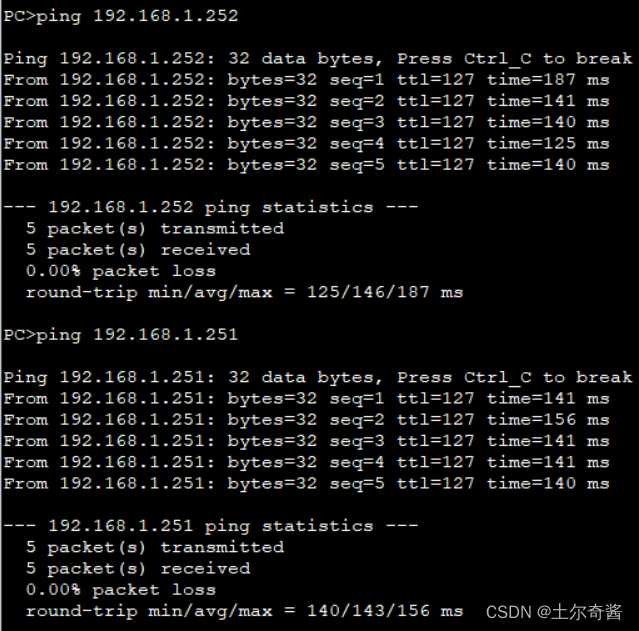
pc1/3 分别ping 通 pc 2/4/5/6
pc1:
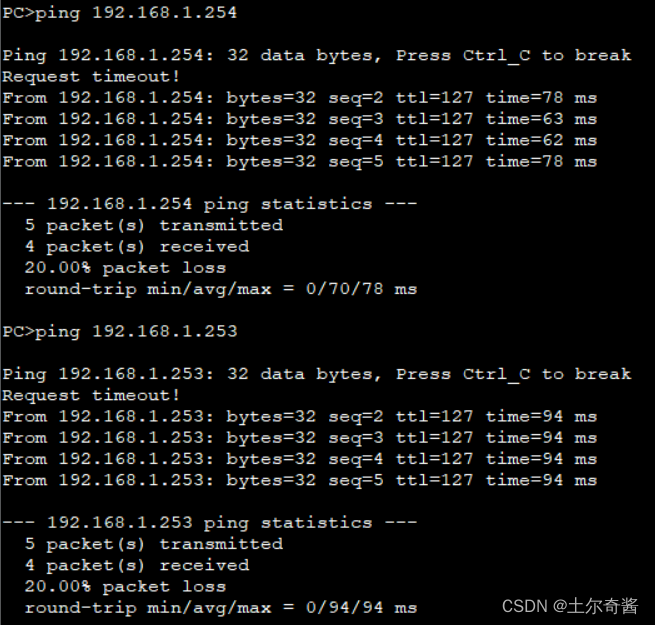
pc2:
实验结束!!!
边栏推荐
猜你喜欢


随机推荐
【图像去噪】基于边缘增强扩散 (cEED) 和 Coherence Enhancing Diffusion (cCED) 滤波器实现图像去噪附matlab代码
【洛谷】P2613 【模板】有理数取余
Chapter3 numpy创建数组
Processing Point Clouds
Building PO layered architecture of automated testing framework from 0
C专家编程 第8章 为什么程序员无法分清万圣节和圣诞节 8.10 轻松一下---国际C语言混乱代码大赛
【面试整理】-- 多线程
三箭资本濒临破产?市场陷入1907年恐慌之中?加密监管不可避免
独立机器连接cdh的spark集群,远程提交任务(绝对可以成功,亲测了n遍)
ERROR:Module not found: Error: Can‘t resolve ‘core-js/modules/es.promise.js‘ in ‘address‘
数组与切片
C专家编程 第10章 再论指针 10.2 指针数组就是Iliffle向量
【问题记录】pip 安装报错 Failed to establish a new connection
科大讯飞笔试题复盘
unshift() :将一个或多个元素添加到数组的开头
深度学习:优化器
《独行月球》:独孤月的两次选择,让一个“中间人”成为大英雄
书签收藏难整理?这款书签工具管理超方便
Zabbix 5.0 监控教程(四)
马斯克被因狗狗币被索赔2580亿美元 操纵价格牟利?狗狗币已下跌92%