当前位置:网站首页>Powerjob workflow
Powerjob workflow
2022-04-22 07:13:00 【Add soldier】
PowerJob workflow
What is workflow ?
Workflow describes Dependencies between tasks , For example, I have A、B、C、D Four tasks , I hope A Start running after the task is finished B、C Mission , Last run D Mission . This forms a dependency relationship , You can use directed acyclic graph (DAG) To describe the relationship , As shown in the figure below .

main interface
Intuitively display all workflow information managed by the current system , And provide corresponding operation and maintenance methods .

New workflow [ Detailed video tutorial ]
PowerJob workflow
Click on the top right button New workflow , You can enter a new workflow , The specific interface and description are as follows .
-
Workflow name : name , No actual business use , Please try to simplify the fields
-
Workflow description : describe , No actual business use , Please try to simplify the fields
-
Timing information : Trigger method of the workflow , Including time expression type selection box and time expression input box
-
- CRON -> Fill in CRON expression ( Generate websites online )
- API -> There is no need to fill in any parameters , Indicates that the task is performed by OpenAPI Trigger
-
Maximum instance : The number of simultaneous executions of this workflow
-
** Task dependencies :** Provide editing interface and visual operation , draw DAG( Directed acyclic graph ), Configure the dependencies of various tasks in the workflow
DAG Operation guide
Edit dependencies
v4.0.0 Free dragging of nodes is supported in the future , No more points , Ha ha ha ~
- Add a node : Click on DAG At the top left of the edit box “ Import task ”, Import the currently existing tasks ( Need to be ahead of time Task management interface Enter the task ), Generate DAG The node of
- Connecting nodes : Click any anchor point of the starting node and hold it , Drag the mouse to connect to any anchor point of another node
- Delete node : Select the node to delete , Press backspace ( Be careful :windows Next, use the backspace key [Backspace],macOS Use the delete key [delete] )
- Delete edge : Select the edge to be deleted , Press backspace ( Be careful :windows Next, use the backspace key [Backspace],macOS Use the delete key [delete] )
Edit node information
Click the node to edit , An edit box will pop up on the right , As shown in the figure below \
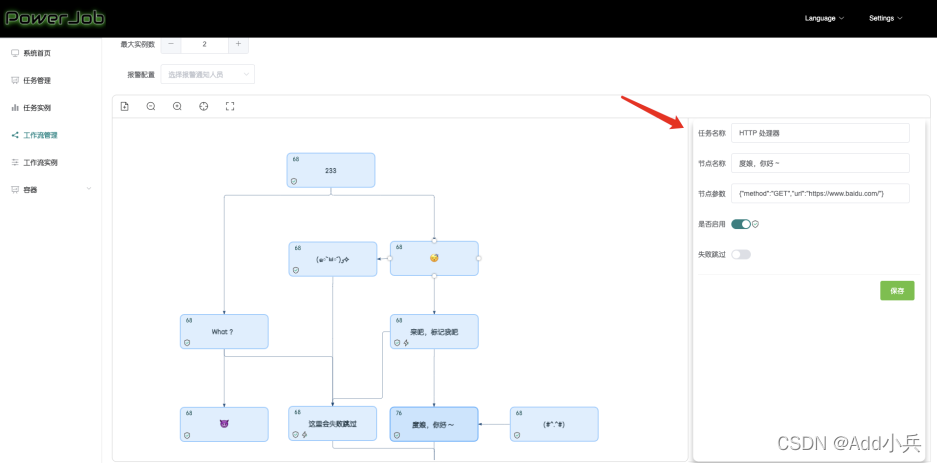
- The name of the task : Current node quote Task name of , Click to edit ( Support fuzzy search by entering the name )
- The name of the node : Name of node , No actual business use , If you can clearly express the business logic behind the node, please try to simplify the fields
- Node parameters : Parameter configuration of node , Use this parameter when the information is not empty Cover The parameter information configured by the task referenced by the current node
- Is it enabled? : Nodes that are not enabled will skip directly
- ** Failed to skip :** When this node fails to execute, it will not interrupt the execution of the whole workflow
Copy workflow
If you need to configure an existing workflow High similarity The workflow of the , It is recommended to use the copy function of workflow for wall crack , Save time and worry ~
Click the copy button ~

Workflow instance
v4.0.0 The version greatly improves the operation and maintenance capability of workflow !
main interface

Workflow instance details

The upper part is the basic information of the workflow instance , The following is an example of DAG Information , Click the node to view the details of the corresponding task instance .
There are three function buttons on the upper right for workflow operation and maintenance
** Refresh :** Retrieve the information of the current workflow instance
retry : Failed to from current workflow instance ( Nodes that fail to skip will be ignored ) The node of continues to execute later
stop it : Try Stop all ongoing tasks in the current workflow instance , And terminate the entire workflow
DAG There is also a relatively hidden function button at the top of the left side of the interface Mark successful , As shown in the figure below

Select the node that failed to execute , After clicking the mark successfully, it will be DAG Set the node status in to success ( The status of the corresponding task instance will not be changed , Therefore, click the node to see the details of the task instance still failed )

Set the node status of to success ( The status of the corresponding task instance will not be changed , Therefore, click the node to see the details of the task instance still failed )
This function is mainly used with the retry function of workflow instances to realize flexible operation and maintenance ( Want to skip a failed node and try again ).
版权声明
本文为[Add soldier]所创,转载请带上原文链接,感谢
https://yzsam.com/2022/04/202204220608310341.html
边栏推荐
- 集成电路模拟版图入门-版图基础学习笔记(一)
- Introduction to IC Analog Layout - learning notes on layout Basics (I)
- Nacos service provider registration
- Minipcie interface can card expands can channel for industrial computer
- Changes in the number of different types of calls in different months in 911 data
- Comparison and improvement of Nacos service registration center
- [review of Blue Bridge Cup] tree of life
- .NET学习笔记(一)----泛型的引入、优势、设计思想、原理、应用
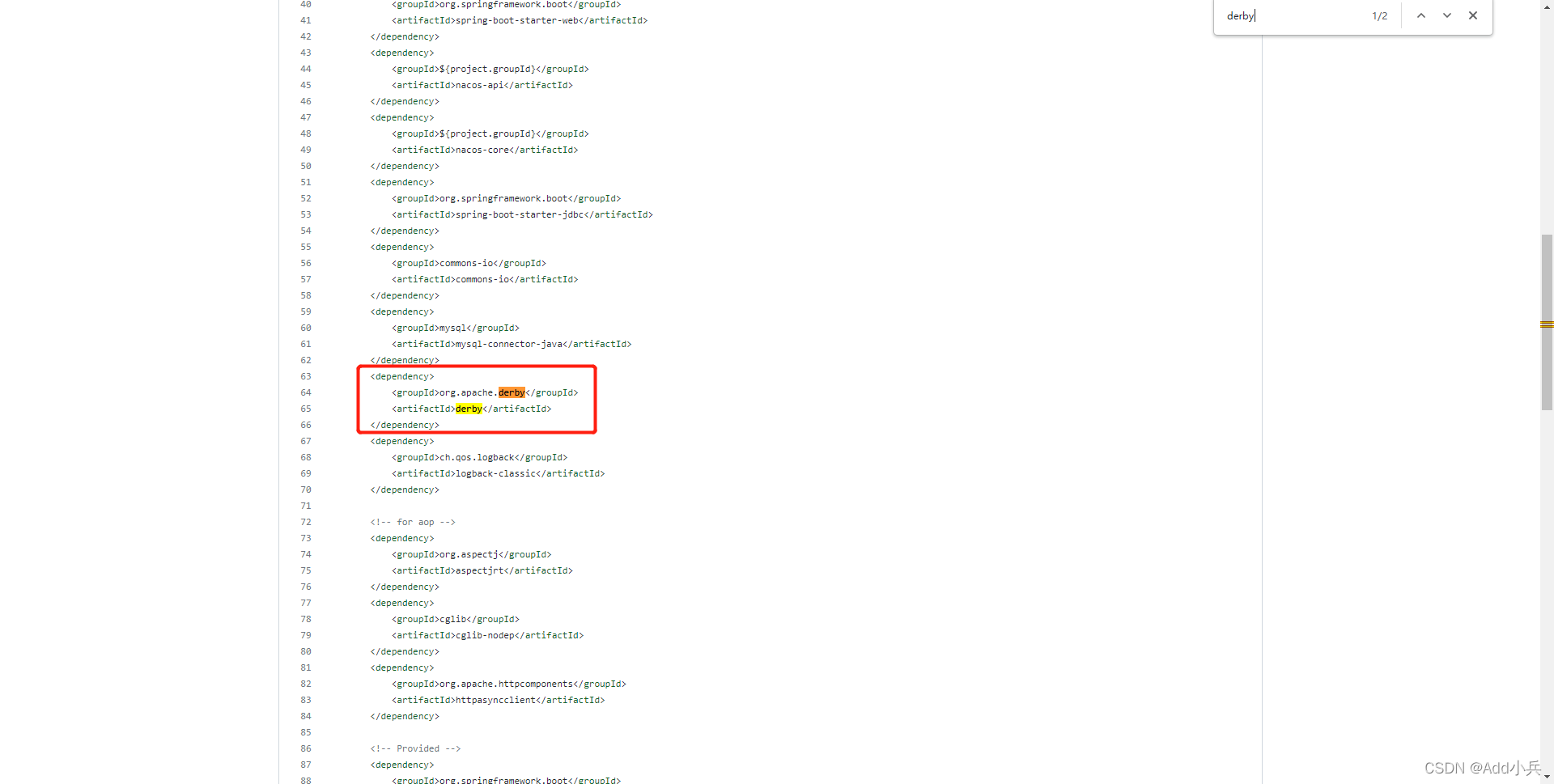
- Nacos persistent switch configuration
- 数字IC设计自学入门难吗?如何快速入门呢?
猜你喜欢
Nacos persistent switch configuration

STM32 learning record 0002-stm32
Application of can optical fiber optical transceiver in photoelectric slip ring

Is digital IC design promising? How about career development and salary?
Matlab: remove audio signal noise

集成电路模拟版图入门-版图基础学习笔记(四)

阿里云部署RSSHub踩坑笔记

Application of usbcan card in CAN bus in EOL test system of power battery pack
MATLAB:去除音频信号噪音
Nacos持久化切换配置
随机推荐
Nacos服务消费者注册和负载均衡
模拟ic设计和数字ic设计的区别,含薪资表
Can transparent recording cloud gateway enables construction machinery
Quantify PM2 in 5 cities 5 changes over time
Chip design how to prepare for the upcoming autumn recruitment and spring recruitment in the coming year?
Fields in uppercase accept the final initial but become lowercase
ASP.NET日常开发随手记------导出Excel
leetcode598:范围求和II
阿里云部署RSSHub踩坑笔记
STM32学习记录0001——学习准备
Matlab GUI zoom - some controls zoom, some controls do not zoom - Design Tutorial
.NET学习笔记----关于.NET Core那些事(3)【配置文件的读取、json文件的通用解析、读取静态文件】
What is the learning route of switching to digital IC Verification? Is there time to start turning now? 985 master's degree, second year of Graduate School of Electronics
Bsgs learning notes
Alibaba cloud's deployment of rsshub stepping on the pit notes
Quantify the relationship between 911 calls and years from 2015 to 2017
Application of usbcan card in CAN bus in EOL test system of power battery pack
SeekBar 自定义 样式 详解
微电子专业是做芯片的吗?芯片和什么专业有关?
What knowledge and skills need to be added to IC design?