当前位置:网站首页>华为VRRP+MSTP联动接口检测实验案例
华为VRRP+MSTP联动接口检测实验案例
2022-08-09 10:44:00 【嘎嘎不是鸭】
一、MSTP(Multiple Spanning Tree Protocol)多生成树协议
1、MSTP把一个交换网络划分成多个域,每个域内形成多棵生成树,生成树之间彼此独立。每棵生成树叫做一个多生成树实例MSTI(Multiple Spanning Tree Instance),每个域叫做一个MST域(MST Region:Multiple Spanning Tree Region)。
2、所谓生成树实例就是多个VLAN的一个集合。通过将多个VLAN捆绑到一个实例,可以节省通信开销和资源占用率。MSTP各个实例拓扑的计算相互独立,在这些实例上可以实现负载均衡。可以把多个相同拓扑结构的VLAN映射到一个实例里,这些VLAN在端口上的转发状态取决于端口在对应MSTP实例的状态。
作用:1、防止二层环路以及链路冗余
2、基于VLAN的负载均衡
二、VRRP(Virtual Router Redundancy Protocol)虚拟网关冗余协议
VRRP广泛应用在边缘网络中,它的设计目标是支持特定情况下IP数据流量失败转移不会引起混乱,允许主机使用单路由器,以及即使在实际第一跳路由器使用失败的情形下仍能够维护路由器间的连通性。
为了防止网关单点故障,致使主机无法通信,利用VRRP协议当主网关故障时可自动切换为备份网关,不影响主机的通信
实验拓扑
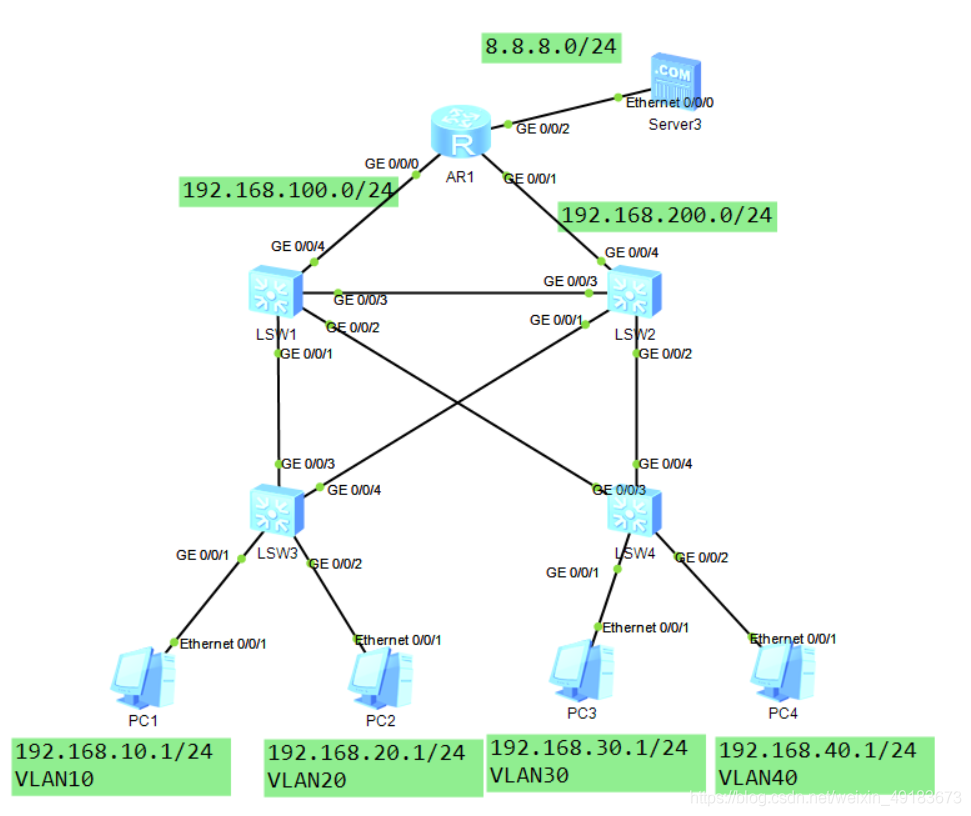
要求:LSW1作为VLAN10和VLAN20的主根桥以及主网关,VLAN30和VLAN40的次根桥以及备份网关
LSW2作为VLAN30和VLAN40的主根桥以及主网关,VLAN10和VLAN20的次根桥以及备份网关
对上行口g0/0/4进行检测,如果接口down掉,主备网关角色对调,避免次优路径
LSW1配置
[LSW1]port-group group-member g0/0/1 to g0/0/3
[LSW1-port-group]port link-type trunk
[LSW1-port-group]port trunk allow-pass vlan al
[LSW1]vlan batch 10 20 30 40 100
[LSW1]int g0/0/4
[LSW1-GigabitEthernet0/0/4]port link-type access
[LSW1-GigabitEthernet0/0/4]port default vlan 100

[LSW1]stp mode mstp
[LSW1-mst-region]region-name abab
[LSW1-mst-region]instance 1 vlan 10 20
[LSW1-mst-region]instance 2 vlan 30 40
[LSW1-mst-region]active region-configuration
[LSW1]stp instance 1 root primary
[LSW1]stp instance 2 root secondary

[LSW1]interface Vlanif 10
[LSW1-Vlanif10]ip address 192.168.10.252 24
[LSW1]interface Vlanif 20
[LSW1-Vlanif20]ip address 192.168.20.252 24
[LSW1]interface Vlanif 30
[LSW1-Vlanif10]ip address 192.168.10.252 24
[LSW1]interface Vlanif 40
[LSW1-Vlanif20]ip address 192.168.20.252 24
[LSW1]int Vlanif 100
[LSW1-Vlanif100]ip address 192.168.100.1 24

[LSW1]ospf 100
[LSW1-ospf-100]area 0
[LSW1-ospf-100-area-0.0.0.0]net 0.0.0.0 255.255.255.255

[LSW1]int vlan 10
[LSW1-Vlanif10]vrrp vrid 1 virtual-ip 192.168.10.254
[LSW1-Vlanif10]vrrp vrid 1 priority 120
[LSW1-Vlanif10]vrrp vrid 1 track interface g0/0/4 reduced 60
[LSW1]int vlan 20
[LSW1-Vlanif20]vrrp vrid 1 virtual-ip 192.168.20.254
[LSW1-Vlanif20]vrrp vrid 1 priority 120
[LSW1-Vlanif20]vrrp vrid 1 track interface g0/0/4 reduced 60
[LSW1]int vlan 30
[LSW1-Vlanif30]vrrp vrid 2 virtual-ip 192.168.30.254
[LSW1]int vlan 40
[LSW1-Vlanif40]vrrp vrid 2 virtual-ip 192.168.40.254
LSW2配置
[LSW2]port-group group-member g0/0/1 to g0/0/3
[LSW2-port-group]port link-type trunk
[LSW2-port-group]port trunk allow-pass vlan all
[LSW2]vlan batch 10 20 30 40 200
[LSW2]int g0/0/4
[LSW2-GigabitEthernet0/0/4]port link-type access
[LSW2-GigabitEthernet0/0/4]port default vlan 100

[LSW2]stp mode mstp
[LSW2]stp region-configuration
[LSW2-mst-region]region-name abab
[LSW2-mst-region]instance 1 vlan 10 20
[LSW2-mst-region]instance 2 vlan 30 40
[LSW2-mst-region]active region-configuration
[LSW2]stp instance 2 root primary
[LSW2]stp instance 1 root secondary

[LSW2]interface Vlanif 10
[LSW2-Vlanif10]ip address 192.168.10.253 24
[LSW2]interface Vlanif 20
[LSW2-Vlanif20]ip address 192.168.20.253 24
[LSW2]interface Vlanif 30
[LSW2-Vlanif10]ip address 192.168.10.253 24
[LSW2]interface Vlanif 40
[LSW2-Vlanif20]ip address 192.168.20.253 24
[LSW2]int Vlanif 200
[LSW2-Vlanif100]ip address 192.168.200.1 24

[LSW2]ospf 100
[LSW2-ospf-100]area 0
[LSW2-ospf-100-area-0.0.0.0]net 0.0.0.0 255.255.255.255

[LSW2]int vlan 10
[LSW2-Vlanif10]vrrp vrid 1 virtual-ip 192.168.10.254
[LSW2]int vlan 20
[LSW2-Vlanif20]vrrp vrid 1 virtual-ip 192.168.20.254
[LSW2]int vlan 30
[LSW2-Vlanif30]vrrp vrid 2 virtual-ip 192.168.30.254
[LSW2-Vlanif30]vrrp vrid 2 priority 120
[LSW2-Vlanif30]vrrp vrid 2 track interface g0/0/4 reduced 60
[LSW2]int vlan 40
[LSW2-Vlanif40]vrrp vrid 2 virtual-ip 192.168.40.254
[LSW2-Vlanif40]vrrp vrid 2 priority 120
[LSW2-Vlanif40]vrrp vrid 2 track interface g0/0/4 reduced 60
LSW3配置
[LSW3]int g0/0/1
[LSW3-GigabitEthernet0/0/1]port link-type access
[LSW3-GigabitEthernet0/0/1]port default vlan 10
[LSW3]int g0/0/2
[LSW3-GigabitEthernet0/0/2]port link-type access
[LSW3-GigabitEthernet0/0/2]port default vlan 20
[LSW3]int g0/0/3
[LSW3-GigabitEthernet0/0/3]port link-type trunk
[LSW3-GigabitEthernet0/0/3]port trunk allow-pass vlan all
[LSW3]int g0/0/4
[LSW3-GigabitEthernet0/0/4]port link-type trunk
[LSW3-GigabitEthernet0/0/4]port trunk allow-pass vlan all
[LSW3]stp mode mstp
[LSW3]stp region-configuration
[LSW3-mst-region]region-name abab
[LSW3-mst-region]instance 1 vlan 10 20
[LSW3-mst-region]instance 2 vlan 30 40
[LSW3-mst-region]active region-configuration
LSW4配置
[LSW4]int g0/0/1
[LSW4-GigabitEthernet0/0/1]port link-type access
[LSW4-GigabitEthernet0/0/1]port default vlan 30
[LSW4]int g0/0/2
[LSW4-GigabitEthernet0/0/2]port link-type access
[LSW4-GigabitEthernet0/0/2]port default vlan 40
[LSW4]int g0/0/3
[LSW4-GigabitEthernet0/0/3]port link-type trunk
[LSW4-GigabitEthernet0/0/3]port trunk allow-pass vlan all
[LSW4]int g0/0/4
[LSW4-GigabitEthernet0/0/4]port link-type trunk
[LSW4-GigabitEthernet0/0/4]port trunk allow-pass vlan all
[LSW4]stp mode mstp
[LSW4]stp region-configuration
[LSW4-mst-region]region-name abab
[LSW4-mst-region]instance 1 vlan 10 20
[LSW4-mst-region]instance 2 vlan 30 40
[LSW4-mst-region]active region-configuration
R1配置
[R1]int g0/0/0
[R1-GigabitEthernet0/0/0]ip add 192.168.100.2 24
[R1]int g0/0/1
[R1-GigabitEthernet0/0/1]ip add 192.168.200.2 24
[R1]int g0/0/2
[R1-GigabitEthernet0/0/2]ip address 8.8.8.254 24
[R1]ospf 100
[R1-ospf-100]area 0
[R1-ospf-100-area-0.0.0.0]net 0.0.0.0 255.255.255.255
验证:
LSW1作为实例1的根桥,LSW2作为实例2的根桥


LSW1作为VLAN10、20的主网关,LSW2作为VLAN30、40的主网关
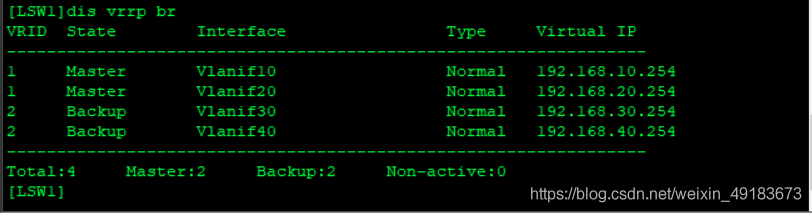

当网络正常时PC1访问服务器

当网络正常时PC3访问服务器

当LSW1上行口down掉后PC1访问服务器

当LSW2上行口down掉后PC3访问服务器

边栏推荐
猜你喜欢
深度学习--自编码器(AutoEncoder)
shell脚本实战(第2版)/人民邮电出版社 脚本2 验证输入:仅限字母和数字
一天半的结果——xmms on E2
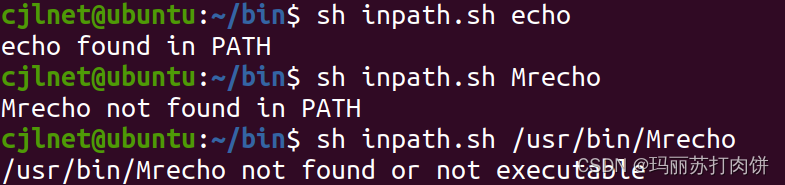
shell脚本实战(第2版)/人民邮电出版社 脚本1 在PATH中查找程序

Since I use the HiFlow scene connector, I don't have to worry about becoming a "dropper" anymore
985毕业,工作3年,分享从阿里辞职到了国企的一路辛酸和经验
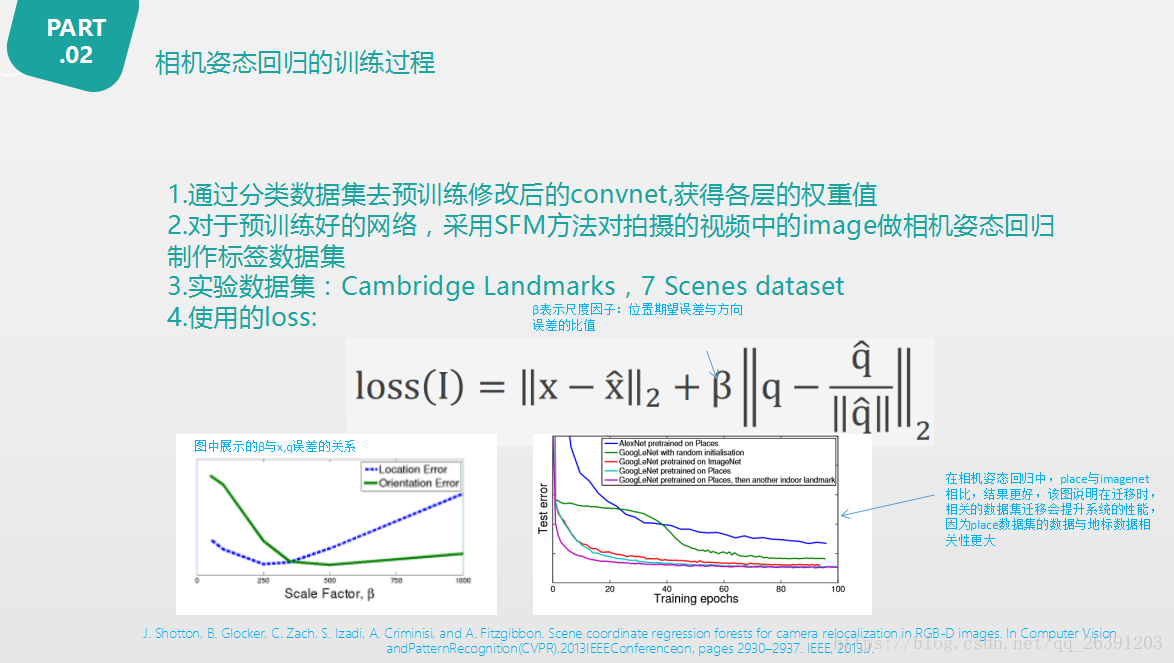
PoseNet: A Convolutional Network for Real-Time 6-DOF Camera Relocalization论文阅读
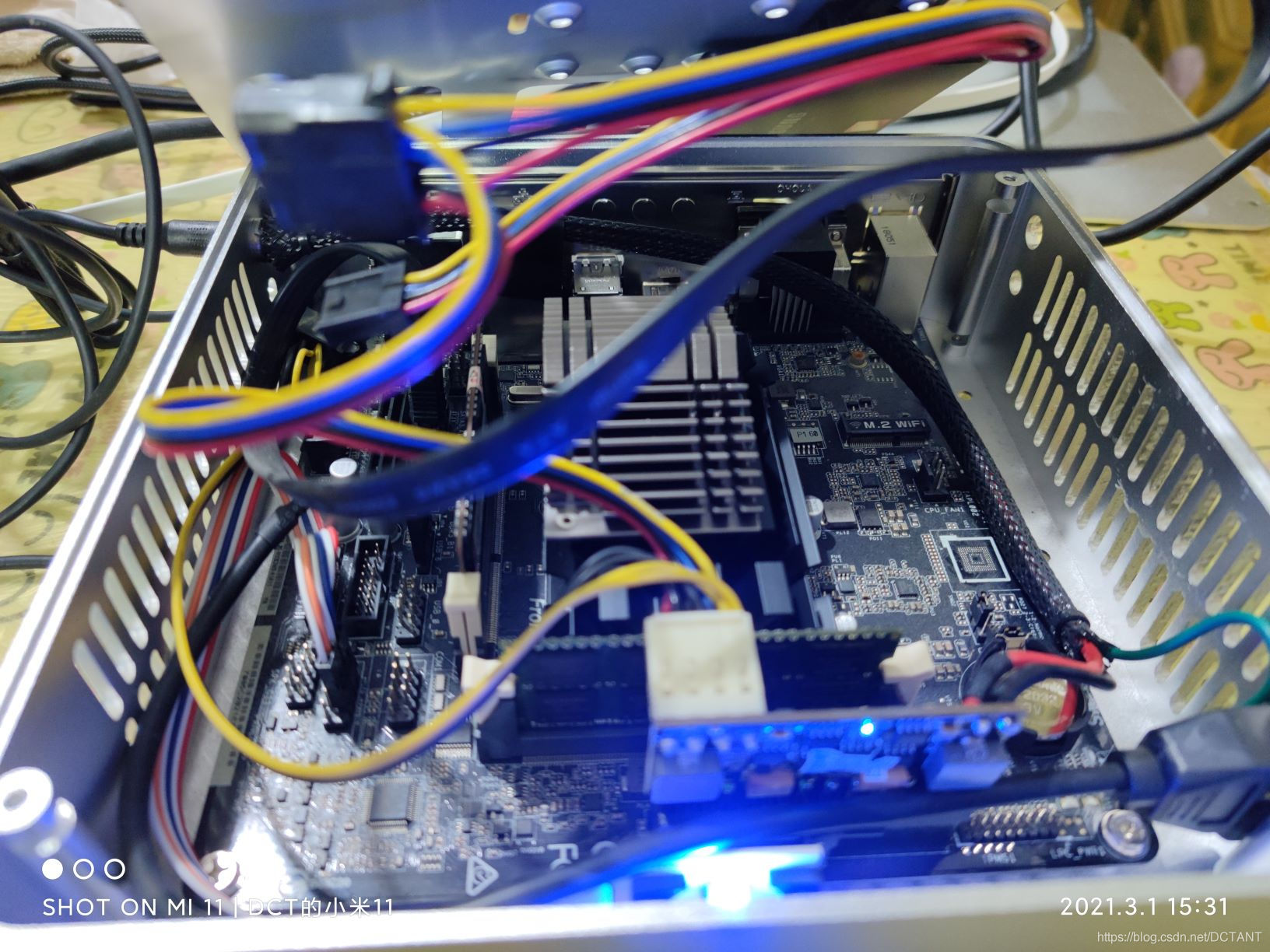
【报错记录】解决华擎J3455-ITX不插显示器无法开机的问题
今天做了手机播放器的均衡器

Cpolar内网穿透的面板功能介绍

随机推荐
Probably 95% of the people are still making PyTorch mistakes
numpy库中的函数 bincount() where() diag() all()
商业技术解决方案与高阶技术专题 - 数据可视化专题
机器学习-逻辑回归(logistics regression)
Mysql多表查询
Official explanation, detailed explanation and example of torch.cat() function
百度云大文件网页直接下载
2022年台湾省矢量数据(点线面)及数字高程数据下载
强化学习 (Reinforcement Learning)
【原创】JPA中@PrePersist和@PreUpdate的用法
单元测试1之单元测试的引用
在webgis中显示矢量化后的风险防控信息
详细的np.matmul / np.dot / np.multiply / tf.matmul / tf.multiply / *
[Error record] Solve the problem that ASRock J3455-ITX cannot be turned on without a monitor plugged in
tensorflow和numpy对应的版本,报FutureWarning: Passing (type, 1) or ‘1type‘ as a synonym of type is deprecate
torch.stack()的官方解释,详解以及例子
xmms的均衡器试验成功 音效相当不错 比rockbox可能还要好
shell脚本实战(第2版)/人民邮电出版社 脚本1 在PATH中查找程序
多商户商城系统功能拆解26讲-平台端分销设置
RTP