当前位置:网站首页>Unity get real geographic map application terrain notes
Unity get real geographic map application terrain notes
2022-04-23 07:53:00 【Allen7474】
unity Get real geographic map 3D Chemical notes
Mind mapping notes
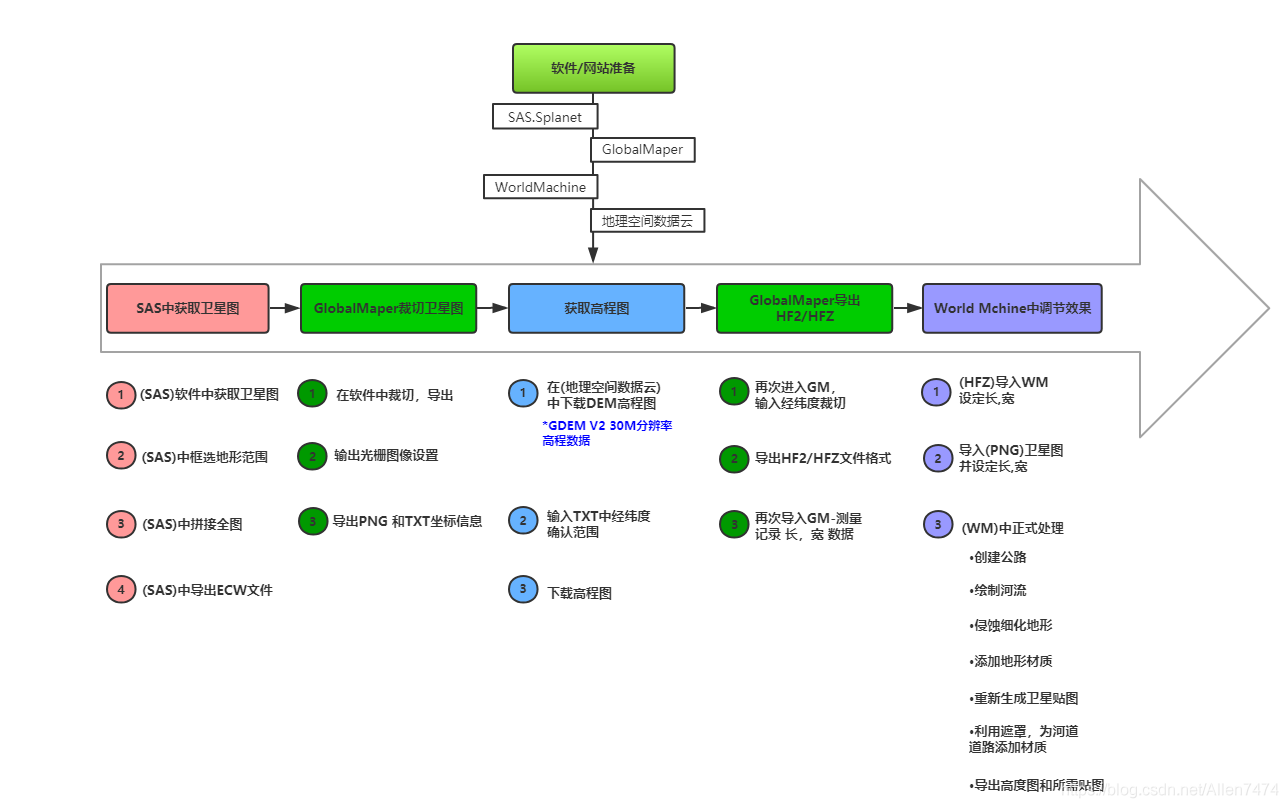
Software 、 Website preparation :
1、SAS.Splant:SAS Sky map link .txt- Internet document resources -CSDN download ( Intranet available )
Sas planet free download( The Internet is available )
Universal electronic map downloader cracked version _ Universal electronic map downloader cracked version download [ Download tool ]- Download home ( Omnipotent electronic map downloader )
PS: Here we use SAS Complete project promotion .
3、WorldMachine:World Machine Download the latest Chinese version -World Machine Terrain home Chinese official website
4、 Geospatial data cloud : Geospatial data cloud
One 、SAS Get satellite images from :
-
1、(SAS) Get satellite images from the software :
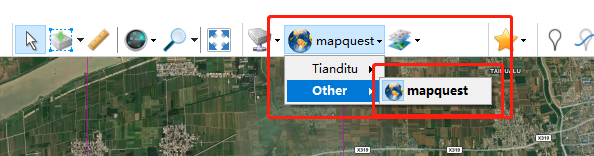
Select satellite map mode , Day map available , I used it here MapQuest.( This will have a gray route network ).
-
2、(SAS) Select the terrain range in the box :

After the box selection is completed, a window will pop up , Here we are download in , choice 21 Subdivision scaling for , And click download , Start downloading the segmented subdivision map .

Click the start button , Start the download .( If you run the process , It is recommended to set a smaller subdivision , such as 18-20).
When the download is complete , The blue progress bar in the window will be full , And it will show in the window , Task to complete .
Now , Need to click ③ Number mark , Box Icon , Bring out the following window , Splice satellite images .

-
3、(SAS) Full picture of middle splicing :
After the window is activated , choice Splicing The following box selection parameters under Options .
Zoom here : It needs to be consistent with the scaling in the second step , Here it is 21 Zoom in .
The quality is set to 100%, References .w.

After setting , Click Start , Start splicing satellite images .

-
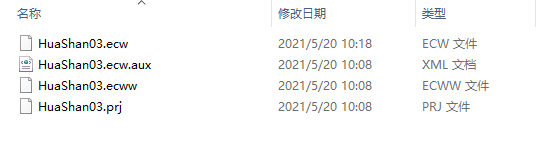
4、(SAS) Derived from ECW file :
ECW File export complete .
Two 、GlobalMaper Cutting satellite image :
-
1、 stay GM Cutting in software , Export image :
open GlobalMaper After software , take ECW Drag and drop files into the software .


-
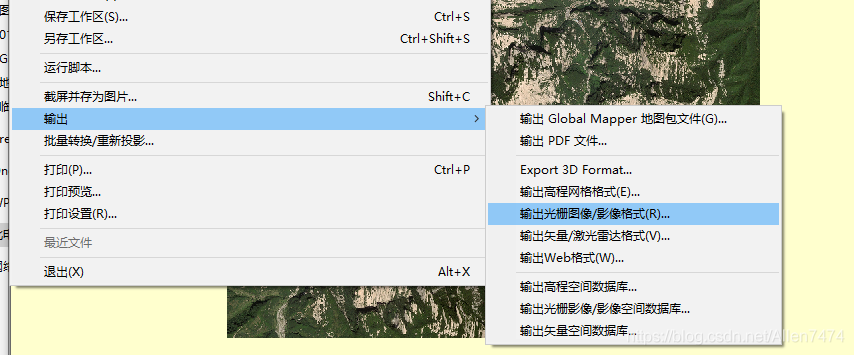
2、 Output raster image settings :
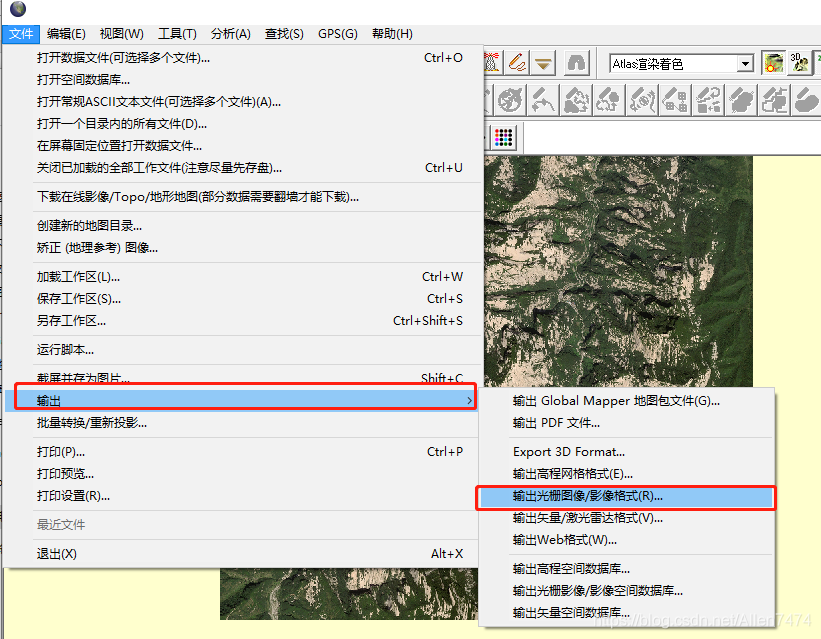

choice PNG After the image is exported , You can also choose Output boundary , Cut the output part , I need the whole mountain here , So there is no cutting operation , The corresponding output image size will also increase .
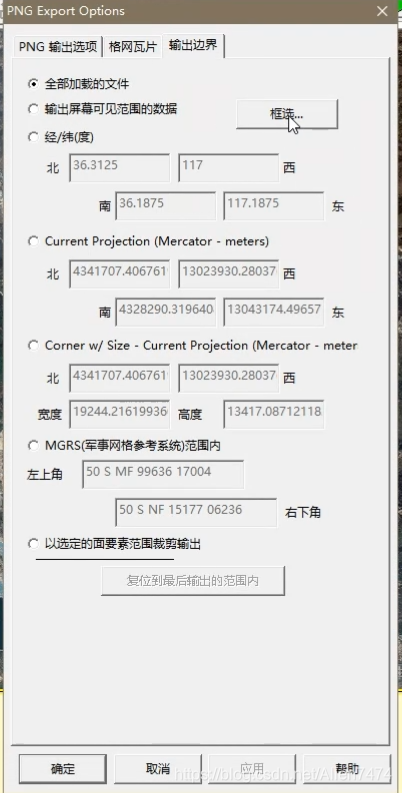

after , Start exporting .

-
3、 export PNG and TXT Coordinate information :
Continue exporting here , But you need to choose JPG, Our aim is to derive TXT Text with coordinate information .

It's just a matter of choosing TXT( Text ) Metadata .


Frame selected longitude and latitude information , That's the important information we need to get , This directly affects , Matching effect between elevation map and satellite map .
Little knowledge points :
Here's a little bit of knowledge , If the longitude and latitude information you export is different from the longitude and latitude data format shown in the above figure , Here, please , Format the output latitude and longitude .
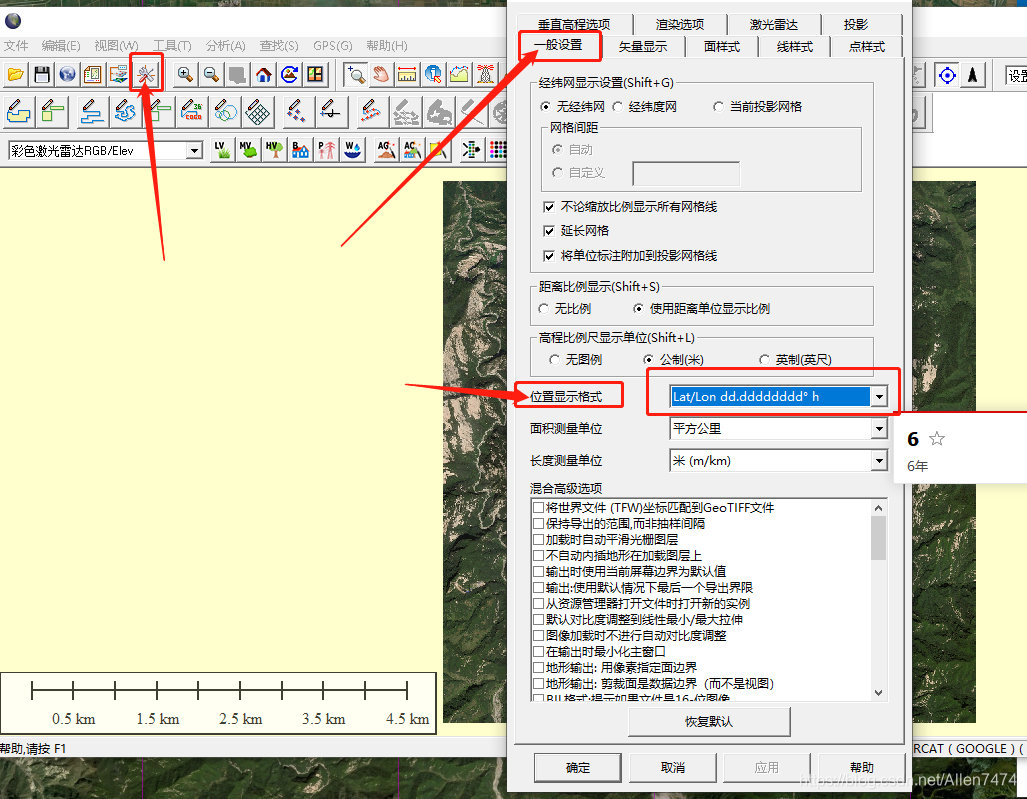
3、 ... and 、 Get elevation map :
-
1、 stay ( Geospatial data cloud ) Download DEM Altitude map :
link : Geospatial data cloud
After opening the website , First choice Data sets , Fill in Latitude and longitude information .


-
2、 Input TXT Confirmation range of mid latitude and longitude :
After filling in the data set and entering the latitude and longitude , Click to search , There will be downloadable data sets , Then click the download icon , Download the elevation map dataset .
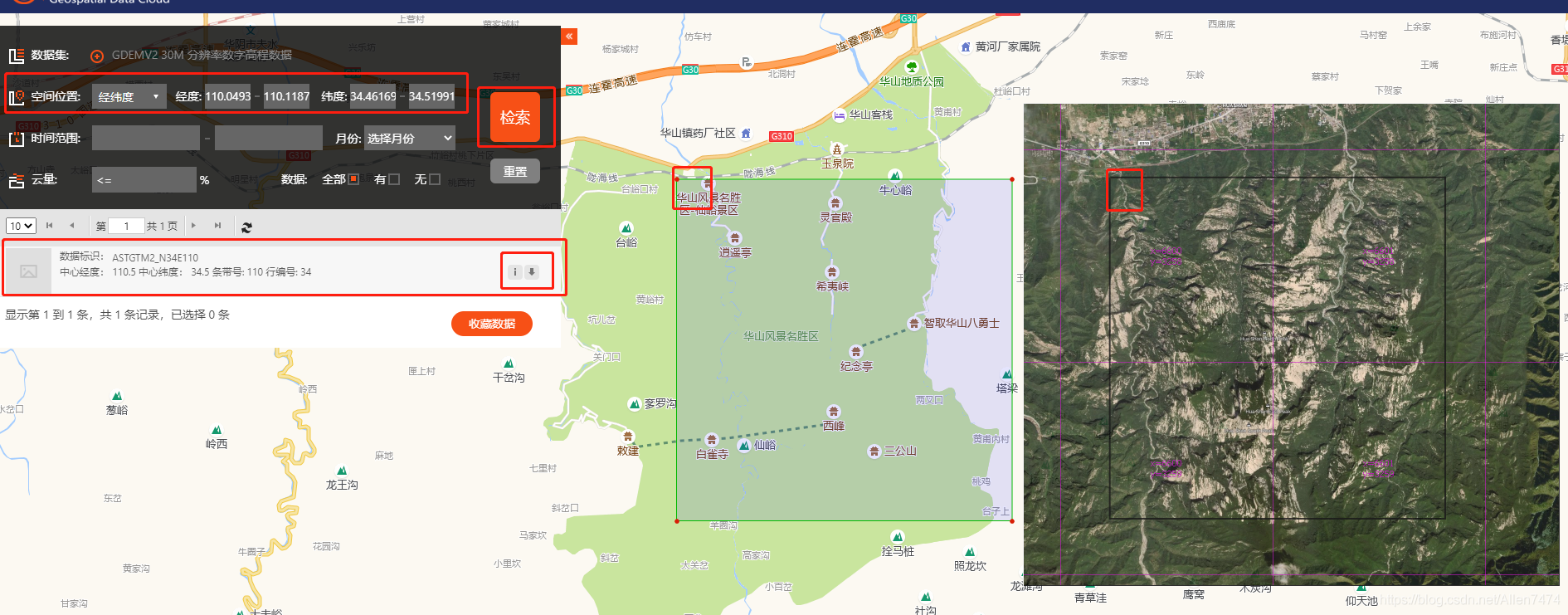
-
3、 Download elevation map :
Download complete , After decompression, you will get the following three files .

Four 、 Before going into GlobalMaper export HF2/HFZ:
-
1、 Once again into the GM, Enter latitude and longitude to cut :
take Dem File drag GM In software

-
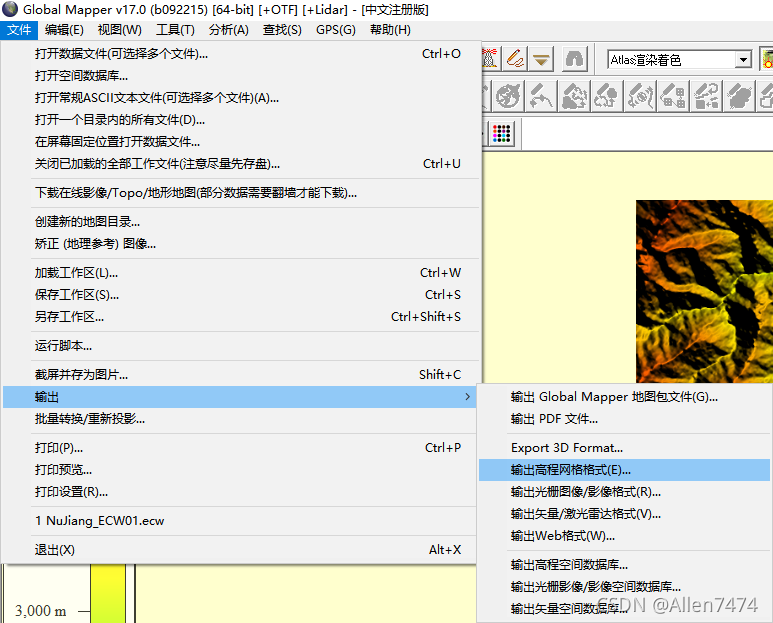
2、 export HF2/HFZ File format , And enter the latitude and longitude :
Choose output : Output elevation grid format .


Output Settings , Fill in latitude and longitude , Set specific area .


-
3、 Import... Again GM- measurement , Record Long , wide data :
export HFZ After the document , Through again GM After opening the precise latitude and longitude HFZ file .
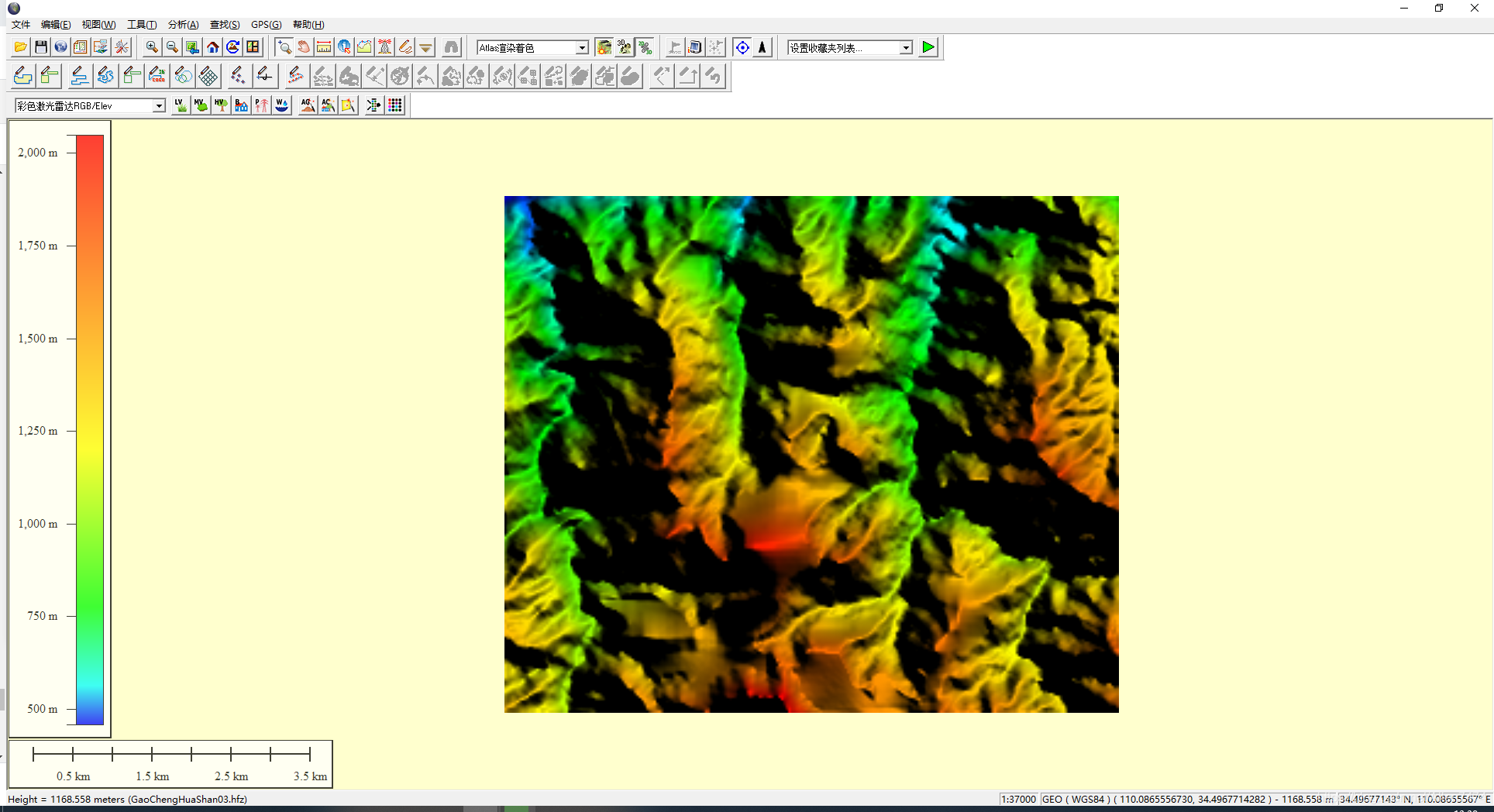
Select the ruler tool , Measure long data , And record it in the text .

Focus on the lower left corner Len Parameters , And record .
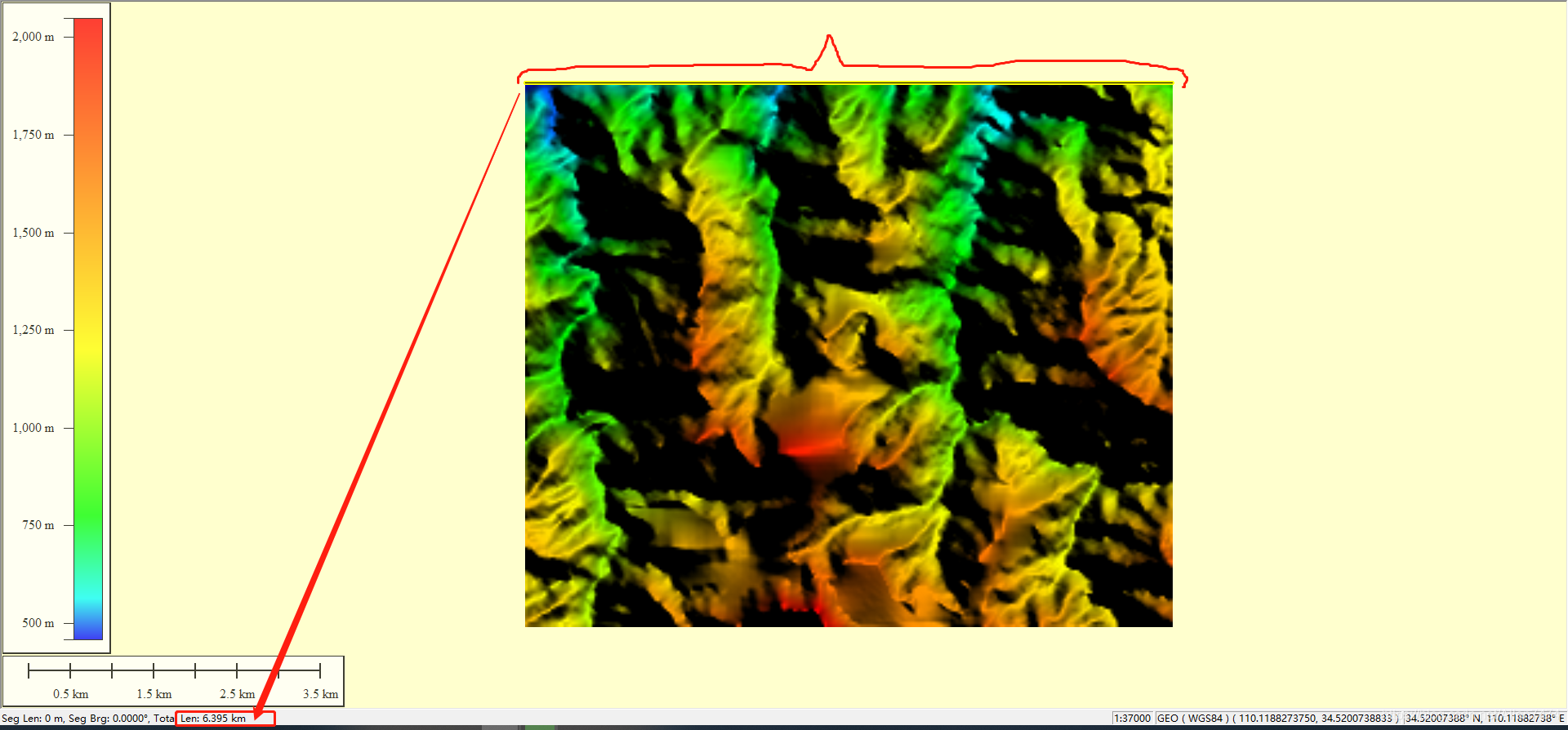
Record length here , wide , Is for later import into WM Preparations made in .

4、 export TIFF Format , stay WorldMachine Open in .

5、 ... and 、World Machine Middle note effect :
-
0、WM Project settings , Unit is KM, Set the terrain color .
1、 Project setting unit .
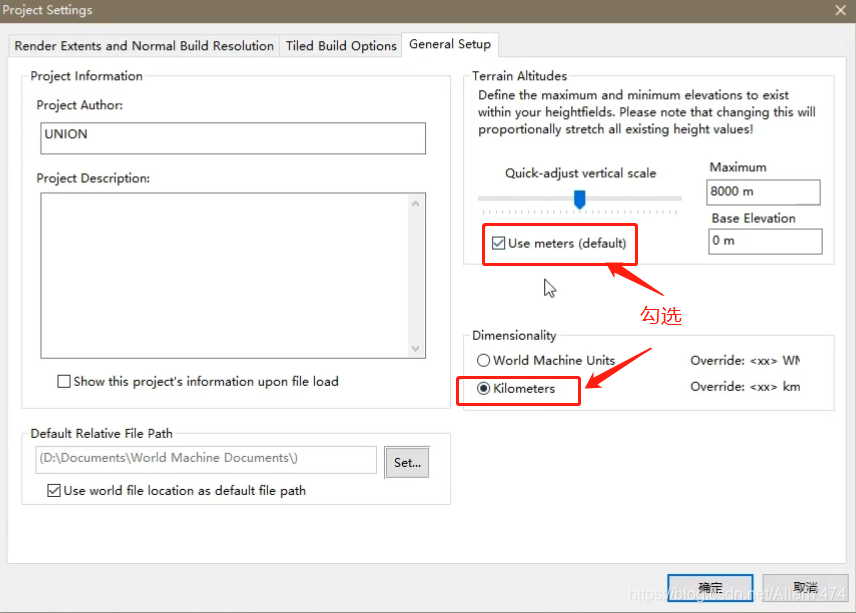
2、 Set the terrain color .

-
1、(HFZ) Import WM, Set length , wide :
1、 Create nodes , And double click to open the node settings

Import the... Output above TIF Images .

Uncheck the Preserve Aspect Ratio( Automatic aspect ratio ).
When unchecked , Can fill the whole selection .

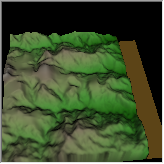

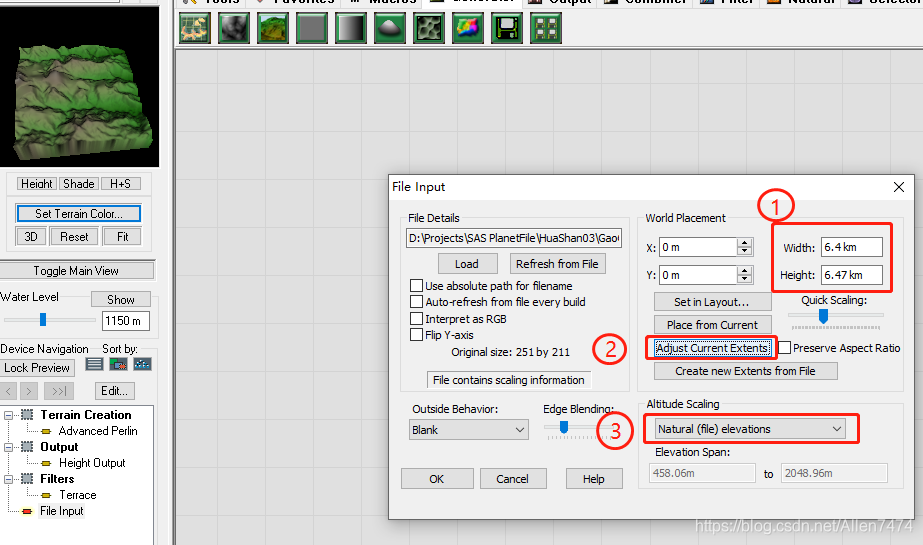
2、 Long , wide , According to the parameters recorded in the text , Fill in .
①、 Set the length and width
②、 Synchronization settings
③、 Natural altitude ( True altitude )
-
2、 Import (PNG) Satellite pictures , And set the length , wide :
1、 Same use File Input Node set , And import satellite images .
In addition to checking Interpret as RGB ( Enable color ) Button outside , The rest are consistent .
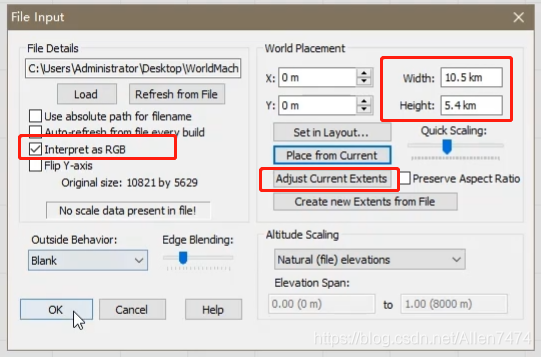
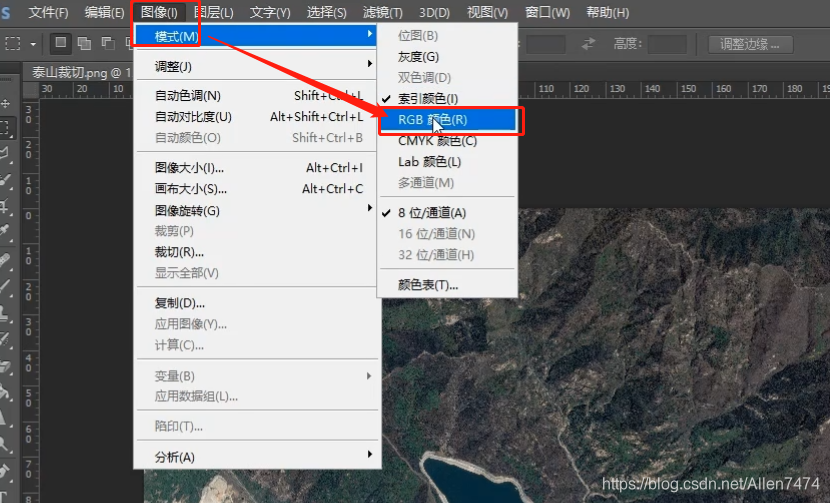
PS: Little knowledge points : Here, if the imported image is black , Probably because there is no image mode enabled RGB Color .
At this time, you can import the image into PS, And modify the mode , And the output .
2、 Modified to complete , Click on (Refresh From File) Refresh from file .

-
3、(WM) Formal processing in :
-
Create highway :
1、 establish Shapes node , Create and draw the highway .
-

After creation , Adjust the parameters , Set the segment width , And altitude .
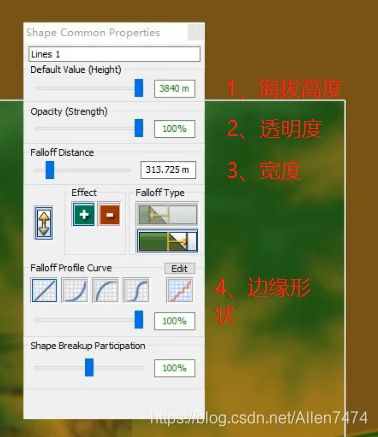
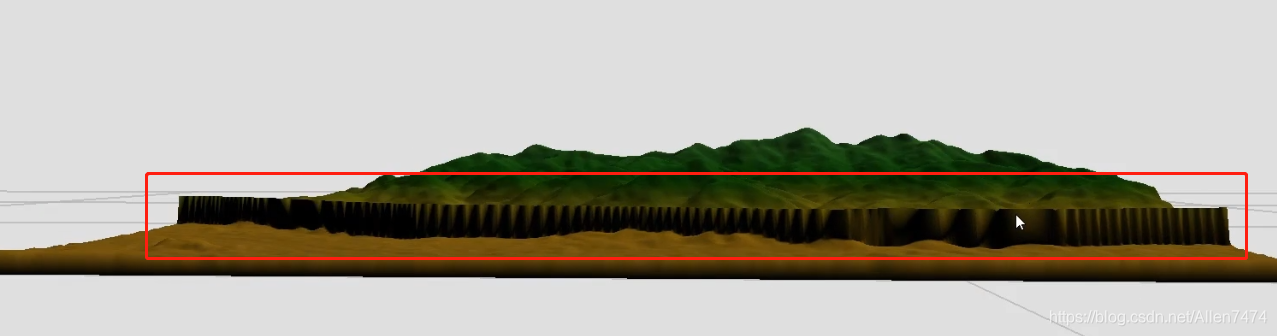
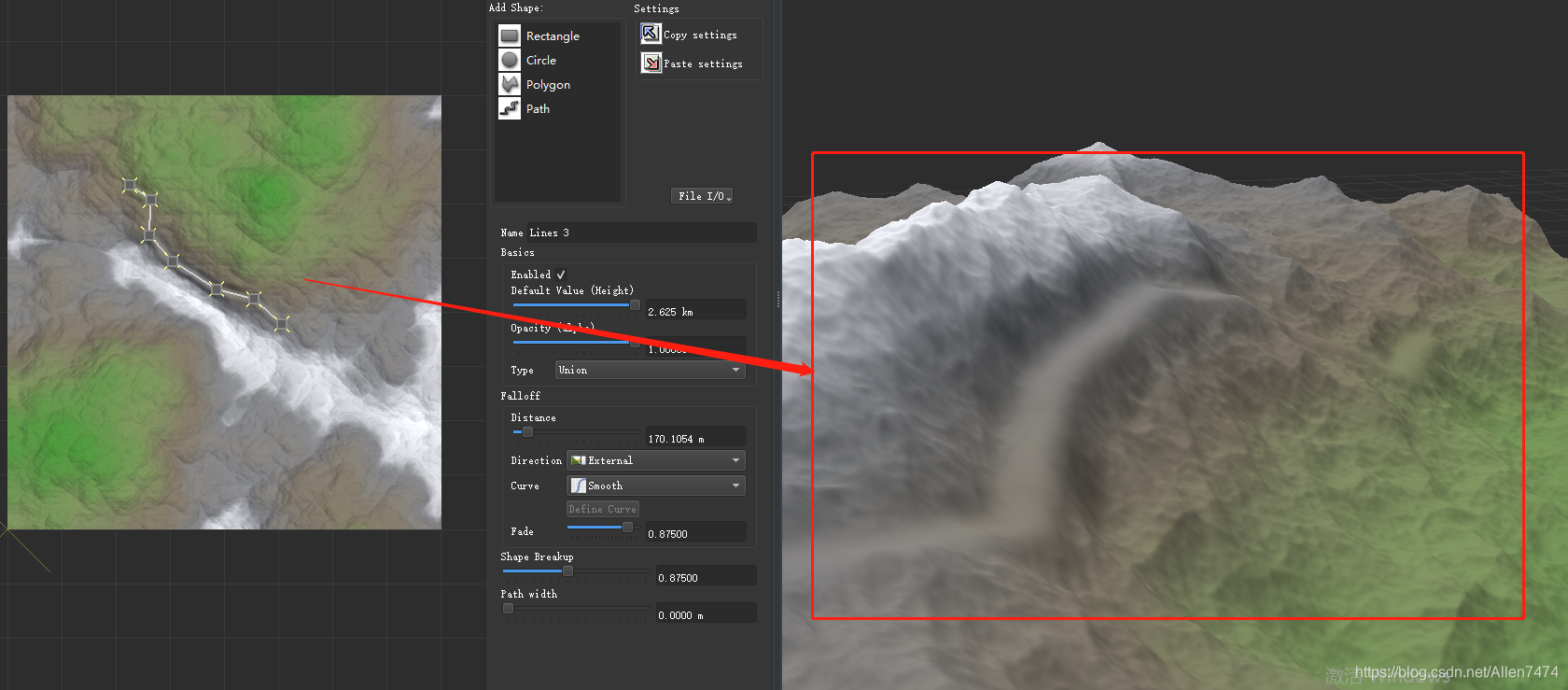
2、 Right click >> Curve smoothness and (Perform Curve Smoothing), The highway stretches along the mountain (Drop Curve ToSurface of Selected Device).

After selecting the second command , You can get the following effect .
-
-
Draw the river :
-
1、 establish Shapes node , Create and draw rivers .
2、 Flight fragmentation command , Check ( Use Breakup) Button , Double click the segment ,
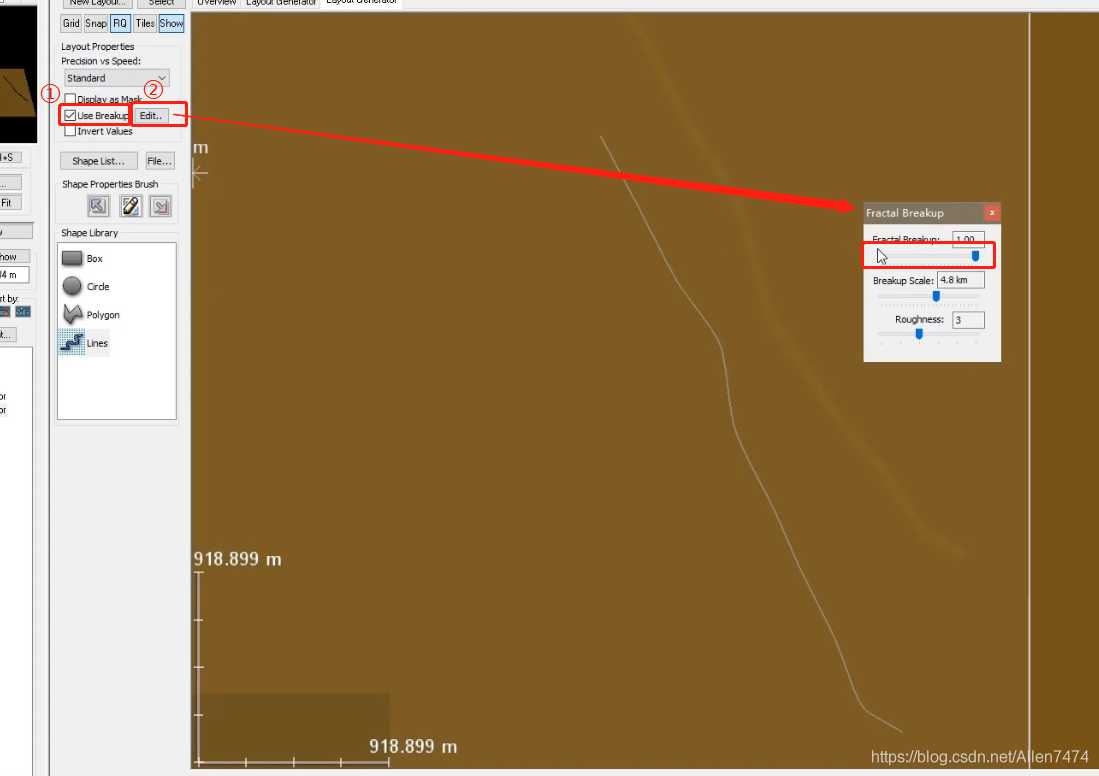
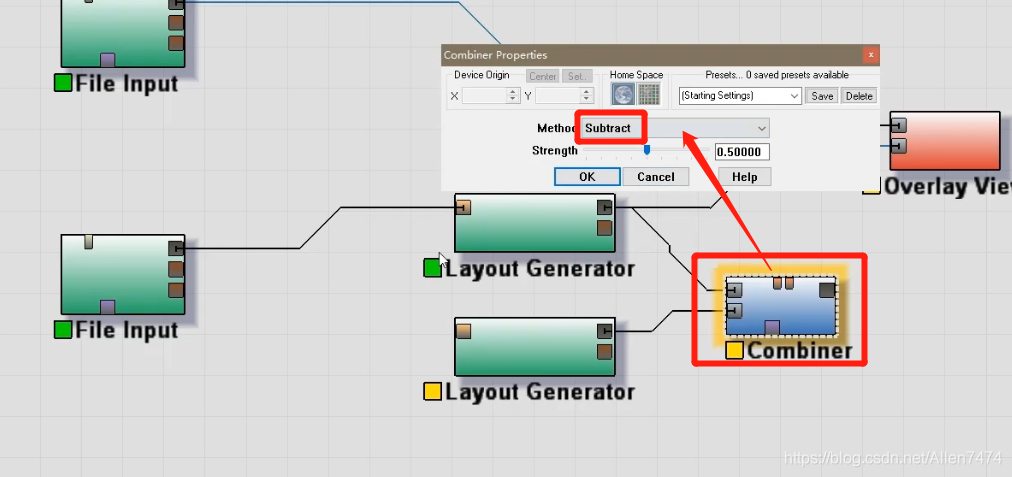
3、 River depression treatment , Use Combiner Combine the equipment nodes to perform the test . Select the settings for the device Subtracting the , Subtract that will do .

-
-
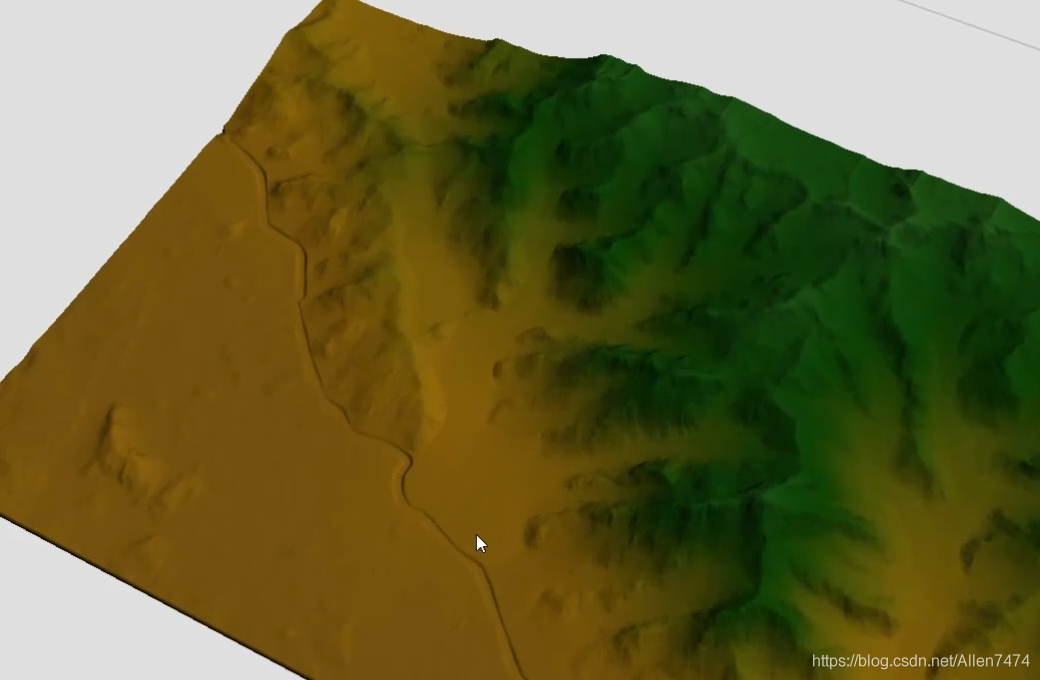
Erosion refines the terrain :
-
1、 Use the... Under the erosion equipment node Mask .
Mask only selected areas , Erosion effect of normal treatment in other areas .

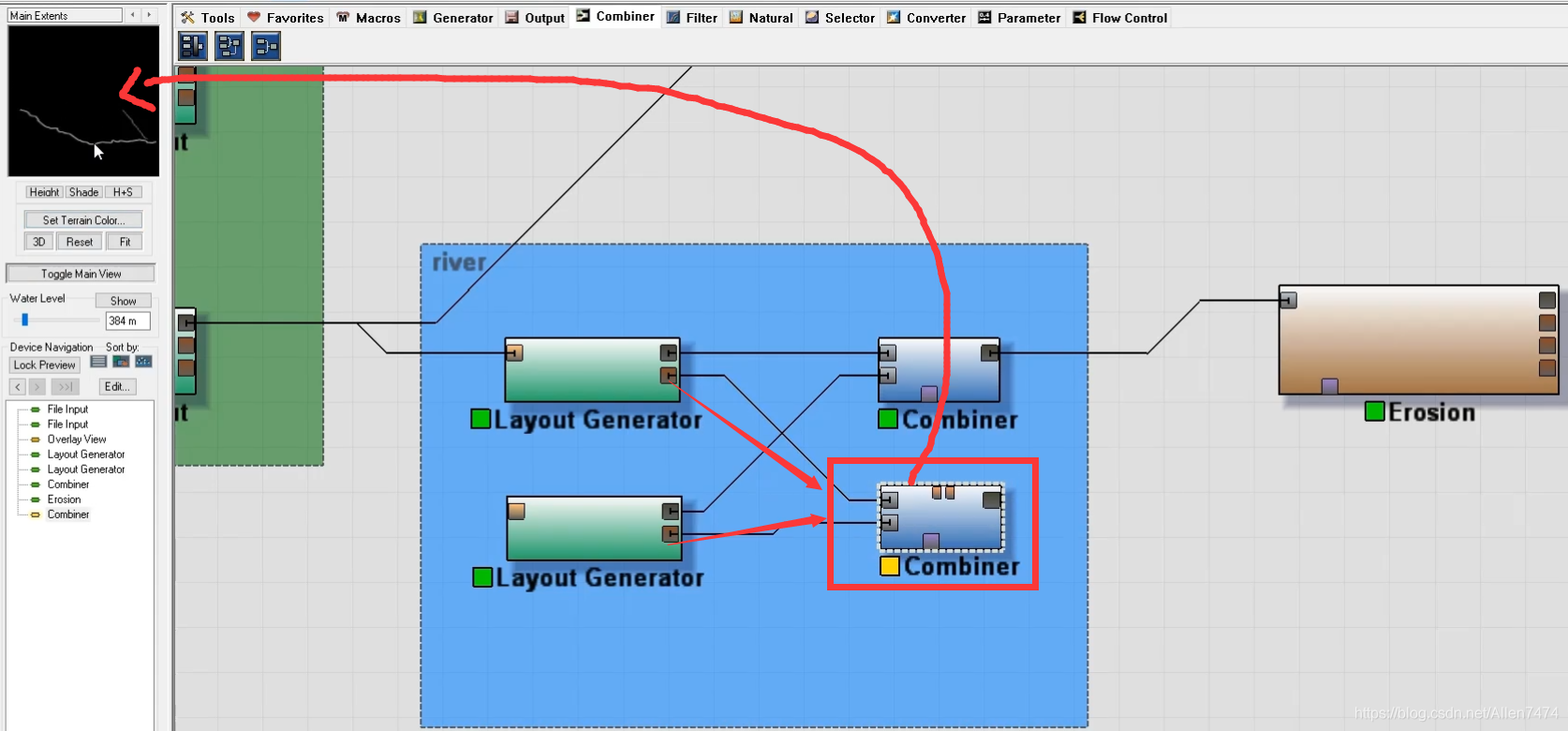
2、 Here use Combiner Device node , Add the mask parts .

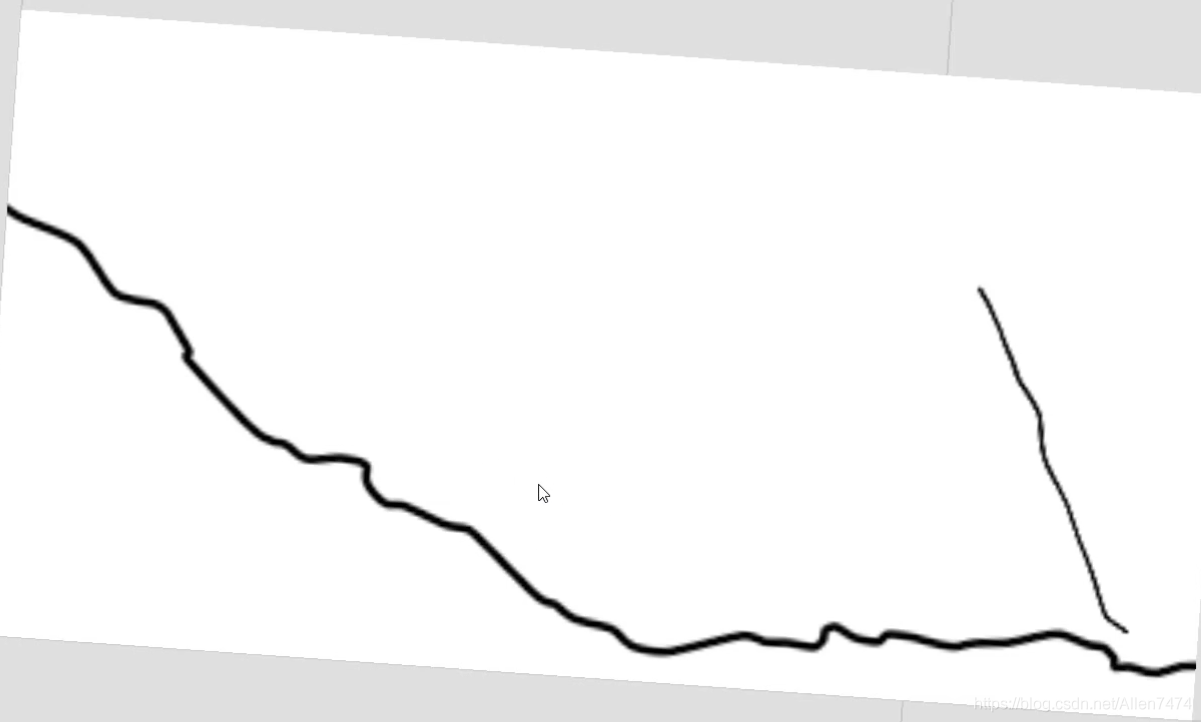
3、 add to Inverter Reverse the device node ( Choose white or black ).
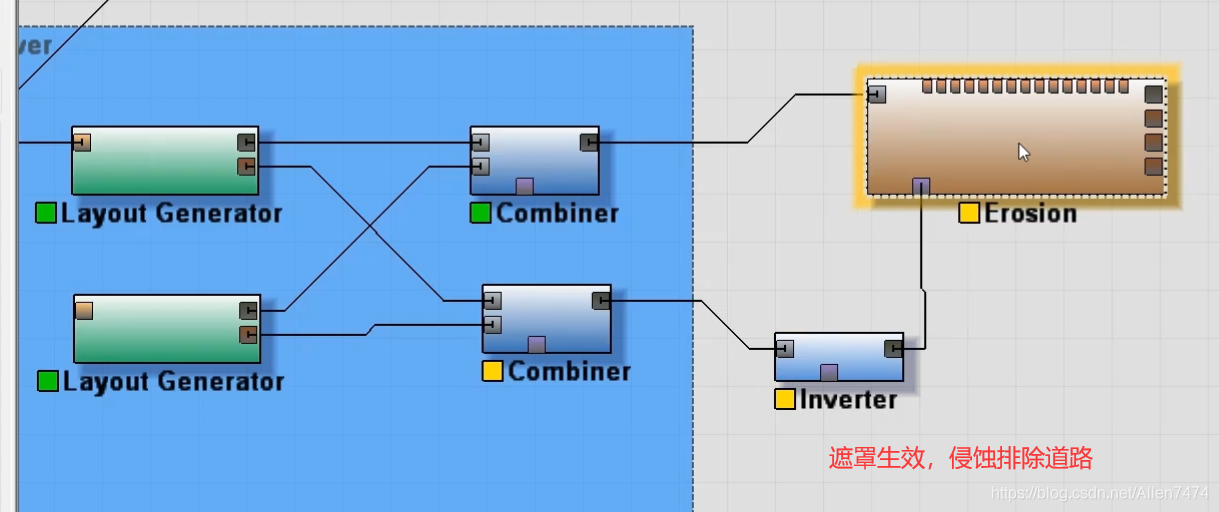
4、 Add the reversed equipment to the... Under the bedroom equipment Mask In the opening .
-
-
Add terrain material :
-
1、 utilize macro Create materials , establish macro Device node .
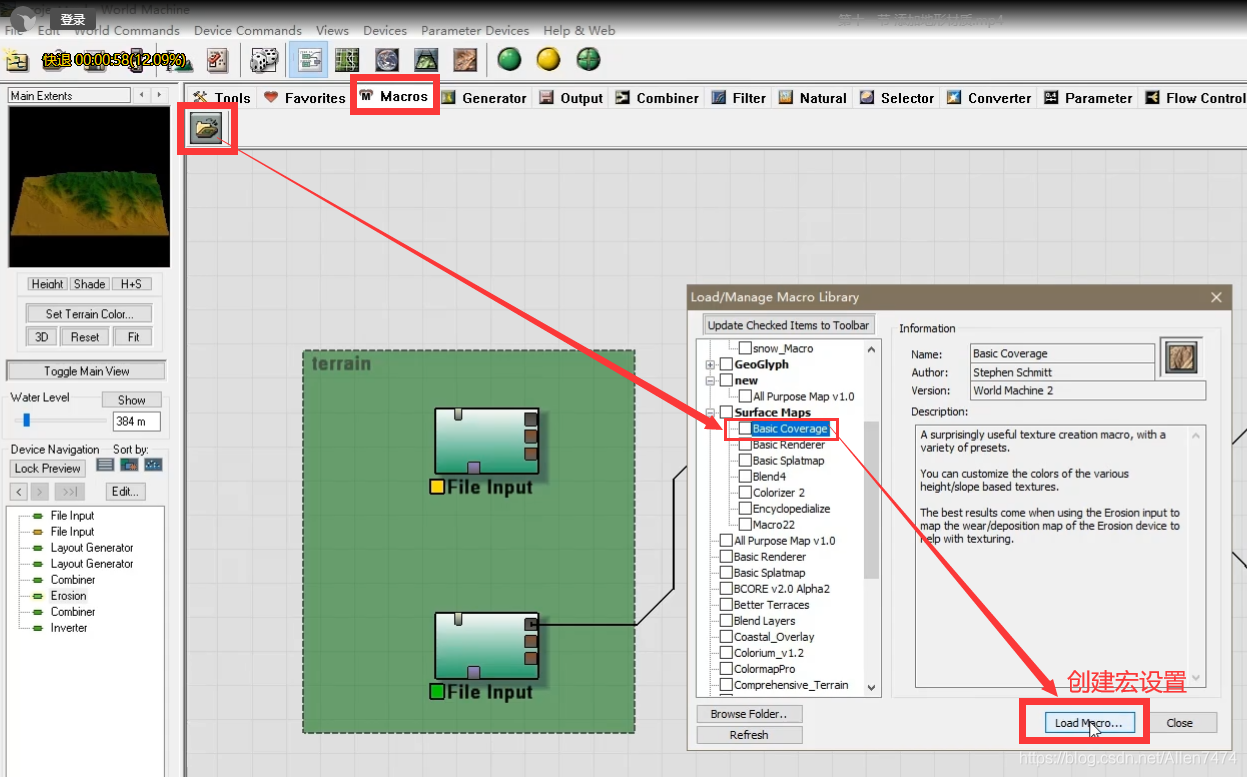

2、 macro , And terrain equipment , and Erosion equipment link .

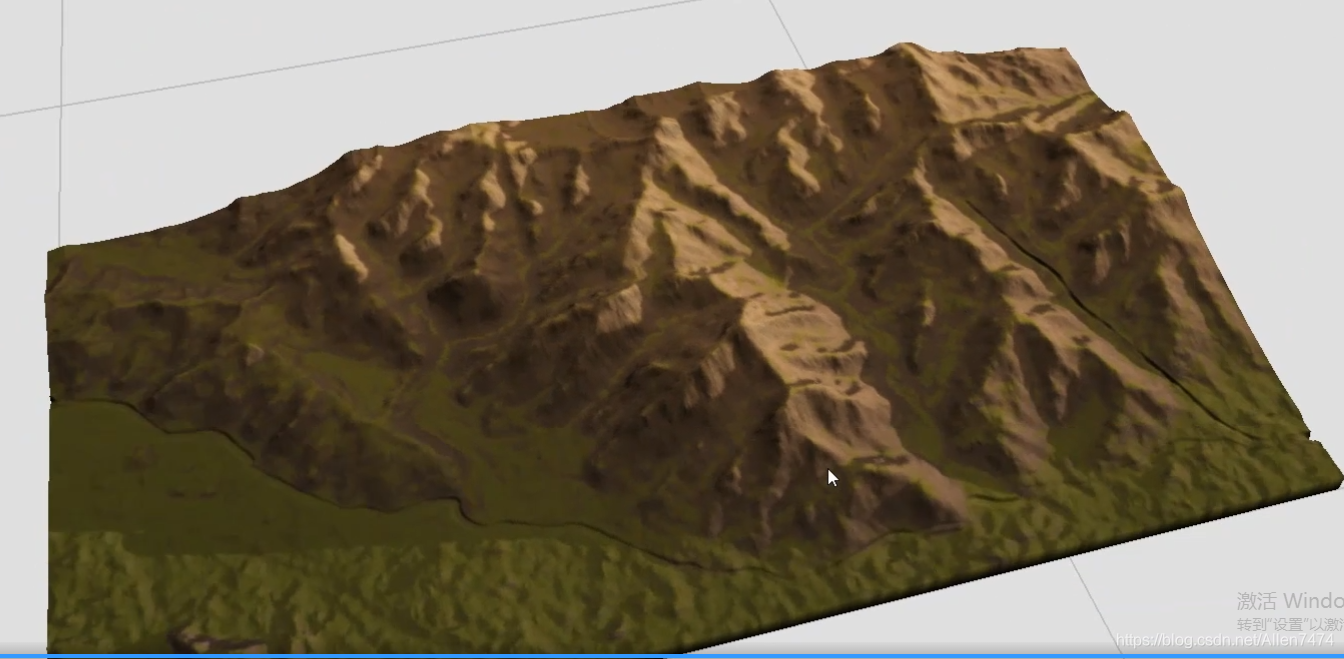
At this time, open the flat display window , You can see the effect of the mapped material .

3、 Show preview 3D Effect , utilize Overlay View Preview the device node . The preview node needs to enter , Height domain and Mapping .

-
-
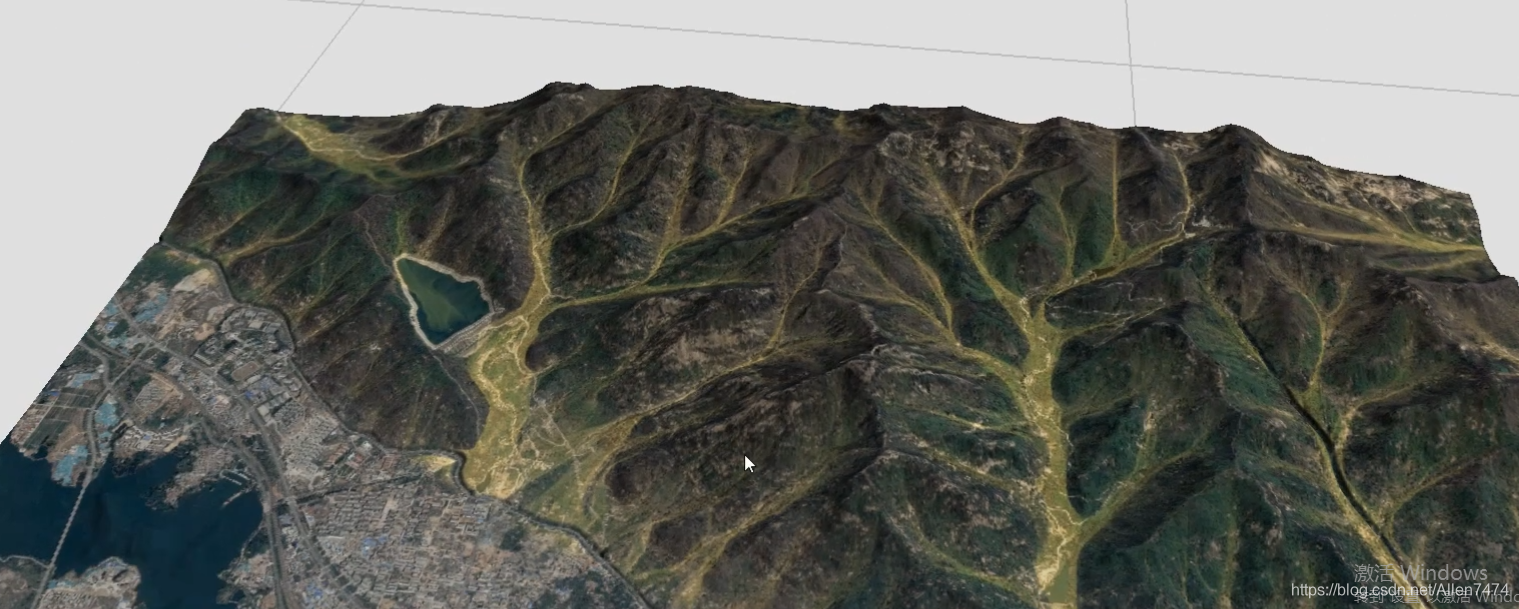
Use satellite mapping , And add flow graph trace effect :
-
1、 Under the erosion node , find Flow Map outlet , Connect to the display to get the flow chart effect .


2、 It can be used here Color The device changes the color of the flow chart , And utilization Layout Generator Customize the dash area device mask display .

-
-
Use mask , River course 、 Add materials to the road :
-
1、 add to Choooser The equipment adds color to the road .
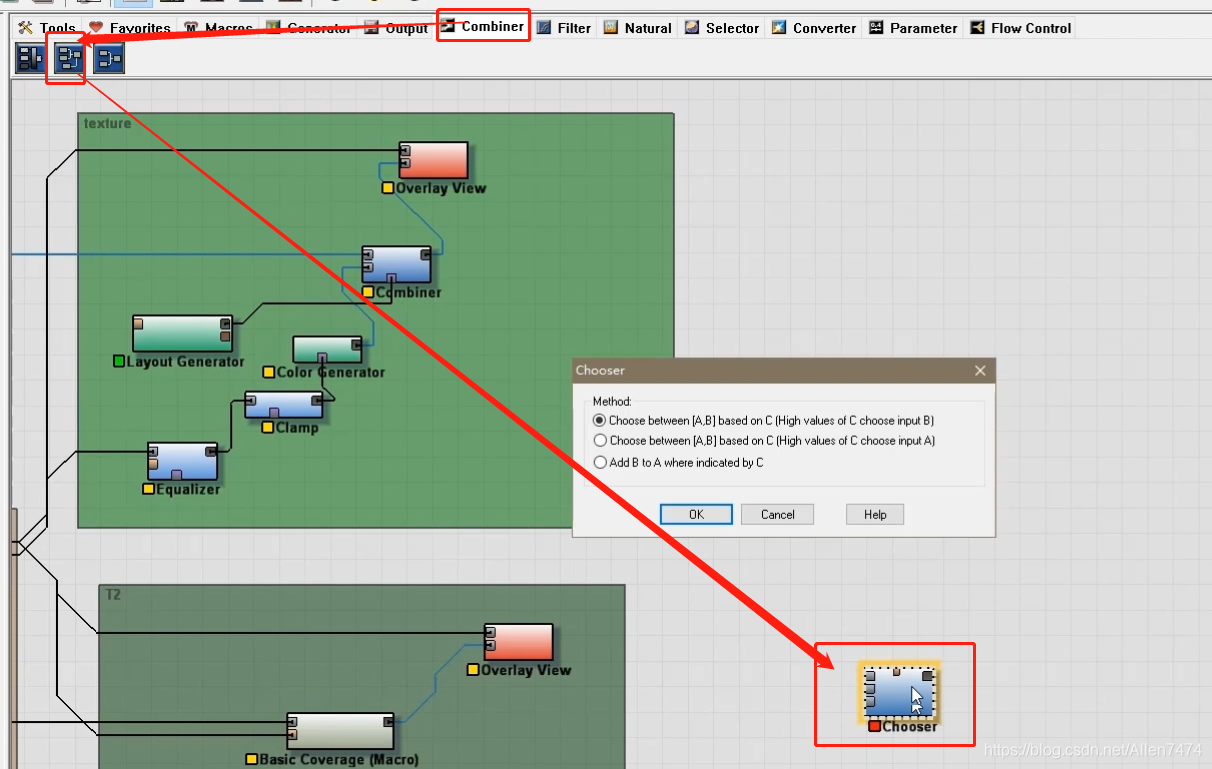
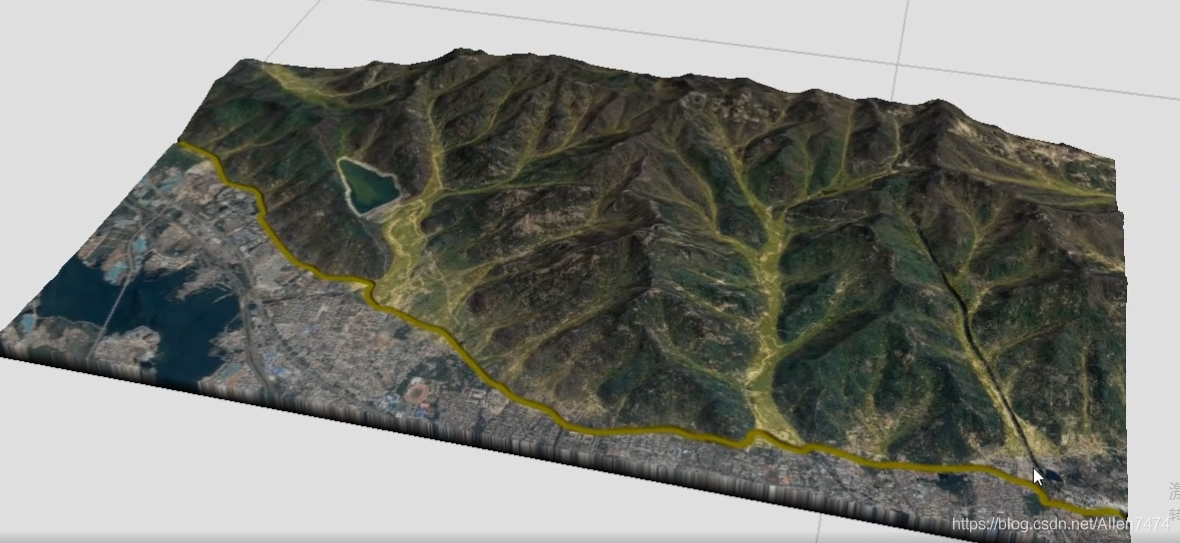
2、 After creation , Three data types need to be entered into the node ,A Input satellite images ,B Enter other asphalt images ,C Add height field , That is, highway or river height area .


-
-
Export height map and required map :
-
1、 Altitude map export :Hight Output The detail setting window appears in the node , On the path , Format , After setting , stand-alone "Write to Disk" Generate height map .

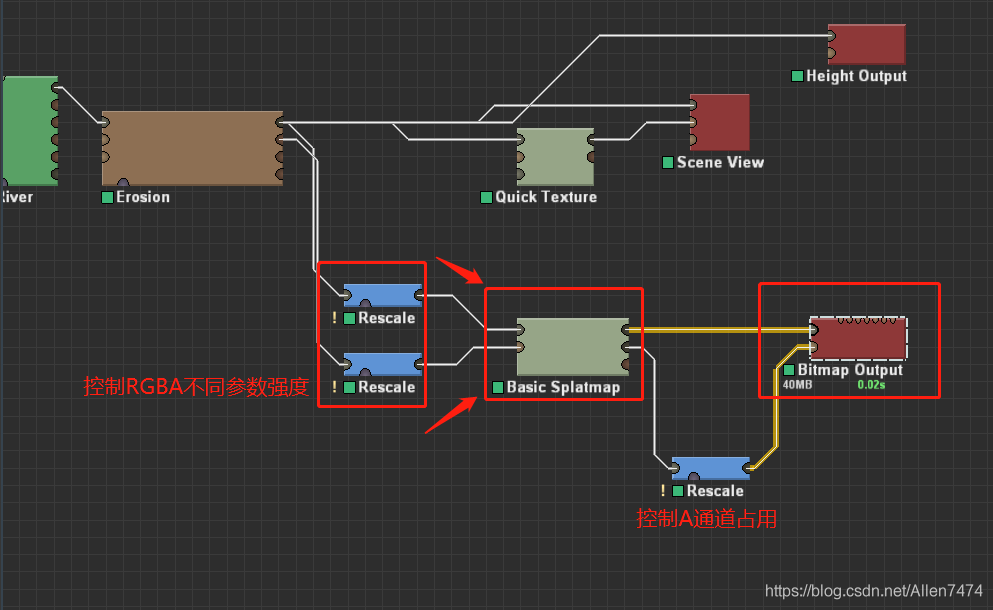
2、Splatmap Figure Export : In the terrain export texture phase , Create a Basic Splatmap node (RGBA Channel setting node ), And cooperate with BipMap Out Node for output .
3、Mask Figure Export : It's exported here SplatMap and Mask Map similarity , So here is a combination of my last article
World Machine Terrain production import Unity Workflow notes
In the process , Add transparent channels to all images referenced ( Basically, the left and right maps of the terrain need to have channels ) To control , Include Color Map bar ( Matching terrain shader Use ).
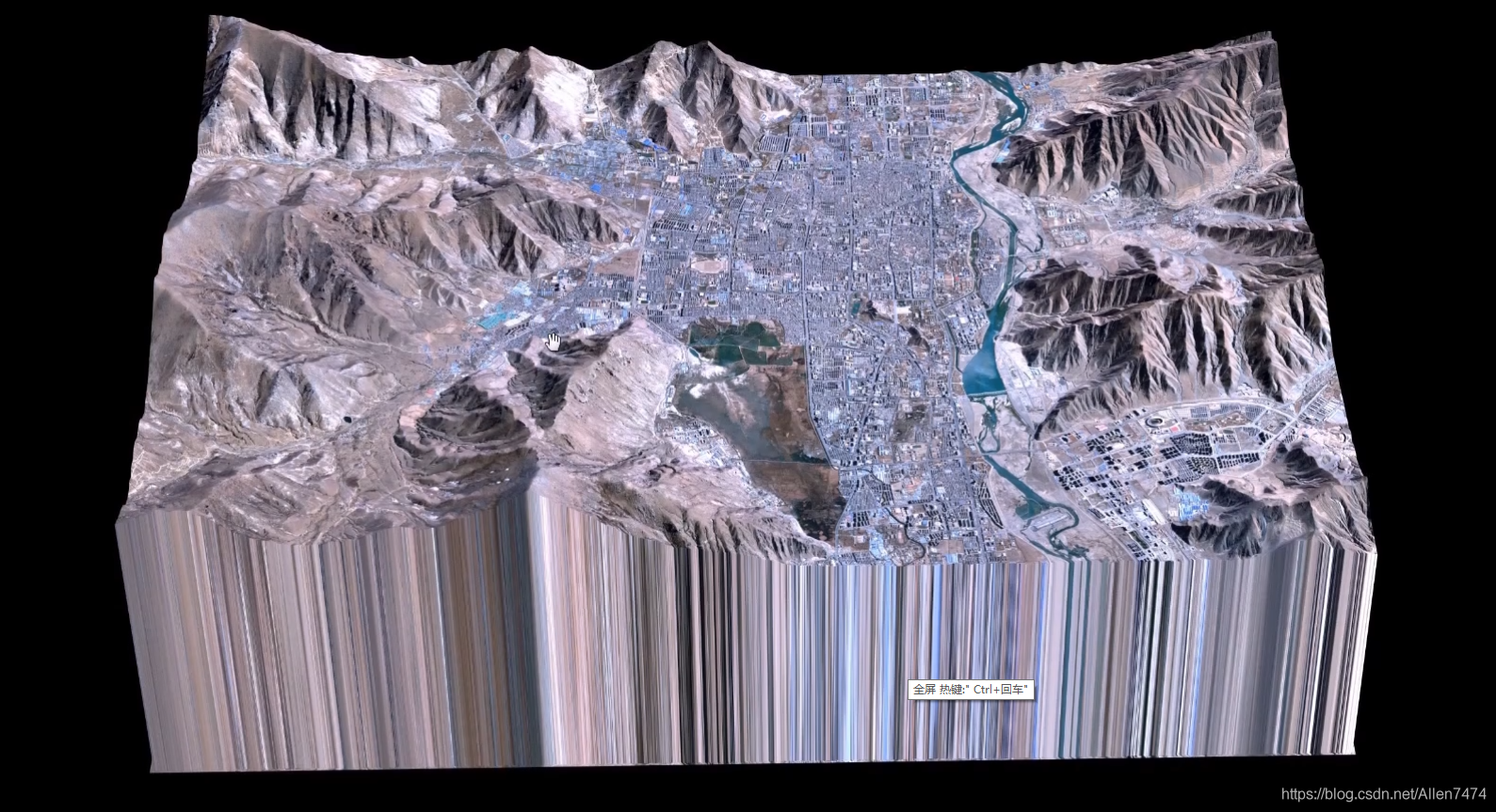
ok, That's all for this article , How to use real terrain data .
版权声明
本文为[Allen7474]所创,转载请带上原文链接,感谢
https://yzsam.com/2022/04/202204230627431787.html
边栏推荐
猜你喜欢

Django uses MySQL database to solve error reporting

Robust and Efficient Quadrotor Trajectory Generation for Fast Autonomous Flight

庄懂的TA笔记(六)<FakeEnvReflect && 生锈,锈迹效果>

Towords Open World Object Detection

平面定义-平面方程

常用Markdown语法学习

Online Safe Trajectory Generation For Quadrotors Using Fast Marching Method and Bernstein Basis Poly

C#控制相机,旋转,拖拽观察脚本(类似Scenes观察方式)

VBA appelle SAP RFC pour réaliser la lecture et l'écriture des données

Scrapy 修改爬虫结束时统计数据中的时间为当前系统时间
随机推荐
C operation registry full introduction
使用flask时代码无报错自动结束,无法保持连接,访问不了url。
Understanding of STL container
TimelineWindow
移动端布局(3D转换、动画)
Event system (II) multicast events
c#读取INI文件和向ini文件写入数据
SVG中年月日相关的表达式
C# 文本文件的查找及替换(WinForm)
Weblux file upload and download
常用Markdown语法学习
Unity 获取一个资源被那些资源引用
Houdini>建筑道路可变,学习过程笔记
基于NLP的软件安全研究(一)
State synchronization and frame synchronization
Daily question | fear dominated by reverse linked list
Unity C# 单例模式 学习复习笔记
向量到一个平面的投影向量
FSM finite state machine
MySQL8.0 安装/卸载 教程【Window10版】