当前位置:网站首页>Kubernetes service discovery monitoring endpoints
Kubernetes service discovery monitoring endpoints
2022-04-23 17:39:00 【Zhang quandan, Foxconn quality inspector】
monitor Pod
Previous apiserver It's actually a special kind of Endpoints, Now let's also configure a task to specifically discover common types of Endpoint, In fact, that is Service The associated Pod list , Because not all Endpoints Will provide metrics Interface , So we need to take the initiative to tell Prometheus To discover what Endpoints, Of course, there are many ways to tell , But one of the conventional ways is through annotations Note to inform , As shown below :
- job_name: "endpoints"
  kubernetes_sd_configs:
    - role: endpoints
  relabel_configs:
    #  Retain  Service  The annotation of is  prometheus.io/scrape: true  Of  Endpoints
    - source_labels: [__meta_kubernetes_service_annotation_prometheus_io_scrape]
      action: keep
      regex: true
    #  The index interface protocol passed  prometheus.io/scheme  This annotation gets  http  or  https
    - source_labels: [__meta_kubernetes_service_annotation_prometheus_io_scheme]
      action: replace
      target_label: __scheme__
      regex: (https?)
    #  The endpoint path of the index interface passes through  prometheus.io/path  This annotation gets
    - source_labels: [__meta_kubernetes_service_annotation_prometheus_io_path]
      action: replace
      target_label: __metrics_path__
      regex: (.+)
    #  The direct interface address port passes through  prometheus.io/port  Annotation access
    - source_labels:
        [__address__, __meta_kubernetes_service_annotation_prometheus_io_port]
      action: replace
      target_label: __address__
      regex: ([^:]+)(?::\d+)?;(\d+) # RE2  Regular rule ,+ One or more times ,? yes 0 Time or 1 Time , among ?: Represents a non matching group ( It means not getting matching results )
      replacement: $1:$2
    #  mapping  Service  Of  Label  label
    - action: labelmap
      regex: __meta_kubernetes_service_label_(.+)
    #  take  namespace  Map to tags
    - source_labels: [__meta_kubernetes_namespace]
      action: replace
      target_label: kubernetes_namespace
    #  take  Service  The name is mapped to a label
    - source_labels: [__meta_kubernetes_service_name]
      action: replace
      target_label: kubernetes_name
    #  take  Pod  The name is mapped to a label
    - source_labels: [__meta_kubernetes_pod_name]
      action: replace
      target_label: kubernetes_pod_name
With this annotation , In fact, it is to tell Prometheus, Now the service offers metrics Interface . The port and address provided by the interface must be told , And what the agreement is , All this goes through annotation To provide .
    #  Retain  Service  The annotation of is  prometheus.io/scrape: true  Of  Endpoints
    - source_labels: [__meta_kubernetes_service_annotation_prometheus_io_scrape]
      action: keep
      regex: true
Notice that we are here relabel_configs A lot of configuration has been done in the area , Especially the first reservation __meta_kubernetes_service_annotation_prometheus_io_scrape by true To keep it , This means that you want to automatically discover Endpoint, We need to be in Service Of annotations Area add prometheus.io/scrape=true Annotations , We can also use Relabeler - The playground for Prometheus relabeling rules This tool helps us configure Relabel. Now let's update the above configuration , Check the effect :

We can see endpoints Under this task, only 5 A mission , This is because we are relabel_configs Filtered annotations Yes prometheus.io/scrape=true Of Service, Now only two such services in our system meet the requirements , such as kube-dns This Service Here are two examples , So there are two examples :
 * kubectl get svc kube-dns -n kube-system -o yaml
apiVersion: v1
kind: Service
metadata:
  annotations:
    prometheus.io/port: "9153"  # metrics  Port of the interface
    prometheus.io/scrape: "true"  #  This annotation can make prometheus Auto discovery
  creationTimestamp: "2021-10-25T12:33:14Z"
  labels:
    k8s-app: kube-dns
    kubernetes.io/cluster-service: "true"
    kubernetes.io/name: CoreDNS
  name: kube-dns
  namespace: kube-system
  ......
Now we created before redis This Service To add on prometheus.io/scrape=true This annotation :
# redis-svc.yaml
kind: Service
apiVersion: v1
metadata:
  name: redis
  namespace: kube-mon
  annotations:
    prometheus.io/scrape: "true" #  Let the automatic discovery above get the service
    prometheus.io/port: "9121" #  Appoint metrics Interface access port
spec:
  selector:
    app: redis
  ports:
    - name: redis
      port: 6379
      targetPort: 6379
    - name: prom
      port: 9121
      targetPort: 9121
because redis Service metrics Interface in 9121 This redis-exporter Service , So we need to add another prometheus.io/port=9121 In this way annotations, Update this Service:
* kubectl apply -f https://p8s.io/docs/k8s/manifests/prometheus/redis-svc.yaml After the update is complete , Go to Prometheus see Targets route , You can see redis The service automatically appears in endpoints Under this task :

In this way, we have a new service , If the service itself provides /metrics Interface , We don't need to configure it statically at all , Now we can put the previously configured redis Static configuration removes .
Empathy prometheus
[[email protected] prometheus]# cat prometheus-svc.yaml
apiVersion: v1
kind: Service
metadata:
  name: prometheus
  namespace: monitor
  annotations:
    prometheus.io/scrape: "true"
    prometheus.io/port: "9090"
  labels:
    app: prometheus
spec:
  type: NodePort
  ports:
    - port: 9090
      targetPort: 9090
      protocol: TCP
  selector:
    app: prometheus
    component: server
版权声明
本文为[Zhang quandan, Foxconn quality inspector]所创,转载请带上原文链接,感谢
https://yzsam.com/2022/04/202204231735237233.html
边栏推荐
- 快时钟同步慢时钟域下的异步控制信号slow clk to fast clk
- 开期货,开户云安全还是相信期货公司的软件?
- Using quartz under. Net core -- a simple trigger of [7] operation and trigger
- 394. String decoding - auxiliary stack
- Seven cattle upload pictures (foreground JS + background C API get token)
- For the space occupation of the software, please refer to the installation directory
- 为什么有些人说单片机简单,我学起来这么吃力?
- Clickhouse SQL operation
- Matlab / Simulink simulation of double closed loop DC speed regulation system
- 92. 反转链表 II-字节跳动高频题
猜你喜欢
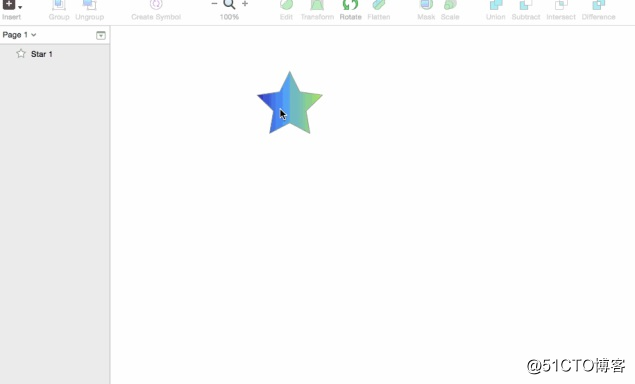
01-初识sketch-sketch优势
![Using quartz under. Net core -- general properties and priority of triggers for [5] jobs and triggers](/img/65/89473397da4217201eeee85aef3c10.png)
Using quartz under. Net core -- general properties and priority of triggers for [5] jobs and triggers
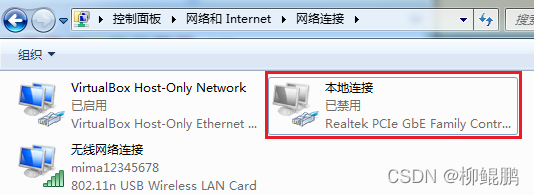
PC uses wireless network card to connect to mobile phone hotspot. Why can't you surf the Internet

How to change input into text

Halo open source project learning (II): entity classes and data tables
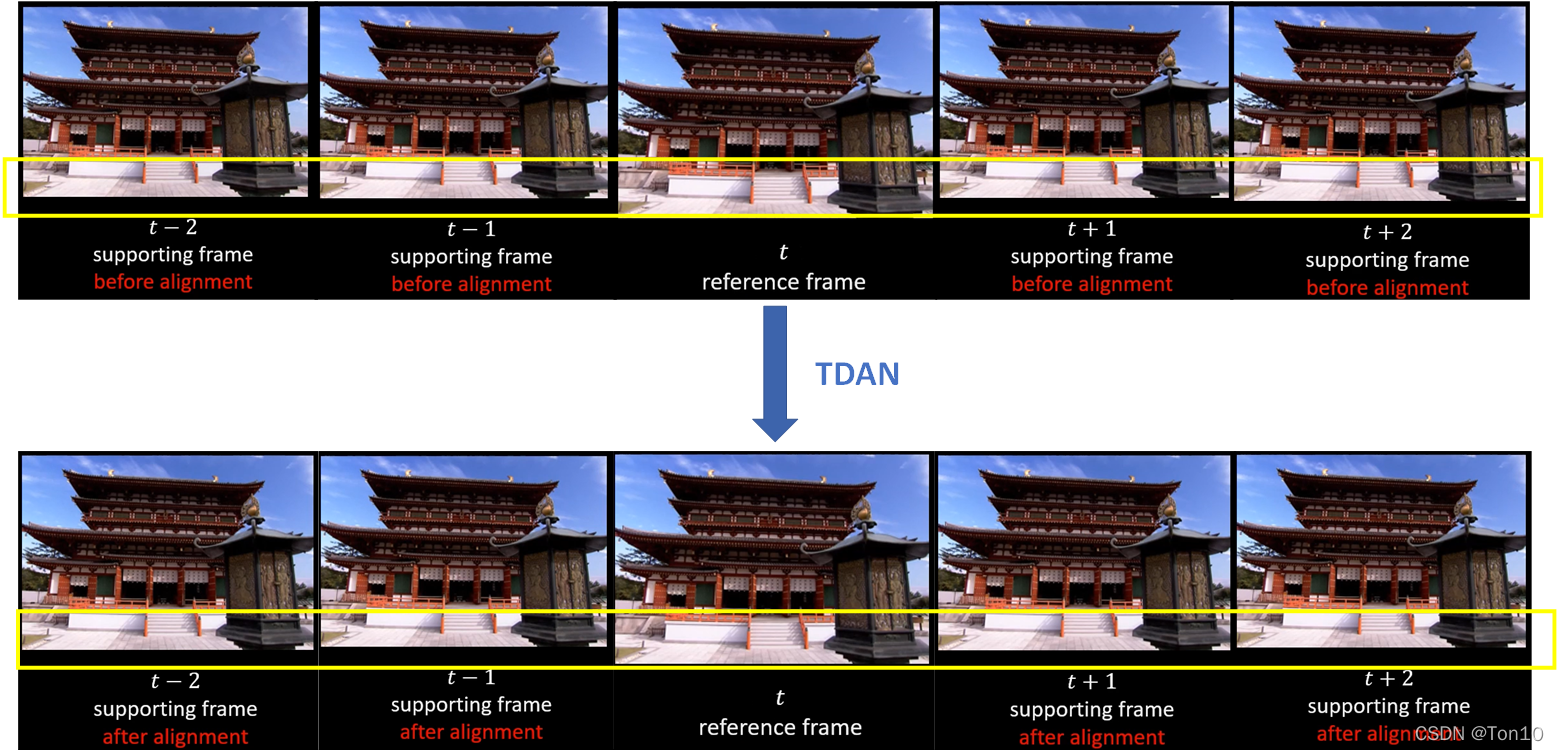
超分之TDAN

Qt error: /usr/bin/ld: cannot find -lGL: No such file or directory

958. 二叉树的完全性检验

XTask与Kotlin Coroutine的使用对比
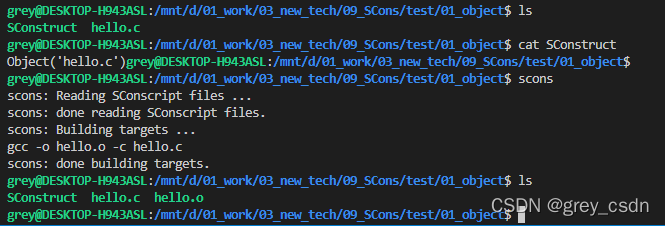
1217_ Generating target files using scons
随机推荐
uni-app黑马优购项目学习记录(下)
41. The first missing positive number
1217_ Generating target files using scons
Matlab / Simulink simulation of double closed loop DC speed regulation system
[related to zhengheyuan cutting tools]
Use of todesk remote control software
Shell-cut命令的使用
Low code development platform sorting
440. 字典序的第K小数字(困难)-字典树-数节点-字节跳动高频题
快时钟同步慢时钟域下的异步控制信号slow clk to fast clk
Shell-sort命令的使用
Compare the performance of query based on the number of paging data that meet the query conditions
剑指 Offer 03. 数组中重复的数字
Metaprogramming, proxy and reflection
For the space occupation of the software, please refer to the installation directory
402. Remove K digits - greedy
Conversion between hexadecimal numbers
Shell-入门、变量、以及基本的语法
Change Oracle to MySQL
QT modification UI does not take effect