当前位置:网站首页>Mysql database installation and configuration detailed tutorial
Mysql database installation and configuration detailed tutorial
2022-08-11 00:37:00 【SSS4362】
MysqlDetailed tutorial on database installation and configuration
1 准备工作
1.1 下载好Mysql安装包
Download a database version from the official website,Downloading is not recommended hereMysql 8.0 Because he is unstable and there are still somebug,Most companies use it5.几的版本,这里演示的是Mysql 5.5.36版本的安装
Mysql 5.5.36Version installation package download link
1.2 删除之前安装过的MysqlDatabase and its configuration files
1.2.1 卸载之前安装过的Mysql版本
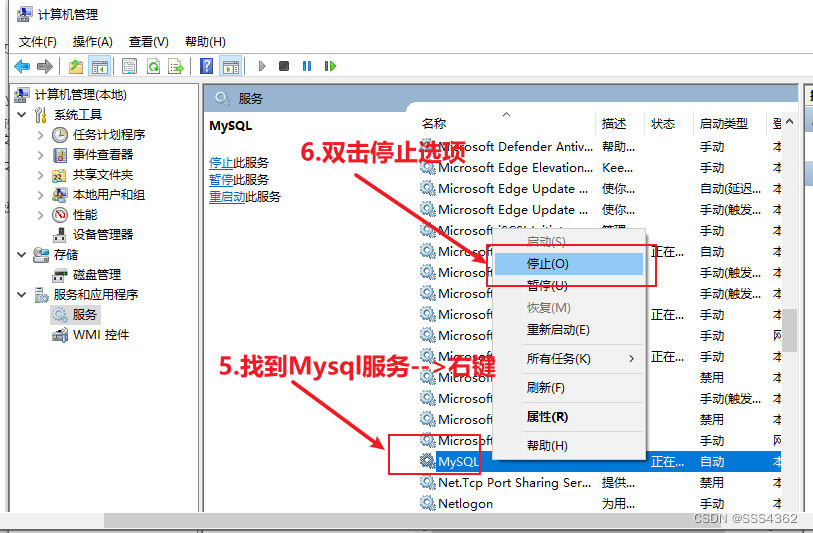
a 准备工作 关闭mysql的服务
a.1 我的电脑—>右键----->Double click to manage
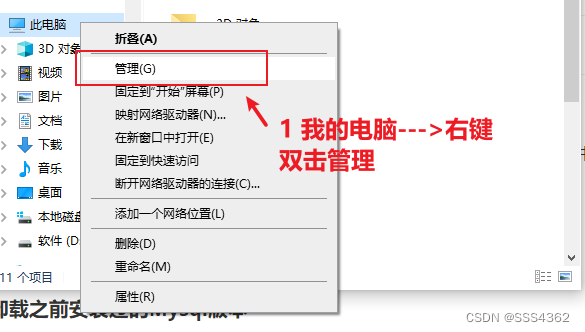
a.2 点击服务和应用程序

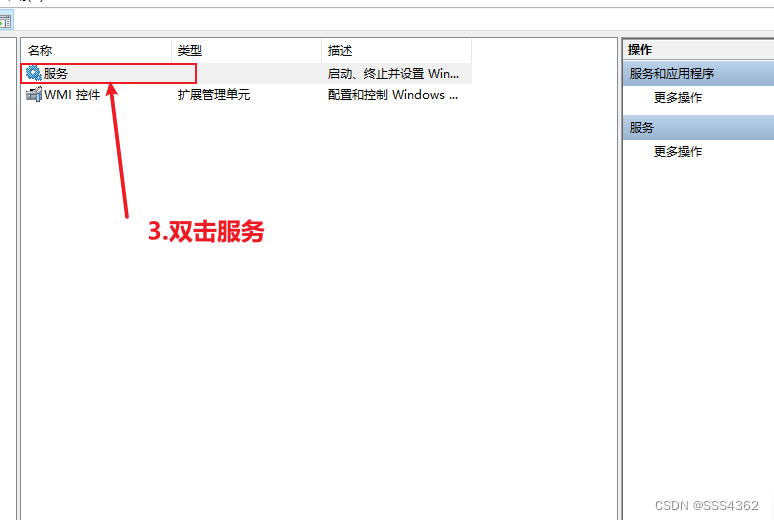
a.3 双击服务
a.4 找到Mysql服务---->右键—>双击停止按钮
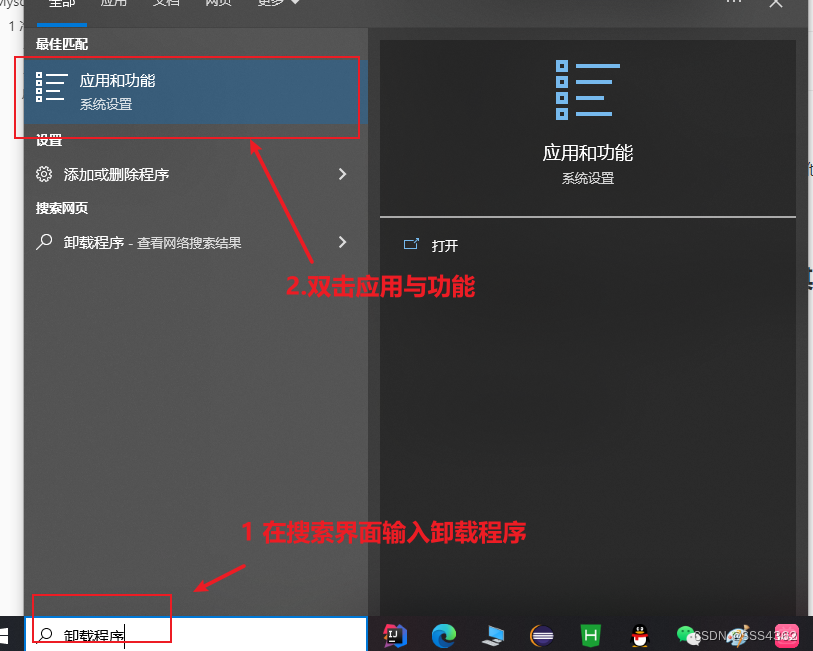
b 卸载Mysql程序
b.1 Type uninstaller in the search box,Double-click Apps & Features
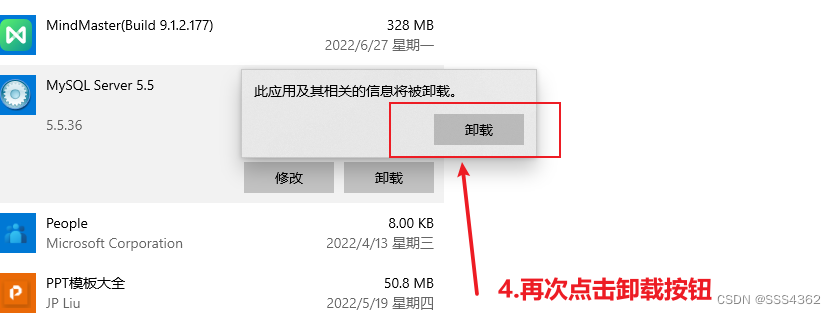
b.2 Found in the Apps and Features interfaceMySQL软件,点击卸载按钮

b.3 Click the Uninstall button again,This uninstalls itMySQL程序成功了
1.2.2 Delete residual configuration files
a 删除Program Files文件夹下面的MySQL文件
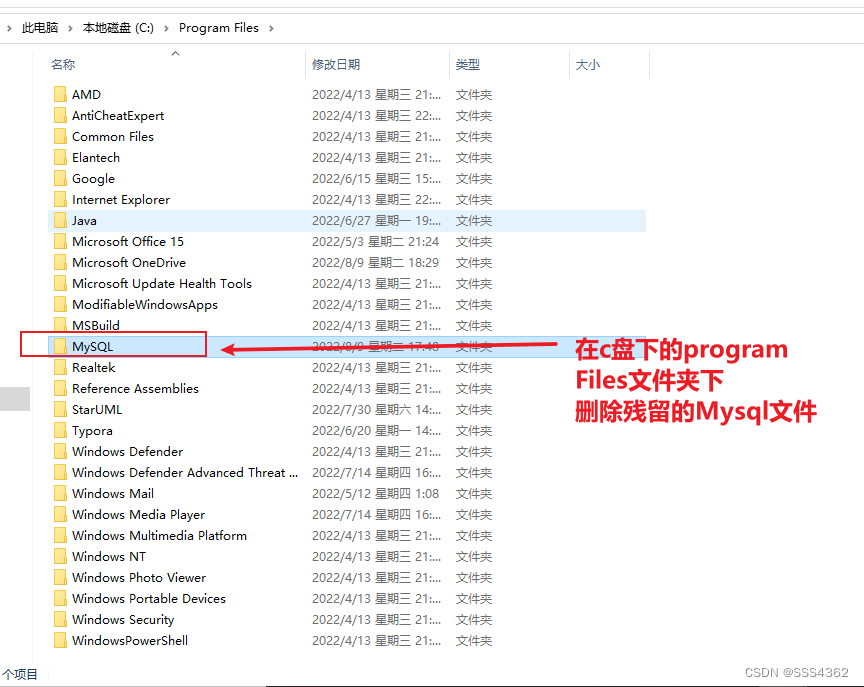
Provide administrator privileges to delete(The latter deletion is also required,因为是c盘下的文件)
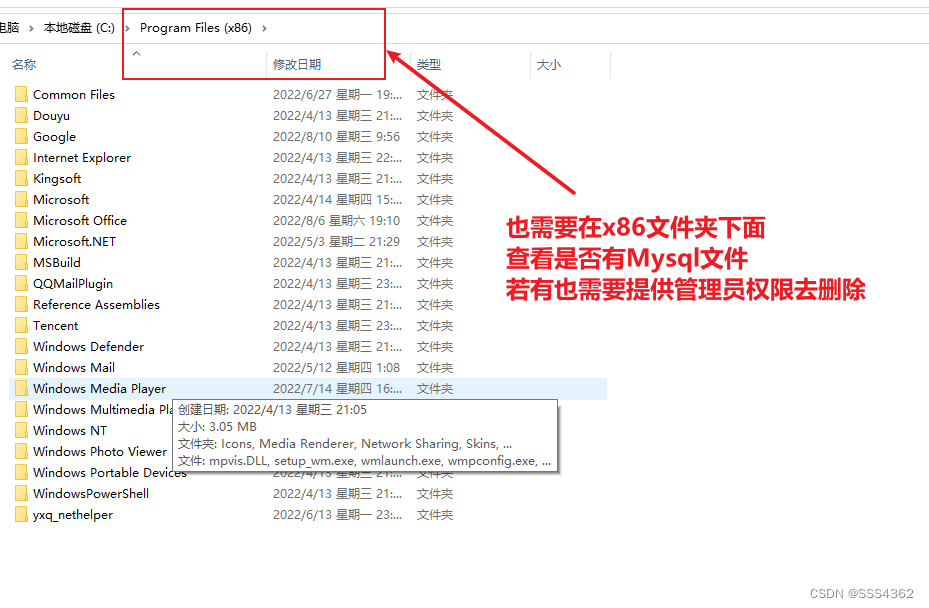
b 查看Program Files(x86)文件夹下面是否存在MySQL文件,If there is, it needs to be deleted
c 删除ProgramData文件夹(隐藏的项目)下面的MySQL文件
c.1 Display and double click to enterProgramData文件夹
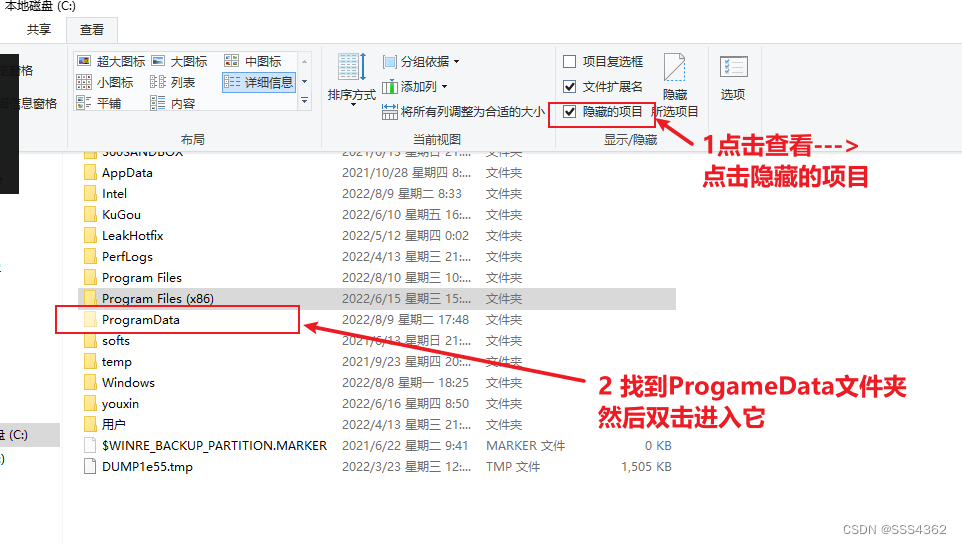
c.2 找到MySQLfile and provide administrator rights to delete it

1.2.3 Delete the previously configured oneMySQLThe environment variable corresponding to the version
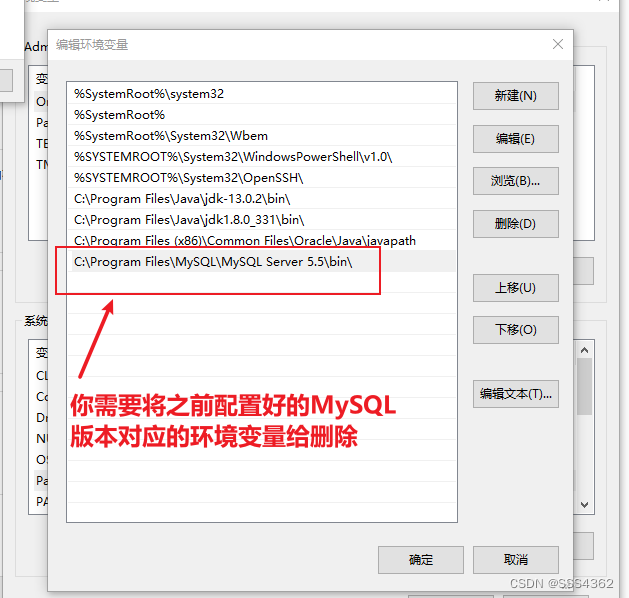
2 安装过程
2.1 双击下载好的mysql安装包(The pop-up interface needs to select Yes)
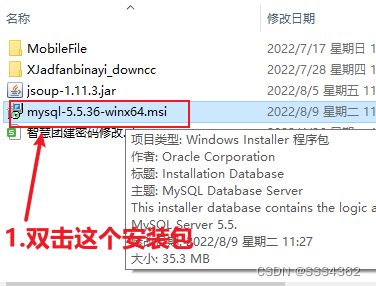
2.2 点击next按钮

2.3 勾选同意条款(许可协议中)并点击Next按钮
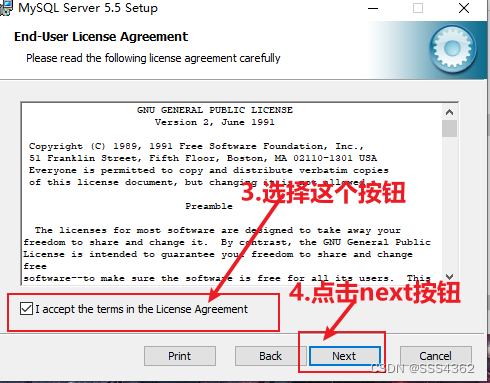
2.4 点击Typical按钮

2.5 点击install按钮
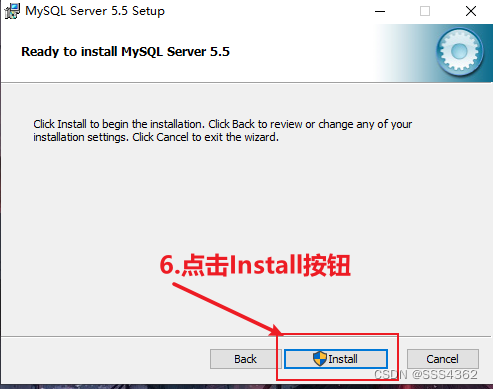
2.6 一直点击Next按钮(Mysql的宣传界面)

2.7 勾选Launch并点击Finish按钮(Then select Yes in the pop-up interface)
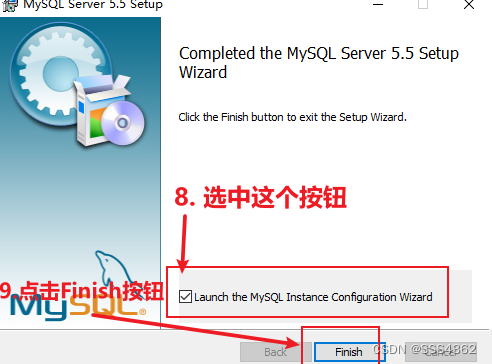
2.8 点击Next按钮
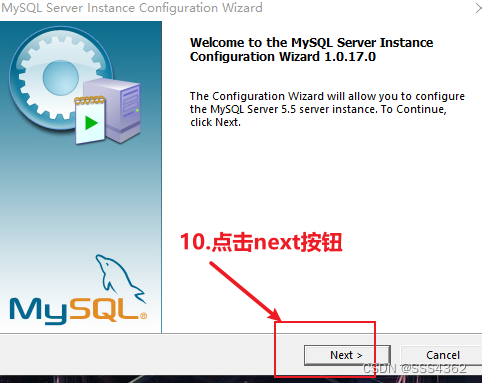
2.9 点击Next按钮

2.10 点击Next按钮
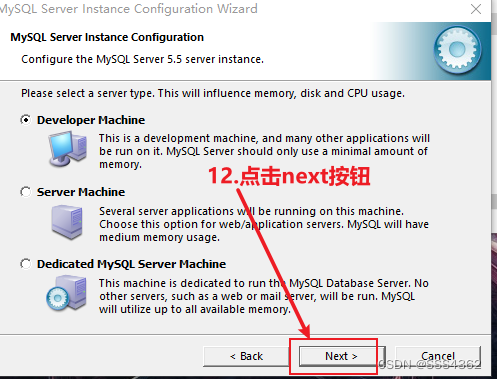
2.11 点击next按钮
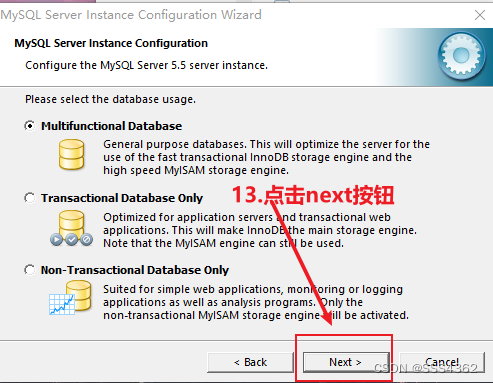
2.12 点击Next按钮
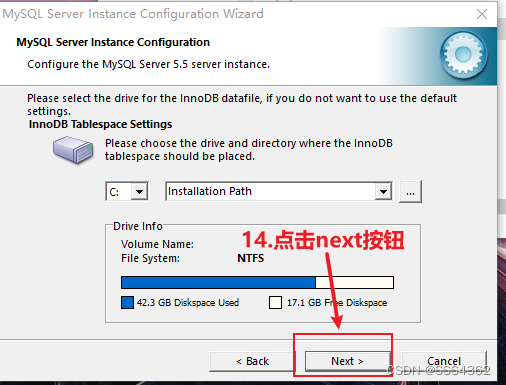
2.13 点击Next按钮

2.14 点击Next按钮

2.15 Select the bottom option and setCharacter set改成utf8,然后点击Next按钮

2.16 点击Next按钮

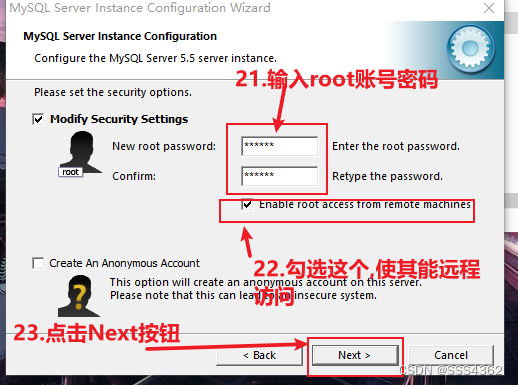
2.17 输入rootPassword corresponding to the account and check Allow remote access
2.18 点击Execute按钮

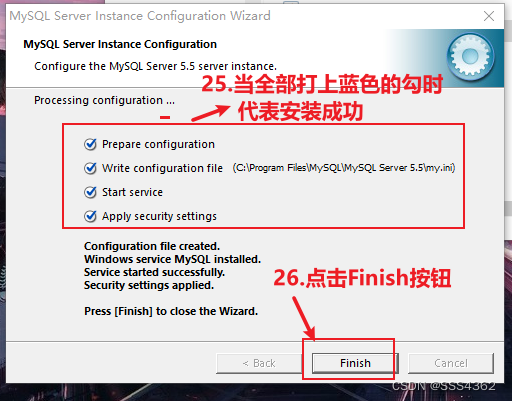
2.19 When all the blue ticks are on,代表MySQL数据库安装成功了;点击finish按钮,就代表MysqlProgram installation is complete
3.配置环境变量
3.1 我的电脑—>右键---->双击属性

3.2 点击高级系统设置

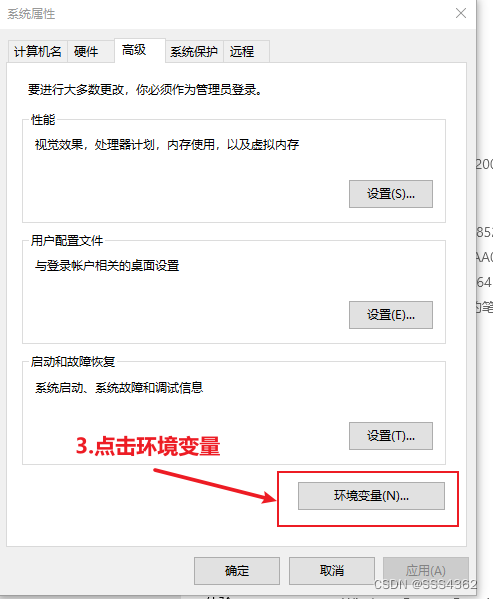
3.3 点击环境变量
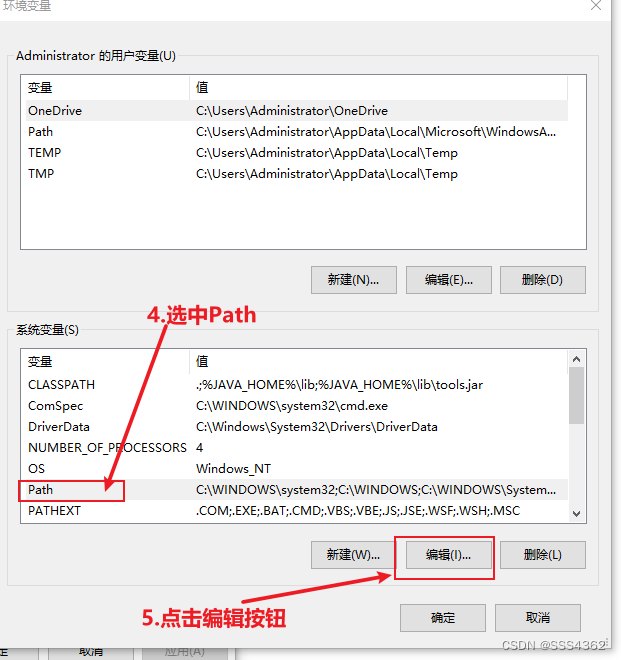
3.4 选中Path并点击编辑按钮
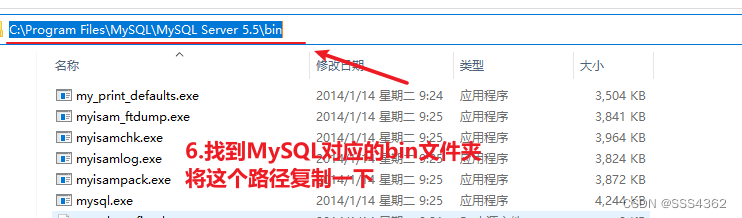
3.5 找到并复制MySQL对应的bin文件的路径
3.6 点击新建按钮

3.7 Paste the path you just copied(bin文件夹),Then add English at the end\

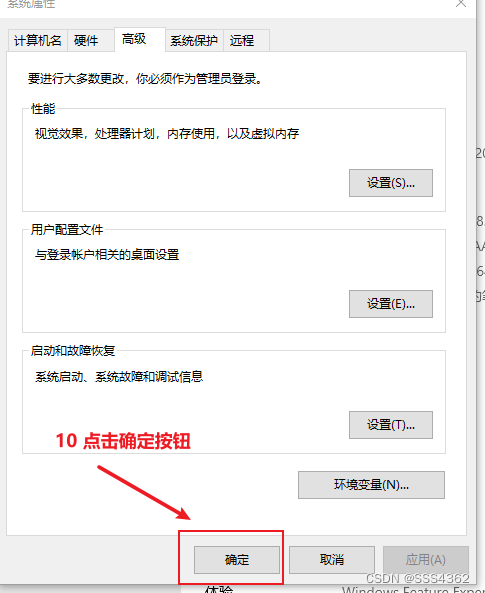
3.8 点击确定按钮

3.9 点击确定按钮
4 dosTest the interfaceMySQLwhether it can be used normally
4.1 在搜索界面输入cmd指令,然后回车

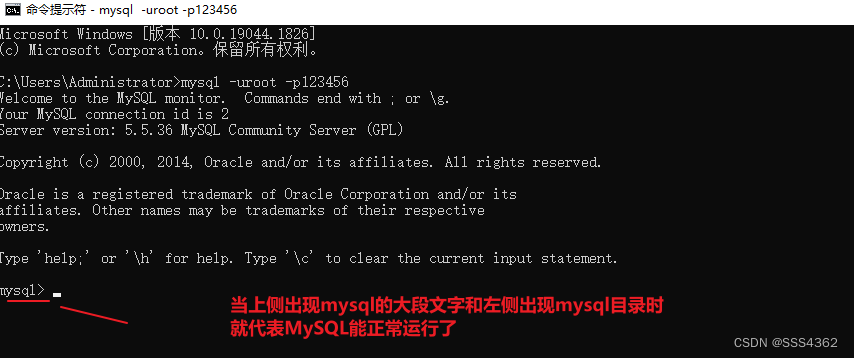
4.2 在dos界面输入mysql -uroot -p123456command and then enter
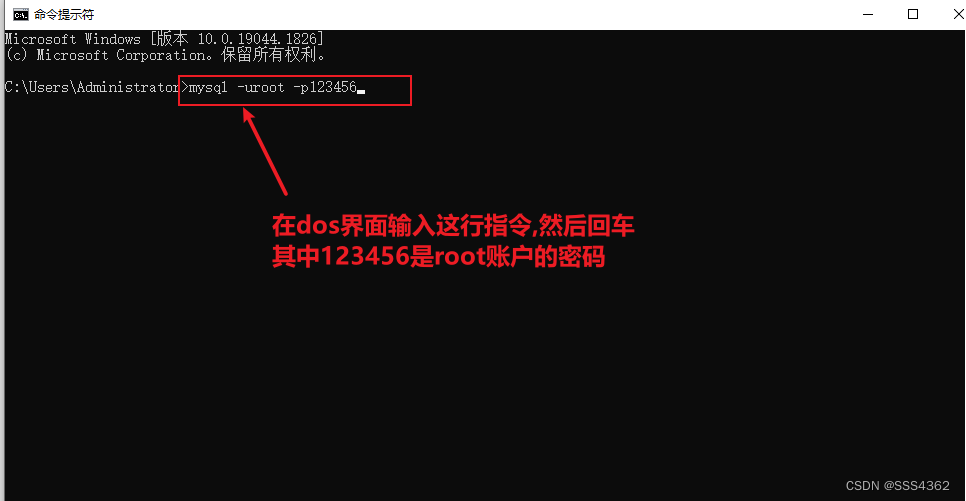
4.3 Rendering of a successful entry(代表Mysql安装并配置好了)
边栏推荐
- How engineers treat open source
- EPro-PnP: Generalized End-to-End Probabilistic Perspective-n-Points for Monocular Object Pose Est...
- 镜头之滤光片---关于日夜两用双通滤光片
- Volatile和CAS
- 关于科研学习中的几个问题:如何看论文?如何评价工作?如何找idea?
- 【C语言】探索数据的存储(整形篇)
- 【pypdf2】合并PDF、旋转、缩放、裁剪、加密解密、添加水印
- sed of the Three Musketeers of Shell Programming
- Shell编程三剑客之sed
- [21-day learning challenge - kernel notes] (5) - devmem read and write register debugging
猜你喜欢
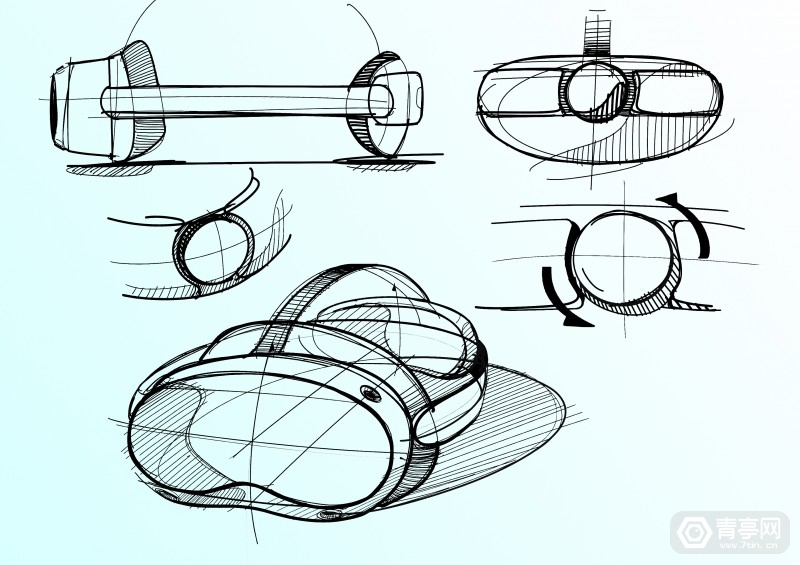
More parameter exposure of Pico 4: Pancake + color perspective, and Pro version
![[Data Visualization] Chart Design Principles](/img/f3/691dd58d1e334f9f62efa23e27ec76.png)
[Data Visualization] Chart Design Principles
Ali P7 bask in January payroll: hard to fill the, really sweet...
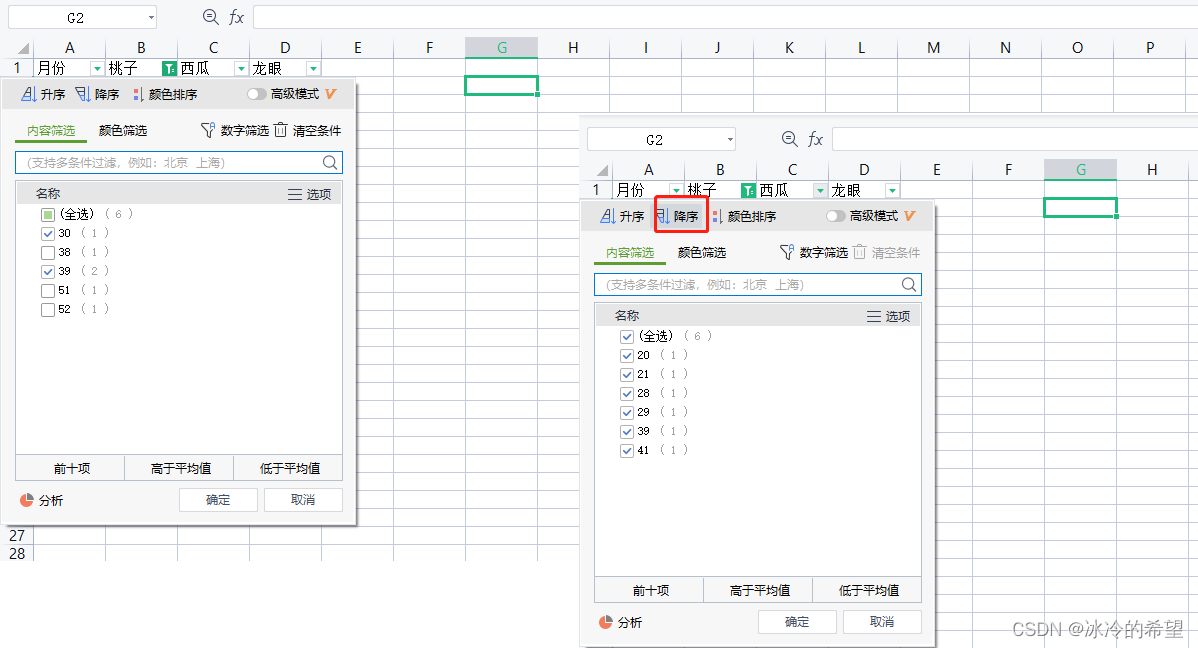
【openpyxl】过滤和排序
Web APIs BOM- 操作浏览器之综合案例
使用mysql语句操作数据表(table)
ADC和DAC记录

李彦宏拆墙交朋友,大厂“塑料友情”能否帮百度啃下硬骨头?

"NIO Cup" 2022 Nioke Summer Multi-School Training Camp 2 DGHJKL Problem Solution

【C语言】探索数据的存储(整形篇)
随机推荐
② 关系数据库标准语言SQL 数据定义(创建、修改基本表)、数据更新(增删改)
electron -autoUpdater 更新
① 数据库介绍 及 关系型数据库的关系代数表达式
16. Sum of the nearest three numbers
二维数组实战项目--------《扫雷游戏》
使用 BeanUtils 做属性拷贝,性能有点拉胯!
How engineers treat open source
构建资源的弹性伸缩
3d打印出现stl文件物体不是流形,意味着不是水密体...解决办法
ADC和DAC记录
22/8/9 Collection of Greedy Problems
只会懒汉式和饿汉式 你还不懂单例模式!
地下管廊可视化管理系统搭建
WebView2 通过 PuppeteerSharp 实现RPA获取壁纸 (案例版)
百战RHCE(第四十八战:运维工程师必会技-Ansible学习3-构建Ansible清单)
sed of the Three Musketeers of Shell Programming
云原生-FRP内网穿透(详解)使用云服务器将内网集群服务暴露至公网(二)
云原生-VMware虚拟机安装Kubesphere实战(一)
Exceptions and exception handling mechanisms
HW-蓝队工作流程(1)