当前位置:网站首页>Chatting embarrassing scenes, have you encountered it?Teach you to get the Doutu emoticon package with one click, and become a chat expert
Chatting embarrassing scenes, have you encountered it?Teach you to get the Doutu emoticon package with one click, and become a chat expert
2022-08-09 23:44:00 【m0_67393828】
大家好呀,我是辣条.
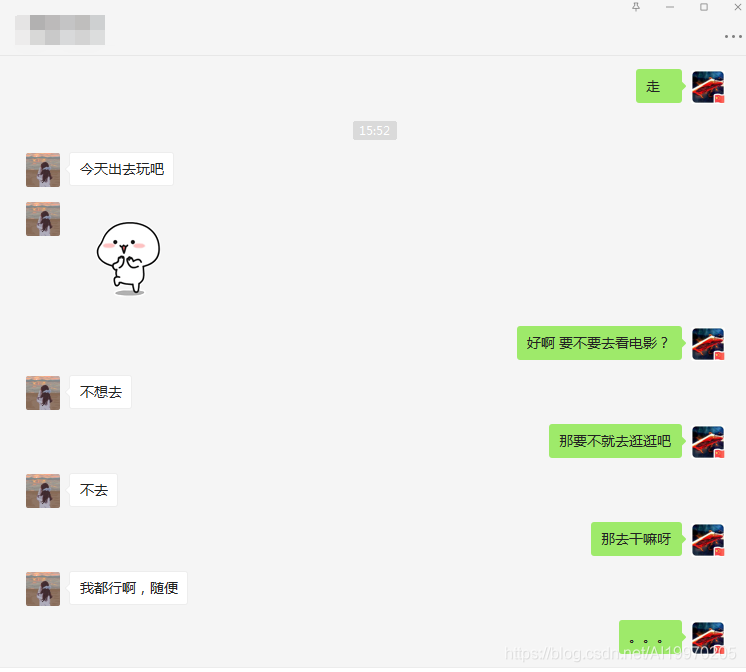
写这篇文章的灵感来源于之前和朋友的聊天,真的无力吐槽了,想发适合的表情包怼回去却发现收藏的表情包就那几个,就想着是不是可以爬取一些表情包,再也不用尬聊了.
先给大家看看我遇到的聊天最尬的场面:

斗图吧图片采集
抓取目标
网站:斗图吧
工具使用
开发环境:win10、python3.7
开发工具:pycharm、Chrome
工具包:requests、etree
重点内容学习
1.Q队列储存数据信息
2.py多线程使用方法
3.xpath语法学习
项目思路分析
根据你需要的关键字搜索对应的图片数据
搜索的关键字和页数根据改变对应的url
https://www.doutula.com/searchtype=photo&more=1&keyword={}&page={}
将对应的url地址保存在page队列里
    page_q = Queue()
    img_q = Queue()
    for x in range(1, 11):
        url = 'https://www.doutula.com/search?type=photo&more=1&keyword=%E7%A8%8B%E5%BA%8F%E5%91%98&page={}'.format(x)
        page_q.put(url)

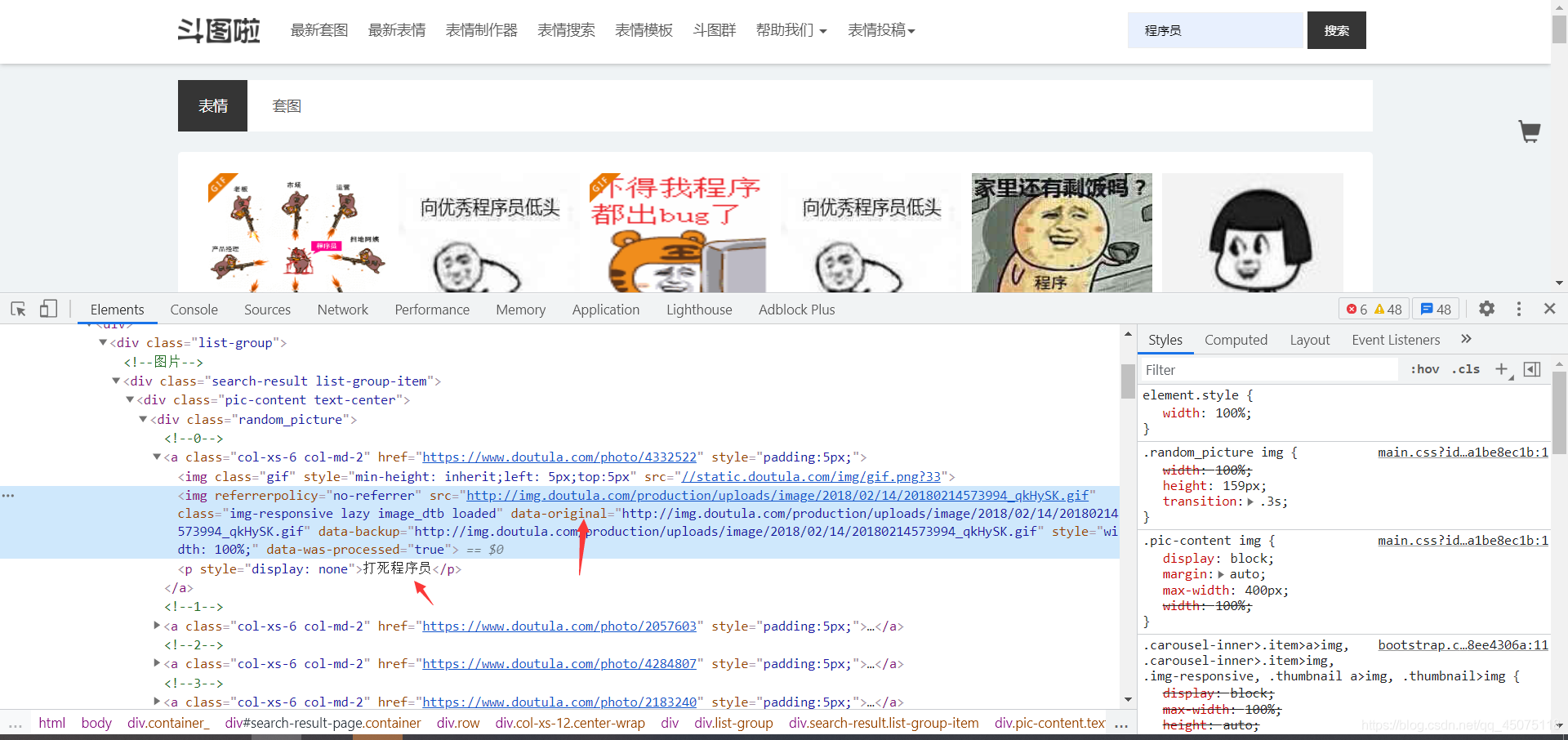
通过xpath方式提取当前页面的url地址以及图片的名字
将提取到的图片和地址存储在img队列里
    def parse_page(self, url):
        response = requests.get(url, headers=self.headers).text
        # print(response)
        html = etree.HTML(response)
        images = html.xpath('//div[@class="random_picture"]')
        for img in images:
            img_url = img.xpath('.//img/@data-original')
            # 获取图片名字
            print(img_url)
            alt = img.xpath('.//p/text()')
            for name, new_url in zip(alt, img_url):
                filename = re.sub(r'[??.,.!!*\/|]', '', name) + ".jpg"
                # 获取图片的后缀名
                # suffix = os.path.splitext(img_url)[1]
                # print(alt)
                self.img_queue.put((new_url, filename))
根据图片地址下载保存图片
保存图片是要根据图片url来判断保存的后缀(我统一保存的jpg,问就是因为懒癌晚期)
整理需求
- 创建两个线程类,一个用来提取网页图片数据,一个保存图片数据
- 创建两个队列,一个保存page的url, 一个保存图片的url和名字
- 通过xpath的方法提取出网址的图片地址
简易源码分享
import requests
from lxml import etree
import re
from queue import Queue
import threading


class ImageParse(threading.Thread):
    def __init__(self, page_queue, img_queue):
        super(ImageParse, self).__init__()
        self.page_queue = page_queue
        self.img_queue = img_queue
        self.headers = {
        'User-Agent': 'Mozilla/5.0 (Windows NT 10.0; Win64; x64) AppleWebKit/537.36 (KHTML, like Gecko) Chrome/87.0.4280.88 Safari/537.36'
    }

    def run(self):
        if self.page_queue.empty():
            break
        url = self.page_queue.get()
        self.parse_page(url)

    def parse_page(self, url):
        response = requests.get(url, headers=self.headers).text
        # print(response)
        html = etree.HTML(response)
        images = html.xpath('//div[@class="random_picture"]')
        for img in images:
            img_url = img.xpath('.//img/@data-original')
            # 获取图片名字
            print(img_url)
            alt = img.xpath('.//p/text()')
            for name, new_url in zip(alt, img_url):
                filename = re.sub(r'[??.,.!!*\/|]', '', name) + ".jpg"
                # 获取图片的后缀名
                # suffix = os.path.splitext(img_url)[1]
                # print(alt)
                self.img_queue.put((new_url, filename))


class Download(threading.Thread):
    def __init__(self, page_queue, img_queue):
        super(Download, self).__init__()
        self.page_queue = page_queue
        self.img_queue = img_queue

    def run(self):

        if self.img_queue.empty() and self.page_queue.empty():
            break
        img_url, filename = self.img_queue.get()
        with open("表情包/" + filename, "wb")as f:
            response = requests.get(img_url).content
            f.write(response)
            print(filename + '下载完成')


def main():
    # 建立队列
    page_q = Queue()
    img_q = Queue()
    for x in range(1, 11):
        url = 'https://www.doutula.com/search?type=photo&more=1&keyword=%E7%A8%8B%E5%BA%8F%E5%91%98&page={}'.format(x)
        page_q.put(url)

    for x in range(5):
        t = ImageParse(page_q, img_q)
        t.start()
        t = Download(page_q, img_q)
        t.start()


if __name__ == '__main__':
    main()
PS:表情包在手,聊天永不尬,没什么事是一个表情包解决不了的,如果有那就多发几个!对你有用的话给辣条一个三连吧,感谢啦!
先自我介绍一下,小编13年上师交大毕业,曾经在小公司待过,去过华为OPPO等大厂,18年进入阿里,直到现在.深知大多数初中级java工程师,想要升技能,往往是需要自己摸索成长或是报班学习,但对于培训机构动则近万元的学费,着实压力不小.自己不成体系的自学效率很低又漫长,而且容易碰到天花板技术停止不前.因此我收集了一份《java开发全套学习资料》送给大家,初衷也很简单,就是希望帮助到想自学又不知道该从何学起的朋友,同时减轻大家的负担.添加下方名片,即可获取全套学习资料哦
边栏推荐
- UML类图五种关系的代码实现[通俗易懂]
- laravel table migration error [easy to understand]
- In programming languages, the difference between remainder and modulo
- TF generates uniformly distributed tensor
- 重要的不是成为海贼王,而是像路飞一样去冒险
- Technology Sharing | How to Handle Header Cookies in Interface Automation Testing
- CVPR22 Oral | shunt through multi-scale token polymerization from attention, code is open source
- hdu 1503 Advanced Fruits(最长公共子序列的应用)
- 国内手机厂商曾为它大打出手,如今它却最先垮台……
- BulkInsert方法实现批量导入
猜你喜欢

How to Make Your Company Content GDPR Compliant
Synchronization lock synchronized traces the source
The kvm virtual machine cannot be started, NOT available, and the PV is larger than the partition
AI+医疗:使用神经网络进行医学影像识别分析

AI Knows Everything: Building and Deploying a Sign Language Recognition System from Zero
js十五道面试题(含答案)

【微服务~Nacos】Nacos服务提供者和服务消费者
SQLi-LABS Page-2 (Adv Injections)
论文解读(DropEdge)《DropEdge: Towards Deep Graph Convolutional Networks on Node Classification》
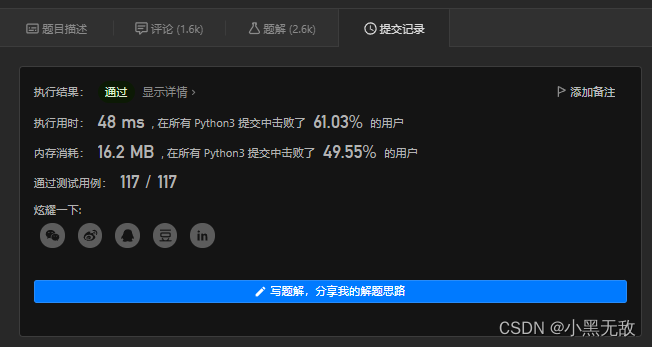
小黑leetcode清爽雨天之旅,刚吃完宇飞牛肉面、麻辣烫和啤酒:112. 路径总和
随机推荐
json case
金山云地震,震源在字节?
必看设计干货|易知微设计师是怎么做标准可视化设计服务的?
PHP 2D array sorted by a field
Rust 解引用
Tensorflow中placeholder函数的用法
Bean life cycle
knn到底咋回事?
STC8H开发(十五): GPIO驱动Ci24R1无线模块
角度和弧度的相互换算
JS–比想象中简单
Interpretation of the paper (DropEdge) "DropEdge: Towards Deep Graph Convolutional Networks on Node Classification"
laravel 表迁移报错[通俗易懂]
【云原生】4.2 DevOps 精讲篇
SecureCRT sets the timeout period for automatic disconnection
Xiaohei leetcode's refreshing rainy day trip, just finished eating Yufei Beef Noodles, Mala Tang and Beer: 112. Path Sum
SecureCRT background color
Bean生命周期
hdu 1333 Smith Numbers(暴力思路)
navicat 快捷键