当前位置:网站首页>OpenCV----YOLACT实例分割模型推理
OpenCV----YOLACT实例分割模型推理
2022-04-23 03:50:00 【qq_37172182】
题目要求:了解opencv的DNN库,给定一张自然场景图片,使用训练好的yolact模型,进行目标检测结果输出。
分析:
1)opencv的DNN模块集成了很多深度学习模型,包括人脸检测、图像分类、分割、目标检测等,集成了Pytorch、tensorflow、paddlepaddle等模型框架(参看代码库OpenCV/dnn)
2)深度学习推理模型一般步骤:加载模型,包括配置文件和权重文件;输入图像预处理,转换成模型可接受的文件类型和尺寸;模型预测后处理,对于实例分割,主要是NMS后处理方法和分割,YOLACT已自动完成这些后处理过程;
- 结果展示:

main.exe -h
#######
Usage: main.exe [params] image confThreshold nmsThresshold

        -?, -h, --help, --usage (value:true)
                opecv based deep learining demo

        image
                Image to process
        confThreshold (value:0.5)
                confidence threshold, default 0.5
        nmsThresshold (value:0.5)
                nms threshold, default 0.3
main.exe example_01.jpg
- 代码示例:
// main.cpp //
#include <fstream>
#include <iostream>
#include <opencv2/dnn.hpp>
#include <opencv2/imgproc.hpp>
#include <opencv2/highgui.hpp>
#include "yolact.cpp"

using namespace cv;
using namespace dnn;
using namespace std;

bool parseParam(int argc, char** argv, const char* keys, Mat& img, float& confThread, float& nmsTheshold){

	CommandLineParser parser(argc, argv, keys);
	if(parser.has("help")){

		parser.printMessage();
		return false;
	}
	if(!parser.check()){

		parser.printErrors();
		return false;
	}
	String imgFile = parser.get<String>(0);
	img = imread(imgFile);
	if(img.empty()){

		cout << "wrong image path ! please check again." << endl;
		return false;
	}
	confThread = parser.get<float>(1);
	nmsTheshold = parser.get<float>(2);
	return true;
}

int main(int argc, char** argv)
{

	const char* keys  = {

        "{help h usage ? | | opecv based deep learining demo}"
        "{@image | | Image to process}"
        "{@confThreshold | 0.5 | confidence threshold, default 0.5}"
        "{@nmsThresshold | 0.3 | nms threshold, default 0.3}"};
	float confThreshold, nmsThreshold;
	Mat srcimg;
	if(!parseParam(argc, argv, keys, srcimg, confThreshold, nmsThreshold)){

        return 0;
    }
	yolact yolactnet(confThreshold, nmsThreshold);

	yolactnet.detect(srcimg);

	static const string kWinName = "Deep learning object detection in OpenCV";
	namedWindow(kWinName, WINDOW_AUTOSIZE);
	imshow(kWinName, srcimg);
	waitKey(0);
	destroyAllWindows();
}
// yolact.cpp
#include <fstream>
#include <iostream>
#include <opencv2/dnn.hpp>
#include <opencv2/imgproc.hpp>
#include <opencv2/highgui.hpp>
#include "config.cpp"

using namespace cv;
using namespace dnn;
using namespace std;

class yolact
{

	public:
		yolact(float confThreshold, float nmsThreshold, const int keep_top_k = 200);
		void detect(Mat& srcimg);
	private:
		const int target_size = 550;
		const float MEANS[3] = {
     123.68, 116.78, 103.94 };
		const float STD[3] = {
     58.40, 57.12, 57.38 };
		float confidence_threshold;
		float nms_threshold;
		int keep_top_k;
		const int conv_ws[5] = {
     69, 35, 18, 9, 5 };
		const int conv_hs[5] = {
     69, 35, 18, 9, 5 };
		const float aspect_ratios[3] = {
     1.f, 0.5f, 2.f };
		const float scales[5] = {
     24.f, 48.f, 96.f, 192.f, 384.f };
		const float var[4] = {
     0.1f, 0.1f, 0.2f, 0.2f };
		const int mask_h = 138;
		const int mask_w = 138;
		int num_priors;
		float* priorbox;
		Net net;
		void normalize(Mat& img);
		void sigmoid(Mat& out, int length);
};

yolact::yolact(float confThreshold, float nmsThreshold, const int keep_top_k)
{

	this->confidence_threshold = confThreshold;
	this->nms_threshold = nmsThreshold;
	this->keep_top_k = keep_top_k;
	this->net = readNet("yolact_base_54_800000.onnx");
	this->num_priors = 0;
	int p = 0;
	for (p = 0; p < 5; p++)
	{

		this->num_priors += this->conv_ws[p] * this->conv_hs[p] * 3;
	}
	this->priorbox = new float[4 * this->num_priors];
	generate priorbox
	float* pb = priorbox;
	for (p = 0; p < 5; p++)
	{

		int conv_w = this->conv_ws[p];
		int conv_h = this->conv_hs[p];

		float scale = this->scales[p];

		for (int i = 0; i < conv_h; i++)
		{

			for (int j = 0; j < conv_w; j++)
			{

				// +0.5 because priors are in center-size notation
				float cx = (j + 0.5f) / conv_w;
				float cy = (i + 0.5f) / conv_h;

				for (int k = 0; k < 3; k++)
				{

					float ar = aspect_ratios[k];

					ar = sqrt(ar);

					float w = scale * ar / this->target_size;
					float h = scale / ar / this->target_size;

					// This is for backward compatability with a bug where I made everything square by accident
					// cfg.backbone.use_square_anchors:
					h = w;
					pb[0] = cx;
					pb[1] = cy;
					pb[2] = w;
					pb[3] = h;
					pb += 4;
				}
			}
		}
	}
}

void yolact::normalize(Mat& img)
{

	img.convertTo(img, CV_32F);
	int i = 0, j = 0;
	for (i = 0; i < img.rows; i++)
	{

		float* pdata = (float*)(img.data + i * img.step);
		for (j = 0; j < img.cols; j++)
		{

			pdata[0] = (pdata[0] - this->MEANS[0]) / this->STD[0];
			pdata[1] = (pdata[1] - this->MEANS[1]) / this->STD[1];
			pdata[2] = (pdata[2] - this->MEANS[2]) / this->STD[2];
			pdata += 3;
		}
	}
}

void yolact::sigmoid(Mat& out, int length)
{

	float* pdata = (float*)(out.data);
	int i = 0;
	for (i = 0; i < length; i++)
	{

		pdata[i] = 1.0 / (1 + expf(-pdata[i]));
	}
}

void yolact::detect(Mat& srcimg)
{

	int img_w = srcimg.cols;
	int img_h = srcimg.rows;
	Mat img;
	resize(srcimg, img, Size(this->target_size, this->target_size), INTER_LINEAR);
	cvtColor(img, img, COLOR_BGR2RGB);
	this->normalize(img);
	Mat blob = blobFromImage(img);
	this->net.setInput(blob);
	vector<Mat> outs;
	this->net.forward(outs, this->net.getUnconnectedOutLayersNames());

	/generate proposals
	vector<int> classIds;
	vector<float> confidences;
	vector<Rect> boxes;
	vector<int> maskIds;
	const int num_class = outs[1].cols;
	for (int i = 0; i < this->num_priors; i++)
	{

		Mat scores = outs[1].row(i).colRange(1, num_class);
		Point classIdPoint;
		double score;
		// Get the value and location of the maximum score
		minMaxLoc(scores, 0, &score, 0, &classIdPoint);
		if (score > this->confidence_threshold)
		{

			const float* loc = (float*)outs[0].data + i * 4;
			const float* pb = this->priorbox + i * 4;
			float pb_cx = pb[0];
			float pb_cy = pb[1];
			float pb_w = pb[2];
			float pb_h = pb[3];

			float bbox_cx = var[0] * loc[0] * pb_w + pb_cx;
			float bbox_cy = var[1] * loc[1] * pb_h + pb_cy;
			float bbox_w = (float)(exp(var[2] * loc[2]) * pb_w);
			float bbox_h = (float)(exp(var[3] * loc[3]) * pb_h);
			float obj_x1 = bbox_cx - bbox_w * 0.5f;
			float obj_y1 = bbox_cy - bbox_h * 0.5f;
			float obj_x2 = bbox_cx + bbox_w * 0.5f;
			float obj_y2 = bbox_cy + bbox_h * 0.5f;

			// clip
			obj_x1 = max(min(obj_x1 * img_w, (float)(img_w - 1)), 0.f);
			obj_y1 = max(min(obj_y1 * img_h, (float)(img_h - 1)), 0.f);
			obj_x2 = max(min(obj_x2 * img_w, (float)(img_w - 1)), 0.f);
			obj_y2 = max(min(obj_y2 * img_h, (float)(img_h - 1)), 0.f);
			classIds.push_back(classIdPoint.x);
			confidences.push_back(score);
			boxes.push_back(Rect((int)obj_x1, (int)obj_y1, (int)(obj_x2 - obj_x1 + 1), (int)(obj_y2 - obj_y1 + 1)));
			maskIds.push_back(i);
		}
	}

	// Perform non maximum suppression to eliminate redundant overlapping boxes with
	// lower confidences
	vector<int> indices;
	NMSBoxes(boxes, confidences, this->confidence_threshold, this->nms_threshold, indices, 1.f, this->keep_top_k);
	for (size_t i = 0; i < indices.size(); ++i)
	{

		int idx = indices[i];
		Rect box = boxes[idx];
		int xmax = box.x + box.width;
		int ymax = box.y + box.height;
		rectangle(srcimg, Point(box.x, box.y), Point(xmax, ymax), Scalar(0, 0, 255), 3);
		//Get the label for the class name and its confidence
		char text[256];
		sprintf(text, "%s: %.2f", class_names[classIds[idx] + 1], confidences[idx]);


		//Display the label at the top of the bounding box
		int baseLine;
		Size labelSize = getTextSize(text, FONT_HERSHEY_SIMPLEX, 0.5, 1, &baseLine);
		int ymin = max(box.y, labelSize.height);
		//rectangle(frame, Point(left, top - int(1.5 * labelSize.height)), Point(left + int(1.5 * labelSize.width), top + baseLine), Scalar(0, 255, 0), FILLED);
		putText(srcimg, text, Point(box.x, ymin), FONT_HERSHEY_SIMPLEX, 0.75, Scalar(0, 255, 0), 1);

		Mat mask(this->mask_h, this->mask_w, CV_32FC1);
		mask = cv::Scalar(0.f);
		int channel = outs[2].cols;
		int area = this->mask_h * this->mask_w;
		float* coeff = (float*)outs[2].data + maskIds[idx] * channel;
		float* pm = (float*)mask.data;
		const float* pmaskmap = (float*)outs[3].data;
		for (int j = 0; j < area; j++)
		{

			for (int p = 0; p < channel; p++)
			{

				pm[j] += pmaskmap[p] * coeff[p];
			}
			pmaskmap += channel;
		}

		this->sigmoid(mask, area);
		Mat mask2;
		resize(mask, mask2, Size(img_w, img_h));
		// draw mask
		for (int y = 0; y < img_h; y++)
		{

			const float* pmask = (float*)mask2.data + y * img_w;
			uchar* p = srcimg.data + y * img_w * 3;
			for (int x = 0; x < img_w; x++)
			{

				if (pmask[x] > 0.5)
				{

					p[0] = (uchar)(p[0] * 0.5 + colors[classIds[idx] + 1][0] * 0.5);
					p[1] = (uchar)(p[1] * 0.5 + colors[classIds[idx] + 1][1] * 0.5);
					p[2] = (uchar)(p[2] * 0.5 + colors[classIds[idx] + 1][2] * 0.5);
				}
				p += 3;
			}
		}
	}
}
// config.hpp //
extern const char* class_names[];
extern const unsigned char colors[81][3];

// config.cpp //
#include"config.hpp"
extern const char* class_names[] = {
     "background",
										"person", "bicycle", "car", "motorcycle", "airplane", "bus",
										"train", "truck", "boat", "traffic light", "fire hydrant",
										"stop sign", "parking meter", "bench", "bird", "cat", "dog",
										"horse", "sheep", "cow", "elephant", "bear", "zebra", "giraffe",
										"backpack", "umbrella", "handbag", "tie", "suitcase", "frisbee",
										"skis", "snowboard", "sports ball", "kite", "baseball bat",
										"baseball glove", "skateboard", "surfboard", "tennis racket",
										"bottle", "wine glass", "cup", "fork", "knife", "spoon", "bowl",
										"banana", "apple", "sandwich", "orange", "broccoli", "carrot",
										"hot dog", "pizza", "donut", "cake", "chair", "couch",
										"potted plant", "bed", "dining table", "toilet", "tv", "laptop",
										"mouse", "remote", "keyboard", "cell phone", "microwave", "oven",
										"toaster", "sink", "refrigerator", "book", "clock", "vase",
										"scissors", "teddy bear", "hair drier", "toothbrush"
};

extern const unsigned char colors[81][3] = {
    {
    56, 0, 255}, {
    226, 255, 0}, {
    0, 94, 255},
	{
    0, 37, 255}, {
    0, 255, 94}, {
    255, 226, 0}, {
    0, 18, 255}, {
    255, 151, 0},
	{
    170, 0, 255}, {
    0, 255, 56}, {
    255, 0, 75}, {
    0, 75, 255}, {
    0, 255, 169},
	{
    255, 0, 207}, {
    75, 255, 0}, {
    207, 0, 255}, {
    37, 0, 255}, {
    0, 207, 255},
	{
    94, 0, 255}, {
    0, 255, 113}, {
    255, 18, 0}, {
    255, 0, 56}, {
    18, 0, 255},
	{
    0, 255, 226}, {
    170, 255, 0}, {
    255, 0, 245}, {
    151, 255, 0}, {
    132, 255, 0},
	{
    75, 0, 255}, {
    151, 0, 255}, {
    0, 151, 255}, {
    132, 0, 255}, {
    0, 255, 245},
	{
    255, 132, 0}, {
    226, 0, 255}, {
    255, 37, 0}, {
    207, 255, 0},
	{
    0, 255, 207}, {
    94, 255, 0}, {
    0, 226, 255},
	{
    56, 255, 0}, {
    255, 94, 0}, {
    255, 113, 0},{
    0, 132, 255}, {
    255, 0, 132},
	{
    255, 170, 0}, {
    255, 0, 188}, {
    113, 255, 0}, {
    245, 0, 255}, {
    113, 0, 255},
	{
    255, 188, 0}, {
    0, 113, 255}, {
    255, 0, 0}, {
    0, 56, 255}, {
    255, 0, 113},
	{
    0, 255, 188}, {
    255, 0, 94}, {
    255, 0, 18}, {
    18, 255, 0}, {
    0, 255, 132},
	{
    0, 188, 255}, {
    0, 245, 255}, {
    0, 169, 255},{
    37, 255, 0},
	{
    255, 0, 151}, {
    188, 0, 255}, {
    0, 255, 37}, {
    0, 255, 0},
	{
    255, 0, 170}, {
    255, 0, 37}, {
    255, 75, 0}, {
    0, 0, 255}, {
    255, 207, 0},
	{
    255, 0, 226}, {
    255, 245, 0}, {
    188, 255, 0}, {
    0, 255, 18}, {
    0, 255, 75},
	{
    0, 255, 151}, {
    255, 56, 0}, {
    245, 255, 0}
};
版权声明
本文为[qq_37172182]所创,转载请带上原文链接,感谢
https://blog.csdn.net/qq_37172182/article/details/124284644
边栏推荐
- Using VBA interval to extract one column from another in Excel
- (valid for personal testing) compilation guide of paddedetection on Jetson
- Qt程序集成EasyPlayer-RTSP流媒体播放器出现画面闪烁是什么原因?
- ROS series (II): ROS quick experience, taking HelloWorld program as an example
- 深度學習筆記(二)——激活函數原理與實現
- 常用的辅助类
- What to pay attention to when writing the first code
- Source code and update details of new instance segmentation network panet (path aggregation network for instance segmentation)
- Second kill all interval related problems
- Installation and configuration of clion under win10
猜你喜欢

The whole process of connecting the newly created unbutu system virtual machine with xshell and xftp
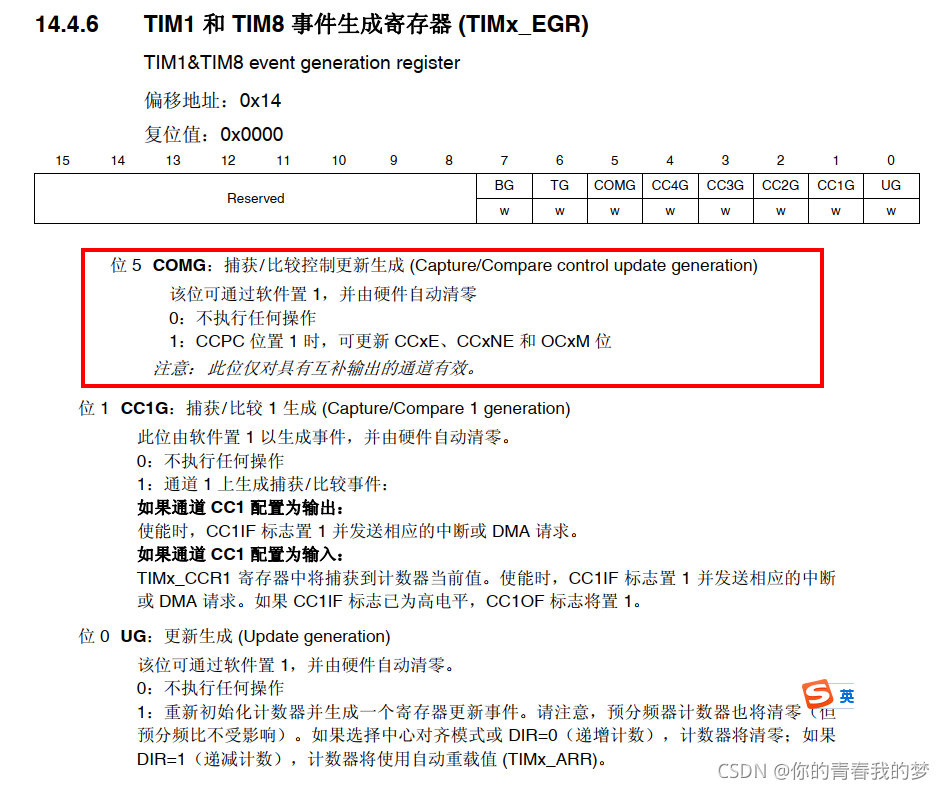
STM32 advanced timer com event

51 single chip microcomputer: D / a digital to analog conversion experiment
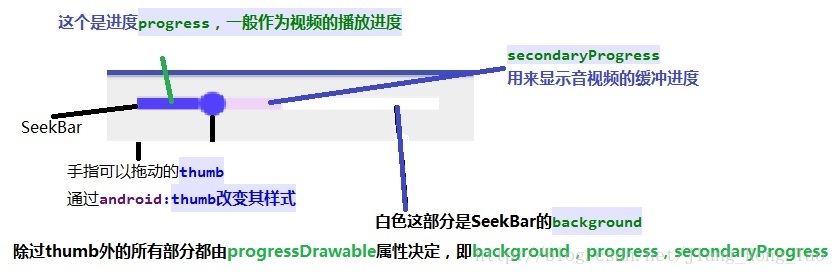
Seekbar custom style details
![[AI vision · quick review of robot papers today, issue 30] Thu, 14 APR 2022](/img/93/55ee30b99c7683edc612a09e30dfed.png)
[AI vision · quick review of robot papers today, issue 30] Thu, 14 APR 2022

Wechat applet canvas draws a simple asymptotic color of the dashboard
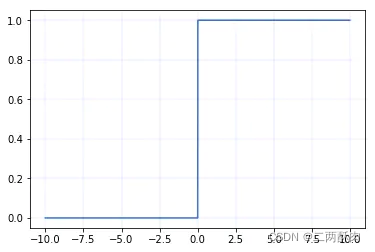
深度學習筆記(二)——激活函數原理與實現
Key point detection of human hand based on mediapipe

標識符、關鍵字、數據類型
Win10 boot VMware virtual machine boot seconds blue screen problem perfect solution
随机推荐
作为一名码农,女友比自己更能码是一种什么体验?
Several common methods of multithreading
网络原理 | TCP/IP中的连接管理机制 重要协议与核心机制
Solve the technical problems in seq2seq + attention machine translation
抽象类、接口、常用关键字
On the principle of concurrent programming and the art of notify / Park
Who will answer the question?
Let matlab2018b support the mex configuration of vs2019
变量、常量、运算符
[AI vision · quick review of robot papers today, issue 29] Mon, 14 Feb 2022
Redis (17) -- redis cache related problem solving
什么是软件验收测试,第三方软件检测机构进行验收测试有什么好处?
SQL topic exercise summary
Notes sur l'apprentissage profond (Ⅱ) - - Principe et mise en oeuvre de la fonction d'activation
Use the thread factory to set the thread name in the thread pool
[latex] formula group
Mechanical design knowledge point planning
Cuda11 is installed perfectly in win10 X + pytorch 1.9 (blood flowing into the river) cuda. is_ Available() becomes true!
[latex] differences in the way scores are written
Summary of knowledge map (3)