当前位置:网站首页>[unity VFX] Introduction notes of VFX special effects - spark production
[unity VFX] Introduction notes of VFX special effects - spark production
2022-04-23 07:53:00 【Allen7474】
【Unity VFX】VFX Introduction notes to special effects
Catalog :
One 、 Preliminary knowledge of layout
Two 、 Make - link - Ideas - summary
3、 ... and 、 Specific implementation steps
Four 、 Case download link
Effect display
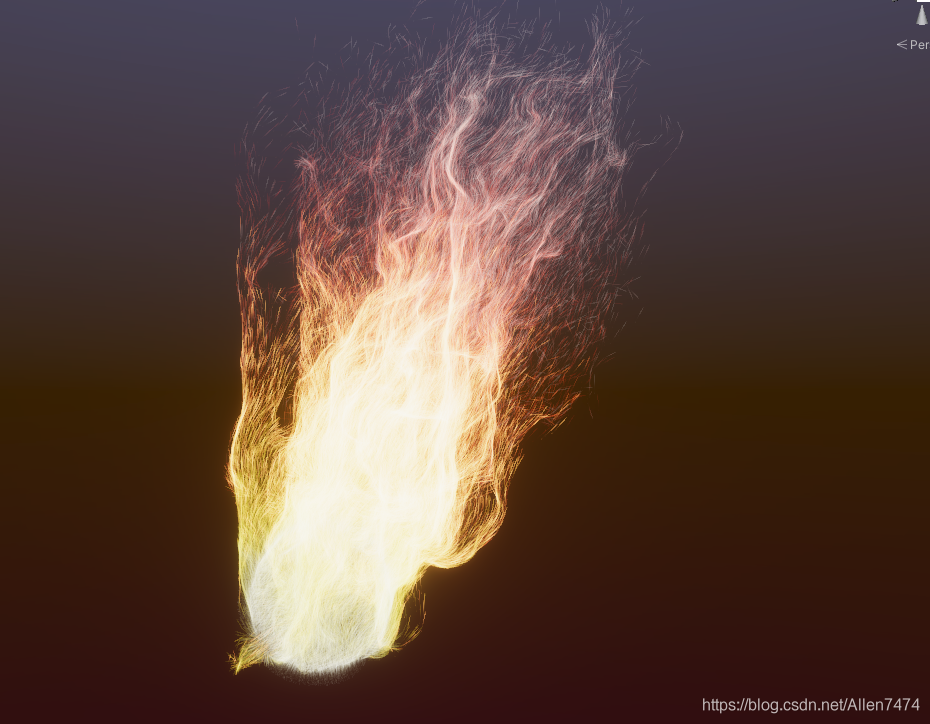

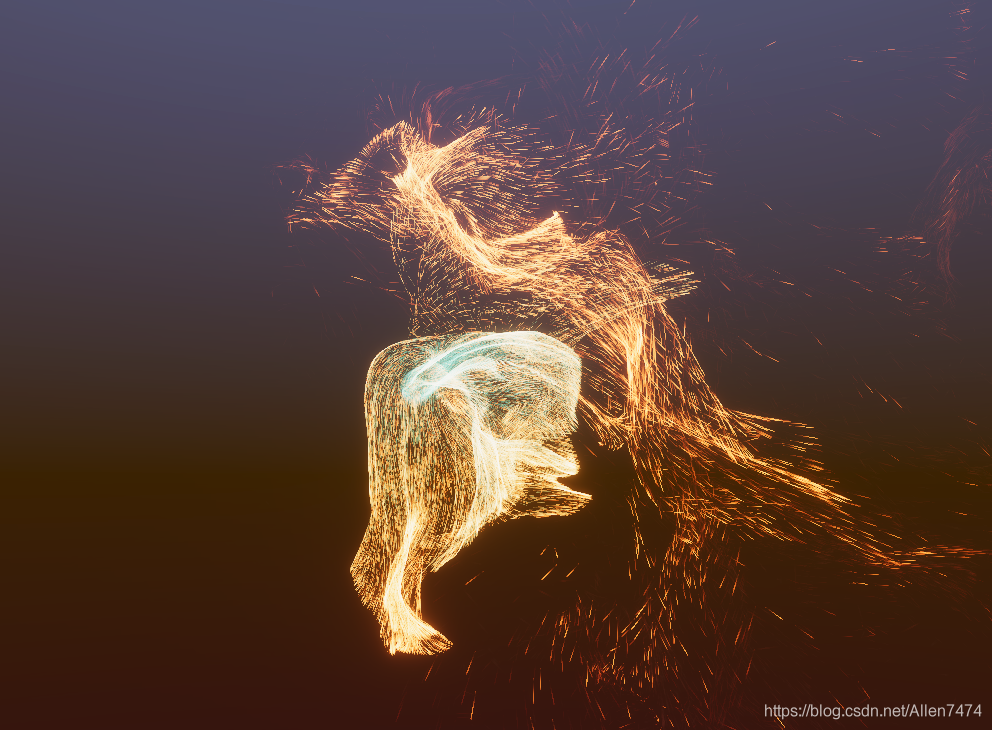
One 、 Preliminary knowledge of layout
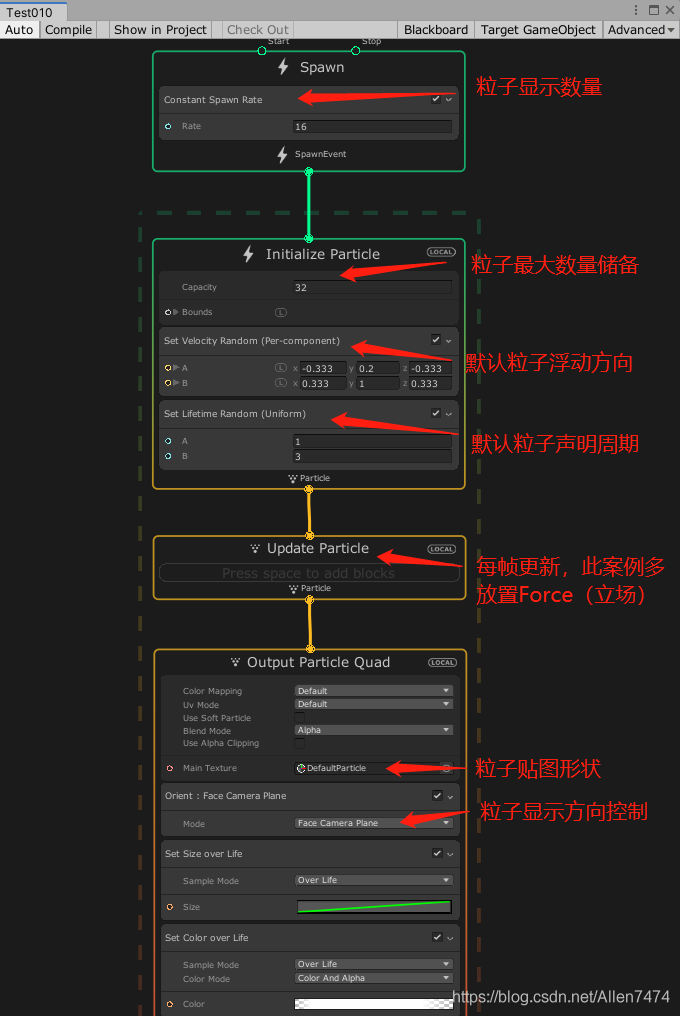
VFX Create the initial section interface , It is divided into 4 large .
1、 Show build control
2、 initialization
3、 Real time updates
4、 Render settings
Two 、 Make - link - Ideas - summary
The whole production is divided into three parts :
1、 Basic particle control
2、 Color change control
3、Force Position and direction control
Formula of special effect production idea :
Particle shape , color >> Number of particles >> The life cycle of particles >>
3、 ... and 、 Specific implementation steps
- Basic particle control
1、 Click on Edit Open the editing interface , Or in the resource directory , Double click the resource , It can also be opened .

2、 Select the particle base image , And set the particles to , Launch in direction .

3、 Particle number control , The maximum number of particles is One hundred thousand , The display particles are set to Ten thousand individual .
Particle life cycle control increased to 3 - 5 second

4、 Control particles , The display increment is overlay ,
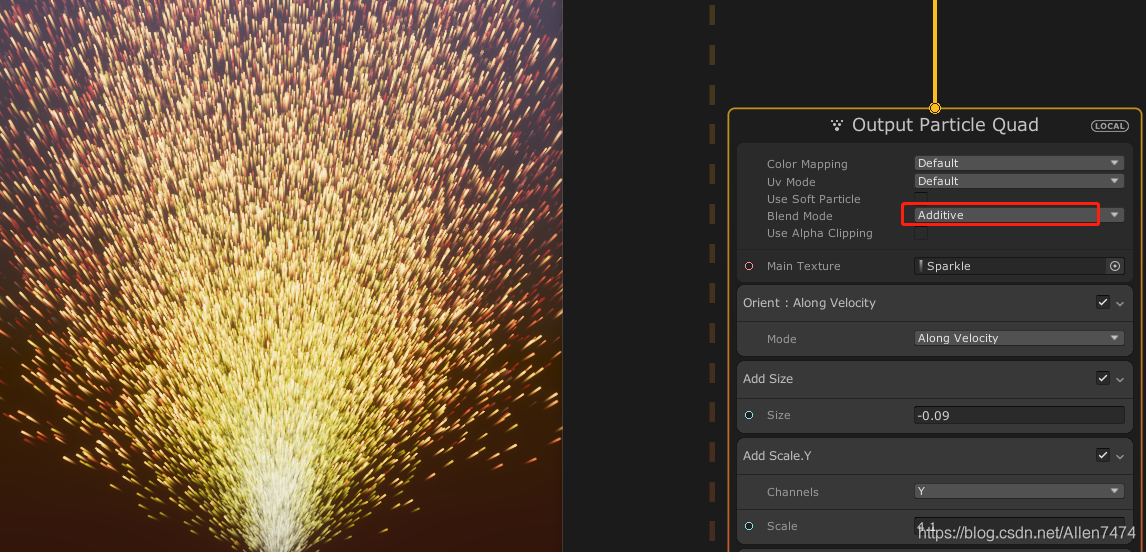
If it is set to passageway , The following effects will appear .
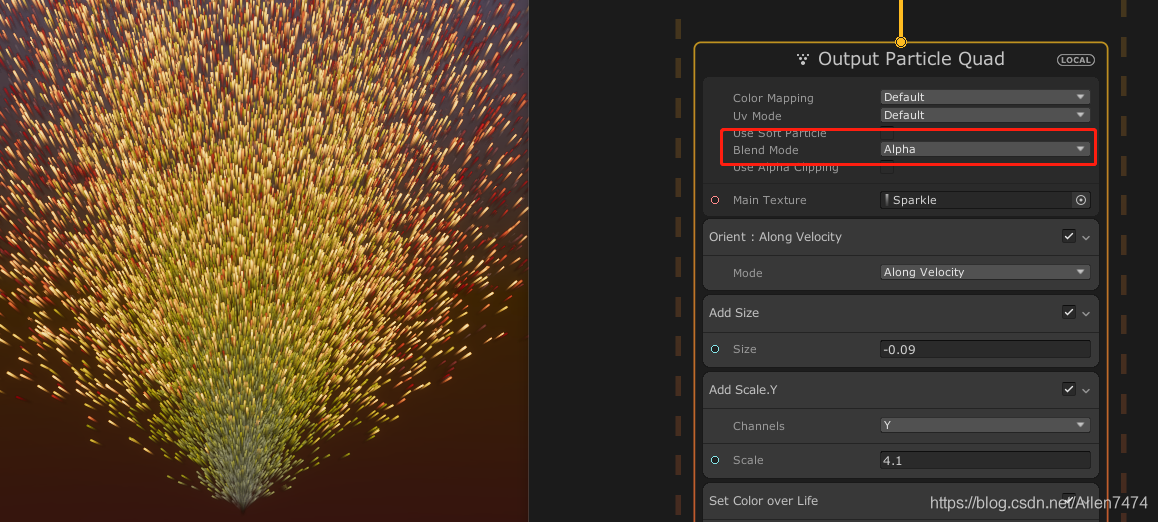
5、 Color control :

6、 Particle size and shape control .
here Scale Y Control particle length ,Size Control the overall size .
Here we will control the size of the original default curve , Delete control .

7、 Add circular motion range
here , In the initialization module , stay Position Choose from Torus shape , And select Custom, For the options that appear , The ring controls .
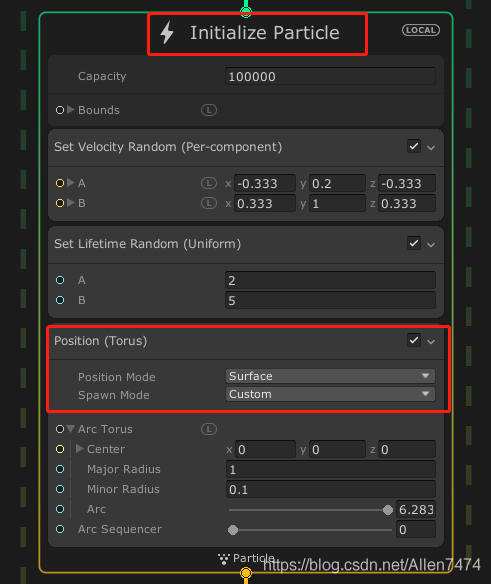

8、 Delete the particle fixed direction control of the initialization module , stay Update Add... To the module Force,Turbulence( Disturb the position ) Control .


This is the time , Can be observed , The particle shape has changed .

9、 Add surround motion playback for special effects .
utilize Update Module ,Position(Torus) In the component Arc Sequencer Options , Go around .
So motion surrounds , Will use about time Time The node of .
Here in the blank area Create by space Periodic Total Time Options
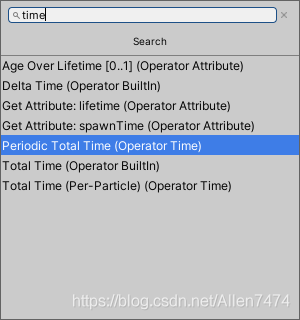
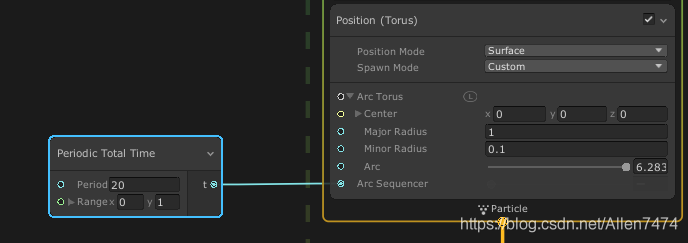
In nodes 20 Set... For speed , The bigger it is , The slower you exercise , This node loops from 0-1 The cycle of .
- Color change control
1、 stay BlackBoard Create a public int Parameters , Control the number of particles in Range in ( Limit the maximum , Minimum value )
Enable Value Slide bar Control the maximum and minimum values

2、 Expose a color control variable Gradient
Add a default color to the color control
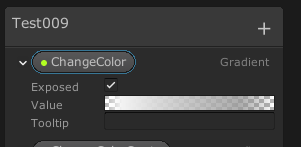
3、 Initialization module , add to set Color Components

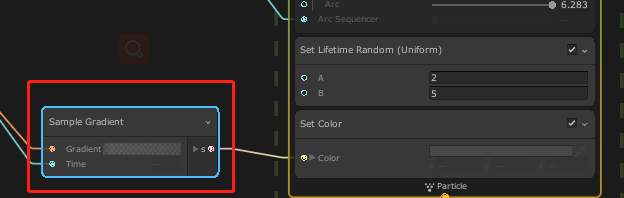
4、 Add gradient input method sample gradient , control set color Component for color gradient
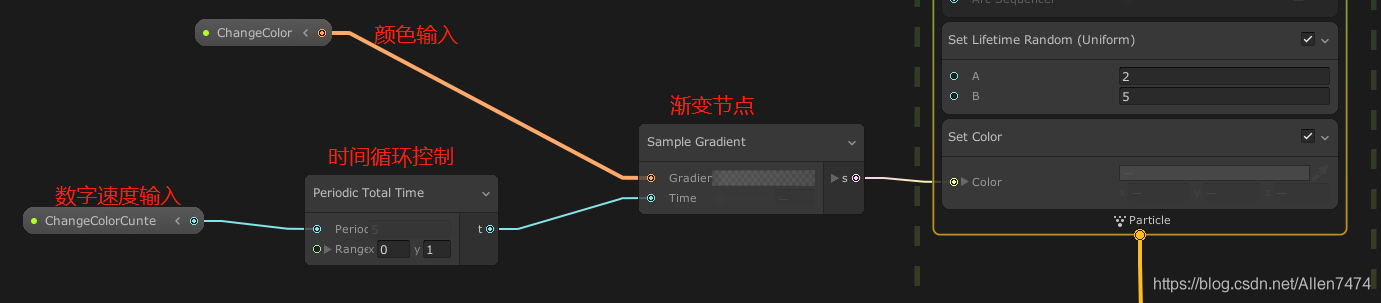
5、 Expose a color control variable , And a time control variable control , Gradient color change .
- Force Position and direction control
attract Particles move somewhere
Quote formula : Vector difference = Target location - Particle position .
1、 stay update Add a Force Field force
· take Force The field force mode is set to Relative.( Relative position ), Make us get XYZ Vector control in three directions .
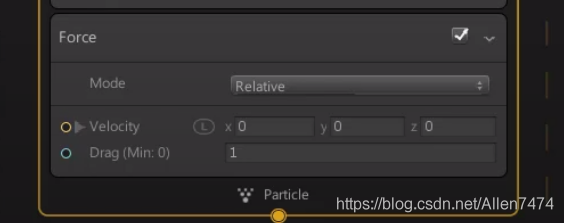
2、 stay Blackboard Declare a Vector3 Vector of type ( Set as the target point to attract particles )

3、 establish 《 Operator (operator)>> mathematics (Math)>> Geometric operations (Geometry)>> Change the coordinate system (Change Space), Position the particles , You need to change the coordinate system to the coordinate system of particle local space .
4、 Create a vector representing the position of the particle itself , establish 《 In nodes (node)>> The operator (Operator)>> attribute (Attribute)>> Search for (search)>> Get property location (Get AttriBute:position(Current))》
5、 Now we have the information of two locations , We need a Minus nodes , Create a... Based on mathematical operators
establish 《Node()>>operator()>>math()>>Arithmetic( Count )>>Subtract( Subtracting the )》
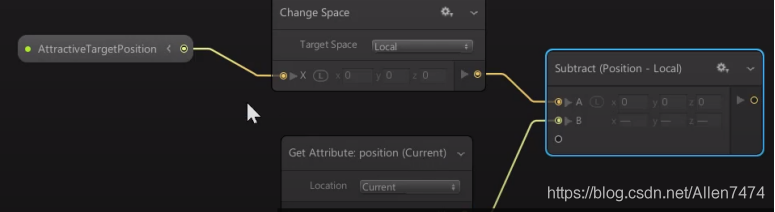
6、 From the particle to the target vector , These vectors are of different sizes , If you just subtract , We don't want particles to have different velocities , therefore , We will add another node , To standardize each vector .
I will filter for Standardization , This will be each direction vector , Become a size of 1 Unit vector of , Let's add up the strength .
Multiply by the top multiplier , Then link it back to speed .
stay BlackBoard Create floating point numbers Float, Floating point type variables == The default number is 10.
Create a normalization node normallize

Create a multiplication node 《Multiply》
Put the vector after normal speed , Multiply by the variable that controls the speed .

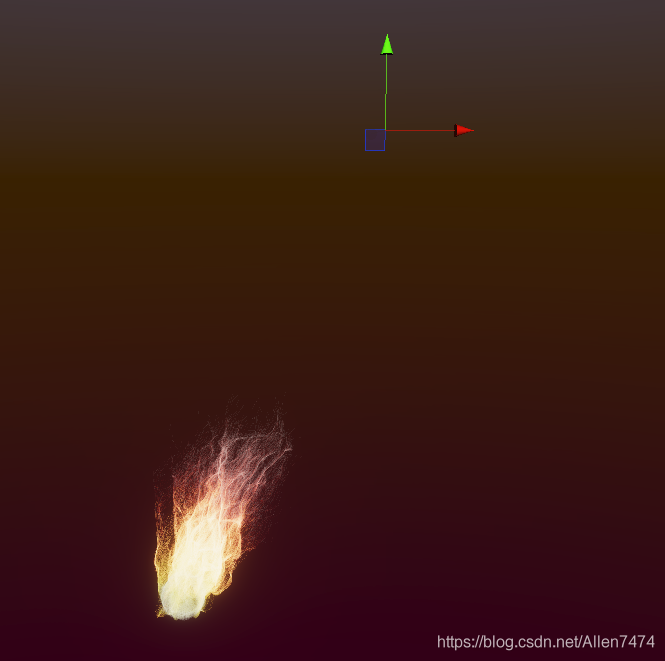
7、 Go back to the scene , Create a target object , And for the special effect object Add name is VFX Parameter Binder (VFX Parameter binding ) Of Components .
Select... In the script component + Number , And add transform>>Position.
After selection , Click on V Symbol , Select the name of the variable that controls the speed disclosed in the special effect , Specify the target object .


- Case download link :
版权声明
本文为[Allen7474]所创,转载请带上原文链接,感谢
https://yzsam.com/2022/04/202204230627431235.html
边栏推荐
- 03Scanner类的使用(控制台输入)
- Solve the problem of deploying mysql8 in docker with correct password but unable to log in to MySQL
- Mongodb starts warning information processing
- Houdini > variable building roads, learning process notes
- Read and modify the JSON file under the resource folder
- Unityshader Foundation
- One of event management
- Online Safe Trajectory Generation For Quadrotors Using Fast Marching Method and Bernstein Basis Poly
- 三分钟教你用Houdini流体>>解算粒子流体水滴
- 系统与软件安全研究(三)
猜你喜欢
![MySQL8. 0 installation / uninstallation tutorial [window10 version]](/img/9c/1acf153b410f0d2eb6a23dcdbabb88.png)
MySQL8. 0 installation / uninstallation tutorial [window10 version]

Online Safe Trajectory Generation For Quadrotors Using Fast Marching Method and Bernstein Basis Poly

Unity C# 单例模式 学习复习笔记

Houdini > rigid body, rigid body breaking RBD

linux下mysql数据库备份与恢复(全量+增量)

Custom time format (yyyy-mm-dd HH: mm: SS week x)

Houdini fluid > > particle fluid export to unity note

将指定路径下的所有SVG文件导出成PNG等格式的图片(缩略图或原图大小)

VBA appelle SAP RFC pour réaliser la lecture et l'écriture des données

FUEL: Fast UAV Exploration using Incremental Frontier Structure and Hierarchical Planning
随机推荐
Scrapy modifies the time in the statistics at the end of the crawler as the current system time
The projection vector of a vector to a plane
Nodejs (VI) sub process operation
C# 文本文件的查找及替换(WinForm)
Use of command line parameter passing library argparse
NodeJS(四) 字符读取
webflux文件上传下载
Electronic builder package error: proxyconnect TCP: Dial TCP: 0: connectex
每天工作4小时的程序员
Enterprise wechat login free jump self built application
中间人环境mitmproxy搭建
Houdini > rigid body, rigid body breaking RBD
NodeJS(二)同步读取文件和异步读取文件
读取修改resource文件夹下的json文件
Unity gets a resource that is referenced by those resources
Judge whether the beginning and end of the string contain target parameters: startswith() and endswith() methods
05数组的使用
根据某一指定的表名、列名及列值来向前或向后N条查相关列值的SQL自定义标量值函数
常用Markdown语法学习
Encapsulate the debug function of unity