当前位置:网站首页>Flutter环境搭建踩坑过程
Flutter环境搭建踩坑过程
2022-04-22 06:12:00 【小范馆】
Flutter安装
1、将如下环境变量加入到用户环境变量中:
PUB_HOSTED_URL=https://pub.flutter-io.cn
FLUTTER_STORAGE_BASE_URL=https://storage.flutter-io.cn
2、获取Flutter SDK
去flutter官网下载其最新可用的安装包,点击下载 ;
3、重启Windows以应用此更改(必须,不重启会有坑)
4、重启完毕,CMD 运行
flutter doctor
[-] Android toolchain - develop for Android devices
    • Android SDK at D:\Android\sdk
    * Android SDK is missing command line tools; download from https://goo.gl/XxQghQ
    • Try re-installing or updating your Android SDK,
      visit https://flutter.io/setup/#android-setup for detailed instructions.
根据实际检测结果做相应处理
Flutter安装 Android license status unknown 解决方案
执行命令:
flutter doctor --android-licenses
Android Studio安装
1、下载并安装 Android Studio
2、启动Android Studio,然后执行“Android Studio安装向导”。这将安装最新的Android SDK,Android SDK平台工具和Android SDK构建工具,这是Flutter为Android开发时所必需的
3、在settings->plugins里搜索并安装flutter插件,安装flutter同时会安装dart插件(要梯子)
4、创建模拟器(要梯子)
5、在flutter安装目录下找到 pacakges/flutter_tools_/gradle,做以下修改
①修改/packages/flutter_tools/gradle/flutter.gradle文件
repositories {

        //google()
		//jcenter()
        maven {
     url 'https://maven.aliyun.com/repository/google' }
        maven {
     url 'https://maven.aliyun.com/repository/jcenter' }
        maven {
     url 'http://maven.aliyun.com/nexus/content/groups/public' }
		maven {
     url 'http://download.flutter.io'}
    }
把
private static final String MAVEN_REPO = "https://storage.googleapis.com/download.flutter.io";
改为
private static final String MAVEN_REPO = "https://storage.flutter-io.cn/download.flutter.io";
如图:

②修改/packages/flutter_tools/gradle/resolve_dependencies.gradle文件
repositories {

    //google()
	//jcenter()
	maven {
     url 'http://download.flutter.io'}
}

至此,完成Flutter环境搭建。
版权声明
本文为[小范馆]所创,转载请带上原文链接,感谢
https://blog.csdn.net/xiaofanguan/article/details/107209853
边栏推荐
- Design of second-order RC low-pass filter for PWM wave to DC
- Eight functions of random library
- Service configuration center of Nacos
- ASP.NET日常开发随手记------发送邮件
- Zhejiang University Edition "C language programming (3rd Edition)" topic set exercise 7-4 find out the elements that are not common to two arrays
- 1、编写学生信息管理系统以下三个模块:并检测执行。 1、添加学生信息 4、查询学生信息 5、查询全部学生信息
- Powerjob workflow
- leetcode268:丢失的数字
- Nacos命名空间分组和DataID三者关系
- leetcode打卡
猜你喜欢
![. net learning notes - about Net core (3) [reading configuration files, general parsing JSON files, reading static files]](/img/7d/b4ce2ba6d0896d443997615156ab08.png)
. net learning notes - about Net core (3) [reading configuration files, general parsing JSON files, reading static files]
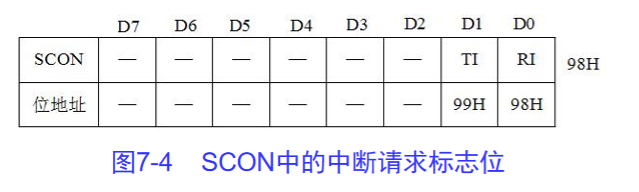
Mcs-5 interrupt technology (Theory)

Parseexception unparseable date time conversion exception

CLion和动态链接库

Introduction to IC Analog Layout - learning notes on layout Basics (3)

Mcs-5 interrupt technology (practice)

Powerjob workflow
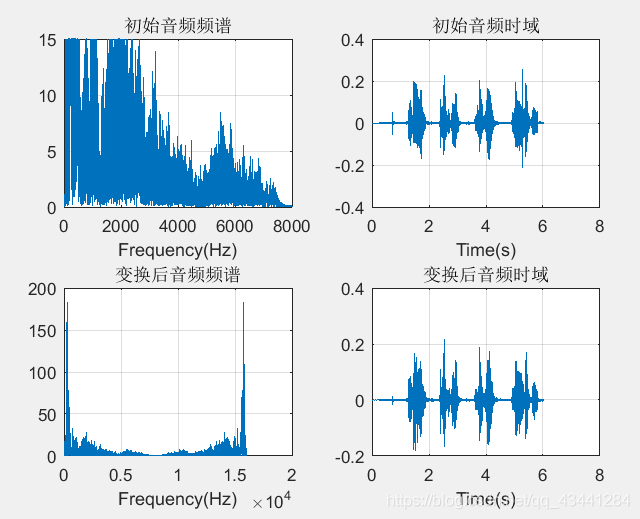
Matlab: female voice to male voice
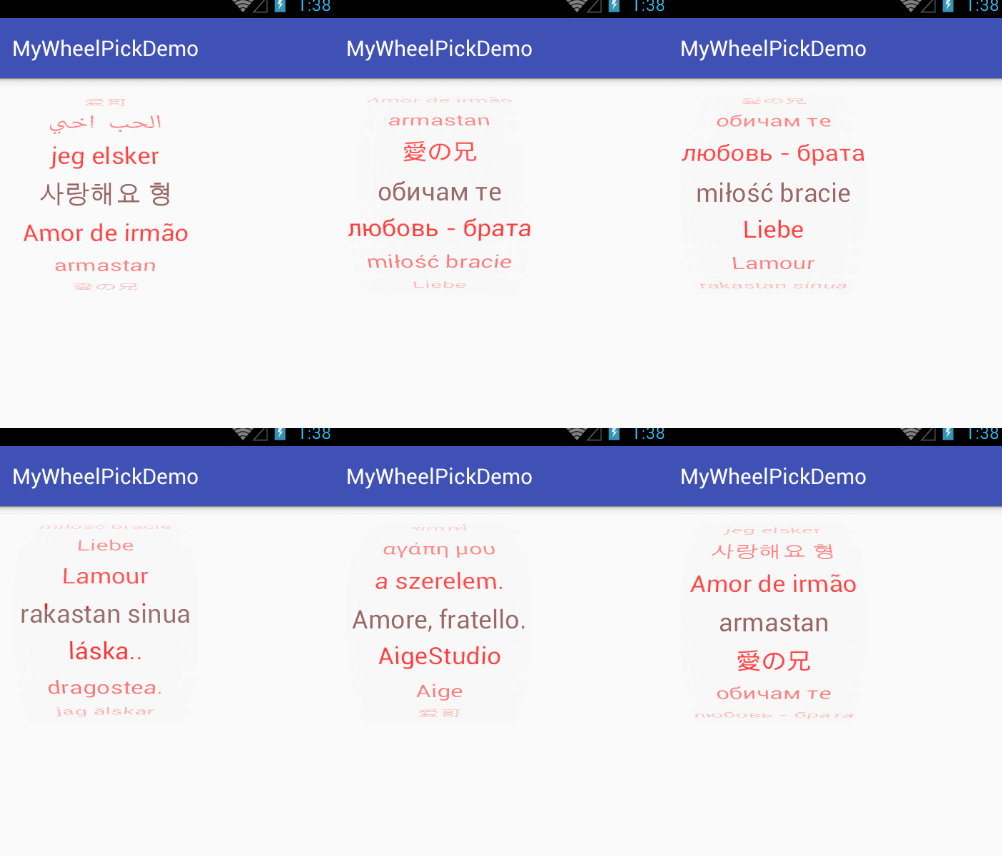
旋转选择器 WheelPicker 的使用

Jenkins部署pm2
随机推荐
leetcode598:范围求和II
STM32 timer generates event Tim_ GenerateEvent
leetcode1218:最长定差子序列
mysql的zip安装教程
Review of the sixth edition of introduction to software engineering (notes)
.NET学习笔记----关于.NET Core那些事(1)【.netcore的项目结构、五种向页面传值的方式、Log4Net和NLog的使用】
leetcode打卡
Nacos cluster architecture
Service configuration center of Nacos
New year's greetings & wishes to all programmers
Mcs-5 interrupt technology (practice)
format()方法的格式控制
自己寻找一个记事本文件,数据素材自找,统计整个文本中,某三个关键字或者语句词条出现的次数。
关于Log4Net和NLog使用的帮助文档
分布式任务调度与计算框架:PowerJob 快速开始(本地IDE版) 02
微信支付 iframe子页面 无响应
Digital IC design and CS?
SQLSERVER存储过程开发笔记----零碎问题以及关于操作文件的操作
MongoDB安装自启动服务
RSS pit entry Guide