当前位置:网站首页>Three 之 three.js (webgl)简单实现根据点绘制线/弧线(基于LineGeometry / Line2 / LineMaterial,绘制两点基于圆心的弧线段)
Three 之 three.js (webgl)简单实现根据点绘制线/弧线(基于LineGeometry / Line2 / LineMaterial,绘制两点基于圆心的弧线段)
2022-04-23 05:17:00 【仙魁XAN】
Three 之 three.js (webgl)简单实现根据点绘制线/弧线(基于LineGeometry / Line2 / LineMaterial,绘制两点基于圆心的弧线段)
目录
Three 之 three.js (webgl)简单实现根据点绘制线/弧线(基于LineGeometry / Line2 / LineMaterial,绘制两点基于圆心的弧线段)
一、简单介绍
Three js 开发的一些知识整理,方便后期遇到类似的问题,能够及时查阅使用。
本节介绍, three.js (webgl)中绘制线段的功能,主要根据 LineGeometry 进行点的设置,然后使用 Line2 进行绘制点组成的线段,绘制线实现方式很多,这里仅供思路提供,如果有不足之处,欢迎指出,或者你有更好的方法,欢迎留言。
二、案例简单示意图
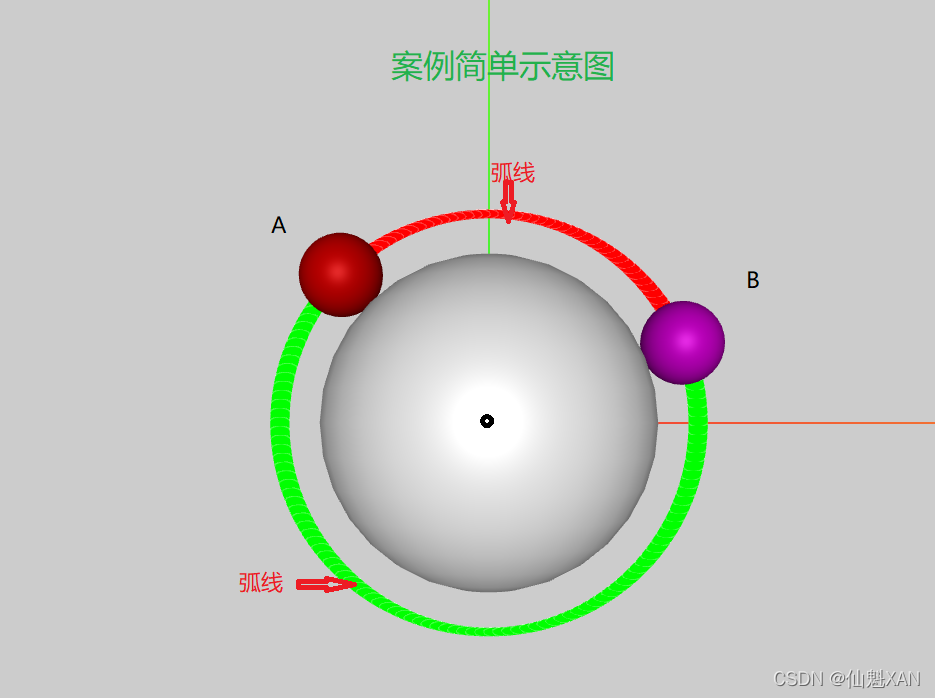
三、实现原理
1、向量 angleTo 计算 A 向量与 B 向量之间的角度
2、然后根据sin(),cos() 方式获得弧线的点
3、把点给 LineGeometry,使用 Line2 结合材质把线段绘制出来
四、注意事项
1、这里是基于原点(0,0,0)的,如果圆点不在原点(0,0,0),在计算弧线点的时候添加上圆点位置;(一些思路提供)
2、这里是在 X Y 平面绘制的圆弧,如果不是,可以根据计算一些角度(通过 z 点得到旋转角度),然后在 X Y 平面绘制的圆弧 在根据得到的角度旋转即可;(一些思路提供)
3、绘制弧线分段精度可控,并且还可以设置弧线每个点的颜色
五、该案例的大概实现步骤
该案例基于Threejs GitHub - mrdoob/three.js: JavaScript 3D Library.
工程框架创建实现的
1、创建脚本,引入 Three,创建基本的 Three 环境,添加场景,摄像机,光等
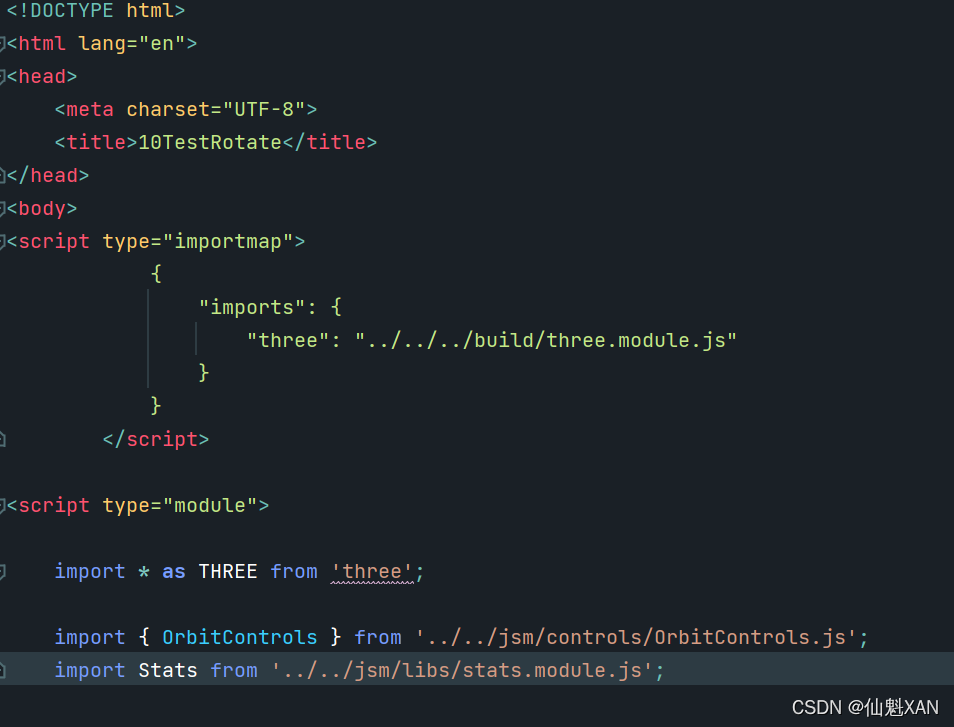

2、添加进行绘制弧线的演示的 3D 物体
3、根据一些点的向量得到对应的一些绘制角度
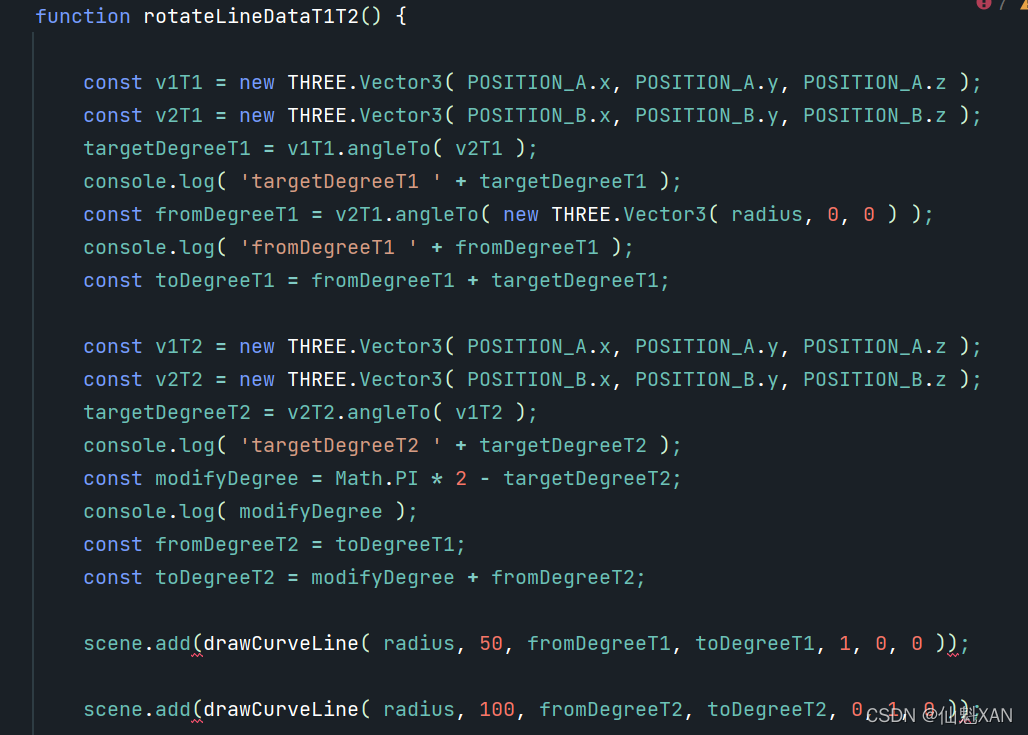
4、根据得到的角度,结合圆弧回执函数(sin/cos),生成圆弧位置点,最后,通过 LineGeometry 、Line2 绘制圆弧

5、在函数中调用对应函数,然后就可以在浏览器中查看效果了

六、关键代码
<!DOCTYPE html>
<html lang="en">
<head>
	<meta charset="UTF-8">
	<title>11TestCurveLine</title>
</head>
<body>
<script type="importmap">
			{
				"imports": {
					"three": "../../../build/three.module.js"
				}
			}

</script>

<script type="module">

	import * as THREE from 'three';

	import { OrbitControls } from '../../jsm/controls/OrbitControls.js';
	import Stats from '../../jsm/libs/stats.module.js';
	import { LineMaterial } from '../../jsm/lines/LineMaterial.js';
	import { LineGeometry } from '../../jsm/lines/LineGeometry.js';
	import { Line2 } from '../../jsm/lines/Line2.js';

	let scene, camera, renderer, stats;

	let POSITION_A;
	let POSITION_B;
	let POSITION_Center;
	let targetDegreeT1;
	let targetDegreeT2;
	const radius = 5;

	init();
	animate();

	function init() {

		// scene
		initScene();

		// camera
		initCamera();


		// light
		initLight();

		// renderer
		initRenderer();

		// OrbitControls
		initOrbitControls();

		stats = new Stats();
		document.body.appendChild( stats.dom );

		// onWindowResize
		window.addEventListener( 'resize', onWindowResize );


		axiesHelper();

		stats = new Stats();
		document.body.appendChild( stats.dom );

		// window.location.href = renderer.domElement.toDataURL( 'image/png' );

		addTestRoateLineObject();
	}

	function onWindowResize() {

		camera.aspect = window.innerWidth / window.innerHeight;
		camera.updateProjectionMatrix();
		renderer.setSize( window.innerWidth, window.innerHeight );

	}

	function initScene() {

		scene = new THREE.Scene();

	}

	function initCamera() {

		camera = new THREE.PerspectiveCamera( 45, window.innerWidth / window.innerHeight, 0.1, 200 );
		camera.position.set( 0, 0, 25 );

	}

	function initLight() {

		const ambientLight = new THREE.AmbientLight( 0xcccccc, 0.4 );
		scene.add( ambientLight );

		const directionalLight = new THREE.DirectionalLight( 0xffffff, 0.6 );
		directionalLight.position.set( - 1, 1, 100 );
		scene.add( directionalLight );

	}

	function initRenderer() {

		renderer = new THREE.WebGLRenderer( { antialias: true } );
		renderer.setSize( window.innerWidth, window.innerHeight );
		renderer.setPixelRatio( window.devicePixelRatio );
		renderer.setClearColor( 0xcccccc );
		document.body.appendChild( renderer.domElement );

	}

	function initOrbitControls() {

		const controls = new OrbitControls( camera, renderer.domElement );
		controls.minDistance = 5;
		controls.maxDistance = 50;
		controls.enablePan = false; // 移动 禁止

	}

	function animate() {

		requestAnimationFrame( animate );
		stats.update();
		render();


	}

	function axiesHelper() {

		var helper = new THREE.AxesHelper( 20 );
		scene.add( helper );

	}

	function render() {

		renderer.render( scene, camera );

	}


	function addTestRoateLineObject() {
		const Degree_A = Math.PI / 4 * 3;
		POSITION_A = new THREE.Vector3( radius * Math.cos( Degree_A ), radius * Math.sin( Degree_A ), 0 );

		const Degree_B = Math.PI / 8;
		POSITION_B = new THREE.Vector3( radius * Math.cos( Degree_B ), radius * Math.sin( Degree_B ), 0 );
		POSITION_Center = new THREE.Vector3( 0, 0, 0 );

		var geometry = new THREE.SphereGeometry( 4, 30 ); //矩形平面
		var material = new THREE.MeshPhongMaterial( {} );
		var spheremesh1 = new THREE.Mesh( geometry, material );
		spheremesh1.position.set( POSITION_Center.x, POSITION_Center.y, POSITION_Center.z );
		scene.add( spheremesh1 );

		var geometryA = new THREE.SphereGeometry( 1, 30 ); //矩形平面
		var materialA = new THREE.MeshPhongMaterial( {
			color: '#cc0000'
		} );
		var spheremeshA = new THREE.Mesh( geometryA, materialA );
		spheremeshA.position.set( POSITION_A.x, POSITION_A.y, POSITION_A.z );
		scene.add( spheremeshA );
		var geometryB = new THREE.SphereGeometry( 1, 30 ); //矩形平面
		var materialB = new THREE.MeshPhongMaterial( {
			color: '#cc00cc'
		} );
		var spheremeshB = new THREE.Mesh( geometryB, materialB );

		spheremeshB.position.set( POSITION_B.x, POSITION_B.y, POSITION_B.z );
		scene.add( spheremeshB );

		rotateLineDataT1T2();

	}

	function rotateLineDataT1T2() {

		const v1T1 = new THREE.Vector3( POSITION_A.x, POSITION_A.y, POSITION_A.z );
		const v2T1 = new THREE.Vector3( POSITION_B.x, POSITION_B.y, POSITION_B.z );
		targetDegreeT1 = v1T1.angleTo( v2T1 );
		console.log( 'targetDegreeT1 ' + targetDegreeT1 );
		const fromDegreeT1 = v2T1.angleTo( new THREE.Vector3( radius, 0, 0 ) );
		console.log( 'fromDegreeT1 ' + fromDegreeT1 );
		const toDegreeT1 = fromDegreeT1 + targetDegreeT1;

		const v1T2 = new THREE.Vector3( POSITION_A.x, POSITION_A.y, POSITION_A.z );
		const v2T2 = new THREE.Vector3( POSITION_B.x, POSITION_B.y, POSITION_B.z );
		targetDegreeT2 = v2T2.angleTo( v1T2 );
		console.log( 'targetDegreeT2 ' + targetDegreeT2 );
		const modifyDegree = Math.PI * 2 - targetDegreeT2;
		console.log( modifyDegree );
		const fromDegreeT2 = toDegreeT1;
		const toDegreeT2 = modifyDegree + fromDegreeT2;

		scene.add(drawCurveLine( radius, 50, fromDegreeT1, toDegreeT1, 1, 0, 0 ));

		scene.add(drawCurveLine( radius, 100, fromDegreeT2, toDegreeT2, 0, 1, 0 ));

	}

	function drawCurveLine( radius, segment, fromDegree, toDegree, colorR, colorG, colorB ) {

		var geometry = new LineGeometry(); //声明一个几何体对象Geometry
		var R = radius; // 圆弧半径
		var N = segment; // 分段数量
		const perAddDegree = ( toDegree - fromDegree ) / segment;
		console.log( 'perAddDegree ' + perAddDegree );
		const positionArray = [];
		const colors = [];

		// 批量生成圆弧上的顶点数据
		for ( let i = 0; i < N; i ++ ) {
			var angle = fromDegree + perAddDegree * i;
			var x = R * Math.cos( angle );
			var y = R * Math.sin( angle );
			var z = 0;
			positionArray.push( x, y, z );
			colors.push( colorR, colorG, colorB );

		}

		geometry.setPositions( positionArray );
		geometry.setColors( colors );

		const matLine = new LineMaterial( {

			color: 0xffffff,
			linewidth: 0.01, // in world units with size attenuation, pixels otherwise
			vertexColors: true,

			//resolution:  // to be set by renderer, eventually
			dashed: false,
			alphaToCoverage: true,

		} );

		const line = new Line2( geometry, matLine );

		return line;

	}


</script>
</body>
</html>
版权声明
本文为[仙魁XAN]所创,转载请带上原文链接,感谢
https://blog.csdn.net/u014361280/article/details/124349641
边栏推荐
- 直播带货表格模板-自动显示图片-自动关联系列商品
- The source of anxiety of graduating college students looking for technology development jobs
- Deep learning notes - data expansion
- Docker installation and mysql5 7 installation
- My old programmer's perception of the dangers and opportunities of the times?
- 看板快速启动指南
- JS Array常见方法
- This call when the transaction does not take effect
- scp命令详解
- MySQL circularly adds sequence numbers according to the values of a column
猜你喜欢

Top 25 Devops tools in 2021 (Part 2)
MySQL basics 3

我这位老程序员对时代危险和机遇的一点感悟?
5 minutes to understand MySQL row column conversion

Where, on when MySQL external connection is used

Good simple recursive problem, string recursive training

Backup MySQL database with Navicat

The WebService interface writes and publishes calls to the WebService interface (2)

SQLyog的基本使用

What are the reasons for the failure of digital transformation?
随机推荐
机器学习---线性回归
数据安全问题已成隐患,看vivo如何让“用户数据”重新披甲
C. Tree Infection(模拟+贪心)
Deep learning notes - fine tuning
Restful toolkit of idea plug-in
Cross border e-commerce | Facebook and instagram: which social media is more suitable for you?
Live delivery form template - automatically display pictures - automatically associate series products
Transaction isolation level of MySQL transactions
Day. JS common methods
Mairadb数据库基本操作之数据管理
Backup MySQL database with Navicat
The difference between static pipeline and dynamic pipeline
Barcode generation and decoding, QR code generation and decoding
This call when the transaction does not take effect
Study notes: unity customsrp-12-hdr
学习笔记:Unity CustomSRP-12-HDR
Summary of MySQL knowledge points
MySQL uses or to query SQL, and SQL execution is very slow
mysql5. 7. X data authorization leads to 1141
mariadb数据库的主从复制