当前位置:网站首页>JumpServer
JumpServer
2022-04-23 14:10:00 【小灰墩墩】
JumpServer
1.1 jumpserver简介
jumpserver是一款使用 Python,Django 开发的开源跳板机系统,为互联网企业提供了认证,授权,审计,自动化运维等功能。
官方地址:https://www.jumpserver.org/
1.2 服务器准备
jumpserver:10.0.0.131         内存:2G-4G
MySQL/redis:10.0.0.132       内存:2G-2G
web服务器A:10.0.0.133         内存:1G-1G
web服务器B:10.0.0.134         内存:1G-1G
在10.0.0.131和10.0.0.132上安装docker-ce
#运行脚本安装
root@mysql-redis:~# cat docker-install.sh
#!/bin/bash
#
# step 1: 安装必要的一些系统工具
apt-get update
apt-get -y install apt-transport-https ca-certificates curl software-properties-common
# step 2: 安装GPG证书
curl -fsSL https://mirrors.aliyun.com/docker-ce/linux/ubuntu/gpg | sudo apt-key add -
# Step 3: 写入软件源信息
add-apt-repository "deb [arch=amd64] https://mirrors.aliyun.com/docker-ce/linux/ubuntu $(lsb_release -cs) stable"
# Step 4: 更新并安装Docker-CE
apt-get -y update
apt-get -y install docker-ce

root@mysql-redis:~#
1.3 部署MySQL服务
外置数据库要求

MySQL版本需要大于等于 5.6

MariaDB 版本需要大于等于 5.5.6

数据库编码要求 uft8   #必须是
1.3.1 导入MySQL镜像
root@mysql-redis:~# docker pull mysql:5.6.48
1.3.2 mysql.cnf配置文件
将容器中的MySQL配置文件在宿主机通过-v挂载到容器中。
root@mysql-redis:~# mkdir /etc/mysql/mysql.conf.d -pv
mkdir: created directory '/etc/mysql'
mkdir: created directory '/etc/mysql/mysql.conf.d'

root@mysql-redis:~# cat /etc/mysql/mysql.conf.d/mysqld.cnf
# Copyright (c) 2014, 2016, Oracle and/or its affiliates. All rights reserved.
#
# This program is free software; you can redistribute it and/or modify
# it under the terms of the GNU General Public License, version 2.0,
# as published by the Free Software Foundation.
#
# This program is also distributed with certain software (including
# but not limited to OpenSSL) that is licensed under separate terms,
# as designated in a particular file or component or in included license
# documentation. The authors of MySQL hereby grant you an additional
# permission to link the program and your derivative works with the
# separately licensed software that they have included with MySQL.
#
# This program is distributed in the hope that it will be useful,
# but WITHOUT ANY WARRANTY; without even the implied warranty of
# MERCHANTABILITY or FITNESS FOR A PARTICULAR PURPOSE. See the
# GNU General Public License, version 2.0, for more details.
#
# You should have received a copy of the GNU General Public License
# along with this program; if not, write to the Free Software
# Foundation, Inc., 51 Franklin St, Fifth Floor, Boston, MA 02110-1301 USA

#
# The MySQL Server configuration file.
#
# For explanations see
# http://dev.mysql.com/doc/mysql/en/server-system-variables.html

[mysqld]
pid-file	= /var/run/mysqld/mysqld.pid
socket		= /var/run/mysqld/mysqld.sock
datadir		= /var/lib/mysql
#log-error = /var/log/mysql/error.log
# Disabling symbolic-links is recommended to prevent assorted security risks
symbolic-links=0

character-set-server=utf8
root@mysql-redis:~#
1.3.3 mysql.cnf配置文件
root@mysql-redis:~# mkdir /etc/mysql/conf.d/ -pv
mkdir: created directory '/etc/mysql/conf.d/'

root@mysql-redis:~# cat /etc/mysql/conf.d/mysql.cnf
[mysql]
default-character-set=utf8
1.3.4 创建数据目录
数据保存在宿主机,实现数据与容器分离,当容器运行异常时也可以在启动一个新的容器直接使用宿主机的数据,从而保证业务的正常运行。
root@mysql-redis:~# mkdir /data/mysql -p
1.3.5 运行MySQL容器
root@mysql-redis:~# docker run -it -d -p 3306:3306 -v /etc/mysql/mysql.conf.d/mysqld.cnf:/etc/mysql/mysql.conf.d/mysqld.cnf -v /etc/mysql/conf.d/mysql.cnf:/etc/conf.d/mysql.cnf -v /data/mysql/:/var/lib/mysql -e MYSQL_ROOT_PASSWORD="zwm.net" mysql:5.6.48
a46f4571a60a26a315605fafd83b20e084493867b806a12339c6c2f792f52ac1

root@mysql-redis:~# ll /data/mysql/
total 110612
drwxr-xr-x 4  999 root       4096 May 21 23:40 ./
drwxr-xr-x 3 root root       4096 May 21 23:36 ../
-rw-rw---- 1  999 docker       56 May 21 23:40 auto.cnf
-rw-rw---- 1  999 docker 12582912 May 21 23:40 ibdata1
-rw-rw---- 1  999 docker 50331648 May 21 23:40 ib_logfile0
-rw-rw---- 1  999 docker 50331648 May 21 23:39 ib_logfile1
drwx------ 2  999 docker     4096 May 21 23:40 mysql/
drwx------ 2  999 docker     4096 May 21 23:39 performance_schema/
root@mysql-redis:~#
1.3.6 验证数据库
从10.0.0.131即jumpserver服务器访问数据库,验证数据库编码是否是utf-8.
root@jumpserver:~# apt install mysql-client
root@jumpserver:~# mysql -uroot -pzwm.net -h10.0.0.132
mysql: [Warning] Using a password on the command line interface can be insecure.
Welcome to the MySQL monitor.  Commands end with ; or \g.
Your MySQL connection id is 1
Server version: 5.6.48 MySQL Community Server (GPL)

Copyright (c) 2000, 2020, Oracle and/or its affiliates. All rights reserved.

Oracle is a registered trademark of Oracle Corporation and/or its
affiliates. Other names may be trademarks of their respective
owners.

Type 'help;' or '\h' for help. Type '\c' to clear the current input statement.

mysql> show databases
    -> ;
+--------------------+
| Database           |
+--------------------+
| information_schema |
| mysql              |
| performance_schema |
+--------------------+
3 rows in set (0.00 sec)

mysql>
1.3.7 验证数据库编码
mysql> show variables like "%character%";show variables like "%collation%";
+--------------------------+----------------------------+
| Variable_name            | Value                      |
+--------------------------+----------------------------+
| character_set_client     | utf8                       |
| character_set_connection | utf8                       |
| character_set_database   | utf8                       |
| character_set_filesystem | binary                     |
| character_set_results    | utf8                       |
| character_set_server     | utf8                       |
| character_set_system     | utf8                       |
| character_sets_dir       | /usr/share/mysql/charsets/ |
+--------------------------+----------------------------+
8 rows in set (0.00 sec)

+----------------------+-----------------+
| Variable_name        | Value           |
+----------------------+-----------------+
| collation_connection | utf8_general_ci |
| collation_database   | utf8_general_ci |
| collation_server     | utf8_general_ci |
+----------------------+-----------------+
3 rows in set (0.00 sec)

mysql>
1.3.8 创建jumpserver数据库
https://jumpserver.readthedocs.io/zh/master/install/docker_install/
root@jumpserver:~# mysql -uroot -pzwm.net -h10.0.0.132
mysql: [Warning] Using a password on the command line interface can be insecure.
Welcome to the MySQL monitor.  Commands end with ; or \g.
Your MySQL connection id is 2
Server version: 5.6.48 MySQL Community Server (GPL)

Copyright (c) 2000, 2020, Oracle and/or its affiliates. All rights reserved.

Oracle is a registered trademark of Oracle Corporation and/or its
affiliates. Other names may be trademarks of their respective
owners.

Type 'help;' or '\h' for help. Type '\c' to clear the current input statement.

mysql> create database jumpserver default charset 'utf8' collate 'utf8_bin';
Query OK, 1 row affected (0.00 sec)

mysql> grant all on jumpserver.* to 'jumpserver'@'10.0.0.%' identified by 'swyer.net';;
Query OK, 0 rows affected (0.00 sec)

mysql>


#注意:启动授权密码不能为纯数字,否则会报错argument 3 must be str,not int
1.3.9 验证数据库权限
确认jumpserver用户有权限访问数据库
root@jumpserver:~# mysql -ujumpserver -pswyer.net -h10.0.0.132
mysql: [Warning] Using a password on the command line interface can be insecure.
Welcome to the MySQL monitor.  Commands end with ; or \g.
Your MySQL connection id is 3
Server version: 5.6.48 MySQL Community Server (GPL)

Copyright (c) 2000, 2020, Oracle and/or its affiliates. All rights reserved.

Oracle is a registered trademark of Oracle Corporation and/or its
affiliates. Other names may be trademarks of their respective
owners.

Type 'help;' or '\h' for help. Type '\c' to clear the current input statement.

mysql> show databases;
+--------------------+
| Database           |
+--------------------+
| information_schema |
| jumpserver         |
+--------------------+
2 rows in set (0.00 sec)

mysql>
1.4 部署redis服务
root@mysql-redis:~# docker pull redis:4.0.14
root@mysql-redis:~# docker images
REPOSITORY          TAG                 IMAGE ID            CREATED             SIZE
mysql               5.6.48              9e4a20b3bbbc        11 hours ago        302MB
redis               4.0.14              191c4017dcdd        3 weeks ago         89.3MB
root@mysql-redis:~# docker run -it -d -p 6379:6379 redis:4.0.14
97ca054875347b96b31d7e3408fdb4afc511fb5826a381d36702a6b55612e846
root@mysql-redis:~#
1.4.1 验证redis访问
root@jumpserver:~# apt install redis
root@jumpserver:~# redis-cli -h 10.0.0.132
10.0.0.132:6379> INFO
# Server
redis_version:4.0.14
redis_git_sha1:00000000
...省略....
1.5 部署jumpserver
通过docker镜像部署jumpserver
1.5.1 导入镜像
root@jumpserver:~# docker pull jumpserver/jms_all:1.5.8
#或者上传之前已经下载完成的镜像,然后导入到服务器
#docker load -i 镜像名称.tar.gz
1.5.2 生成加密秘钥
生成随机加密私钥和初始化token.
root@jumpserver:~# cat key.sh
#!/bin/bash
#
if [ ! "$SECRET_KEY" ]; then
  SECRET_KEY=`cat /dev/urandom | tr -dc A-Za-z0-9 | head -c 50`;
  echo "SECRET_KEY=$SECRET_KEY" >> ~/.bashrc;
  echo "SECRET_KEY=$SECRET_KEY";
else
  echo "SECRET_KEY=$SECRET_KEY";
fi
if [ ! "$BOOTSTRAP_TOKEN" ]; then
  BOOTSTRAP_TOKEN=`cat /dev/urandom | tr -dc A-Za-z0-9 | head -c 16`;
  echo "BOOTSTRAP_TOKEN=$BOOTSTRAP_TOKEN" >> ~/.bashrc;
  echo "BOOTSTRAP_TOKEN=$BOOTSTRAP_TOKEN";
else
  echo "BOOTSTRAP_TOKEN=$BOOTSTRAP_TOKEN";
fi
root@jumpserver:~#


root@jumpserver:~# bash key.sh
SECRET_KEY=xhTqWXhKbL5zPV8nGCKyzqxhCVavGO9ALwFn8RqM4pCNDxTYlL
BOOTSTRAP_TOKEN=IHhAmTZL5amFZOJN
root@jumpserver:~#
1.5.3 建立Jumpserver容器
root@jumpserver:~# docker run --name jms_all -d \
 -v /opt/jumpserver:/opt/jumpserver/data/media \
 -p 80:80 \
 -p 2222:2222 \
 -e SECRET_KEY=xhTqWXhKbL5zPV8nGCKyzqxhCVavGO9ALwFn8RqM4pCNDxTYlL \
 -e BOOTSTRAP_TOKEN=IHhAmTZL5amFZOJN \
 -e DB_HOST=10.0.0.132 \
 -e DB_PORT=3306 \
 -e DB_USER=jumpserver \
 -e DB_PASSWORD=swyer.net \
 -e DB_NAME=jumpserver \
 -e REDIS_HOST=10.0.0.132 \
 -e REDIS_PORT=6379 \
 -e REDIS_PASSWORD= \
 jumpserver/jms_all:1.5.8
25b6c4528d4e5fc23a745b5ba4499d89ad5c91d7c73b4d2140be068ebe7cb51c
root@jumpserver:~#
1.5.4 容器启动完成
root@jumpserver:~# docker logs -f 25b6c4528d4e
2020-05-22 00:28:49 Fri May 22 00:28:49 2020
2020-05-22 00:28:49 Jumpserver version 1.5.8, more see https://www.jumpserver.org
2020-05-22 00:28:49 Check database connection ...
users
 [ ] 0001_initial
 [ ] 0002_auto_20171225_1157_squashed_0019_auto_20190304_1459 (18 squashed migrations)
 [ ] 0020_auto_20190612_1825
 [ ] 0021_auto_20190625_1104
 [ ] 0022_auto_20190625_1105
 [ ] 0023_auto_20190724_1525
 [ ] 0024_auto_20191118_1612
 [ ] 0025_auto_20200206_1216
2020-05-22 00:28:54 Database connect success
2020-05-22 00:28:54 Check database structure change ...
2020-05-22 00:28:54 Migrate model change to database ...
Operations to perform:
  Apply all migrations: admin, applications, assets, audits, auth, authentication, captcha, common, contenttypes, django_cas_ng, django_celery_beat, ops, orgs, perms, sessions, settings, terminal, tickets, users
Running migrations:
  Applying contenttypes.0001_initial... OK
  Applying contenttypes.0002_remove_content_type_name... OK
  Applying auth.0001_initial... OK
  Applying auth.0002_alter_permission_name_max_length... OK
  Applying auth.0003_alter_user_email_max_length... OK
  Applying auth.0004_alter_user_username_opts... OK
  Applying auth.0005_alter_user_last_login_null... OK
  Applying auth.0006_require_contenttypes_0002... OK
  Applying auth.0007_alter_validators_add_error_messages... OK
  Applying auth.0008_alter_user_username_max_length... OK
  Applying users.0001_initial... OK
  Applying admin.0001_initial... OK
  Applying admin.0002_logentry_remove_auto_add... OK
  Applying admin.0003_logentry_add_action_flag_choices... OK
  Applying users.0002_auto_20171225_1157_squashed_0019_auto_20190304_1459... OK
  Applying assets.0001_initial... OK
  Applying perms.0001_initial... OK
  Applying assets.0002_auto_20180105_1807_squashed_0009_auto_20180307_1212... OK
  Applying assets.0010_auto_20180307_1749_squashed_0019_auto_20180816_1320... OK
  Applying perms.0002_auto_20171228_0025_squashed_0009_auto_20180903_1132... OK
  Applying perms.0003_action... OK
  Applying perms.0004_assetpermission_actions... OK
  Applying assets.0020_auto_20180816_1652... OK
  Applying assets.0021_auto_20180903_1132... OK
  Applying assets.0022_auto_20181012_1717... OK
  Applying assets.0023_auto_20181016_1650... OK
  Applying assets.0024_auto_20181219_1614... OK
  Applying assets.0025_auto_20190221_1902... OK
  Applying assets.0026_auto_20190325_2035... OK
  Applying applications.0001_initial... OK
  Applying perms.0005_auto_20190521_1619... OK
  Applying perms.0006_auto_20190628_1921... OK
  Applying perms.0007_remove_assetpermission_actions... OK
  Applying perms.0008_auto_20190911_1907... OK
  Applying assets.0027_auto_20190521_1703... OK
  Applying assets.0028_protocol... OK
  Applying assets.0029_auto_20190522_1114... OK
  Applying assets.0030_auto_20190619_1135... OK
  Applying assets.0031_auto_20190621_1332... OK
  Applying assets.0032_auto_20190624_2108... OK
  Applying assets.0033_auto_20190624_2108... OK
  Applying assets.0034_auto_20190705_1348... OK
  Applying assets.0035_auto_20190711_2018... OK
  Applying assets.0036_auto_20190716_1535... OK
  Applying assets.0037_auto_20190724_2002... OK
  Applying assets.0038_auto_20190911_1634... OK
  Applying perms.0009_remoteapppermission_system_users... OK
  Applying applications.0002_remove_remoteapp_system_user... OK
  Applying applications.0003_auto_20191210_1659... OK
  Applying applications.0004_auto_20191218_1705... OK
  Applying assets.0039_authbook_is_active... OK
  Applying assets.0040_auto_20190917_2056... OK
  Applying assets.0041_gathereduser... OK
  Applying assets.0042_favoriteasset... OK
  Applying assets.0043_auto_20191114_1111... OK
  Applying assets.0044_platform... OK
  Applying assets.0045_auto_20191206_1607... OK
  Applying assets.0046_auto_20191218_1705... OK
  Applying assets.0047_assetuser... OK
  Applying assets.0048_auto_20191230_1512... OK
  Applying assets.0049_systemuser_sftp_root... OK
  Applying audits.0001_initial... OK
  Applying audits.0002_ftplog_org_id... OK
  Applying audits.0003_auto_20180816_1652... OK
  Applying audits.0004_operatelog_passwordchangelog_userloginlog... OK
  Applying audits.0005_auto_20190228_1715... OK
  Applying audits.0006_auto_20190726_1753... OK
  Applying audits.0007_auto_20191202_1010... OK
  Applying auth.0009_alter_user_last_name_max_length... OK
  Applying auth.0010_alter_group_name_max_length... OK
  Applying auth.0011_update_proxy_permissions... OK
  Applying authentication.0001_initial... OK
  Applying authentication.0002_auto_20190729_1423... OK
  Applying authentication.0003_loginconfirmsetting... OK
  Applying captcha.0001_initial... OK
  Applying common.0001_initial... OK
  Applying common.0002_auto_20180111_1407... OK
  Applying common.0003_setting_category... OK
  Applying common.0004_setting_encrypted... OK
  Applying common.0005_auto_20190221_1902... OK
  Applying common.0006_auto_20190304_1515... OK
  Applying django_cas_ng.0001_initial... OK
  Applying django_celery_beat.0001_initial... OK
  Applying django_celery_beat.0002_auto_20161118_0346... OK
  Applying django_celery_beat.0003_auto_20161209_0049... OK
  Applying django_celery_beat.0004_auto_20170221_0000... OK
  Applying django_celery_beat.0005_add_solarschedule_events_choices_squashed_0009_merge_20181012_1416... OK
  Applying django_celery_beat.0006_periodictask_priority... OK
  Applying ops.0001_initial... OK
  Applying ops.0002_celerytask... OK
  Applying ops.0003_auto_20181207_1744... OK
  Applying ops.0004_adhoc_run_as... OK
  Applying ops.0005_auto_20181219_1807... OK
  Applying ops.0006_auto_20190318_1023... OK
  Applying ops.0007_auto_20190724_2002... OK
  Applying ops.0008_auto_20190919_2100... OK
  Applying ops.0009_auto_20191217_1713... OK
  Applying ops.0010_auto_20191217_1758... OK
  Applying ops.0011_auto_20200106_1534... OK
  Applying ops.0012_auto_20200108_1659... OK
  Applying ops.0013_auto_20200108_1706... OK
  Applying ops.0014_auto_20200108_1749... OK
  Applying ops.0015_auto_20200108_1809... OK
  Applying ops.0016_commandexecution_org_id... OK
  Applying ops.0017_auto_20200306_1747... OK
  Applying orgs.0001_initial... OK
  Applying orgs.0002_auto_20180903_1132... OK
  Applying orgs.0003_auto_20190916_1057... OK
  Applying users.0020_auto_20190612_1825... OK
  Applying users.0021_auto_20190625_1104... OK
  Applying users.0022_auto_20190625_1105... OK
  Applying users.0023_auto_20190724_1525... OK
  Applying users.0024_auto_20191118_1612... OK
  Applying perms.0010_auto_20191218_1705... OK
  Applying sessions.0001_initial... OK
  Applying settings.0001_initial... OK
  Applying terminal.0001_initial... OK
  Applying terminal.0002_auto_20171228_0025_squashed_0009_auto_20180326_0957... OK
  Applying terminal.0010_auto_20180423_1140... OK
  Applying terminal.0011_auto_20180807_1116... OK
  Applying terminal.0012_auto_20180816_1652... OK
  Applying terminal.0013_auto_20181123_1113... OK
  Applying terminal.0014_auto_20181226_1441... OK
  Applying terminal.0015_auto_20190923_1529... OK
  Applying terminal.0016_commandstorage_replaystorage... OK
  Applying terminal.0017_auto_20191125_0931... OK
  Applying terminal.0018_auto_20191202_1010... OK
  Applying terminal.0019_auto_20191206_1000... OK
  Applying terminal.0020_auto_20191218_1721... OK
  Applying terminal.0021_auto_20200213_1316... OK
  Applying terminal.0022_session_is_success... OK
  Applying terminal.0023_command_risk_level... OK
  Applying tickets.0001_initial... OK
  Applying users.0025_auto_20200206_1216... OK
2020-05-22 00:30:07 Collect static files
2020-05-22 00:30:10 Collect static files done
guacd[98]: INFO:	Guacamole proxy daemon (guacd) version 1.0.0 started
Starting guacd: SUCCESS
Tomcat started.
Jumpserver ALL 1.5.8
官网 http://www.jumpserver.org
文档 http://docs.jumpserver.org
有问题请参考 http://docs.jumpserver.org/zh/docs/faq.html

进入容器命令 docker exec -it jms_all /bin/bash
1.5.5 验证数据库内容
root@jumpserver:~# mysql -uroot -pzwm.net -h10.0.0.132
mysql: [Warning] Using a password on the command line interface can be insecure.
Welcome to the MySQL monitor.  Commands end with ; or \g.
Your MySQL connection id is 85
Server version: 5.6.48 MySQL Community Server (GPL)

Copyright (c) 2000, 2020, Oracle and/or its affiliates. All rights reserved.

Oracle is a registered trademark of Oracle Corporation and/or its
affiliates. Other names may be trademarks of their respective
owners.

Type 'help;' or '\h' for help. Type '\c' to clear the current input statement.

mysql> show databases;
+--------------------+
| Database           |
+--------------------+
| information_schema |
| jumpserver         |
| mysql              |
| performance_schema |
+--------------------+
4 rows in set (0.00 sec)

mysql> use jumpserver;
Reading table information for completion of table and column names
You can turn off this feature to get a quicker startup with -A

Database changed
mysql> show tables;
+----------------------------------------------+
| Tables_in_jumpserver                         |
+----------------------------------------------+
| applications_databaseapp                     |
| applications_remoteapp                       |
| assets_adminuser                             |
| assets_asset                                 |
| assets_asset_labels                          |
| assets_asset_nodes                           |
| assets_assetgroup                            |
| assets_authbook                              |
| assets_cluster                               |
| assets_commandfilter                         |
| assets_commandfilterrule                     |
| assets_domain                                |
| assets_favoriteasset                         |
| assets_gateway                               |
| assets_gathereduser                          |
| assets_label                                 |
| assets_node                                  |
| assets_platform                              |
| assets_systemuser                            |
| assets_systemuser_assets                     |
| assets_systemuser_cmd_filters                |
| assets_systemuser_groups                     |
| assets_systemuser_nodes                      |
| assets_systemuser_users                      |
| audits_ftplog                                |
| audits_operatelog                            |
| audits_passwordchangelog                     |
| audits_userloginlog                          |
| auth_group                                   |
| auth_group_permissions                       |
| auth_permission                              |
| authentication_accesskey                     |
| authentication_loginconfirmsetting           |
| authentication_loginconfirmsetting_reviewers |
| authentication_privatetoken                  |
| captcha_captchastore                         |
| django_admin_log                             |
| django_cas_ng_proxygrantingticket            |
| django_cas_ng_sessionticket                  |
| django_celery_beat_crontabschedule           |
| django_celery_beat_intervalschedule          |
| django_celery_beat_periodictask              |
| django_celery_beat_periodictasks             |
| django_celery_beat_solarschedule             |
| django_content_type                          |
| django_migrations                            |
| django_session                               |
| ops_adhoc                                    |
| ops_adhoc_execution                          |
| ops_adhoc_hosts                              |
| ops_celerytask                               |
| ops_commandexecution                         |
| ops_commandexecution_hosts                   |
| ops_task                                     |
| orgs_organization                            |
| orgs_organization_admins                     |
| orgs_organization_auditors                   |
| orgs_organization_users                      |
| perms_assetpermission                        |
| perms_assetpermission_assets                 |
| perms_assetpermission_nodes                  |
| perms_assetpermission_system_users           |
| perms_assetpermission_user_groups            |
| perms_assetpermission_users                  |
| perms_databaseapppermission                  |
| perms_databaseapppermission_database_apps    |
| perms_databaseapppermission_system_users     |
| perms_databaseapppermission_user_groups      |
| perms_databaseapppermission_users            |
| perms_remoteapppermission                    |
| perms_remoteapppermission_remote_apps        |
| perms_remoteapppermission_system_users       |
| perms_remoteapppermission_user_groups        |
| perms_remoteapppermission_users              |
| settings_setting                             |
| terminal                                     |
| terminal_command                             |
| terminal_commandstorage                      |
| terminal_replaystorage                       |
| terminal_session                             |
| terminal_status                              |
| terminal_task                                |
| tickets_comment                              |
| tickets_ticket                               |
| tickets_ticket_assignees                     |
| users_user                                   |
| users_user_groups                            |
| users_user_user_permissions                  |
| users_usergroup                              |
+----------------------------------------------+
89 rows in set (0.00 sec)

mysql>
也可以通过navicat软件进行查看
1.6 jumpserver使用
1.6.1 登录web
默认账户:admin,密码:admin
版权声明
本文为[小灰墩墩]所创,转载请带上原文链接,感谢
https://blog.csdn.net/swyer_66/article/details/110206607
边栏推荐
- Recyclerview advanced use (I) - simple implementation of sideslip deletion
- MySQL lock database lock
- How QT designer adds resource files
- std::map 和 std::vector 内存释放
- js 进度条,显示加载进度
- Returns the subscript after array sorting
- postman批量生产body信息(实现批量修改数据)
- RecyclerView细节研究-RecyclerView点击错位问题的探讨与修复
- How does void * exist?
- STD:: map and STD:: vector memory free
猜你喜欢
PySide2
xx项目架构随记
Installation and use of postman pit
VMware installation 64 bit XP Chinese tutorial
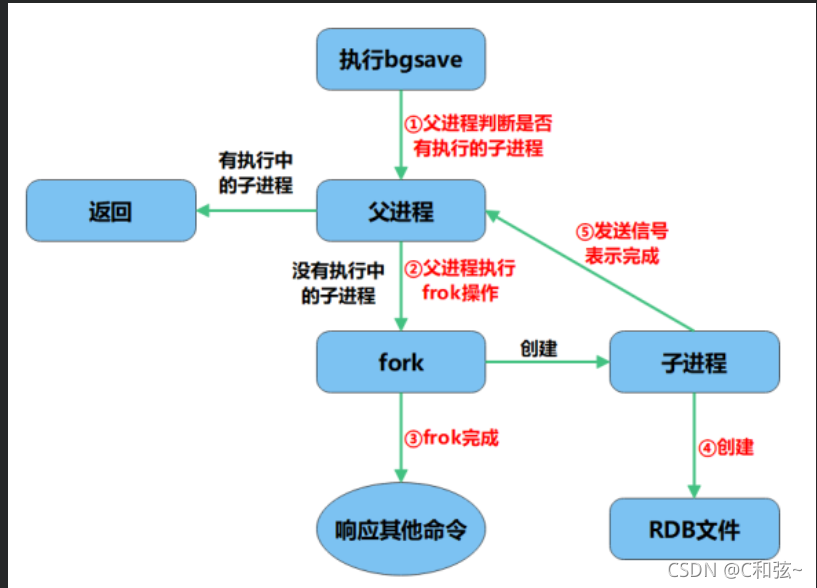
redis数据库讲解二(redis高可用、持久化、性能管理)
Some experience of using dialogfragment and anti stepping pit experience (getactivity and getdialog are empty, cancelable is invalid, etc.)
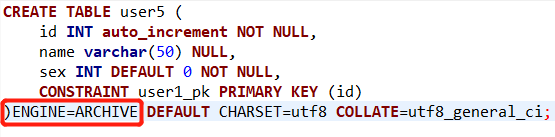
MYSQL一种分表实现方案及InnoDB、MyISAM、MRG_MYISAM等各种引擎应用场景介绍
A table splitting implementation scheme of MySQL and InnoDB, MyISAM and MRG_ Introduction to MyISAM and other engine application scenarios

倒计时1天~2022云容灾产品线上发布会即将开始
HyperBDR云容灾V3.3.0版本发布|容灾功能升级,资源组管理功能优化
随机推荐
jsp学习3
mysql锁数据库锁
JDBC和servlet写CRUD的接口总结
Essential difference between restful WebService and gSOAP webservice
sql中出现一个变态问题
Date的after时间判断
VMware 15pro mounts the hard disk of the real computer in the deepin system
HyperMotion云迁移助力中国联通,青云完成某央企上云项目,加速该集团核心业务系统上云进程
正则表达式
Thread group ThreadGroup uses introduction + custom thread factory class to implement threadfactory interface
js 抛物线运动方法封装
Five ways of using synchronized to remove clouds and fog are introduced
js 进度条,显示加载进度
DP - [noip2000] grid access
RecyclerView高级使用(二)-垂直拖拽排序的简单实现
ThreadGroup ThreadGroup implémente l'interface threadfactory en utilisant la classe Introduction + Custom thread Factory
How QT designer adds resource files
MySQL lock database lock
postman批量生产body信息(实现批量修改数据)
Use the executors class to quickly create a thread pool