当前位置:网站首页>Hanlp分词器(通过spark)
Hanlp分词器(通过spark)
2022-04-23 06:15:00 【山顶看数据】
这里主要是对内容数据进行标签处理
这里我们是用分词器是HanLP
HanLP是哈工大提供的一种中文分词的工具,因为他支持Java API
这里我们使用spark + hanlp进行中文分词
1、准备工作
##1. 在hdfs创建目录用于存放hanlp的数据
[root@hadoop ~]# hdfs dfs -mkdir -p /common/nlp/data

##2. 将hanlp的工具上传到服务器的指定位置
##3. 解压到当前目录
[root@hadoop soft]# tar -zxvf hanlp.dictionary.tgz

##4. 将语料库上传到hdfs的指定位置
[root@hadoop soft]# hdfs dfs -put ./dictionary/ /common/nlp/data

##5. 将这个hanlp.properties拷贝到当前工程下的resources目录下
使用Hanlp必须继承IIOAdapter,因为是使用我们自定义的分词库
package com.fuwei.bigdata.profile.nlp.hanlp

import com.hankcs.hanlp.corpus.io.{IIOAdapter, IOUtil}
import org.apache.hadoop.conf.Configuration
import org.apache.hadoop.fs.{FileSystem, Path}

import java.io.{FileInputStream, InputStream, OutputStream}
import java.net.URI


/**
 * 使用Hanlp必须继承IIOAdapter,因为是使用我们自定义的分词库
 * 当用户自定义语料库在HDFS上的时候,配置此IIOAdapter
 * usage:
 * 1、在HDFS创建/commoon/nlp目录
 * 2、将hanlp.directory.tgz上传到hdfs的目录下
 * 3、在当前工程中配置hanlp.properties
 * 4、在语料库.bin的文件如果存在,加载词典的时候就会直接加载,如果有新词的时候,不会直接加载,
 * 如果有新词的时候,不会直接加载,需要将bin删除,才会
 */
class HadoopFileIoAdapter extends IIOAdapter{

    /**
     * 这个主要是我们需要分词的文件的路径
     * @param s
     * @return
     */
    override def open(path: String): InputStream = {
        //1、获取操作hdfs的文件系统对象
        val configuration = new Configuration()
        val fs: FileSystem = FileSystem.get(URI.create(path), configuration)
        //2、判断路径是否存在
        if (fs.exists(new Path(path))){//此时说明存在
            fs.open(new Path(path))
        }else{
            if (IOUtil.isResource(path)){
                //判断这个资源路径是否为hanlp需要的资源路径
                IOUtil.getResourceAsStream("/"+path)
            }else{
                new FileInputStream(path)
            }
        }
    }

    /**
     * 创建一个文件,用于输出处理后的结果
     * @param s
     * @return
     */
    override def create(path: String): OutputStream = {
        val configuration = new Configuration()
        val fs: FileSystem = FileSystem.get(URI.create(path),configuration)
        fs.create(new Path(path))
    }

}
package com.fuwei.bigdata.profile

import com.hankcs.hanlp.dictionary.stopword.CoreStopWordDictionary
import com.hankcs.hanlp.seg.common.Term
import com.hankcs.hanlp.tokenizer.StandardTokenizer
import com.fuwei.bigdata.profile.conf.Config
import com.fuwei.bigdata.profile.utils.SparkUtils
import org.apache.log4j.{Level, Logger}
import org.apache.spark.sql.{DataFrame, SaveMode, SparkSession}
import org.slf4j.LoggerFactory

import java.util
import scala.collection.{JavaConversions, mutable}


/**
 * 对内容日志进行标签处理
 */
object NewsContentSegment {
    private val logger = LoggerFactory.getLogger(NewsContentSegment.getClass.getSimpleName)

    def main(args: Array[String]): Unit = {
        Logger.getLogger("org").setLevel(Level.WARN)
        //1、解析参数
        val params: Config = Config.parseConfig(NewsContentSegment, args)
        System.setProperty("HADOOP_USER_NAME",params.proxyUser)
        logger.warn("job is running please wait for a moment ......")

        //2、获取SparkSession
        val spark: SparkSession = SparkUtils.getSparkSession(params.env, NewsContentSegment.getClass.getSimpleName)
        import spark.implicits._

        //3、如果是做本地测试,没有必要显示所有代码,测试10行数据即可
        var limitData = ""
        if (params.env.equalsIgnoreCase("dev")){
            limitData = "limit 10"
        }

        //4、读取源数据
        val sourceArticleDataSQL =
            s"""
               |select
               |""".stripMargin

        val sourceDF: DataFrame = spark.sql(sourceArticleDataSQL)
        sourceDF.show()

        //5、分词
        val termsDF: DataFrame = sourceDF.mapPartitions(partition => {
            //5.1存放结果的集合
            var resTermList: List[(String, String)] = List[(String, String)]()

            //5.2遍历分区数据
            partition.foreach(row => {
                //5.3获取到字段信息
                val article_id: String = row.getAs("").toString
                val context: String = row.getAs("").toString

                //5.4分词
                val terms: util.List[Term] = StandardTokenizer.segment(context)
                //5.5去除停用词
                val stopTerms: util.List[Term] = CoreStopWordDictionary.apply(terms) //去除terms中的停用词

                //5.6转换为scala的buffer
                val stopTermsAsScalaBuffer: mutable.Buffer[Term] = JavaConversions.asScalaBuffer(stopTerms)

                //5.7保留名词,去除单个汉字,单词之间使用逗号隔开
                val convertTerms: String = stopTermsAsScalaBuffer.filter(term => {
                    term.nature.startsWith("n") && term.word.length != 1
                }).map(term => term.word).mkString(",")

                //5.8构建单个结果
                var res = (article_id, convertTerms)

                //5.9去除空值
                if (convertTerms.length != 0) {
                    resTermList = res :: resTermList //向结果中追加
                }
            })
            resTermList.iterator
        }).toDF("article_id", "context_terms")

        termsDF.show()

        //6、写入到hive
        termsDF.write.mode(SaveMode.Overwrite).format("ORC").saveAsTable("dwd_news.news_article_terms")

        //7、释放资源
        spark.close()
        logger.info(" job has success.....")
    }

}
spark自定义jar包测试
${SPARK_HOME}/bin/spark-submit \
--jars /data/apps/hive-1.2.1/auxlib/hudi-spark-bundle_2.11-0.5.2-incubating.jar \
--conf spark.sql.hive.convertMetastoreParquet=false \
--conf spark.executor.heartbeatInterval=120s \
--conf spark.network.timeout=600s \
--conf spark.sql.catalogImplementation=hive \
--conf spark.yarn.submit.waitAppCompletion=false \
--name user_profile_terms \
--conf spark.task.cpus=1 \
--conf spark.executor.cores=4 \
--conf spark.sql.shuffle.partitions=50 \
--master yarn \
--deploy-mode cluster \
--driver-memory 1G \
--executor-memory 3G \
--num-executors 1 \
--class com.fuwei.bigdata.profile.NewsContentSegment \
/data/jar/user-profile.jar \
-e prod -x root
版权声明
本文为[山顶看数据]所创,转载请带上原文链接,感谢
https://blog.csdn.net/li1579026891/article/details/122414432
边栏推荐
- By onnx checker. check_ Common errors detected by model
- Raspberry Pie: two color LED lamp experiment
- 【无标题】制作一个0-99的计数器,P1.7接按键,P2接数码管段,共阳极数码管,P3.0,P3.1接数码管位码,每按一次键,数码管显示加一。请写出单片机的C51代码
- swin transformer 转 onnx
- scons 搭建嵌入式arm编译
- Use originpro express for free
- unhandled system error, NCCL version 2.7.8
- Warning "force fallback to CPU execution for node: gather_191" in onnxruntime GPU 1.7
- 美摄科技云剪辑,助力哔哩哔哩使用体验再升级
- 基于open mv 搭配stm32循迹
猜你喜欢

【点云系列】Pointfilter: Point Cloud Filtering via Encoder-Decoder Modeling

AUTOSAR从入门到精通100讲(八十六)-UDS服务基础篇之2F
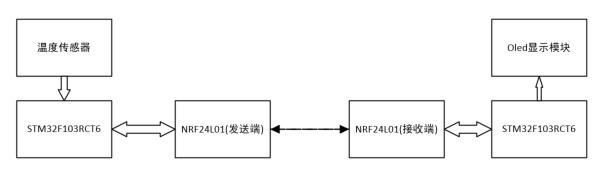
STM32多路测温无线传输报警系统设计(工业定时测温/机舱温度定时检测等)

以智能生产引领行业风潮!美摄智能视频生产平台亮相2021世界超高清视频产业发展大会

美摄科技云剪辑,助力哔哩哔哩使用体验再升级

GIS实战应用案例100篇(五十三)-制作三维影像图用以作为城市空间格局分析的底图

如何利用qemu搭建SOC protoype:80行代码实现一个Cortex M4 模拟器

带低压报警的51单片机太阳能充电宝设计与制作(完整代码资料)

无盲区、长续航|公专融合对讲机如何提升酒店服务效率?

AUTOSAR从入门到精通100讲(五十二)-诊断和通信管理功能单元
随机推荐
基于51单片机的温湿度监测+定时报警系统(c51源码)
“Expression #1 of SELECT list is not in GROUP BY clause and contains nonaggregated
机器视觉系列(01)---综述
【点云系列】SO-Net:Self-Organizing Network for Point Cloud Analysis
Warning "force fallback to CPU execution for node: gather_191" in onnxruntime GPU 1.7
Unable to determine the device handle for GPU 0000:02:00.0: GPU is lost.
Pymysql connection database
Pytoch model saving and loading (example)
美摄助力百度“度咔剪辑”,让知识创作更容易
Detailed explanation of device tree
Paddleocr image text extraction
imx6ull-qemu 裸机教程1:GPIO,IOMUX,I2C
《Attention in Natural Language Processing》翻译
Chapter 2 pytoch foundation 2
UEFI学习01-ARM AARCH64编译、ArmPlatformPriPeiCore(SEC)
enforce fail at inline_container.cc:222
x86架构初探之8086
PyTorch 11.正则化
【點雲系列】SG-GAN: Adversarial Self-Attention GCN for Point Cloud Topological Parts Generation
GIS实战应用案例100篇(三十四)-拼接2020globeland30