当前位置:网站首页>9. Rest 风格请求处理
9. Rest 风格请求处理
2022-08-10 23:35:00 【要学就学灰太狼】
9.1 基本介绍
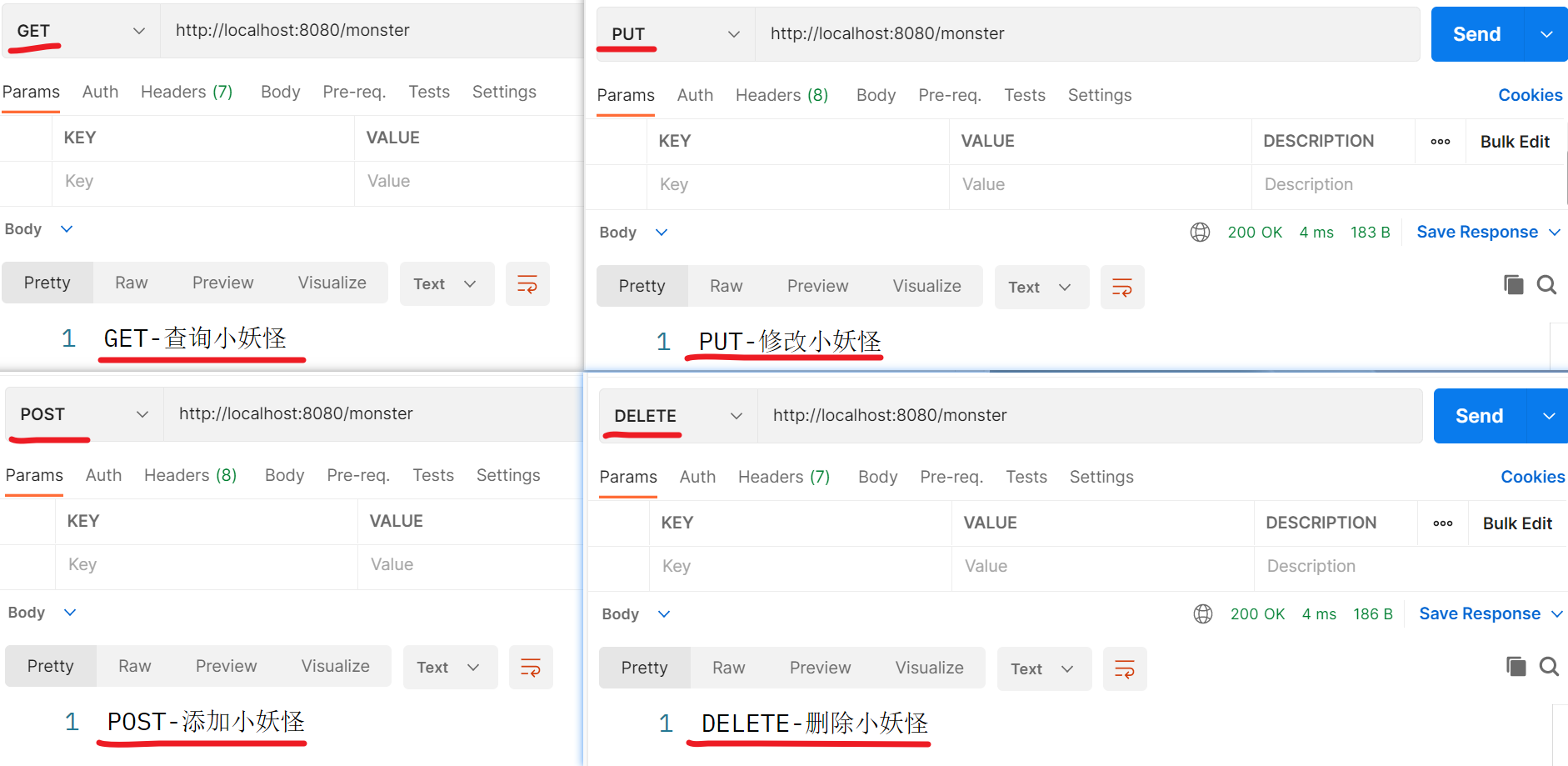
Rest 风格支持 (使用 HTTP 请求方式动词来表示对资源的操作)
举例说明:
● 请求方式: /monster
● GET - 获取小妖怪
● DELETE - 删除小妖怪
● PUT - 修改小妖怪
● POST - 保存小妖怪
9.2 SpringBoot Rest 风格应用实例
9.2.1 需求说明
- 演示 SpringBoot 中如何实现 Rest 风格的 增删改查
9.2.2 应用实例
- 创建 D:\xjs_springboot\springbootweb\src\main\java\com\xjs\springboot\controller\MonsterController.java
package com.xjs.springboot.controller;

import org.springframework.web.bind.annotation.*;

/** * @Author: 谢家升 * @Version: 1.0 */
@RestController
public class MonsterController {


    //@RequestMapping(value = "/monster", method = RequestMethod.GET)
    @GetMapping("/monster")
    public String getMonster() {

        return "GET-查询小妖怪";
    }

    //@RequestMapping(value = "/monster", method = RequestMethod.POST)
    @PostMapping("/monster")
    public String saveMonster() {

        return "POST-添加小妖怪";
    }

    //@RequestMapping(value = "/monster", method = RequestMethod.PUT)
    @PutMapping("/monster")
    public String putMonster() {

        return "PUT-修改小妖怪";
    }

    //@RequestMapping(value = "/monster", method = RequestMethod.DELETE)
    @DeleteMapping("/monster")
    public String delMonster() {

        return "DELETE-删除小妖怪";
    }

}
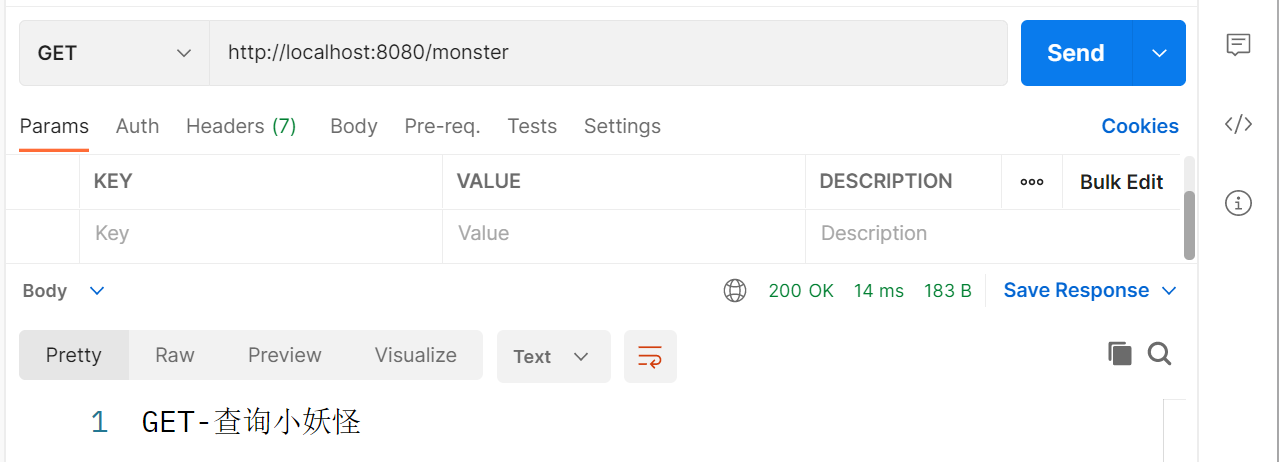
- 使用 Postman 完成测试,请求 url: http://localhost:8080/monster
9.2.3 Rest 风格请求 -注意事项和细节
客户端是 PostMan 可以直接发送 Put、delete 等方式请求,可不设置 Filter
如果要 SpringBoot 支持 页面表单的 Rest 功能,则需要注意如下细节
① Rest 风格请求核心 Filter — HiddenHttpMethodFilter
② 表单请求会被 HiddenHttpMethodFilter 拦截,获取到表单 _method 的值, 再判断是 PUT/DELETE/PATCH
③ 说明:PATCH 方法是新引入的,是对 PUT 方法的补充,用来对已知资源进行局部更新
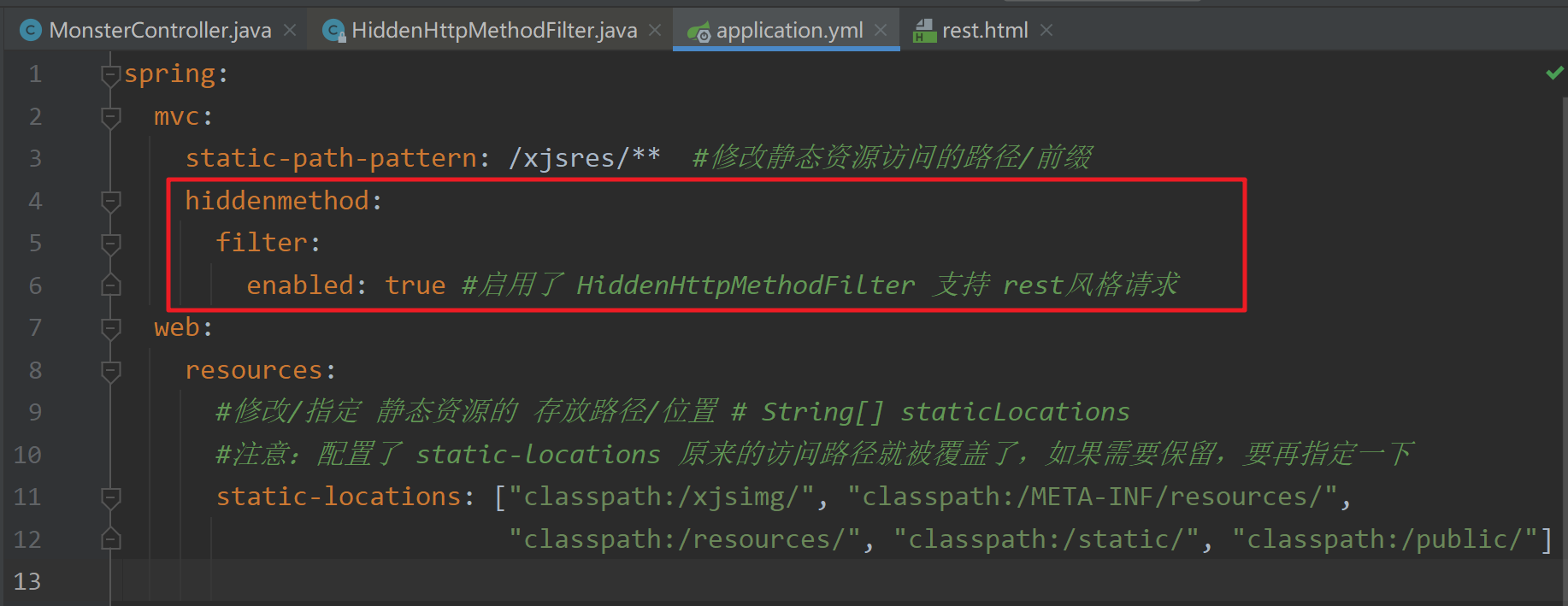
④ https://segmentfault.com/q/1010000005685904如果要 SpringBoot 支持 页面表单的 Rest 功能,需要在 application.yml 启用 filter 功能,否则无效
修改 application.yml 启用 filter 功能
spring:
  mvc:
    static-path-pattern: /xjsres/**  #修改静态资源访问的路径/前缀
    hiddenmethod:
      filter:
        enabled: true #启用了 HiddenHttpMethodFilter 开启页面表单的 rest 功能
  web:
    resources:
      #修改/指定 静态资源的 存放路径/位置 # String[] staticLocations
      #注意:配置了 static-locations 原来的访问路径就被覆盖了,如果需要保留,要再指定一下
      static-locations: ["classpath:/xjsimg/", "classpath:/META-INF/resources/",
                         "classpath:/resources/", "classpath:/static/", "classpath:/public/"]
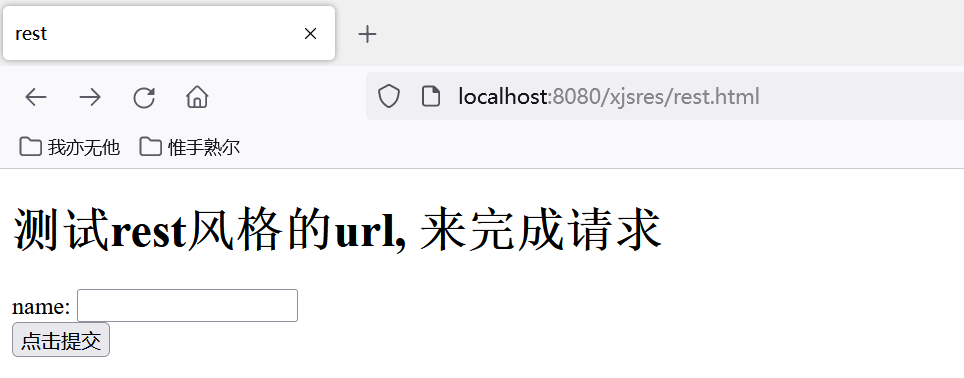
- 创建测试页面 D:\xjs_springboot\springbootweb\src\main\resources\public\rest.html
<!DOCTYPE html>
<html lang="en">
<head>
    <meta charset="UTF-8">
    <title>rest</title>
</head>
<body>
<h1>测试rest风格的url, 来完成请求</h1>
<form action="/monster" method="post">
    name: <input type="text" name="name"><br/>
    <!--通过隐藏域传递 _method 参数指定值-->
    <input type="hidden" name="_method" value="put">
    <input type="submit" value="点击提交">
</form>
</body>
</html>
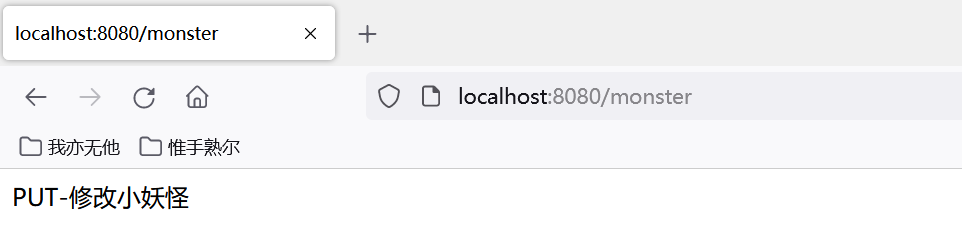
- 完成测试,注意 url 是 localhost:8080/xjsres/rest.html,如果希望 url 是
localhost:8080/rest.html,将 application.yml 中的static-path-pattern: /xjsres/**注销即可
9.3 思考题
- 为什么这里
return "GET-查询妖怪",返回的是字符串,而不是转发到 对
应的资源文件?
package com.xjs.springboot.controller;

import org.springframework.stereotype.Controller;
import org.springframework.web.bind.annotation.*;

/** * @Author: 谢家升 * @Version: 1.0 */
//@RestController
@Controller
public class MonsterController {


    /** * 思考题:为什么这里 return "GET-查询妖怪" ,返回的是字符串,而不是转发到 对 * 应的资源文件? * * 解读: * 1. 因为@ResController 是一个复合注解, 含有@ResponseBody * 2. 所以 springboot 底层(springmvc), 在处理 return "xxx" 时, * 会以@ResponseBody 注解进行解析处理, 即返回字符串 "xxx", 而不会使用视图解析器来处理 * 3. 可以试一下, 如果我们把 @RestController 改成 @Controller , 当你访问 * getMonster() 时, 如果你有 xxx.html 会转发到 xxx.html , 如果没有 xxx.html , 就会报 404 * 4. 提示: 在测试时, 将 xxx.html 放在 main\resources\public\xxx.html 进行测试, 并在 * application.yml 配置视图解析器 */

    //@RequestMapping(value = "/monster", method = RequestMethod.GET)
    @GetMapping("/monster")
    public String getMonster() {

        return "GET-查询小妖怪";
    }

    //@RequestMapping(value = "/monster", method = RequestMethod.POST)
    @PostMapping("/monster")
    public String saveMonster() {

        return "POST-添加小妖怪";
    }

    //@RequestMapping(value = "/monster", method = RequestMethod.PUT)
    @PutMapping("/monster")
    public String putMonster() {

        return "PUT-修改小妖怪";
    }

    //@RequestMapping(value = "/monster", method = RequestMethod.DELETE)
    @DeleteMapping("/monster")
    public String delMonster() {

        return "DELETE-删除小妖怪";
    }

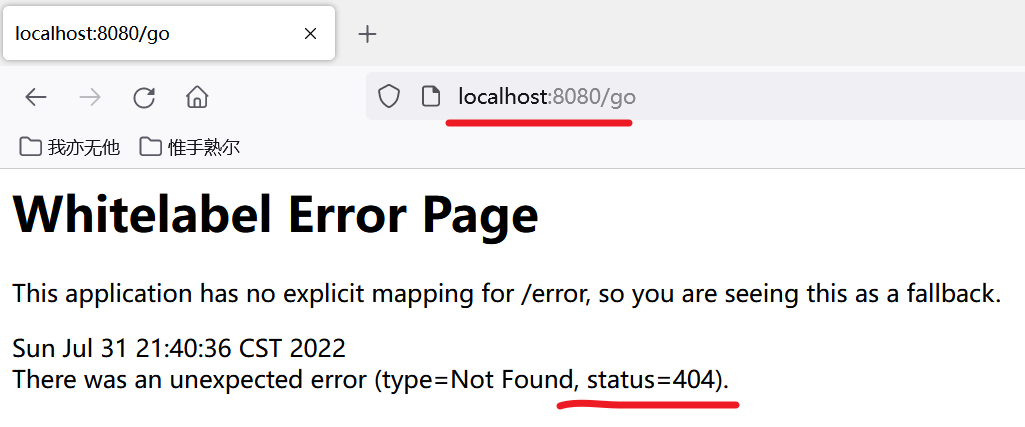
    @RequestMapping("/go")
    public String go() {

        return "hello";
        //注意:
        // 1.看controller 有没有 /hello [前提是没有配置视图解析器]
        // 2.如果配置了视图解析器就按照视图解析器来定位页面
    }

}
---------- 在 application.yml 配置解析器 ----------
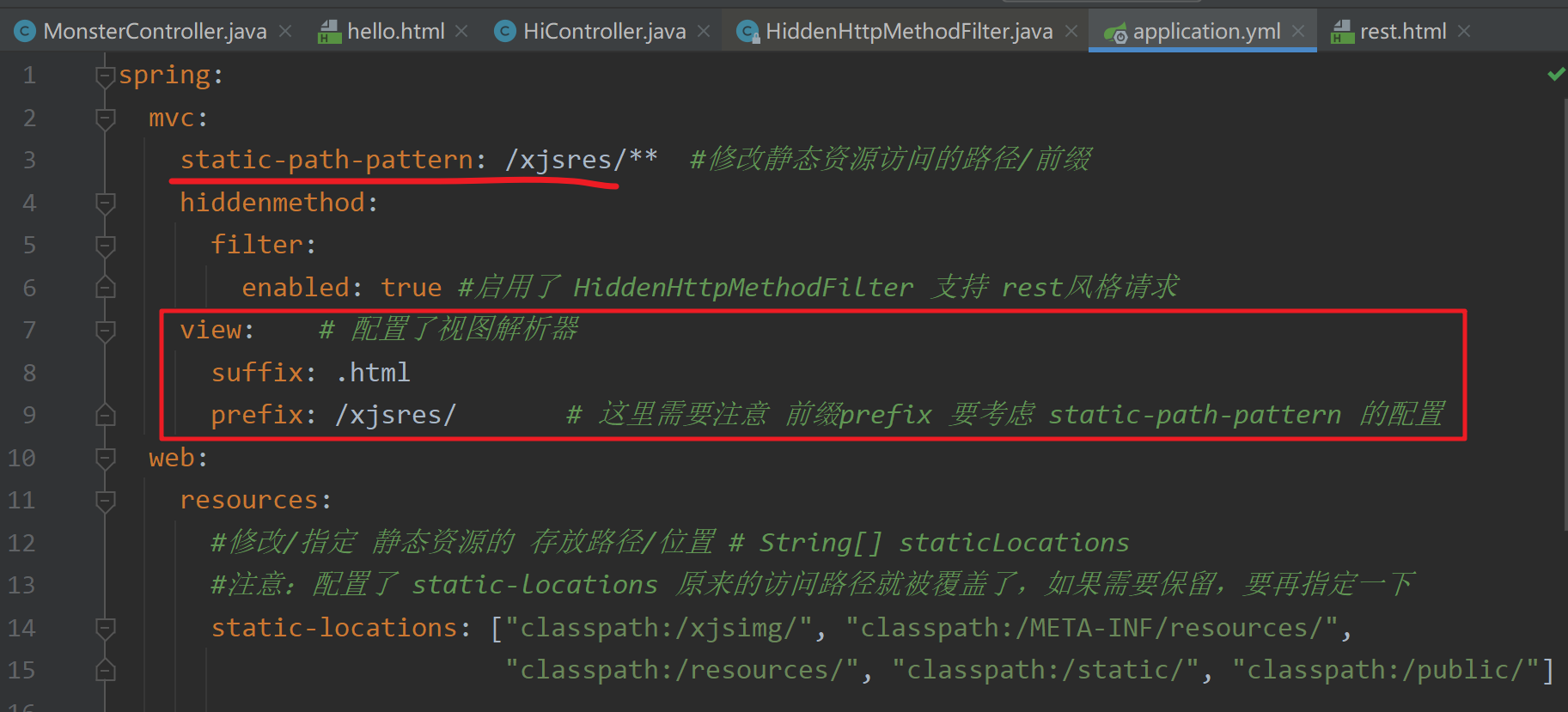
spring:
  mvc:
    static-path-pattern: /xjsres/**  #修改静态资源访问的路径/前缀
    hiddenmethod:
      filter:
        enabled: true #启用了 HiddenHttpMethodFilter 支持 rest风格请求
    view:    # 配置了视图解析器
      suffix: .html
      prefix: /xjsres/       # 这里需要注意 前缀prefix 要考虑 static-path-pattern 的配置
  web:
    resources:
      #修改/指定 静态资源的 存放路径/位置 # String[] staticLocations
      #注意:配置了 static-locations 原来的访问路径就被覆盖了,如果需要保留,要再指定一下
      static-locations: ["classpath:/xjsimg/", "classpath:/META-INF/resources/",
                         "classpath:/resources/", "classpath:/static/", "classpath:/public/"]
- 测试可能出现的问题和解决方案分析
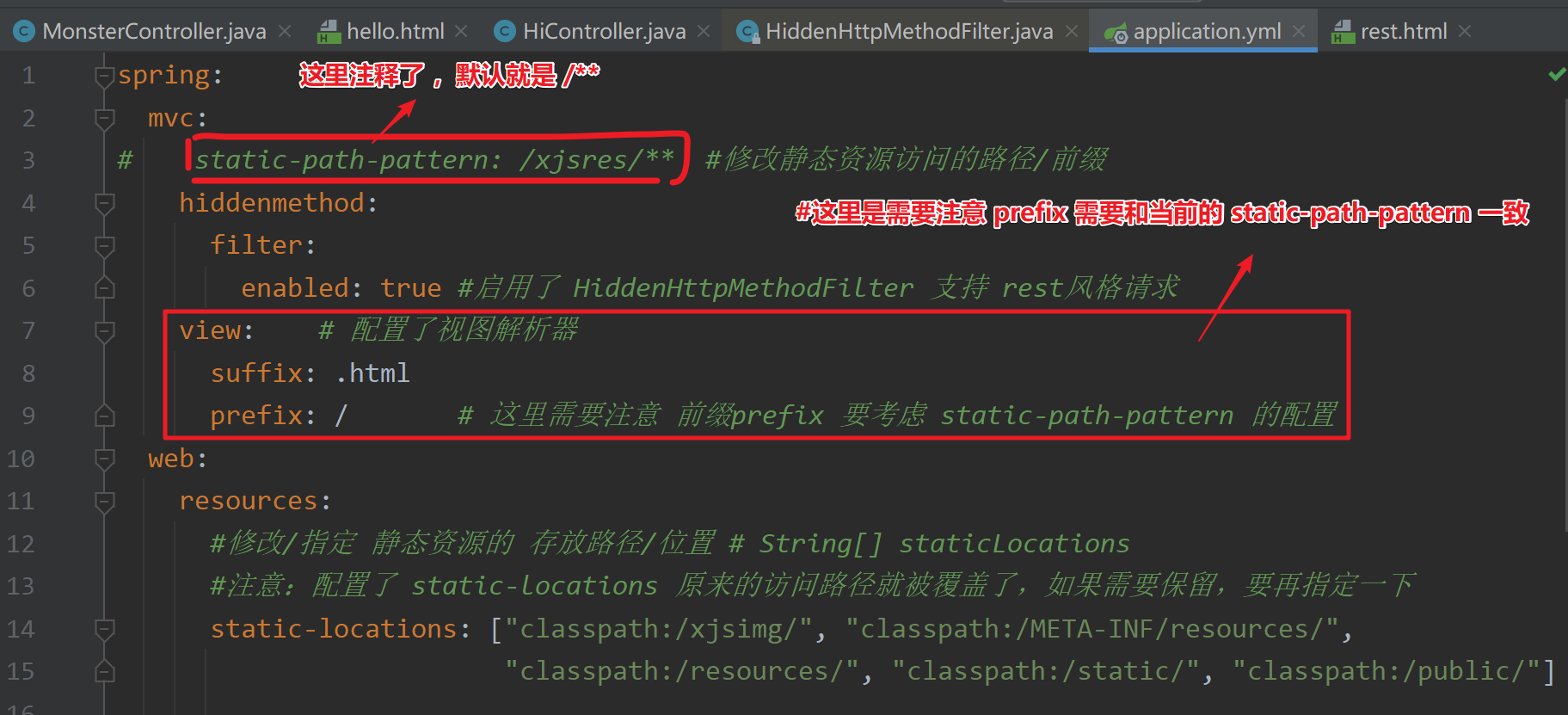
- 如何解决
边栏推荐
猜你喜欢
![[C language articles] Expression evaluation (implicit type conversion, arithmetic conversion)](/img/ae/74dc5fc676e74ab03607565ca7539e.png)
[C language articles] Expression evaluation (implicit type conversion, arithmetic conversion)

后疫情时代,VR全景营销这样玩更加有趣!
卷积神经网络CNN详细介绍
基于SSM实现手机销售商城系统
【C语言篇】操作符之 位运算符详解(“ << ”,“ >> ”,“ & ”,“ | ”,“ ^ ”,“ ~ ”)
ROS Experimental Notes - Install QPEP and Intel-MKL
Android面试冲刺:2022全新面试题——剑指Offer(备战金九银十)

Unity--URP渲染管线实战教程系列之URP摄像机核心机制剖析
String
浅析工业互联网
随机推荐
CSDN21天学习挑战赛之折半查找
Metasploit——客户端渗透
CSDN21天学习挑战赛之折半插入排序
How to quickly grasp industry opportunities and introduce new ones more efficiently is an important proposition
Doris建表注意事项,实时数仓的同学记得收藏
安科瑞为工业能效行动计划提供EMS解决方案-Susie 周
Geogebra 教程之 02 Geogebra初学者的 8 个基本要素
HGAME 2022 Week4 writeup
SAS数据处理技术(一)
HCTF 2018 WarmUP writeup
国内vr虚拟全景技术领先的公司
excel英文自动翻译成中文教程
ROS实验笔记之——安装QPEP以及Intel-MKL
C language, operators of shift operators (> >, < <) explanation
HFCTF 2021 Internal System writeup
大厂面试热点:“热修复机制及常见的几个框架介绍”
Timers, synchronous and asynchronous APIs, file system modules, file streams
细谈APP开发焦点问题:AMS 系统时间调节原理
卷积神经网络CNN详细介绍
15. 拦截器-HandlerInterceptor