当前位置:网站首页>使用Postman进行Mock测试
使用Postman进行Mock测试
2022-04-23 14:02:00 【沉觞流年】
使用Postman进行Mock测试
接口信息
接口路径	/mock/testdemo

请求头
Content-Type	application/json
token	21232f297a57a5a743894a0e4a801fc3

请求体
{

  "memberid": "264903145",
  "phonenum": "17379797878",
  "msg": {

      "Country": "中国",
      "Province": "广东省",
      "City": "广州市",
      "Isp": "电信"
  },
  "type_code": 0
}

响应体
{

    "code": "0000",
    "msg": {

        "result": "success",
        "memberinfo": "白银会员",
        "membertype": "1"
    }
}
新建一个Mock服务
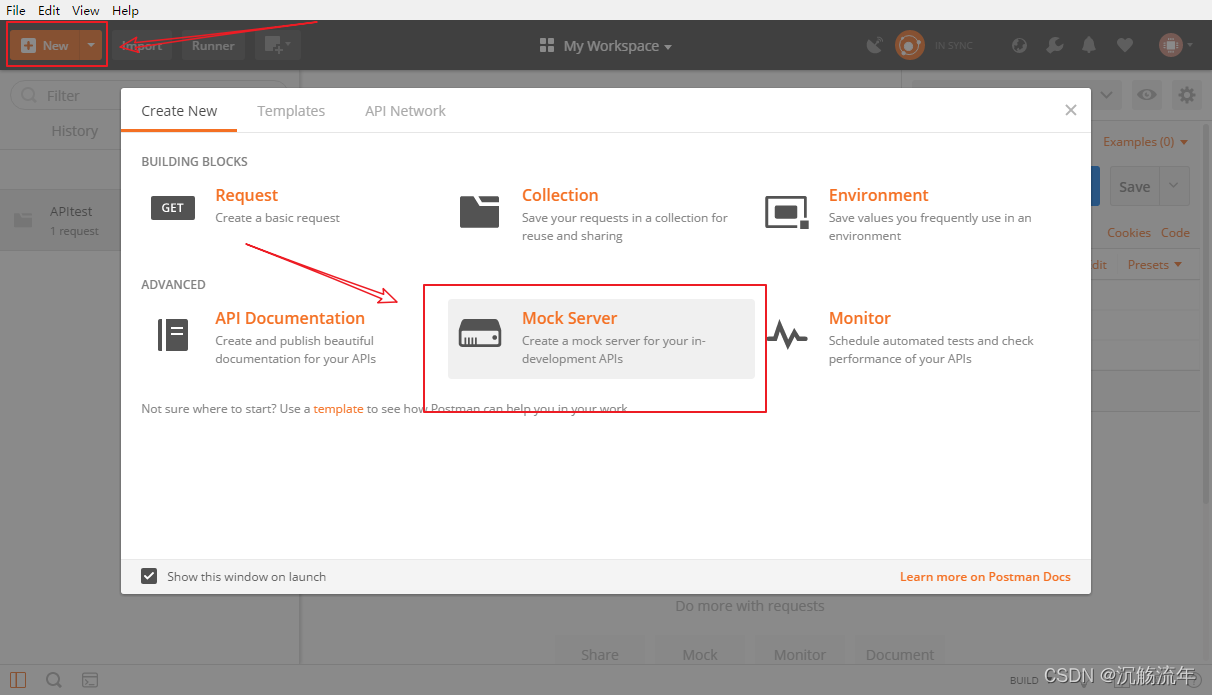
1、打开 Postman,点击左上角New,选择Mock Server
2、编辑Mock请求信息
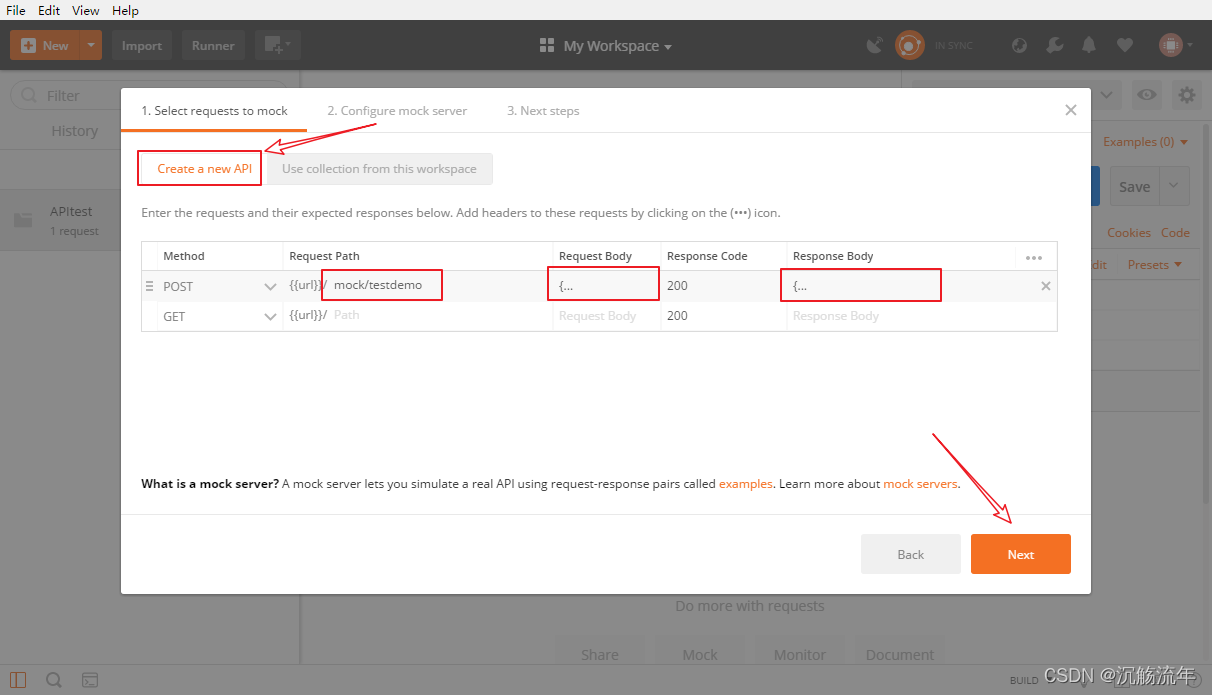
这里选择Create a new API,新建一个Mock的API接口。
Method选择对应的请求方式Request Path填写接口路径信息,Request Body填写请求体信息(需要再右侧设置中勾选该选项)Response Code填写响应码Response Body填写响应体信息
3、配置Mock服务信息
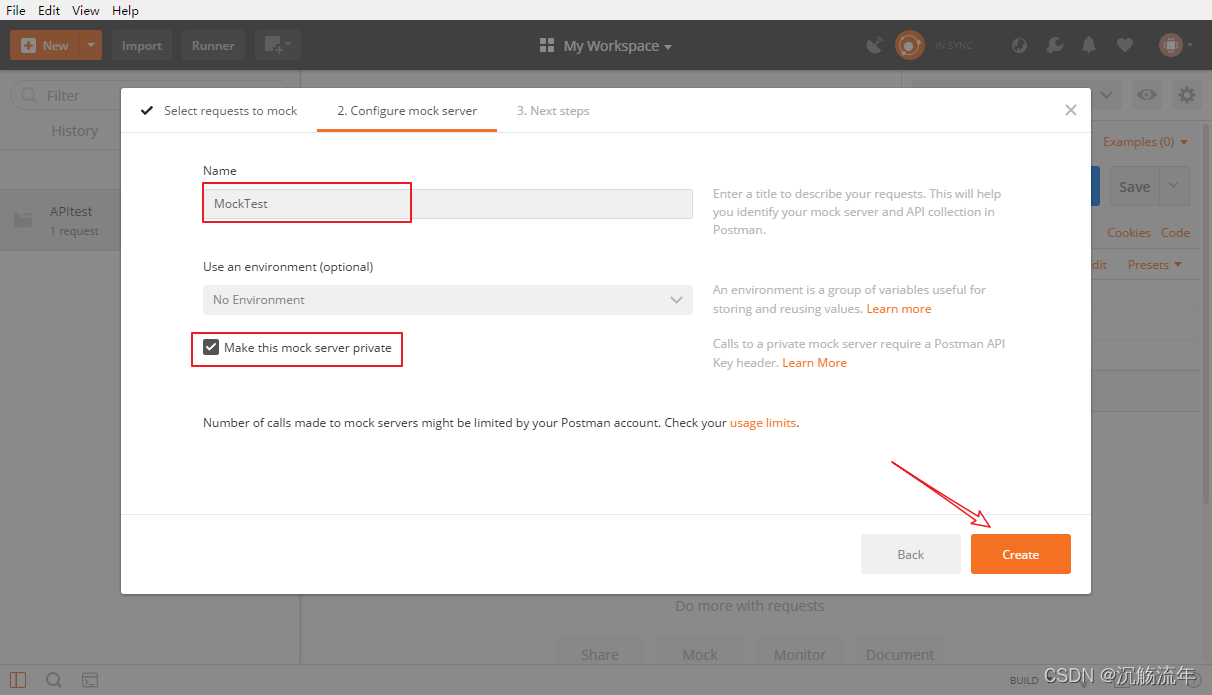
填写Mock服务的名称(可用中文),勾选Make this Mock server private(可以不勾选),这个Mock服务就只能你自己私有访问
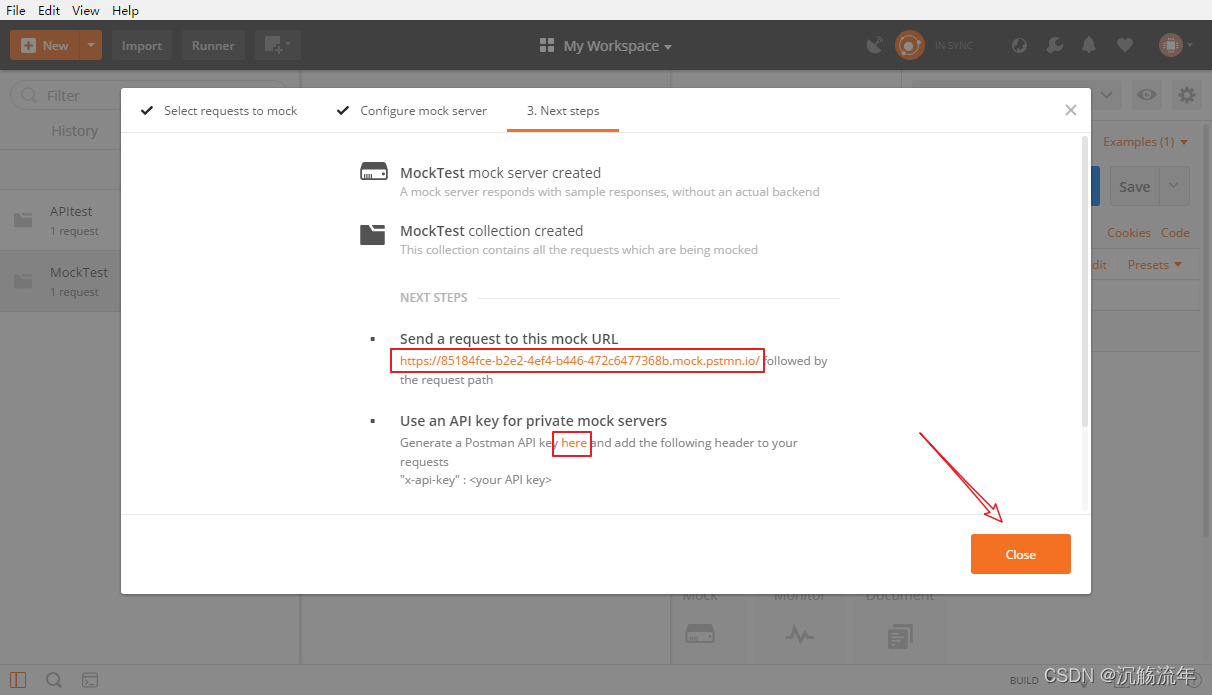
黄色部分就是Mock服务器地址
如果需要对这个Mock服务创建API key,可以点击here打开一个浏览器页面,需要生成一个API key,
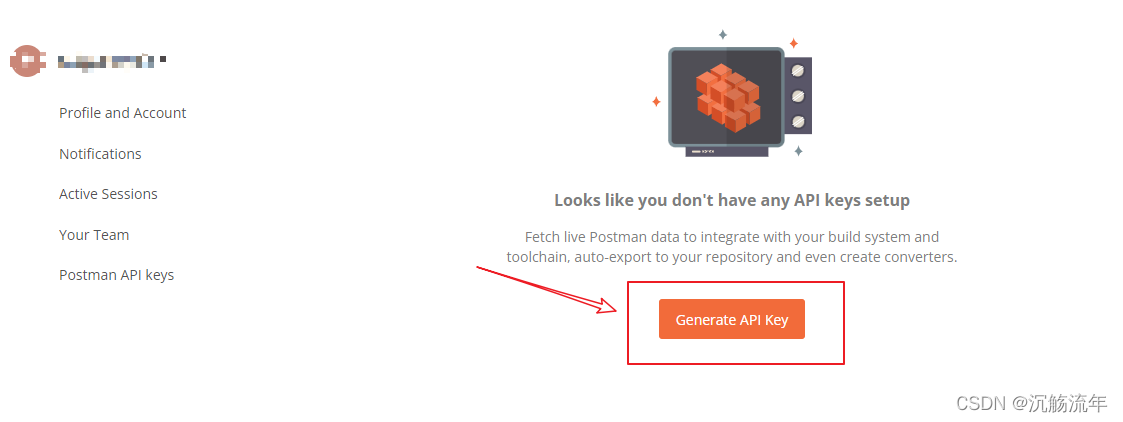
命名API key
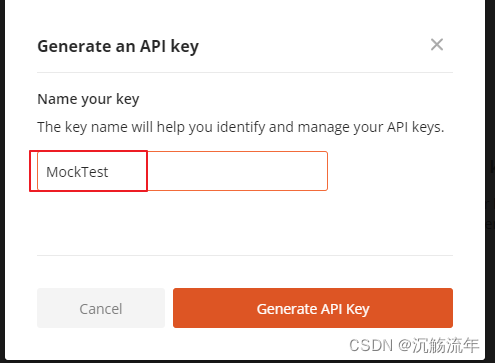
生成秘钥信息
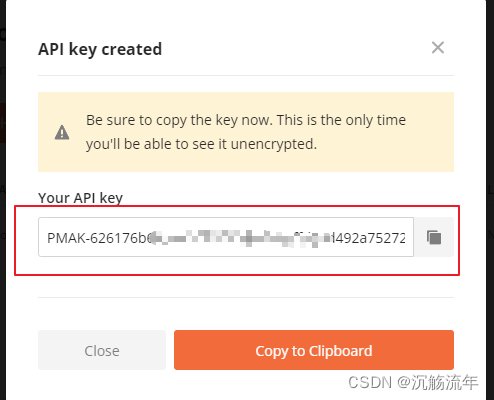
后面访问这个接口的时候,必须在请求头里带上 API key,才能访问成功,相当于一个接口鉴权的作用
4、Mock服务创建成功
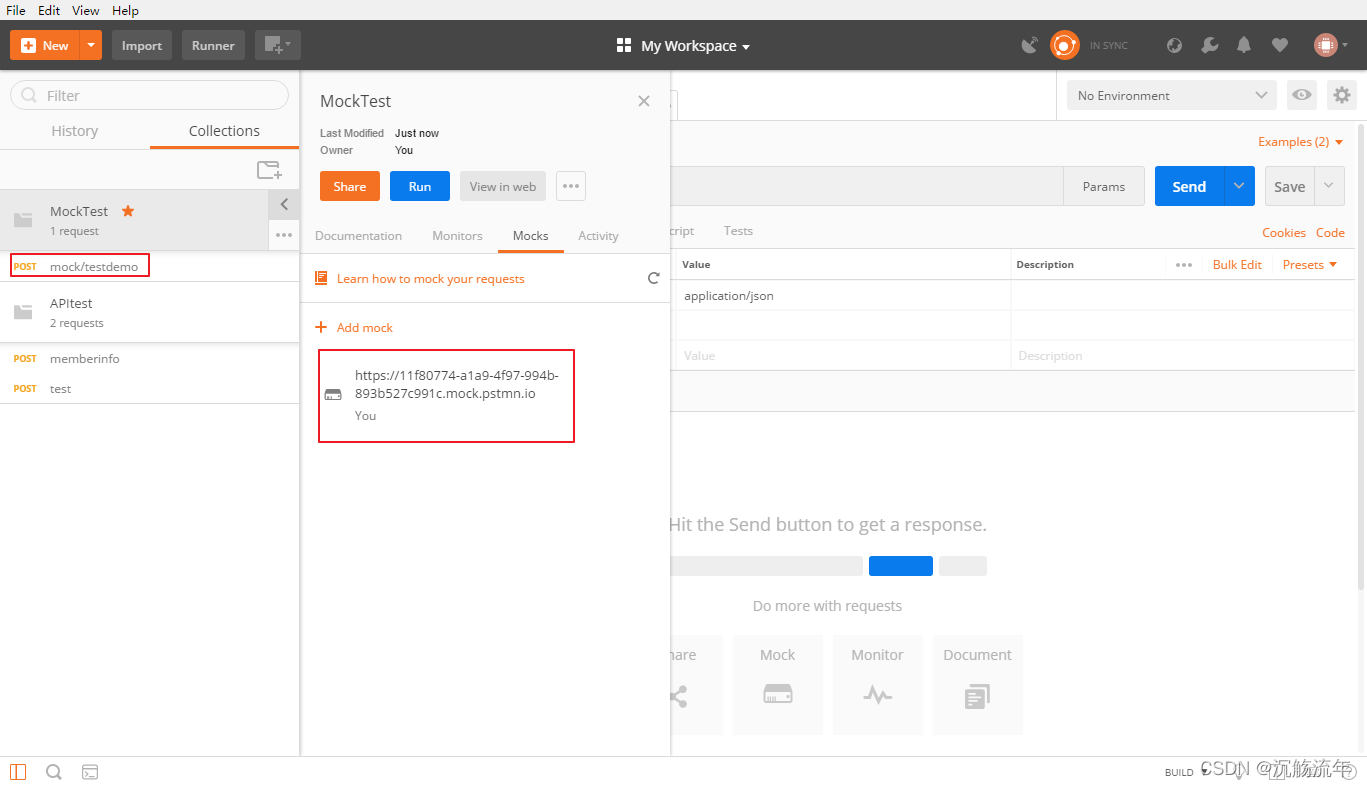
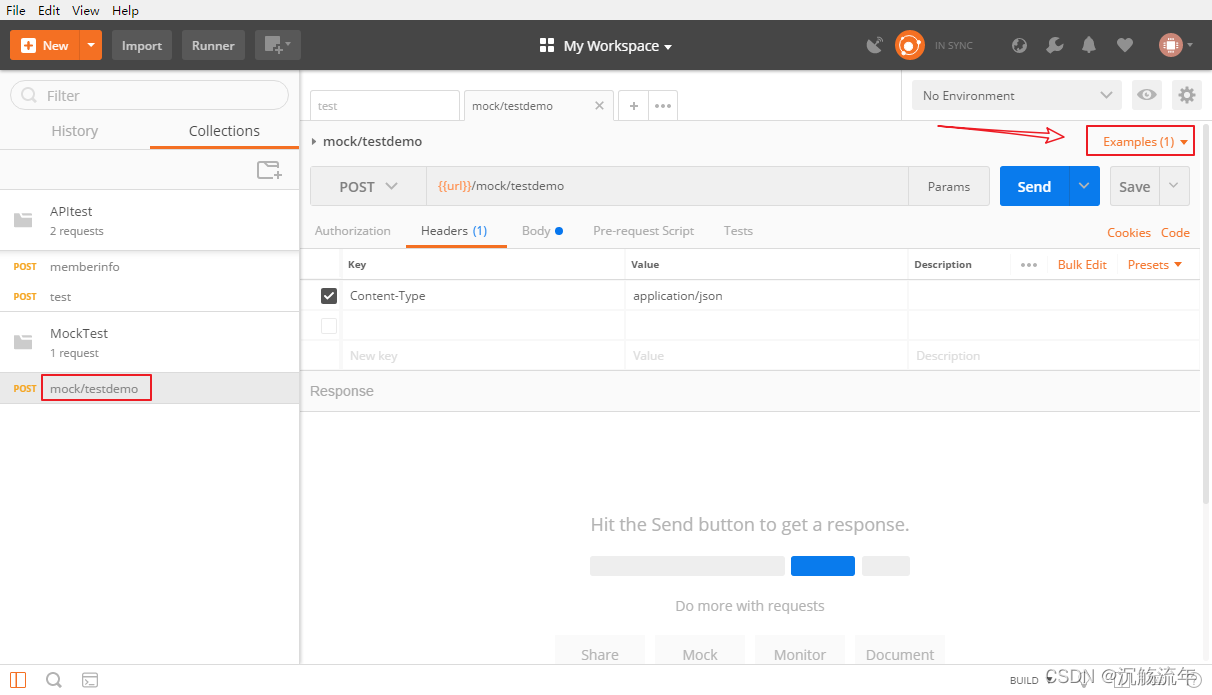
还可以对这个需要Mock的接口,再次进行编辑定义,点击Examples,去定义模板规则
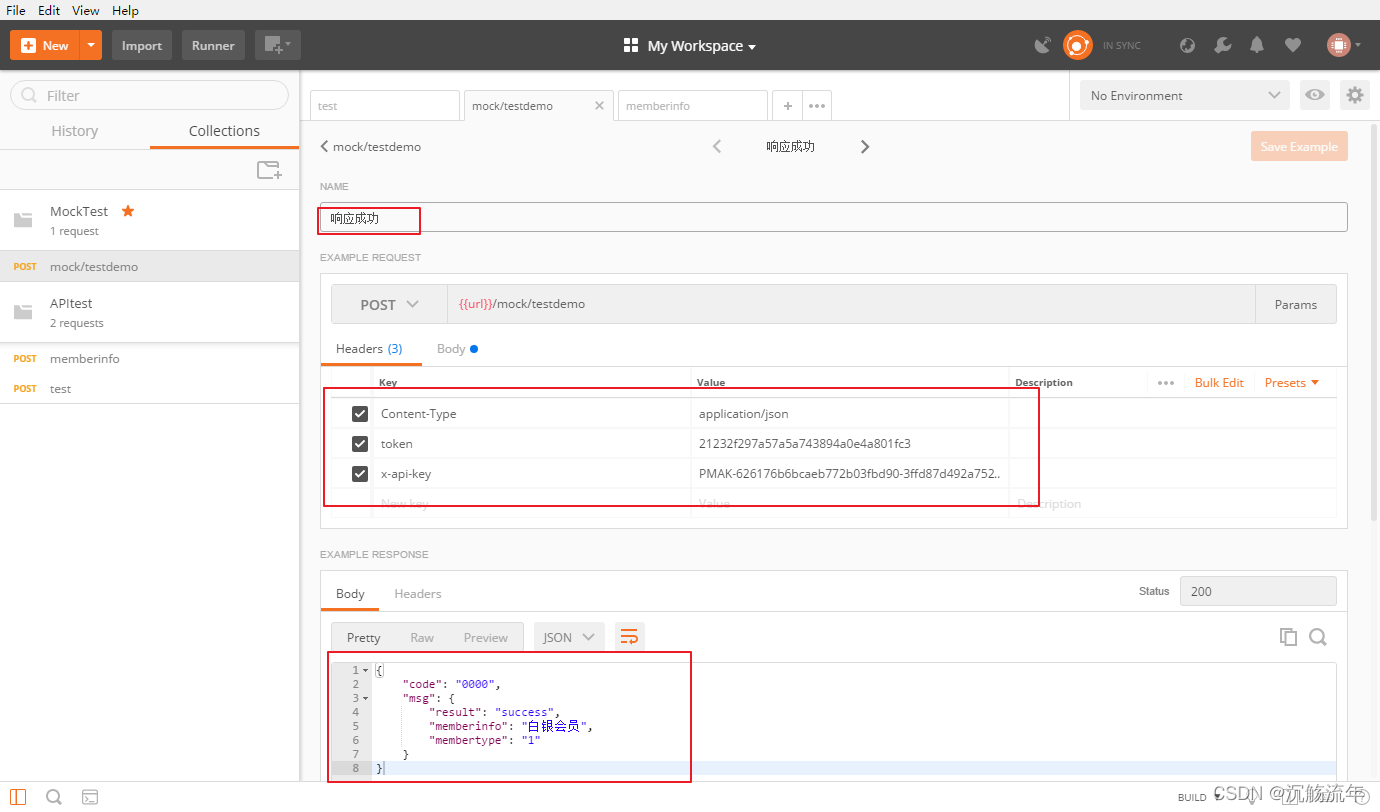
请求头指定Content-Type的类型,加上cookie / token信息,指定返回的响应json信息
访问Mock服务
可以使用 postman 、jmeter等其他接口测试工具进行访问,这里依旧使用postman
在地址栏中将Mock服务器地址和接口路径拼接成URL,填写对应的参数,发送请求
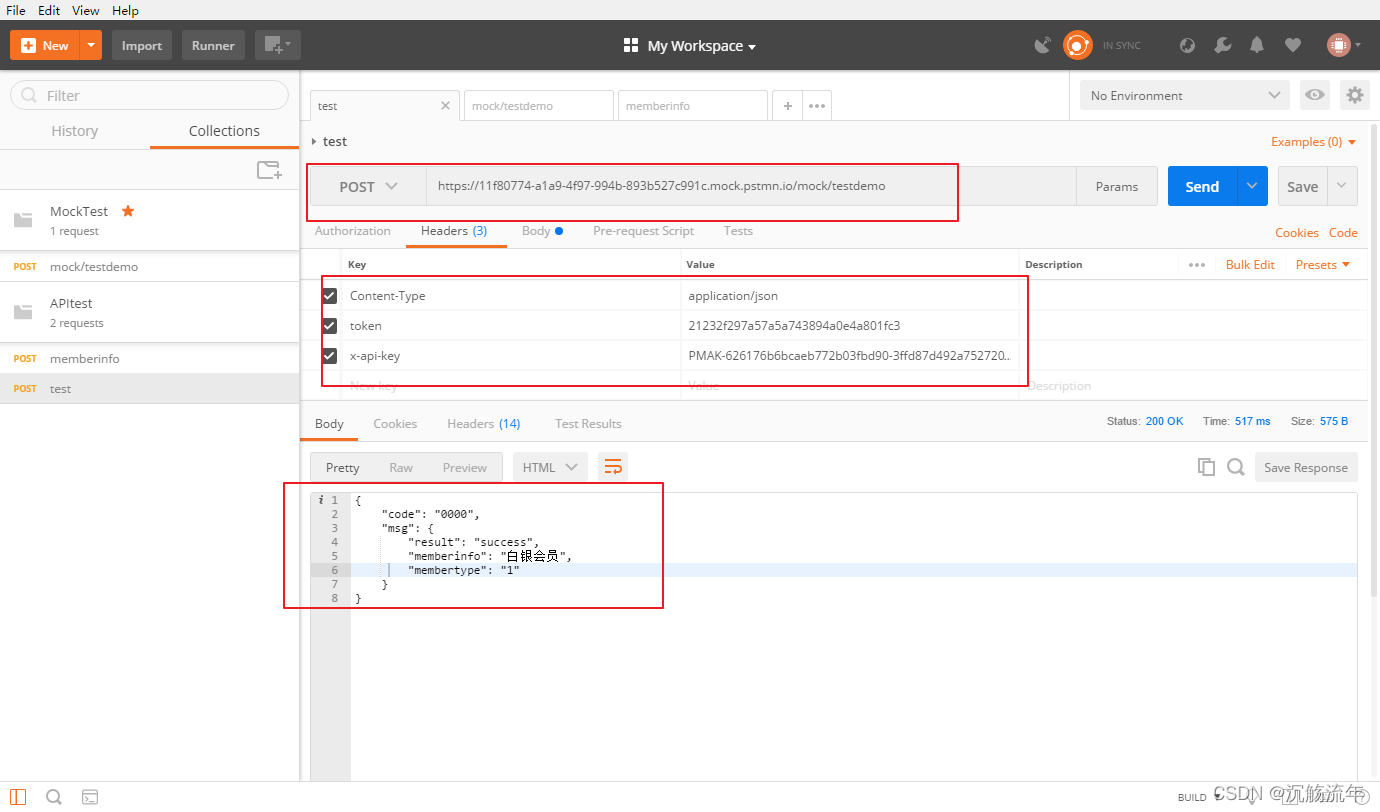
可以发现接口响应的内容,就是定义的Examples中的内容
版权声明
本文为[沉觞流年]所创,转载请带上原文链接,感谢
https://blog.csdn.net/qq_44614026/article/details/124334808
边栏推荐
- Quartus prime hardware experimental development (de2-115 board) experiment 1 CPU instruction calculator design
- Business case | how to promote the activity of sports and health app users? It is enough to do these points well
- Programming travel function
- 容差分析相关的计算公式
- pthread_self()为何重复了
- SQL: How to parse Microsoft Transact-SQL Statements in C# and to match the column aliases of a view
- Introduction to spark basic operation
- Go语言 RPC通讯
- Android篇:2019初中级Android开发社招面试解答(中
- 接口文档yaml
猜你喜欢
Nodejs安装及环境配置
How does redis solve the problems of cache avalanche, cache breakdown and cache penetration
Postman reference summary

微信小程序通过低功耗蓝牙设备进行定位及测距(二)
基于CM管理的CDH6.3.2集群集成Atlas2.1.0
The latest development of fed digital currency

Decentralized Collaborative Learning Framework for Next POI Recommendation
蓝绿发布、滚动发布、灰度发布,有什么区别?
STM32学习记录0007——新建工程(基于寄存器版)
Record a strange bug: component copy after cache component jump
随机推荐
As a junior college student, I studied hard in closed doors for 56 days, won Ali offer with tears, five rounds of interviews and six hours of soul torture
Quartus Prime硬件实验开发(DE2-115板)实验二功能可调综合计时器设计
Logging模块
Decentralized Collaborative Learning Framework for Next POI Recommendation
微信小程序调用客服接口
微信小程序通过低功耗蓝牙设备进行定位及测距(二)
收藏博客贴
go 语言 数组,字符串,切片
微信小程序进行蓝牙初始化、搜索附近蓝牙设备及连接指定蓝牙(一)
Chapter I review of e-commerce spike products
微信小程序基于udp协议与esp8266进行通信
33 million IOPs, 39 microsecond delay, carbon footprint certification, who is serious?
mysql新表,自增id长达20位,原因竟是......
Un modèle universel pour la construction d'un modèle d'apprentissage scikit
Basic knowledge learning record
centOS下mysql主从配置
Expression「Func「TSource, object」」 转Expression「Func「TSource, object」」[]
Postman reference summary
多线程 @Async 线程池
微信小程序setInterval定时函数使用详细教程